192277 - Micron Technical Reference Volume 1.pdf - 第49页
COVERS PRINTER COVERS Chapter Issue 11, Jan 17 Technical Reference Manual 3.7 5. Insert the switch release tool (Part No 188647) into the slots and push until the release tool clicks into place. 6. Leaving the switch rel…
COVERS
PRINTER COVERS
Chapter Issue 11, Jan 17 Technical Reference Manual 3.7
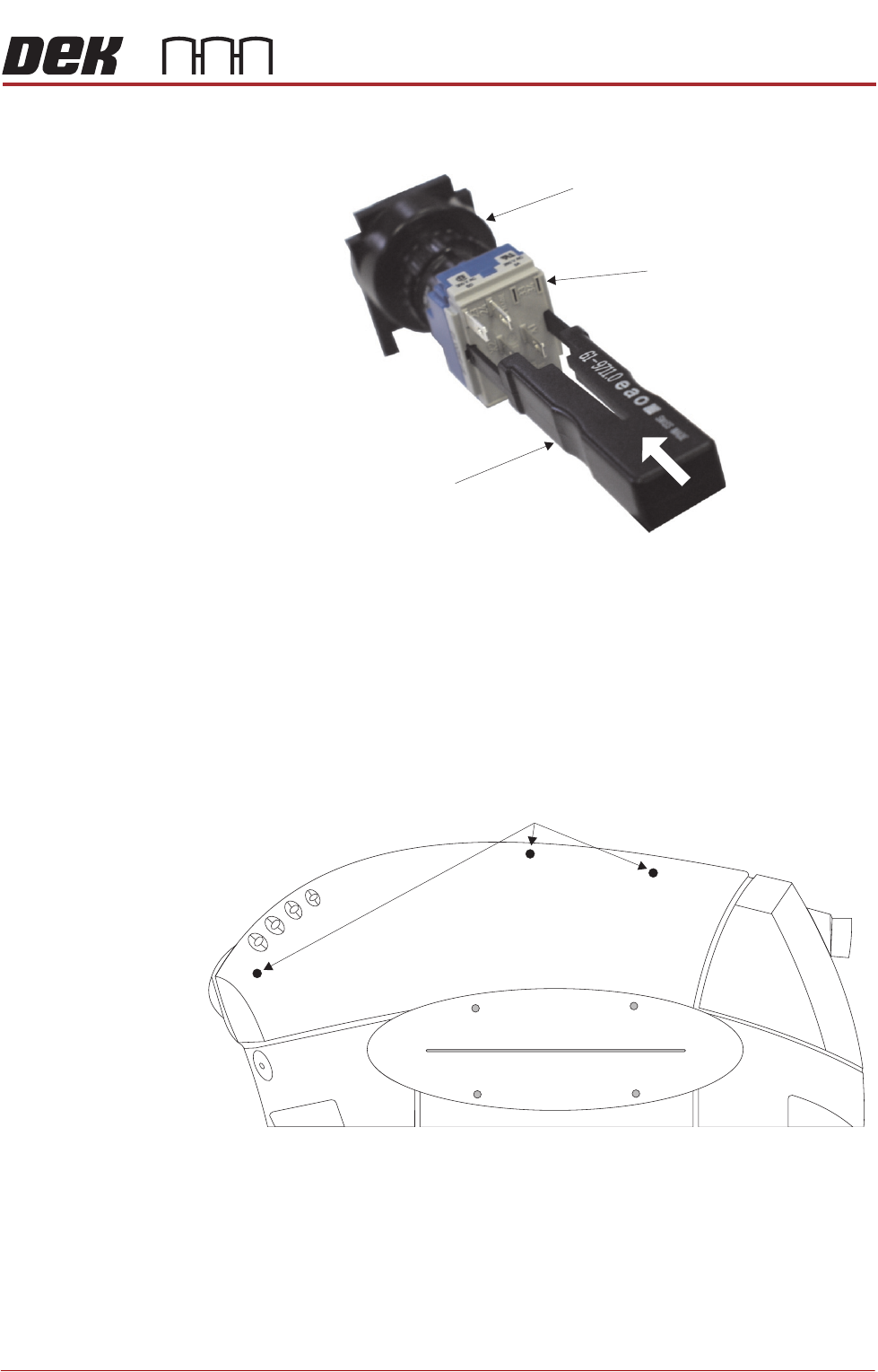
5. Insert the switch release tool (Part No 188647) into the slots and push until
the release tool clicks into place.
6. Leaving the switch release tool in position, pull the contact assembly from
the switch body.
7. Remove the switch release tool from the contact assembly.
NOTE
To refit the contact assembly to the switch body, using the locating keyway,
push the two units together until they click into place.
8. Release the three quarter-turn fasteners that secure the upper side panel
and remove the panel.
9. Repeat Steps 3 to 8 for the other side panel, if required.
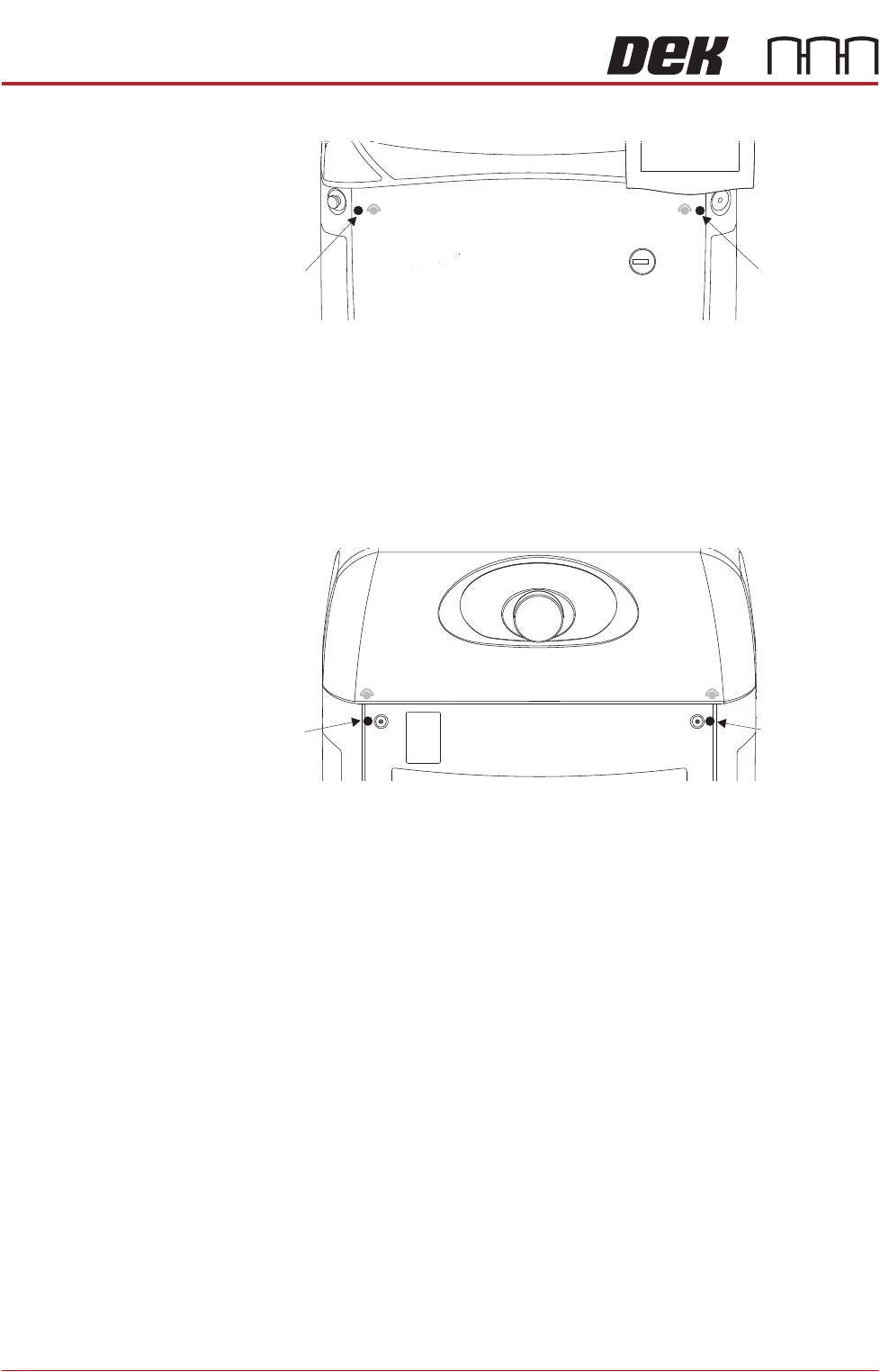
Front Corner Panels To remove the front corner panels, carry out the following:
1. Remove the front panel.
2. Remove the corresponding upper side panel (as detailed previously).
View on Rear of Switch
Switch Release Tool
Switch Body
Contact Assembly
Upper Side Panel Quarter-Turn Fasteners
COVERS
PRINTER COVERS
3.8 Technical Reference Manual Chapter Issue 11, Jan 17
3. Release the quarter-turn fastener that secures the corner panel.
4. Lift the corner panel upwards to disconnect the panel from the side panel
and the guide pins that locate the panel to the printer frame.
5. Repeat Steps 2 to 4 for the other corner panel, if required.
Rear Corner Panels To remove the rear corner panels, carry out the following:
1. Remove the corresponding upper side panel (as detailed previously).
2. Release the quarter-turn fastener that secures the corner panel.
3. Lift the corner panel upwards to disconnect the panel from the side panel
and the guide pins that locate the panel to the printer frame.
4. Repeat Steps 1 to 3 for the other corner panel, if required.
Side Panels To remove the side panels, carry out the following:
1. Remove both corresponding corner panels (as detailed previously).
Front Corner
Panel Quarter-
Turn Fastener
Front Corner
Panel Quarter-
Turn Fastener
Rear Corner
Panel Quarter-
Turn Fastener
Rear Corner
Panel Quarter-
Turn Fastener