192277 - Micron Technical Reference Volume 1.pdf - 第82页
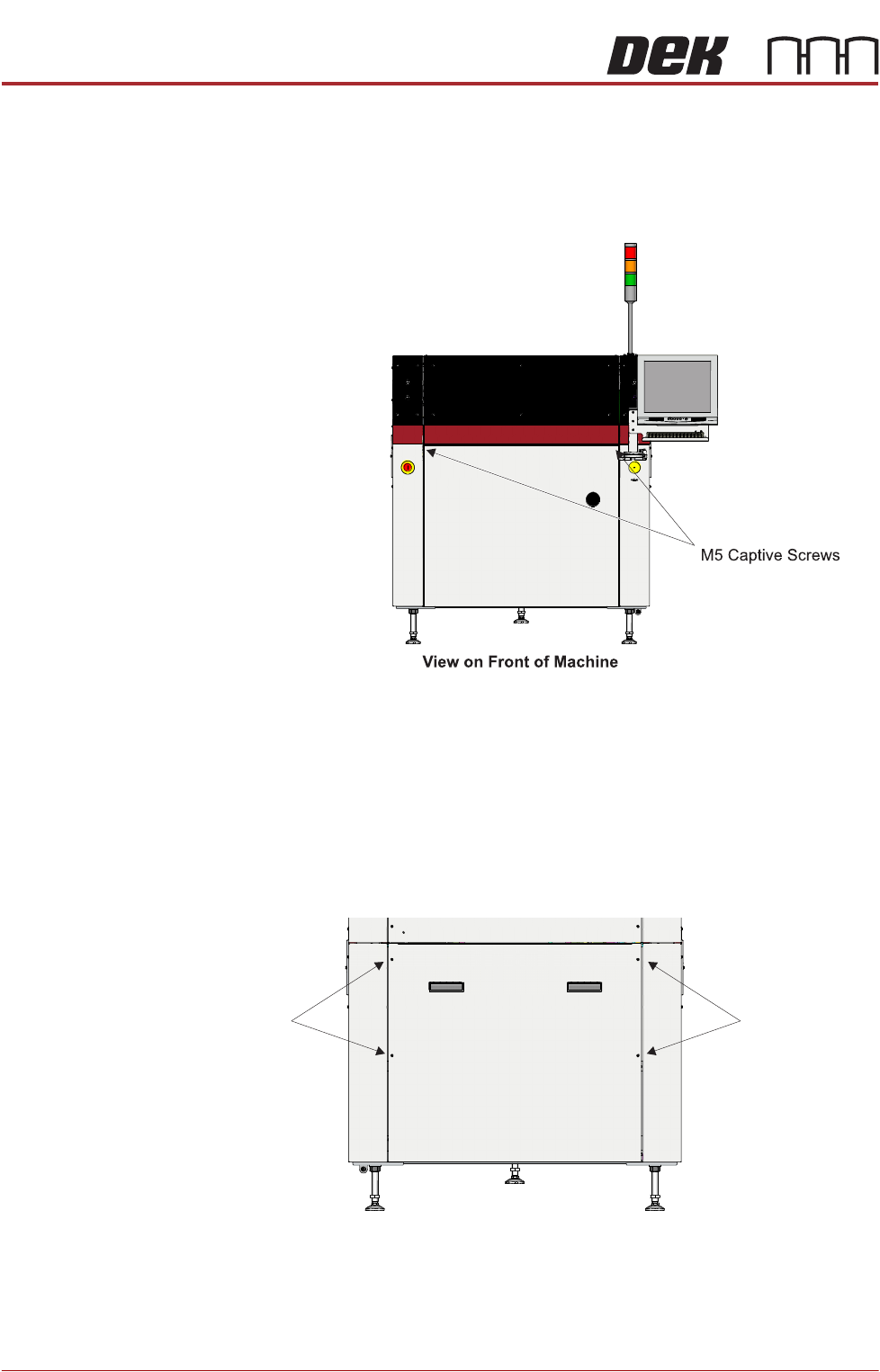
COVERS PRINTER COVERS 3.40 Technical Reference Manual Chapter Issue 11, Jan 17 Front Panel T o remove the front panel, carry out the fo llowing: 1. Open the front printhead cover . 2. Using a 4mm Allen key , undo the two…
COVERS
PRINTER COVERS
3.40 Technical Reference Manual Chapter Issue 11, Jan 17
Front Panel To remove the front panel, carry out the following:
1. Open the front printhead cover.
2. Using a 4mm Allen key, undo the two captive screws located on the inside
of the panel.
3. Tilt the top of the panel away from the printer and lift the panel clear of the
location pins that locate the panel to the printer frame, taking care not to
damage the earth cable.
Lower Rear Panel To remove the lower rear panel, carry out the following:
1. Using a 4mm Allen key, undo the four captive screws.
2. Tilt the top of the panel away from the printer and lift the panel clear of the
location pins that locate the panel to the printer frame, taking care not to
damage the earth cable.
M5 Captive
Screws
View on Rear of Machine
M5 Captive
Screws