STM1-S_SDV_Maintenance(Eng_Ver1).pdf - 第56页
Mon thly Inspe ction Chap ter 5 Multi -Func tional Placer ST M1-S M ain ten an ce Ha nd bo ok 5-5 Checking and cleaning cover cooling fan Checki ng and cleani ng cover cooli ng fan T ool for M aintenanc e V acuum cleaner…
Monthly Inspection
Chapter 5
Multi-Functional Placer
STM1-S Maintenance Handbook
5-4
Inspection and cleaning conveyor sensor
Monthly Inspection
Step 4.
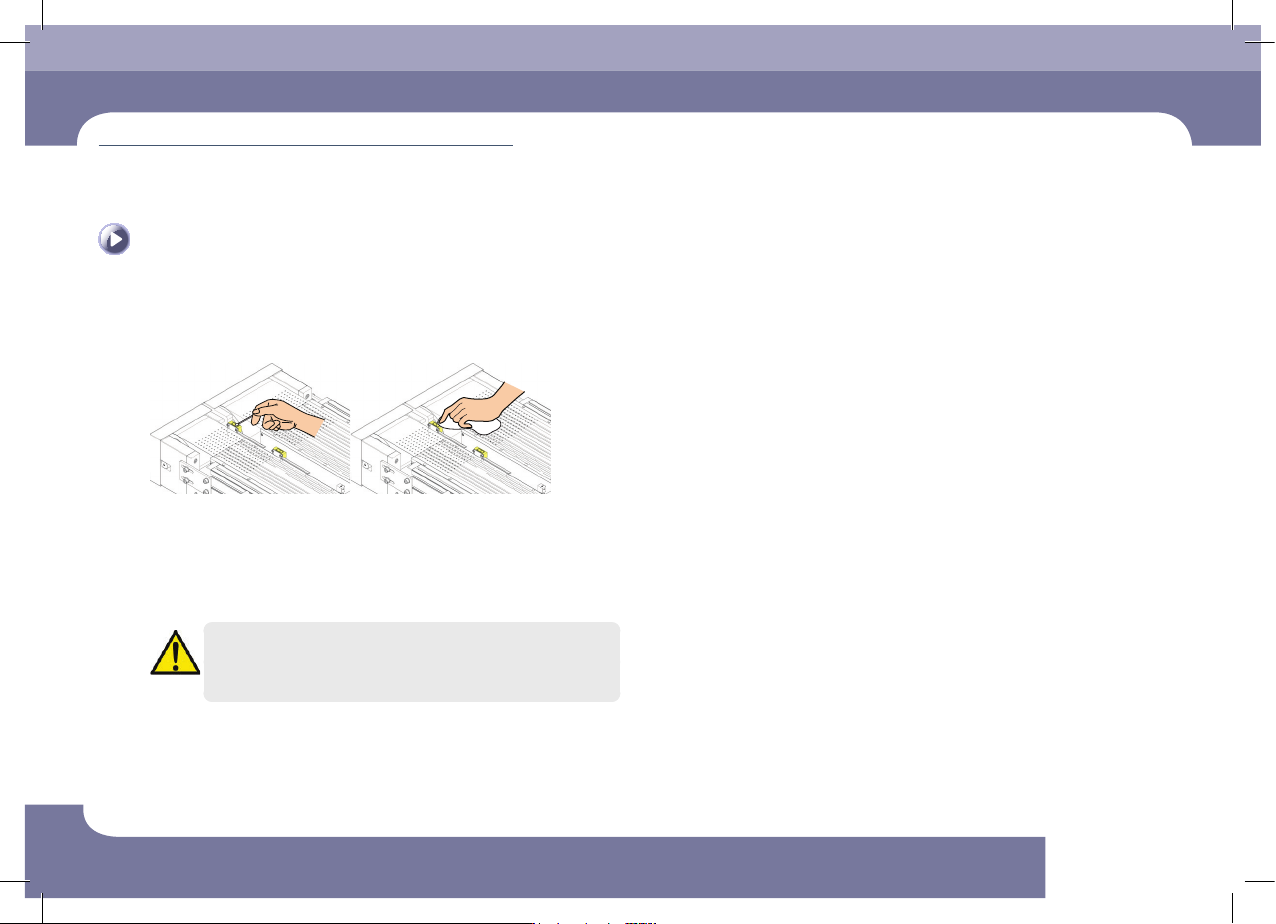
Clean the sensor window a cotton swab and an ultra-
fine fiber cloth.
Remove the dust or foreign material on the sensor window using the cotton swab
or ultra-fine fiber cloth
Step 5.
Release the emergency stop as described in "Releasing
'Emergency Stop' mode" on page 1-6 and perform the
operation again.
Caution
When the sensor operates abnormally or has a problem, contact our
C/S company or local agent for adjustment for proper measures
Monthly Inspection
Chapter 5
Multi-Functional Placer
STM1-S Maintenance Handbook
5-5
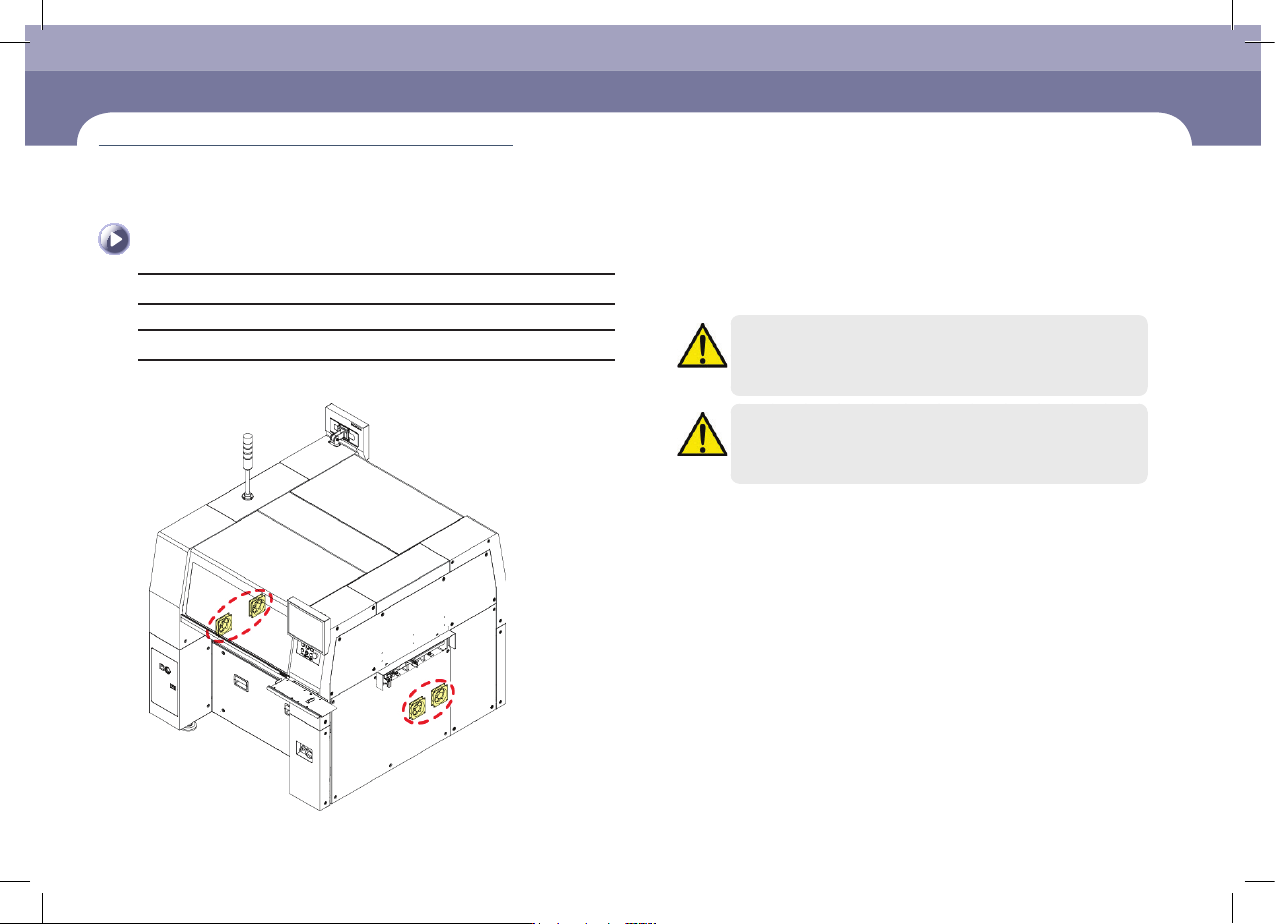
Checking and cleaning cover cooling fan
Checking and cleaning cover cooling fan
Tool for Maintenance
Vacuum cleaner, screwdriver(+)
Measures
Step 1.
In the case of a label feeder, tape does not have to be
removed.
Caution
When the main switch is turned on, since the cooling fan operates,
user's hand may get injured. Careless touching of the cable, etc.
may cause electric shock. Therefore, special care is need.
Caution
The cooling fan replaement work accomanies a danger.
Therefore, contact out C/S company (STS) or local agent.
(Time required: 10min / No. M-3)
Monthly Inspection
Chapter 5
Multi-Functional Placer
STM1-S Maintenance Handbook
5-6
Checking and replacing the cover cooling fan filter
Monthly Inspection
Checking and replacing the cover cooling fan filter
Tool for Maintenance
Vacuum cleaner,
Measures
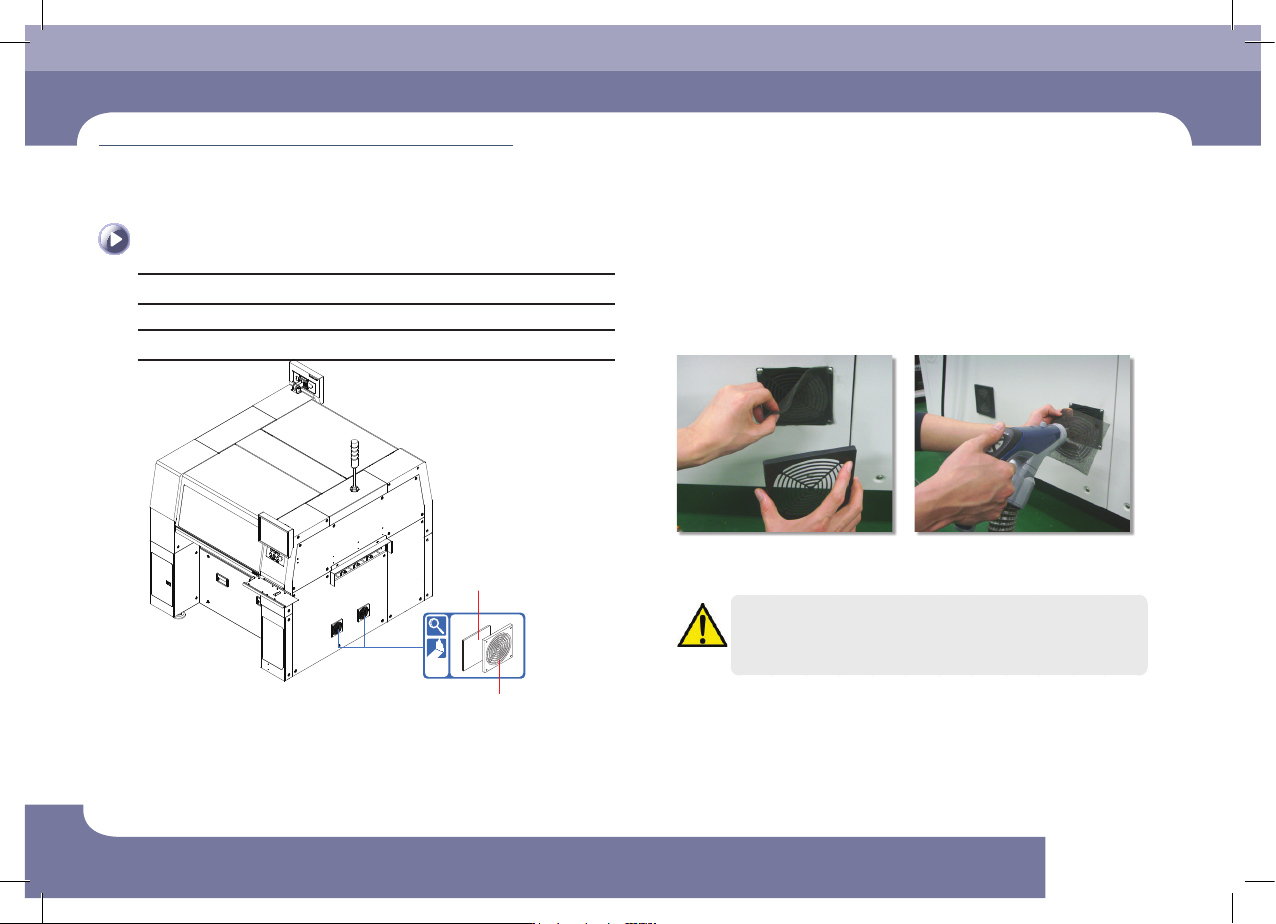
Cooling Fan Filter
Cooling Fan Filter Cover
Step 1.
Remove the filter in the order as shown in the following
figure and clean it. (If the filter is damaged, replace it.)
ㆍ Separate the cooling fan cover
ㆍ Separate the filter
ㆍ Clean the filter using a vacuum
cleaner
Caution
Washing the cooling fan filter with water may cause damage to the
filter by making it harden.
Step 2.
Release the emergency stop as described in "Releasing
'Emergency Stop' mode" on page 1-6 and perform the
operation again.
(Time required: 15min / No. M-4)