00197551-01_MM_CPP-CP-Twin_Kunde_en.pdf - 第33页
Maintenance tasks for CPP 3.5.11 Cleaning the Component Sensor Performing Maintenance Tasks Maintenance Manual SIPLACE Placement Heads CPP, C &P20, Twin 33 3.5.11 3 . 5 . 1 1 C le a n in g t h e C o m p o n e n t S e…
Maintenance tasks for CPP
Performing Maintenance Tasks 3.5.10 Oiling the Star Bearing
32 Maintenance Manual SIPLACE Placement Heads CPP, C&P20, Twin
3.5.10
3.5.10 Oiling the Star Bearing
Oiling the Star Bearing
► For this maintenance task, use the green combitip with CPP Isoflex Topas NCA 5051.
► Set the multipette to 2 µl.
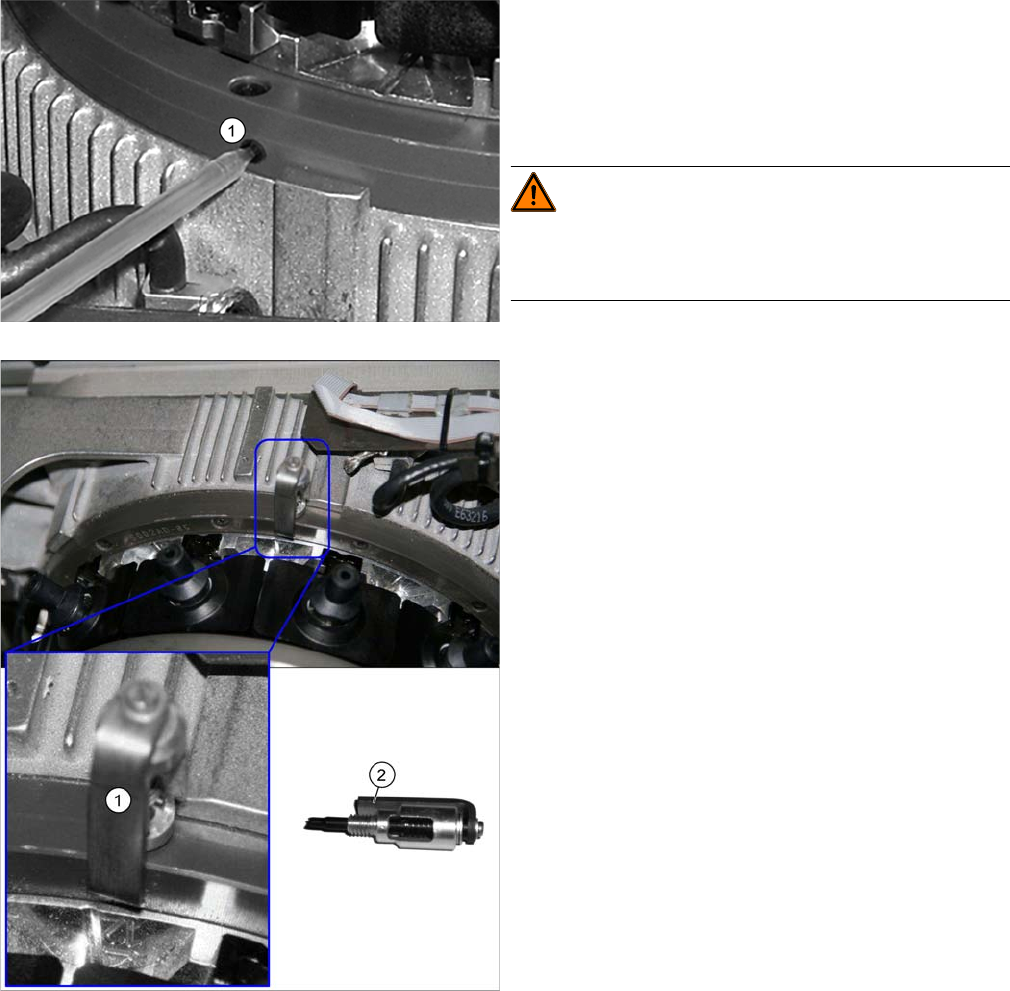
► Loosen the grub screw on the left side of the star bearing.
► Mark the first segment by removing a nozzle.
► Position the combitip in the opening (1) and apply 2 µl
of lubricant. Remove the multipette from the service
opening and turn the star by 30° (= one segment) on-
wards. Repeat this step 24 times so that the star
moves two full rotations. A total of 24 x 2 μl lubricant
must be applied.
WARNING!
If the star is turned on while the multipette tip is still in the
bearing, the multipette could break off and damage the
bearing.
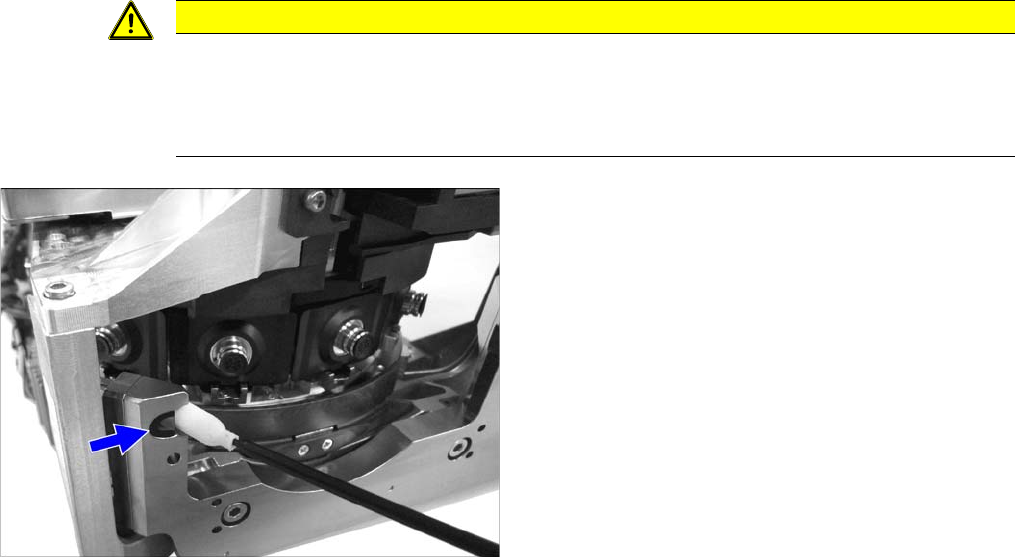
► Screw the lubricant distributor (1) into the opening in
the star bearing as far as possible. The bracket (2)
must be placed on the side of the star bearing. This is
the only way to ensure the correct orientation of the
lubricant distributor.
The lubricant distributor is used to evenly distribute
the lubricant.
► Rotate the star three times by 360 degrees.
► Remove the lubricant distributor.
► Screw the grub screw back in.
► Fit the removed nozzle back into place.
Maintenance tasks for CPP
3.5.11 Cleaning the Component Sensor Performing Maintenance Tasks
Maintenance Manual SIPLACE Placement Heads CPP, C&P20, Twin 33
3.5.11
3.5.11 Cleaning the Component Sensor
Cleaning the Component Sensor
CAUTION
Prism, cottonwool buds
► Take care not to damage the component sensor prisms.
► Make sure that you do not use the cottonwool buds soaked in oil from cleaning the sleeves.
Always use a new cottonwool bud!
► Remove the protective cap from the component sen-
sor.
► Clean the prisms of the component sensor with a cot-
tonwool bud soaked in ethanol.
► Fit the protective cap onto the component sensor.
Maintenance tasks for CPP
Final Work 3.5.11 Cleaning the Component Sensor
34 Maintenance Manual SIPLACE Placement Heads CPP, C&P20, Twin
3.6
3.6 Final Work
Final Work
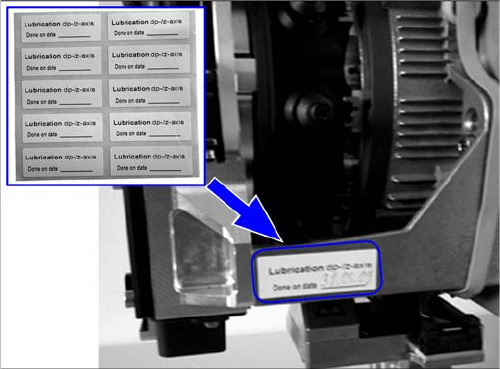
Attaching the maintenance label
Fitting the front plate
► Remove the front plate. For details, refer to the service manual.
Fitting the Placement Head
► Fit the placement head back onto the gantry. Read the service manual for your machine first.
► Remove the protective cap from the component sensor.
► Switch the placement machine on at the main switch.
► Perform a reference run.
► If you have replaced the vacuum hoses on the DP drive, perform a vacuum check. If there are still
problems, have the hold circuit checked by the SIPLACE service team.
► Calibrate the placement head, preferably using the FHE function. Read the service manual for your
machine first.
► For SW703.02 and higher only: Reset the maintenance cycle counter for the corresponding assem-
blies.
► Remove any label which may still be present from the
placement head.
► Remove any adhesive residues and clean the area.
► Attach the label and enter the date and, if required,
the meter count, depending on how you determine
your maintenance intervals.