00194474-0702_AI_HeadReconfig_X_605_DE+EN.pdf - 第163页
Head Reconfiguration Kits 2 Assemb ly Instructions - SIPLACE X-Series Head Reconfiguration Kits 07/2010 Edition 163 2 Wear an ESD armban d for the whole time you are working on the placement head and servos. 2 2 2 Remove…
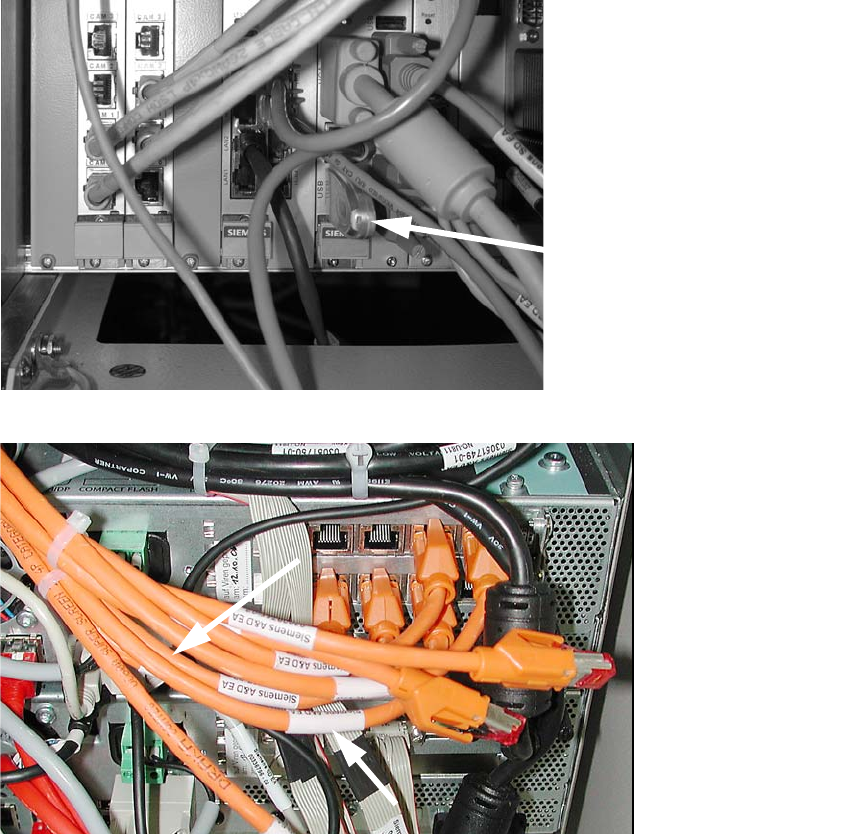
2 Assembly Instructions - SIPLACE X-Series Head Reconfiguration Kits Head Reconfiguration Kits
07/2010 Edition
162
2.9 Removing the TwinHead
: Switch the placement machine on at the main switch.
2
: Plug a USB stick or another suitable storage medium into the USB slot on the station computer.
2
2
: Save the machine data to the storage medium.
: Run the machine until it is empty and set down the nozzles.
: Remove the component trolley from the location at which the IC camera is accessible.
: Switch the placement machine off at the main power switch.
USB stick
(computer unit)
USB stick
(box PC)
Head Reconfiguration Kits 2 Assembly Instructions - SIPLACE X-Series Head Reconfiguration Kits
07/2010 Edition
163
2
Wear an ESD armband for the whole time you are working on the placement head and servos.
2
2
2
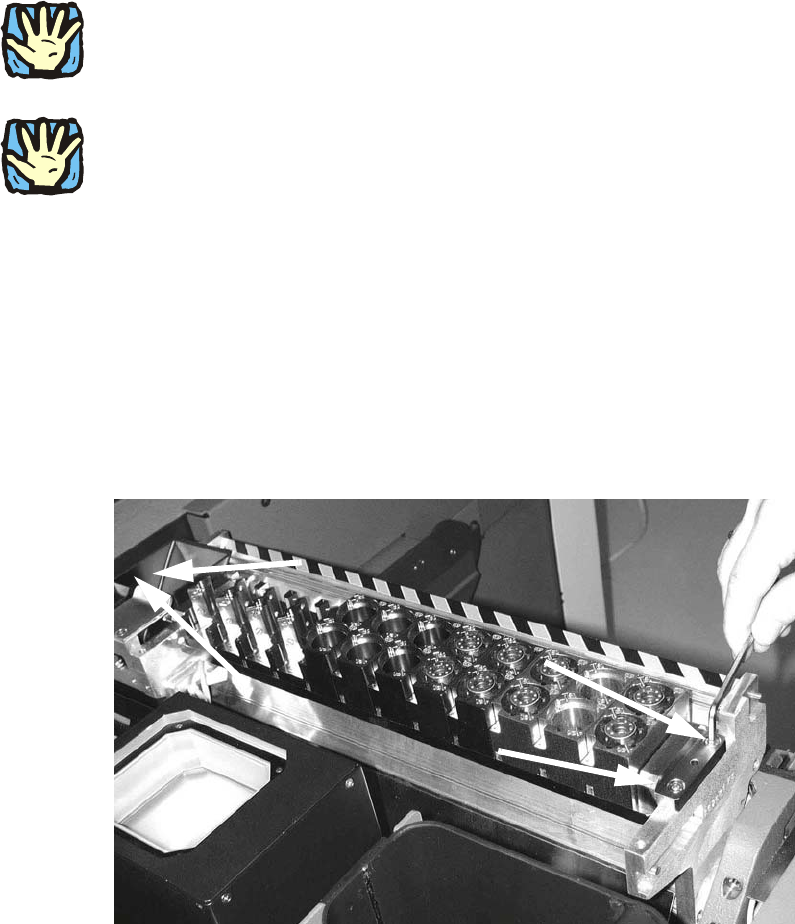
Remove the axis cards and servo cards.
Please note the overviews in the appendix Chapter 2.14.1 or Chapter 2.14.2. 2
2
2.9.1 Converting the nozzle changer / removing the cameras
2
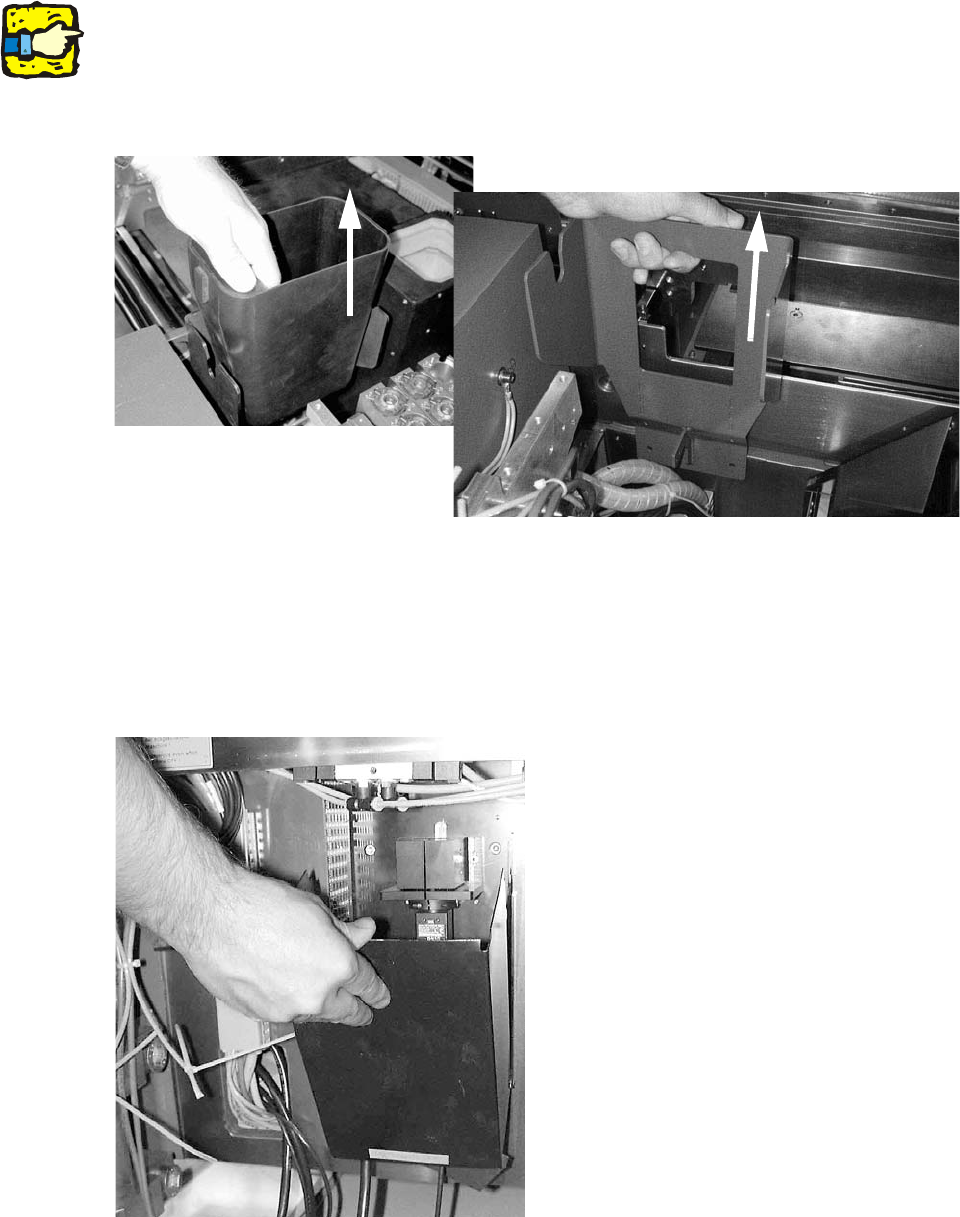
: Remove the waste tape chute.
Removing the nozzle changer 2
: Loosen the four screws(DIN912 M5x16 - 8.8, item no. 00845044-) on the nozzle changer of
the TwinHead and remove the head.
2 Assembly Instructions - SIPLACE X-Series Head Reconfiguration Kits Head Reconfiguration Kits
07/2010 Edition
164
: Remove the large reject bin for the TwinHead.
2
On the subject of the reject bin sensor, also read the assembly instructions for the reject bin sen-
sor, SIPLACE HF series / X series (item no.:00194550-). 2
: Loosen the two screws (DIN912 M6x14 - 8.8, item no. 00095046-01 ) on the TwinHead reject
bin mount and remove the mount.
2
Removing the IC camera 2
: Remove the lighting unit of the IC camera.
: Remove the cover for the IC camera from the base plate by folding it up , and then pulling it up
and out.
2