M2series_ServiceManual_e.pdf - 第34页
3 Mechanical Section 3-2 Head Cover Unit ■ Removing/Inst alling the Head Cover Unit To carry out mai ntenance of the head unit, the cover unit on t he front of the head must be rem oved. The removal/installation procedur…

3 Mechanical Section
3-1
3
Mechanical Section
3 Mechanical Section
3-2
Head Cover Unit
■ Removing/Installing the Head Cover Unit
To carry out maintenance of the head unit, the cover unit on the front of the head must be removed. The
removal/installation procedure for the head cover unit is given below.
NOTE: Before removing the head cover unit, the main power to the machine must be turned OFF and protective
gloves must be worn for safety reasons.
ACTION: Removal
① Pull up the under-side of the upper resin cover to remove it from the cover clamp. (The upper-side of the
cover can be left fixed.)
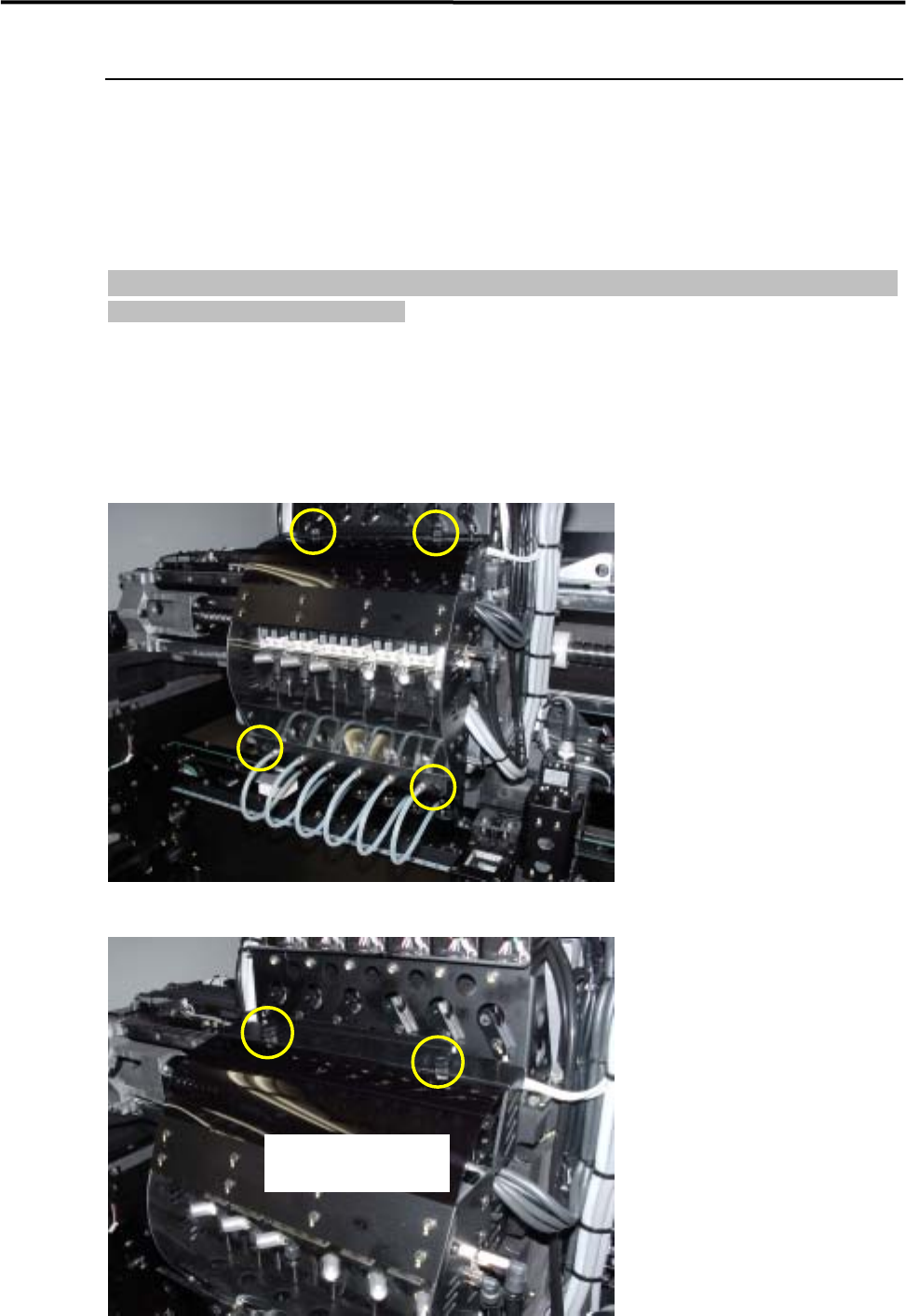
② Unscrew the four plastic screws by hand.
Upper (two screws)
3 Mechanical Section
3-3
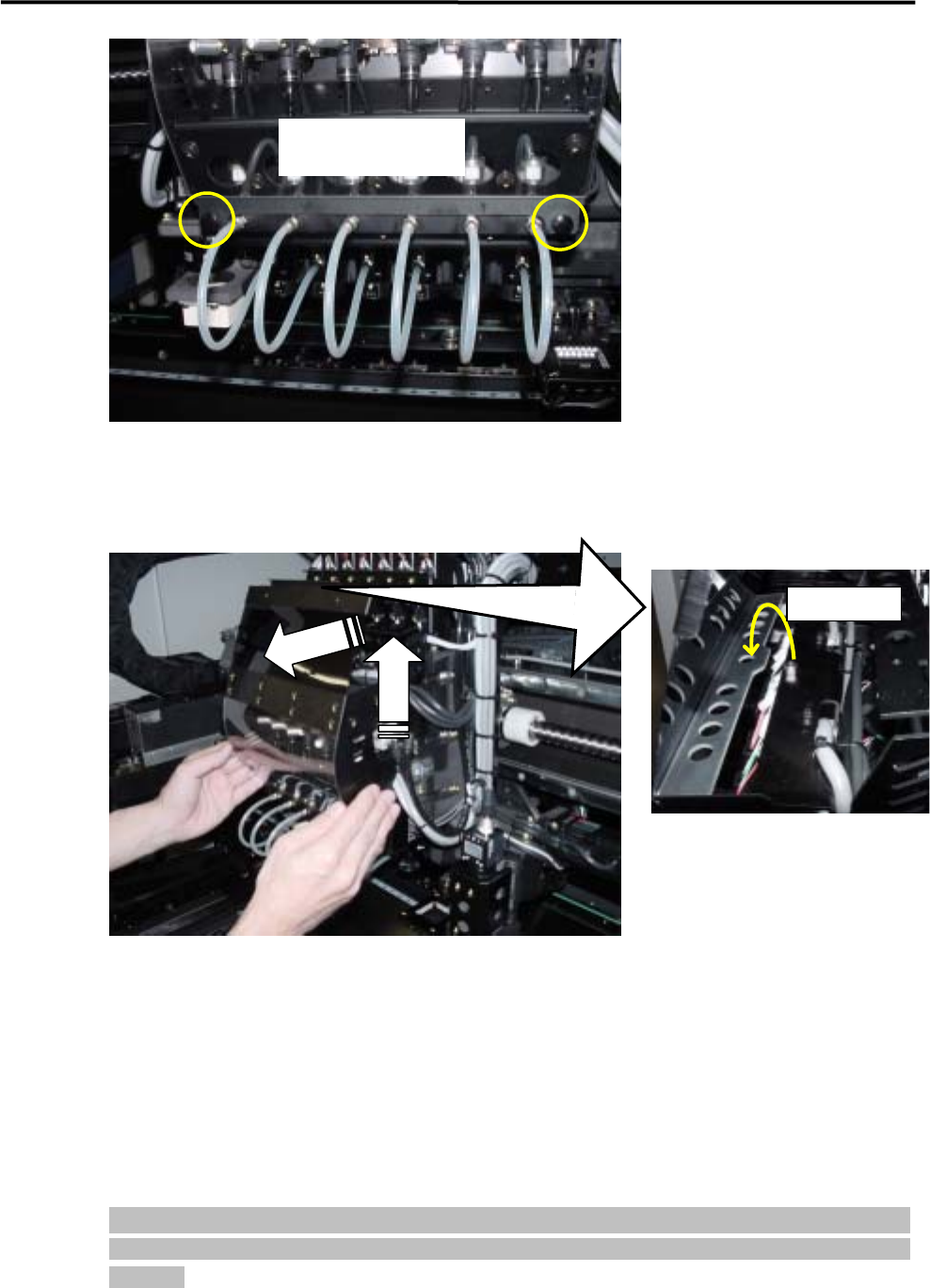
Lower (two screws)
③Pull out the cover unit toward the front to remove it from the head base.
④ Raise the cover unit and pull it toward you to remove.
Take out.
②
①
⑤ The head manifold section will be exposed, enabling easy inspection.
ACTION: Installation
Installation of the head cover unit must be carried out in reverse order of removal.
NOTE: When attaching the head cover unit, tighten the four plastic screws firmly to fix the cover unit to the head
base securely. If the cover unit is not secured sufficiently, it may come off during operation, causing serious
accidents.