03253524-01 KPO 2 Closed Loop.pdf - 第9页
2 INSTALLATION 2.5 PREPARATION Standalone Manual Interface To Koh Young KPO 2 08/2021 9 2.5 PREPARATION 2.5.1 Networking The DEK printer needs to be networked for communication with the downline Koh Young SPI machine. Th…

2 INSTALLATION
2.4 PRINTER SYSTEM REQUIREMENTS
8 Standalone Manual Interface To Koh Young KPO 2 08/2021
2.4 PRINTER SYSTEM REQUIREMENTS
Listed below are the DEK printer system requirements:
●
Printer Platform - Horizon and NeoHorizon
●
Operating System - WES7 or Windows 10 IoT Enterprise
●
System PC - Q35,H81 or H110
●
Printer Software Version – RTX 1614 (9SP20.1614.x)
NOTE:
KPO software has its own print offset capability in POM and therefore, ProDEK should not be run
at the same time as KPO software.
Please contact the local ASM Service Control Centre (SCC) to get the latest version of the DEK
KPO software.
2 INSTALLATION
2.5 PREPARATION
Standalone Manual Interface To Koh Young KPO 2 08/2021 9
2.5 PREPARATION
2.5.1 Networking
The DEK printer needs to be networked for communication with the downline Koh Young SPI
machine. This can be cabled directly from the printer to the SPI (the SPI has an internal network
hub) or through the customer network. The following IP addresses/subnet mask of the printer and
SPI needs to be confirmed by the customer network administrator:
●
Printer IP address
●
Printer subnet mask
●
SPI IP address
2.5.2 RTX Key
The KPO printer software requires a RTX key to operate.
2.5.3 Barcode Reader
The KPO software can use the product or remote barcodes if required. The remote barcode reader
should be configured as normal. The KPO software automatically uses barcode data if it is avail-
able.
2.6 NETWORK SETUP
If the printer software is running, terminate the printer software through the Windows Task Manager
prior to commencing this setup procedure.
2.6.1 Set Printer IP Address
To set the printer IP address carry out the following:
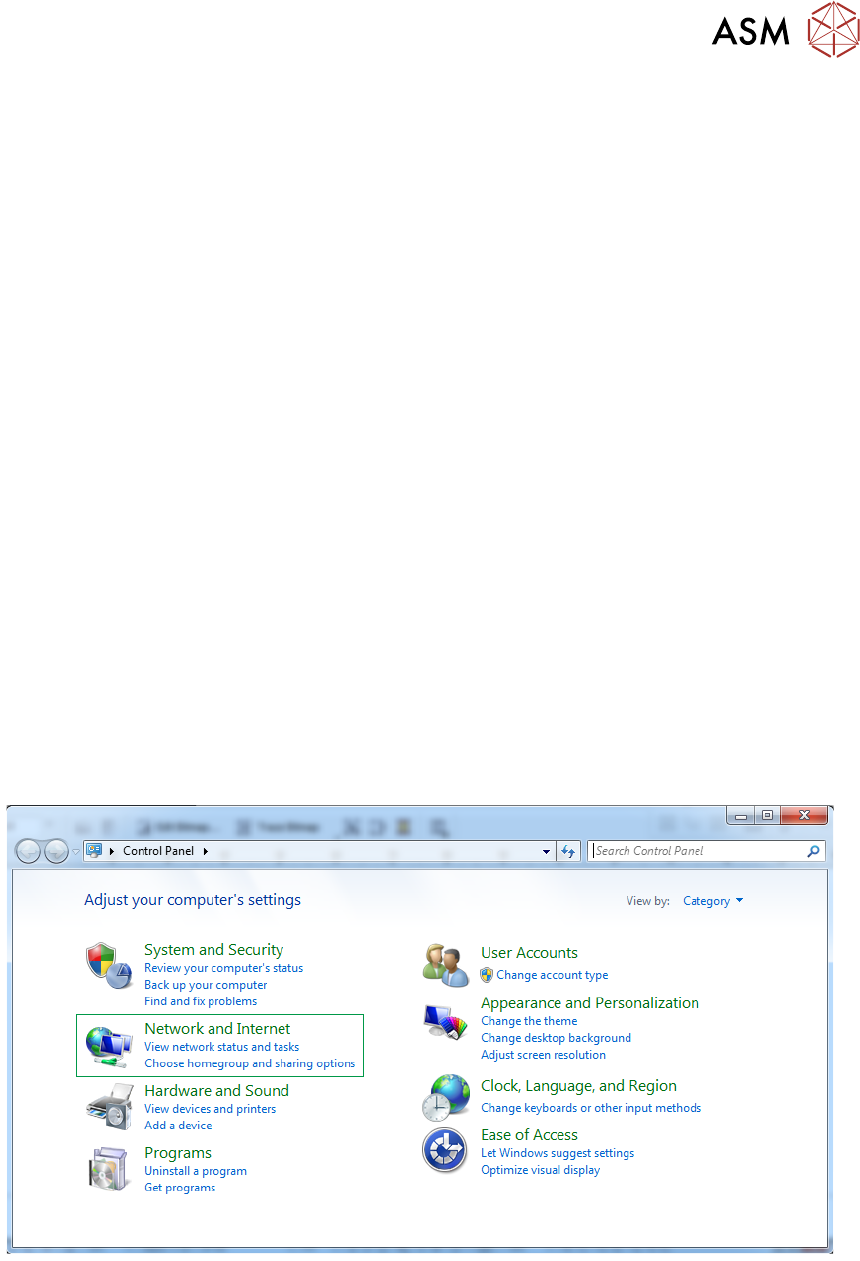
► Using Windows Start button, select Control Panel, Network and Internet.
2 INSTALLATION
2.6 NETWORK SETUP
10 Standalone Manual Interface To Koh Young KPO 2 08/2021
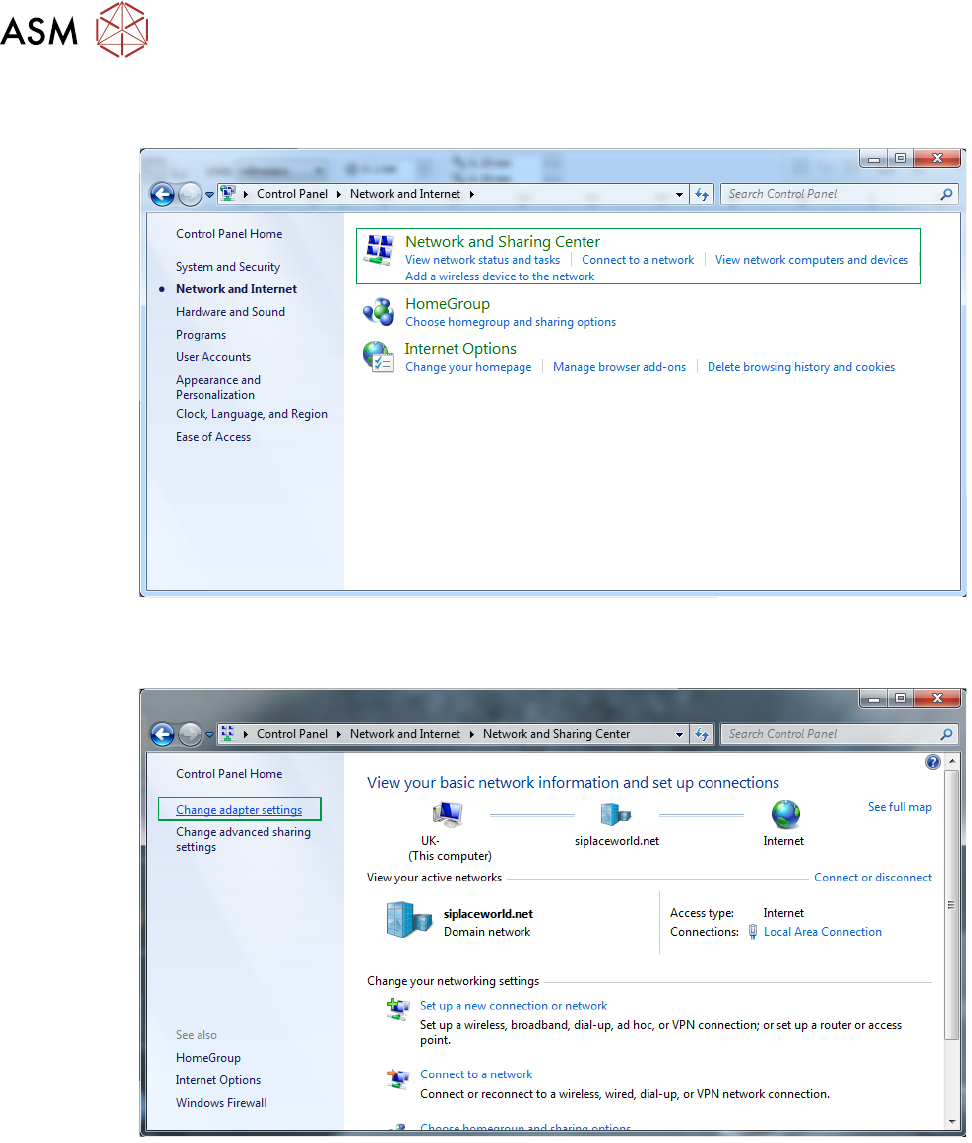
► Select Network and Sharing Center.
► Select Change Adaptor Settings.
DEK Printer