TK55400.PickupBaseMACS.pdf - 第3页
Product Engineering Division SMT Sect ion Robotics Operations Y AMAHA MOTOR CO., L TD. MDOC-SOFT50732 4/7 3 Fun ction Det ail s 3.1 Setting 1. Open the machi ne setting screen. 2. Make sure that [Installation Setti ng]-[…

Product Engineering Division
SMT Section
Robotics Operations
YAMAHA MOTOR CO., LTD.
MDOC-SOFT50732
2/7
Contents
Contents ................................................................................................................................. 2
1 Model and Version .............................................................................................................. 3
2 Overview ............................................................................................................................. 3
3 Function Details .................................................................................................................. 4
3.1 Setting .......................................................................................................................... 4
3.2 Operation During Auto-running .................................................................................... 5
3.3 Utility Operation ............................................................................................................ 5
3.4 Precaution when you enable this function ................................................................... 6
4 Limitation ............................................................................................................................. 7
Product Engineering Division
SMT Section
Robotics Operations
YAMAHA MOTOR CO., LTD.
MDOC-SOFT50732
4/7
3 Function Details
3.1 Setting
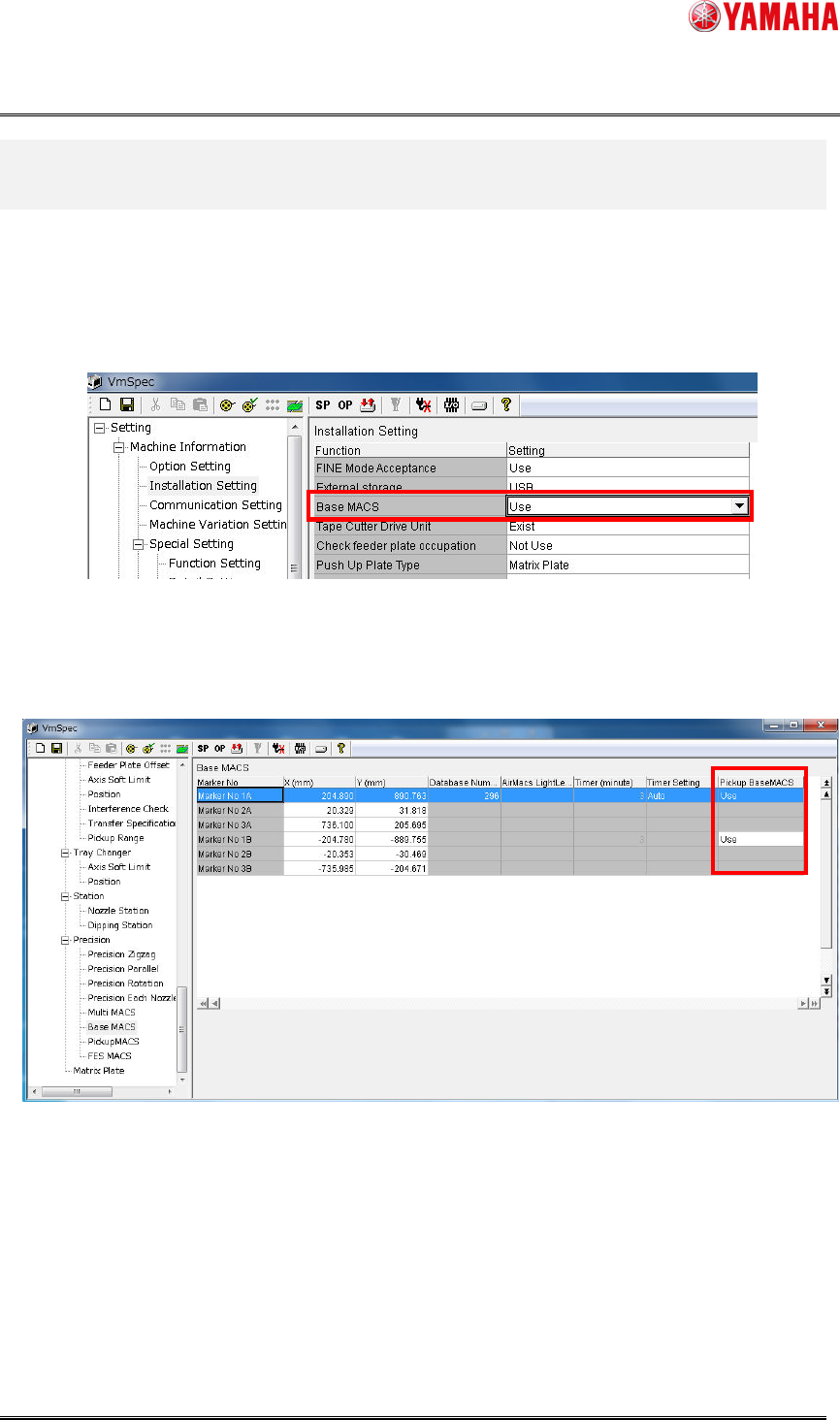
1. Open the machine setting screen.
2. Make sure that [Installation Setting]-[Base MACS] is set to “Use”.
Fig 3.1.1 The BaseMACS setting screen
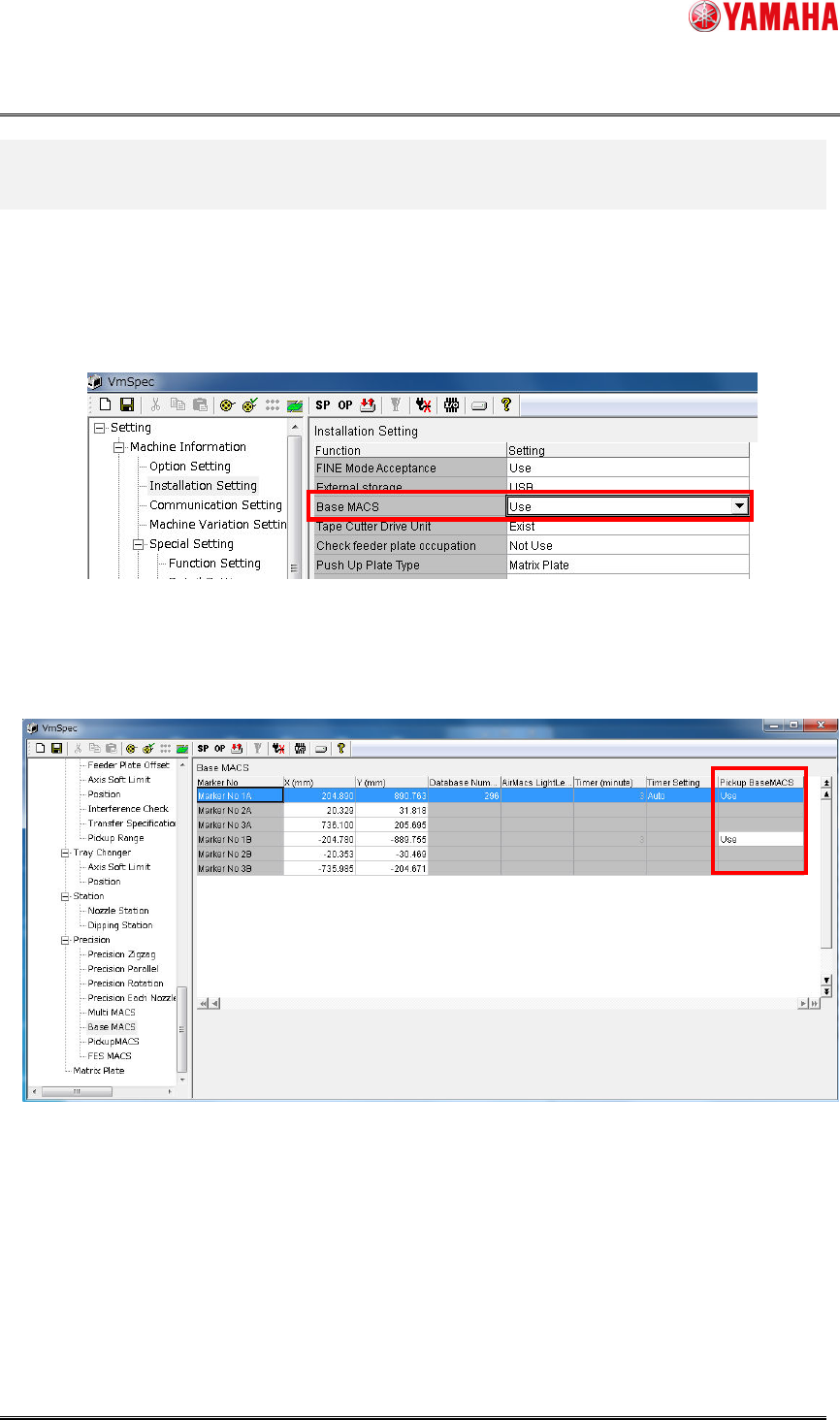
3. Select [Precision]-[Base MACS] and set [Pickup BaseMACS] to “Use”.
Make this setting by mounting table.
Fig 3.1.2 The Pickup BaseMACS setting
4. Save the setting, and close the screen.
Product Engineering Division
SMT Section
Robotics Operations
YAMAHA MOTOR CO., LTD.
MDOC-SOFT50732
4/7
3 Function Details
3.1 Setting
1. Open the machine setting screen.
2. Make sure that [Installation Setting]-[Base MACS] is set to “Use”.
Fig 3.1.1 The BaseMACS setting screen
3. Select [Precision]-[Base MACS] and set [Pickup BaseMACS] to “Use”.
Make this setting by mounting table.
Fig 3.1.2 The Pickup BaseMACS setting
4. Save the setting, and close the screen.