TK55400.PickupBaseMACS.pdf - 第7页
Product Engineering Division SMT Sect ion Robotics Operations Y AMAHA MOTOR CO., L TD. MDOC-SOFT50732 7/7 4 Limi t at i on If you want to upgrade the machine application fro m V3.07STD R1.0 00 or e arlier (-2009/2/27) to…
Product Engineering Division
SMT Section
Robotics Operations
YAMAHA MOTOR CO., LTD.
MDOC-SOFT50732
5/7
3.2 Operation During Auto-running
You do not need to perform any special operation to work this function.
BaseMACS is automatically performed at the start of auto-running, and correction is
performed at pickup.
※ Timing of BaseMACS is not changed.
3.3 Utility Operation
On the [Parts] screen, you can see a pickup position that has been corrected with
BaseMACS.
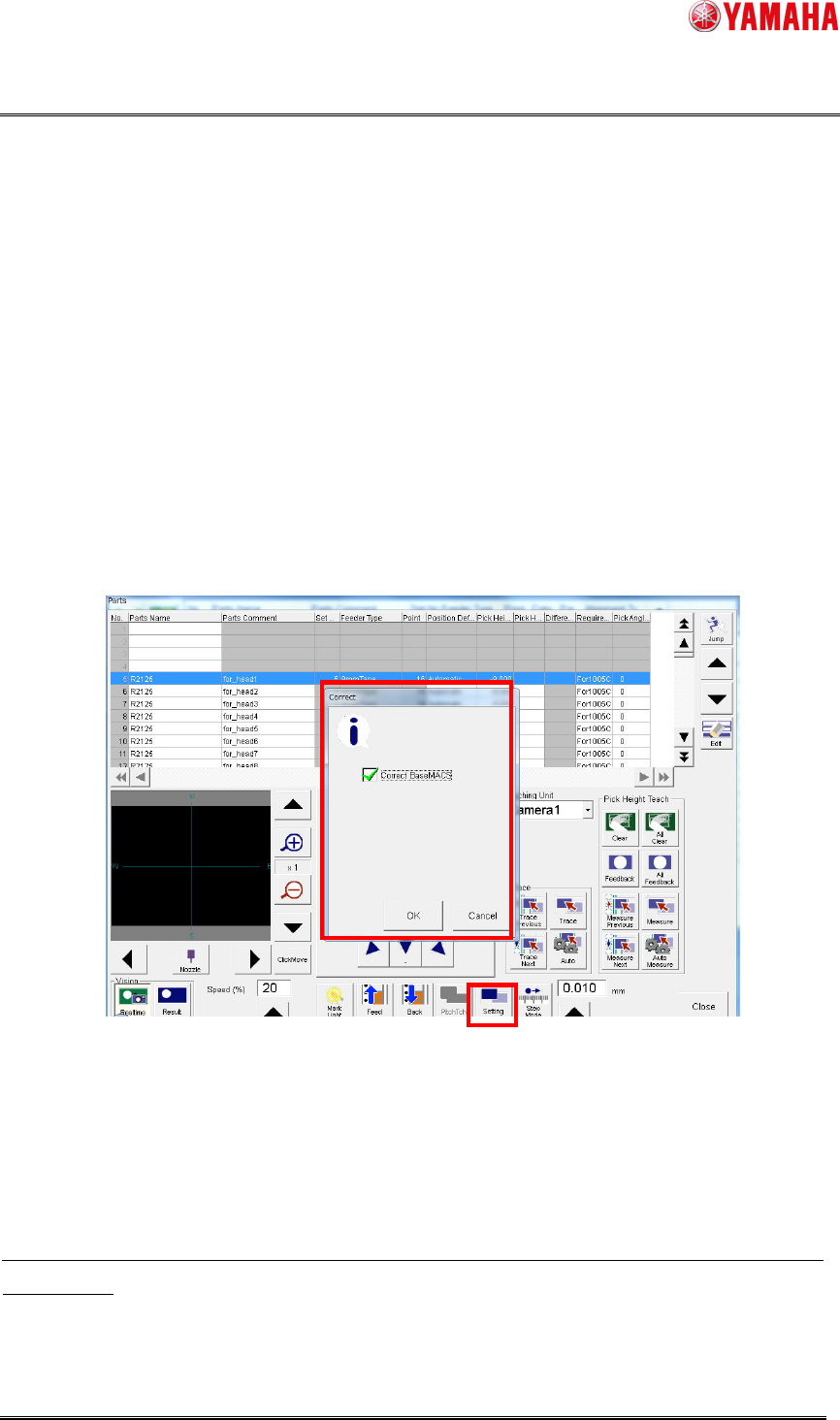
1. Click the [Parts]-[Teach] button to open the [Parts] screen.
2. Click the [Setting] button to open the [Correct] dialog. Check the [Correct BaseMACS]
check box, then click the [OK] button.
3. BaseMACS is performed. After that, trace and teach are performed with BaseMACS
correction applied.
Fig 3.3.1 The parts teach and trace screen
z Also when trace or teach is performed with the [Correct Base MACS] check box
checked or when BaseMACS has not been recognized, the dialog of “Fig 3.3.1” is
displayed. Click the [OK] button to perform BaseMACS before trace and teach.
Also at parts adjustment on the [Parts Adj]-[Pick up] dialog, pickup position is corrected with
BaseMACS.
▲01

Product Engineering Division
SMT Section
Robotics Operations
YAMAHA MOTOR CO., LTD.
MDOC-SOFT50732
6/7
3.4 Precaution when you enable this function
This function is disabled at upgrade.

Product Engineering Division
SMT Section
Robotics Operations
YAMAHA MOTOR CO., LTD.
MDOC-SOFT50732
7/7
4 Limitation
If you want to upgrade the machine application from V3.07STD R1.000 or earlier
(-2009/2/27) to a version with this function implemented, you need to adjust the pickup
positions again.