MPM125中文操作说明书(编程).pdf - 第20页
Momentum 中文操作说明 10/61
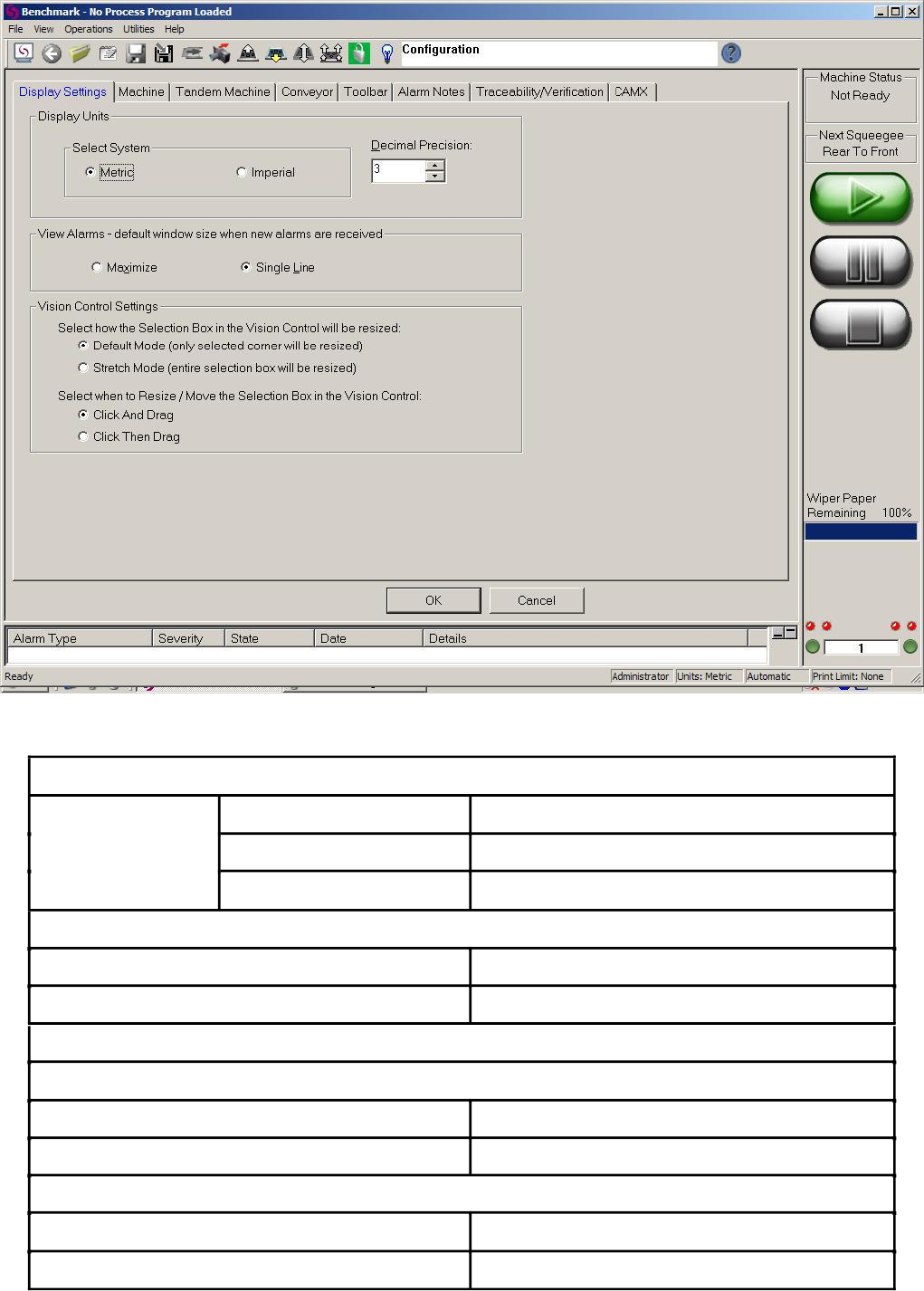
Display Units
显示单位
图-3.2
Display Settings 显示设定
Metric
Imperial
Decimal Precision
英制
公制
小数点位数
View Alarms-default window size when new alarms are received 警报栏新警报的显示方式
Maximize
Single Line
Vision Control Settings 图像框操作
设定
最大化
单行显示
Select how Selection Box in the Vision Control will be resized 图像框大小调整方式
Default Mode (only selected corner will be resized)
Stretch Mode (entire selection box will be resized)
默认模式(只有选中坐标线才能调整大小)
扩展模式(进入图像框就可以调整大小)
Select when to Resize / Move the Selection Box in the Vision Control 图像框大小调整与移动方式
Click And Drag
Click Then Drag
选中并且移动鼠标
选中然后移动鼠标
表-3.1
Momentum 中文操作说明
10/61
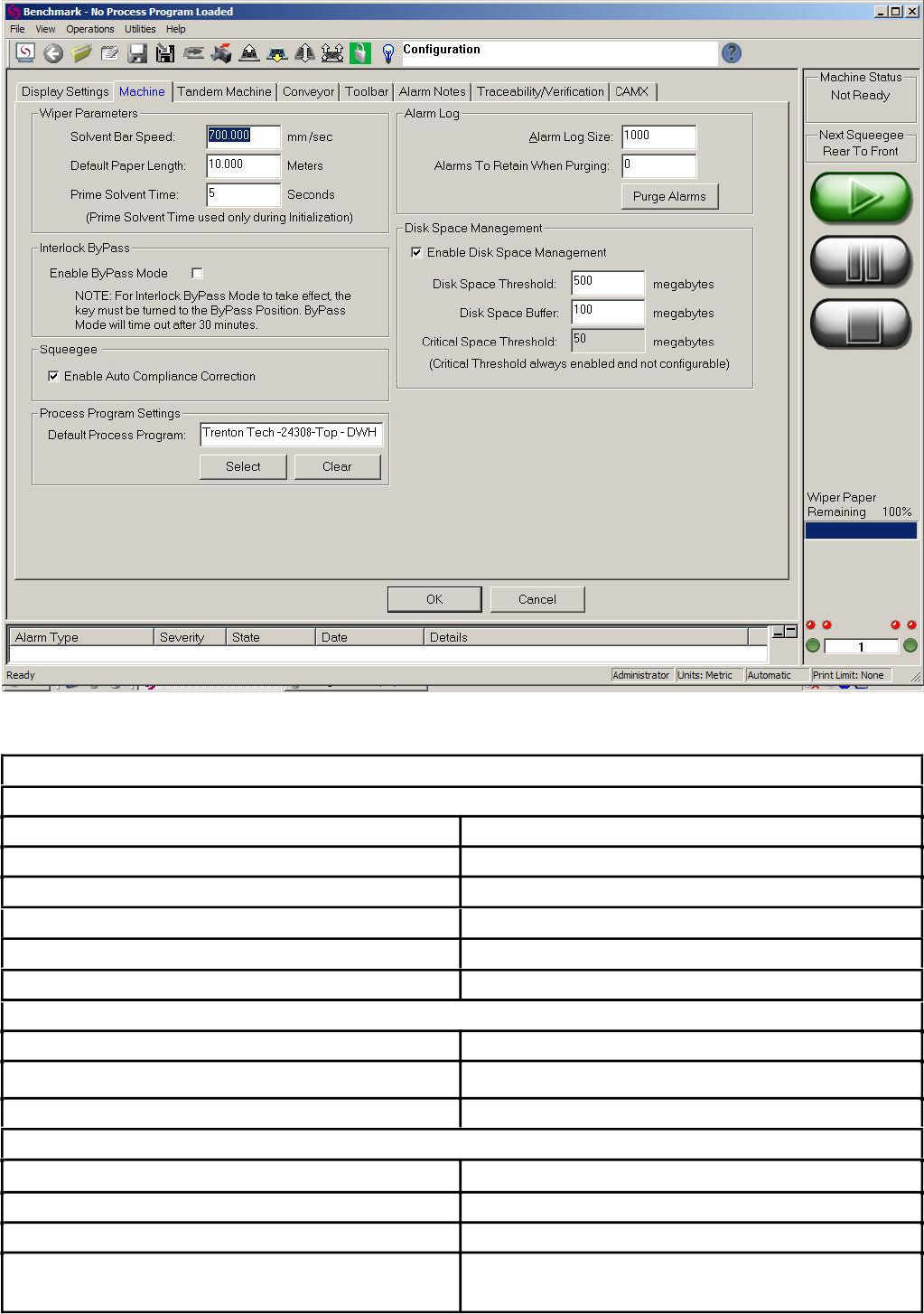
Solvent Bar Speed
Default Paper Length
Prime Solvent Time
Enable ByPass Mode
图-3.3
Machine 机台选项
Wiper Parameters擦拭参数
溶剂棒转速
擦拭纸的长度
初始化时喷溶剂时间
Bypass 模式选择,同时钥匙在 Bypass 位置才有效。
Enable Auto Compliance
Correction
Default Process Program
Alarm Log Size
Alarms To Retain When Purging
Purge Alarms
刮刀自动校正功能
默认程式路径
Alarm Log 警报记录
保存警报信息条数的上限
选择“Purge Alarms”后保留的警报信息数量
清除警报信息
Disk Space Management硬盘空间管理,保持默认值就好!
Enable Disk Space Management
Disk Space Threshold
Disk Space Buffer
Critical Space Threshold
(Critical Threshold always enabled and not configurable
硬盘空间管理选项
最大磁盘空间占用量
磁盘空间缓存容量
最小磁盘空间
(这个选项必须启用并且不能改变容量大小)
表-3.2