MPM125中文操作说明书(编程).pdf - 第52页
26/61
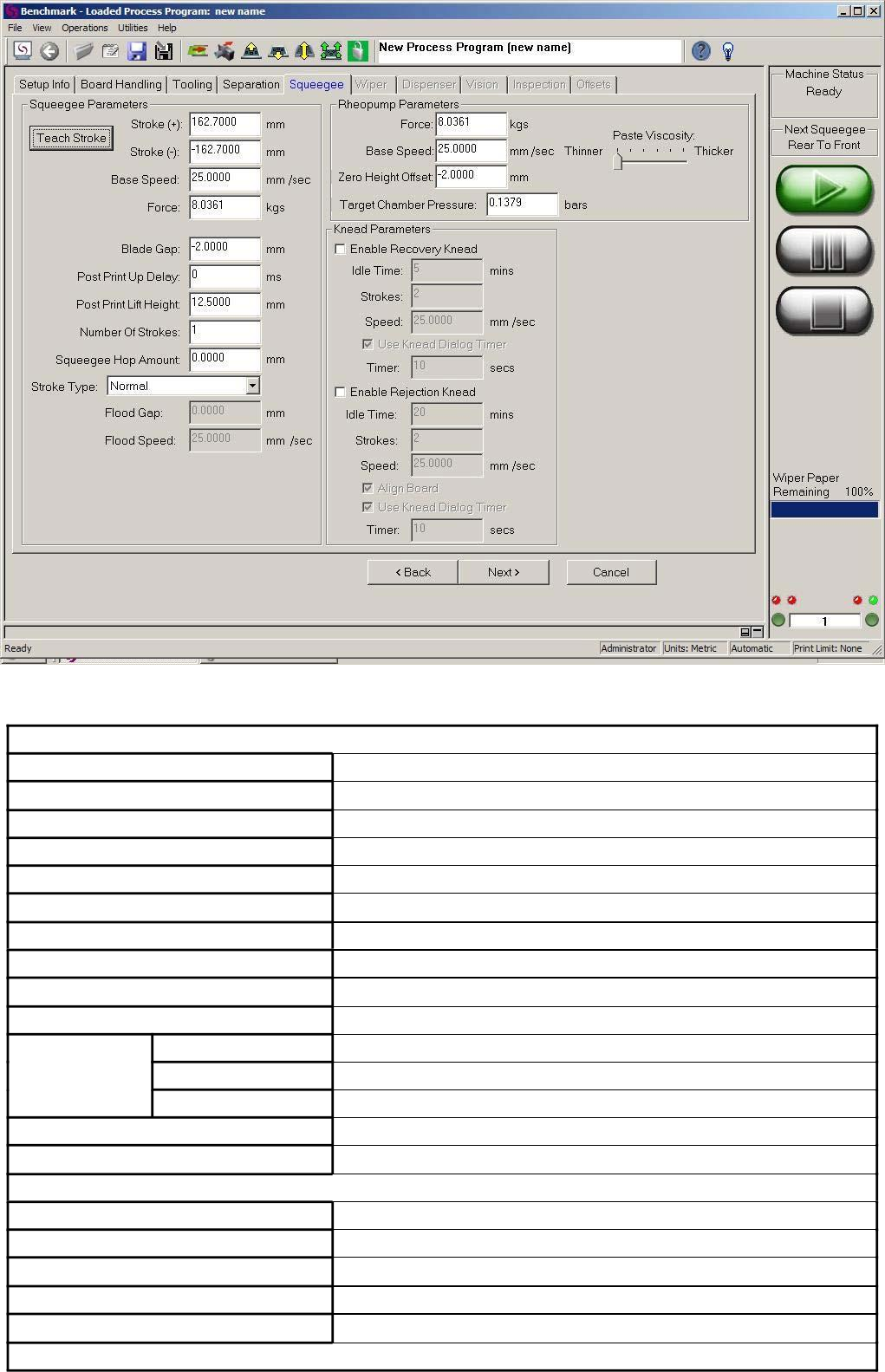
4.8. Squeegee: 刮刀相关设定,相关说明参见表-4.4,设定完成“Next”至 Wiper 页面(图-4.17)。
图-4.16
Squeegee Parameters
Teach Stroke
Stroke (+)
Stroke (-)
Base Speed
Force
Blade Gap
Post Print Up Delay
Post Print Lift Height
Number of Strokes
Squeegee Hop Amount
Normal
设定刮前后行程
刮刀行程(+)
刮刀行程(-)
刮刀速度
刮刀压力
(保持默认值:-2.0 mm)
刮刀上升延时
刮刀上升高度
印刷行程数
跳跃印刷
正常
Stroke Type
Flood/Print
Print/Flood
先舖材料再印刷
先印刷再舖材料
Flood Gap
Flood Speed
Rheopump Parameters
舖材料间隙
舖材料速度
Force
Base Speed
Zero Height Offset
Target Chamber Pressure
Paste Viscosity
Knead Parameters
(选项,暂无效)
(选项,暂无效)
(选项,暂无效)
(选项,暂无效)
(选项,暂无效)
Momentum
中文操作说明
26/61
Enable Recovery Knead
Idle Time (Recovery Knead)
Strokes
Speed
Use Knead Dialog Timer
Enable Rejection Knead
Idle Time (Rejection Knead)
Strokes
Speed
Align Board
Use Knead Dialog Timer
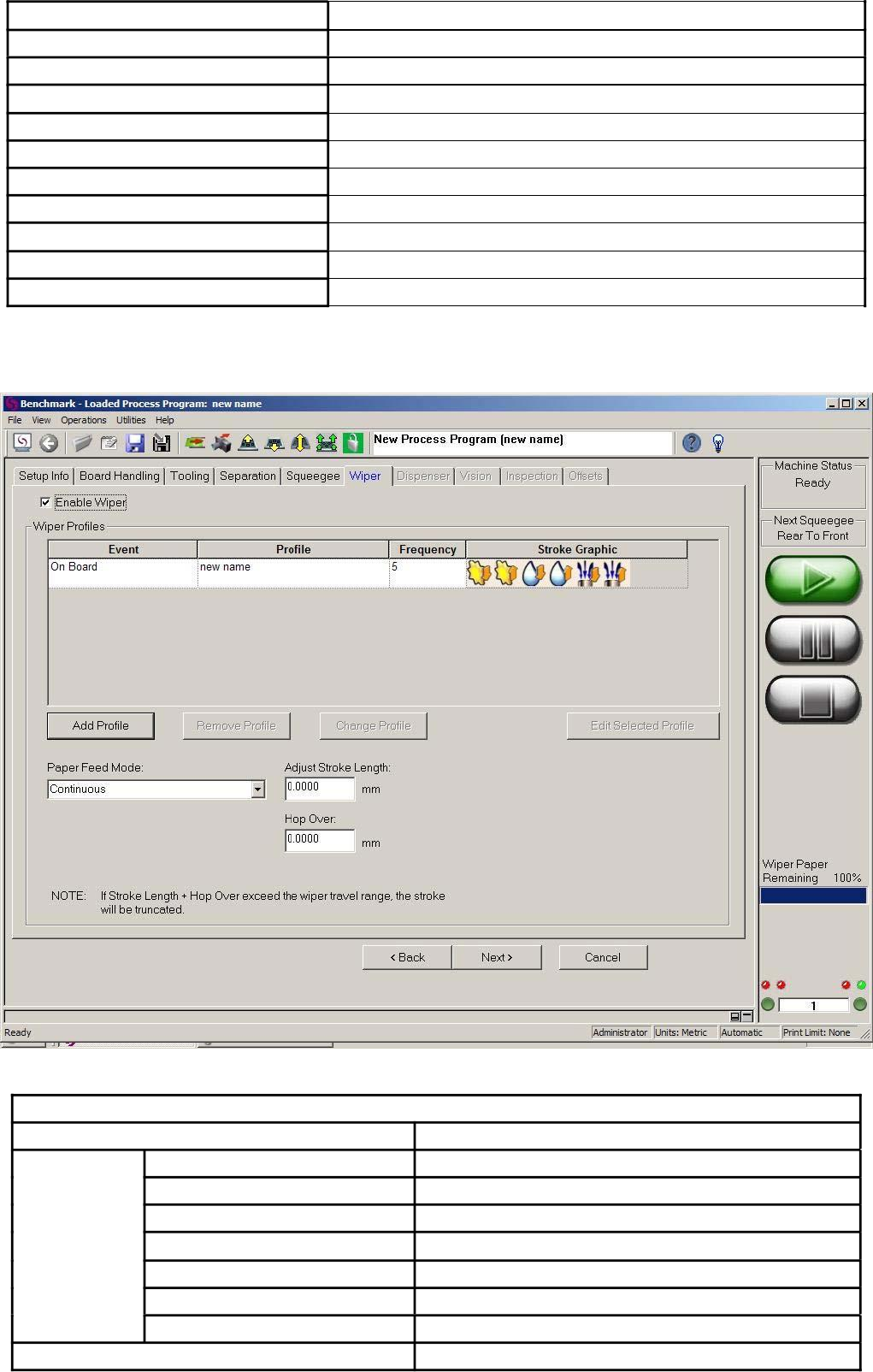
4.9. Wiper:擦拭功能设定,相关设定说明如
下:
表-4.4
图-4.17
擦拭设定
锡膏搅拌(再利用)
停止时间
锡膏搅拌行程数
锡膏搅拌速度
锡膏搅拌提示画面定时
锡膏搅拌(拒绝)
停止时间
锡膏搅拌行程数
锡膏搅拌速度
关闭 Mark 识别
锡膏搅拌提示画面定时
Enable Wiper
Even 项目
On Board
On Inspect Fail
On Idle (min)
On Dispense
Manual Wipe
On Knead Done
擦拭功能选项
自动印刷
2D 检查失败
停机(分钟)
加锡
手动擦拭
锡膏搅拌完成
Profile
On Stencil Inspect Fail 钢网 2D 检查失败
子程式名
Momentum
中文操作说明