00195779-0102_UM_D4_SR605_EN.pdf - 第231页
User manual SIPLACE D4 6 Station extensions From software version SR.605.xx 07/2008 EN Edition 6.2 PCB barcod e scanner 231 6.2.4 Assembly options for the PCB barcode scanner 6 Fig. 6.2 - 3 Assembly options for the PCB b…

6 Station extensions User manual SIPLACE D4
6.2 PCB barcode scanner From software version SR.605.xx 07/2008 EN Edition
230
6
6.2.3 Technical data – 2D barcode scanner
6
6
Data interface RS232, RS 422/485
Electrical connection 15-pin D-Sub HD connector
Operating voltage 10 VDC ... 30 VDC
Laser diode Red light
Wave length 650 nm
Laser class Class 2, as per DIN EN 60825-1:2001
Scanning frequency 100 ... 15 kHz
Resolution 0.17 mm ... 0.5 mm
2D code types Data Matrix ECC 200
2D barcode length
Single conveyor
Dual conveyor, asynchronous
Dual conveyor, synchronous
Max. 40 characters
Max. 40 characters
Max. 40 characters
1D code types Code 39, Code 128,
Codabar, EAN, EAN 128, UPC,
2/5 Interleaved, Pharma Code
(others available upon request)
1D barcode length
Single conveyor
Dual conveyor, asynchronous
Dual conveyor, synchronous
Max. 40 characters
Max. 40 characters
Max. 40 characters
Optical display 4 x LED function display
Audible indicator Buzzer
Data interface RS232, RS 422/485, Ethernet
Electrical connection 15-pin D-Sub HD connector
RJ45 connector 10baseT
Operating voltage 10 VDC ... 30 VDC
User manual SIPLACE D4 6 Station extensions
From software version SR.605.xx 07/2008 EN Edition 6.2 PCB barcode scanner
231
6.2.4 Assembly options for the PCB barcode scanner
6
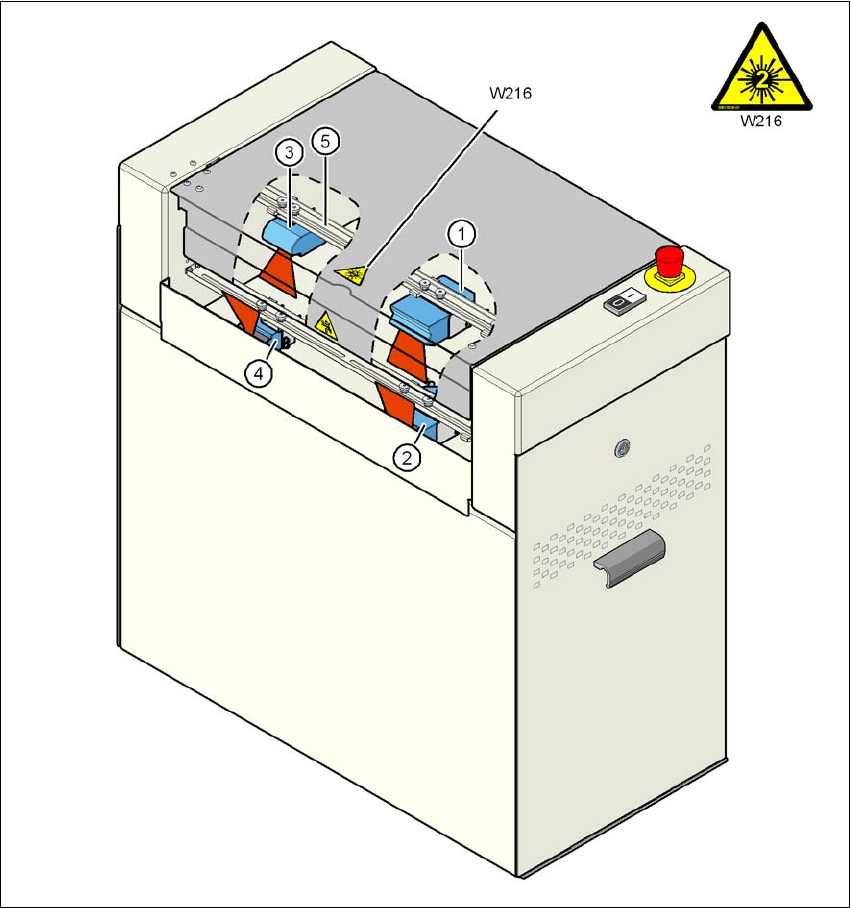
Fig. 6.2 - 3 Assembly options for the PCB barcode scanner
(1) 2D barcode scanner "topside"
(2) 2D barcode scanner "underside"
(3) 1D barcode scanner "topside"
(4) 1D barcode scanner "underside"
(5) Assembly rail
Pos. W216, item no. 03010316-01
6 Station extensions User manual SIPLACE D4
6.2 PCB barcode scanner From software version SR.605.xx 07/2008 EN Edition
232
6.2.5 Warning label W216 on the cover of the PCB input side
6
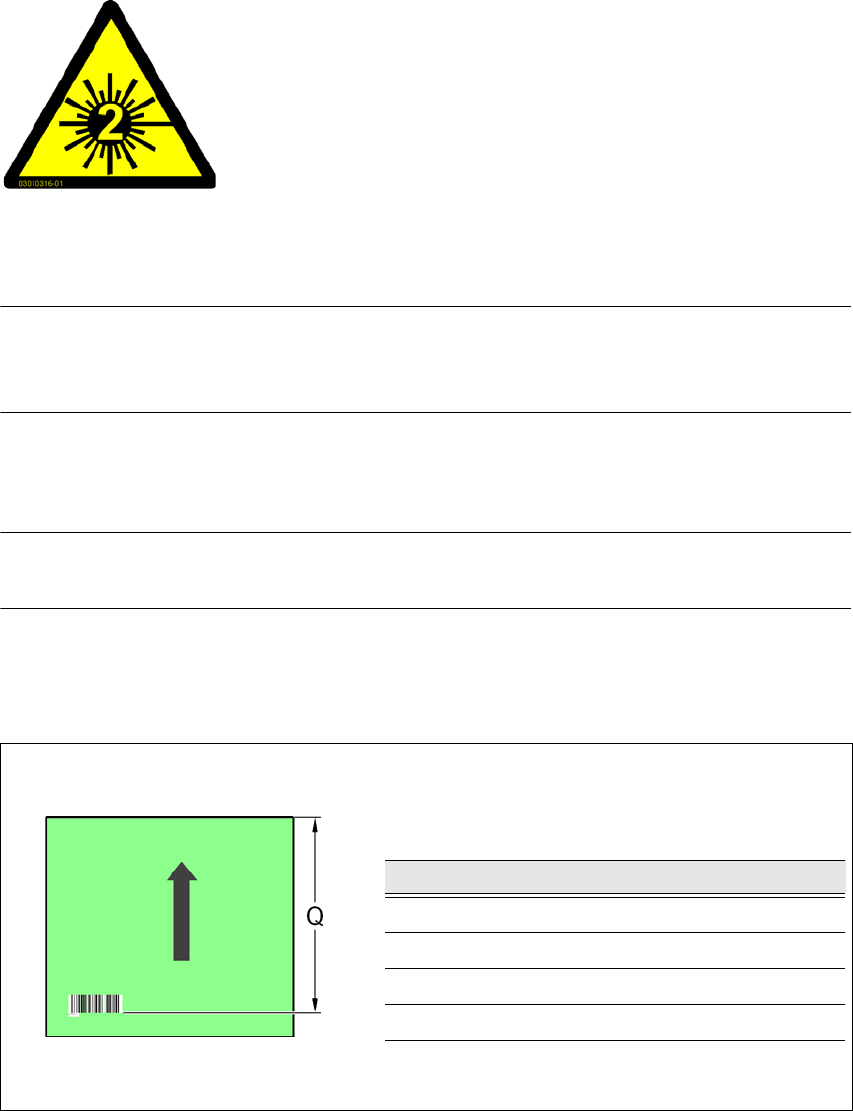
Warning label W216 "Laser class 2" on the cover of the PCB input side,
item no. 03010316-01 (number per machine: 1)
PLEASE NOTE 6
When you install a PCB barcode scanner on the machine, you must attach laser warning label
W206 contained in the retrofit kit to the cover on the PCB input side.
6.2.6 Positioning PCB barcode labels on the PCB
PLEASE NOTE 6
Restrictions for PCBs longer than 430 mm
6.2.6.1 Positioning along the long side of the PCB -
Scanning beam across the direction of travel
6
Fig. 6.2 - 4 Positioning along the long side of the PCB - Scanning beam across the direction of travel
6
6
6
6
6
6
LASER RADIATION!
Do not look into beam
Laser class 2
PCB barcode scanner Q [mm]
2D topside 390
1D topside 390
2D underside 430
1D underside 430