CP45松下驱动器部分.pdf - 第18页
9. Motor & Driver Ver. Date CP45 CP45NEO 00 2004/11 O O 9-2 9-4 Parameter Load/Unload of SANYO PY-Type Motor Driver(=Amplifier) 9-4-1 Connecting PY-Motor Driver(=Amplifier) and Computer * Tools a) Notebook Computer b…
9. Motor & Driver
Ver. Date CP45
CP45NEO
00 2004/11 O O
9-2
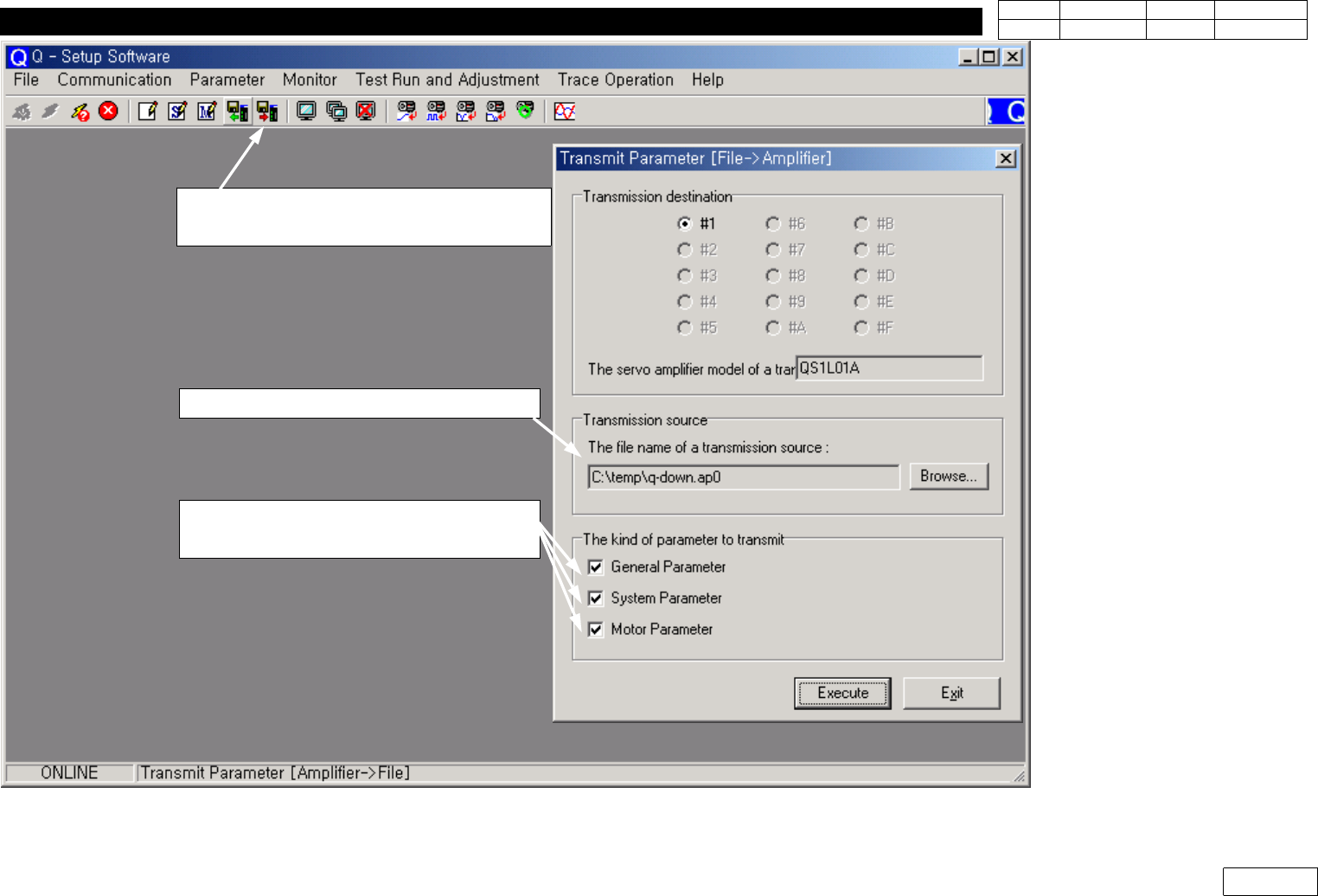
1)Select Icon
'Transmit Paramete[File => Amplifier]
2) Select the transmission source
3) Select the kinds of paraneter
(Select all )
Fig.9-3-4-3
Transmit Parameter[File => Amplifier]
9. Motor & Driver
Ver. Date CP45
CP45NEO
00 2004/11 O O
9-2
9-4 Parameter Load/Unload of SANYO PY-Type Motor Driver(=Amplifier)
9-4-1 Connecting PY-Motor Driver(=Amplifier) and Computer
* Tools
a) Notebook Computer
b) Cable for interface
1) Open the Rear, Lower Cover of Equipment
2) Turn On All the Power of Equipment or Approve the Power of Applying Motor Amplifier
3) Prepare Laptop Installed with PYIF (PY Motor Interface) Program
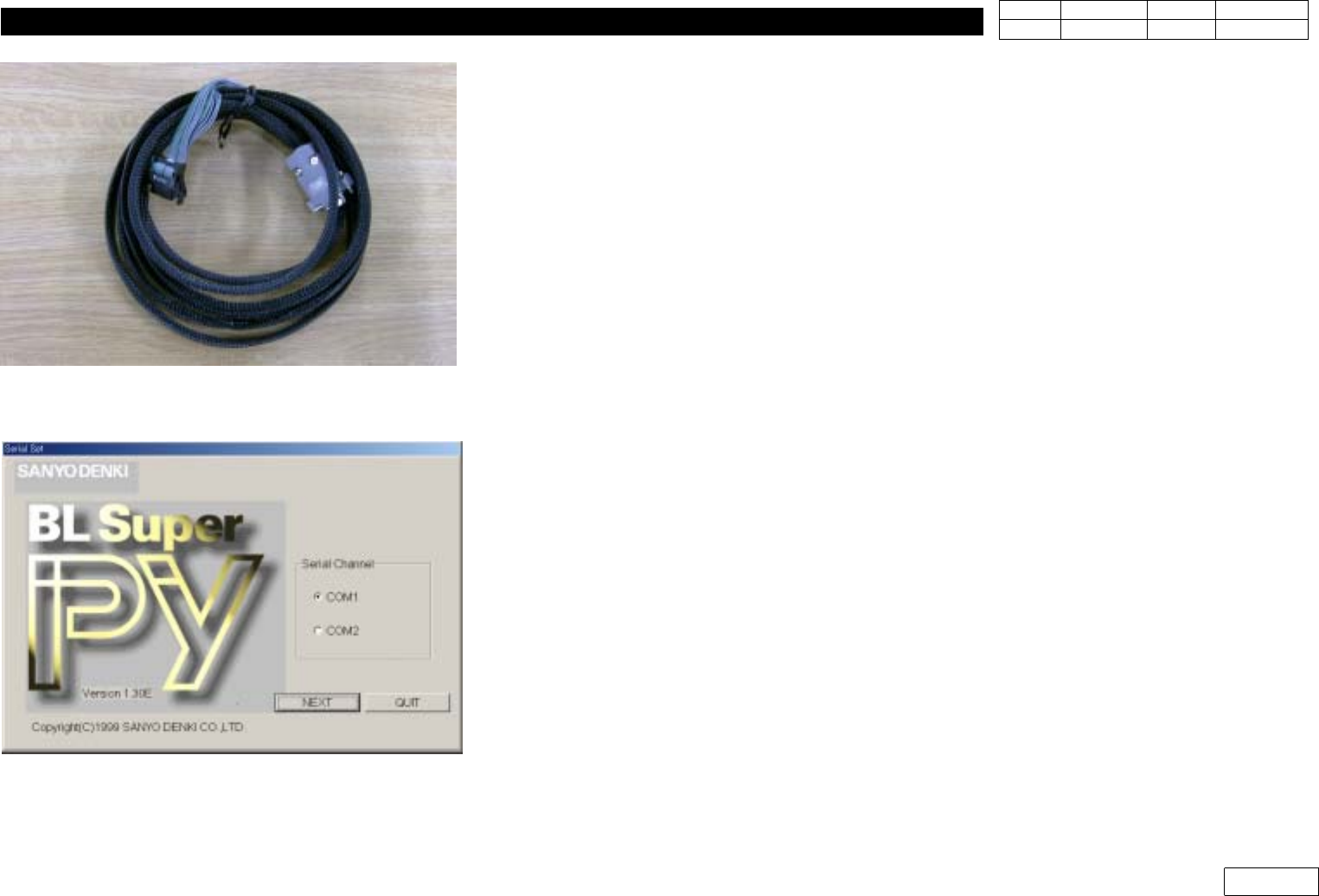
4) Prepare Exclusive Interface Cable as Fig 9-4-1-1 and Connect Laptop and Driver
9-4-2 Interface Software Run and Connecting with Amplifier
1) Run PYIF
2) Select Serial Channel Connected to Driver(COM1 or COM2)
3) Click Next to Switch to Next Screen
4) If On-line is Selected, 'Do you wish to connect with PY Amplifier?' Messages Appears. Select Yes
to Connect
Fig.9-4-1-1
Interface cable for PY Motor
Fig.9-4-2-1
Interface Program for PY Motor
9. Motor & Driver
Ver. Date CP45
CP45NEO
00 2004/11 O O
9-2
9-4-3 Motor parameter Download Procedure
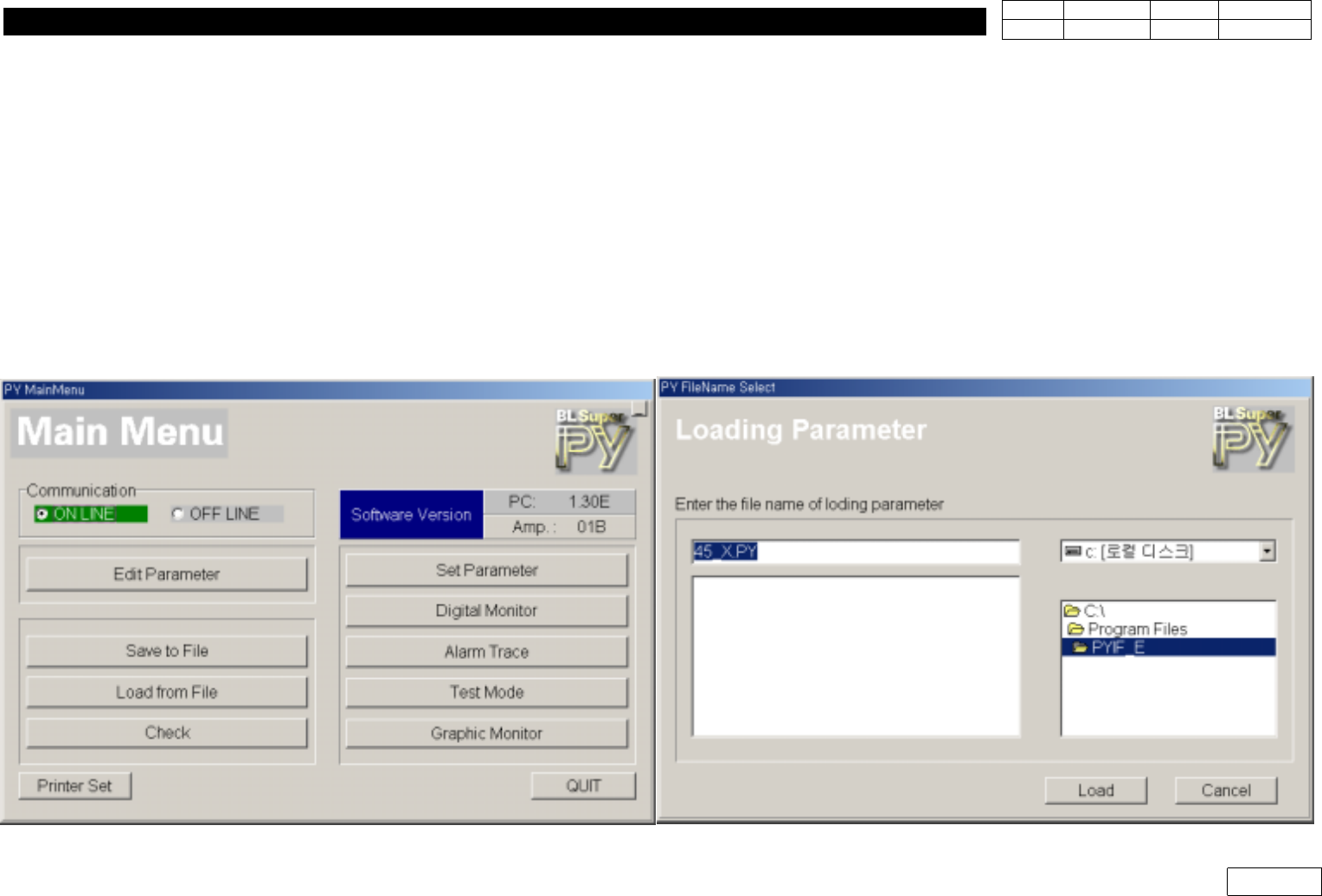
1) To Download Motor Parameter from Computer(File), Select 'Load from file'
(Note : When Replacing Driver, Backup Parameter from Existing Driver First)
: Ref. Fig 9-4-3-1
2) Find the Directory of the Parameter File and Press Load to Download
9-4-4 Motor parameter Download Procedure
1) Select 'Save to File' to Backup Parameter in Driver
2) Set the Directory t o Save the File, Input the Filename and Press 'Save' to Backup
Fig.9-4-3-1
Interface Program for PY Motor