9018-07128.pdf.pdf - 第8页
8 Uncrating the System © Agilent T echnologies, I nc. 2014 Printed in Malaysia First edition, January 2014 E9988-90013 6 Us e a f or kl ift to mo v e the sy ste m o ff the pa ll et . N ote th e Handling Guidelines on pag…
6 Medalist i3070 Series 5i Uncrating the System
Uncrating the System
Uncrating Procedure
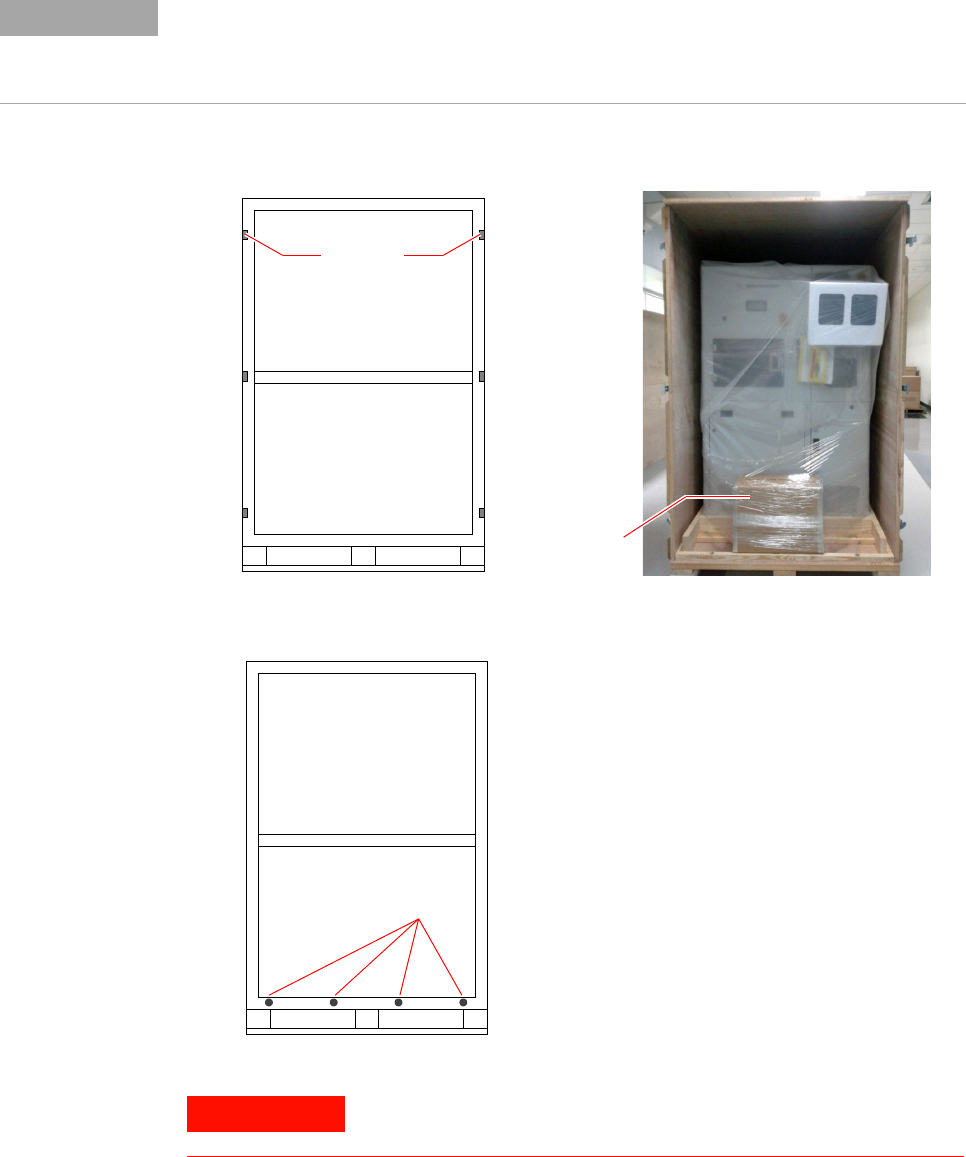
1 With one person on each side of the front wall, release the latches and
remove the front wall from the crate.
2 Remove the bolts along the bottom of the rear and side walls.
Crates are custom built for individual systems and may have slight differences in how they
are assembled. For instance, the front wall may be attached with ¼-turn draw latches or by
bolts. Another variation is how the system is secured to the base. It may be secured using
poly straps or braced by wooden blocks that are attached by screws from the side walls.
NOTE
At least two people are required for the next step.
Front view of crated system on pallet
Latches
Front wall removed
Accessories
Box
Rear and side walls
Bolts
WARNING
Uncrating the System
Medalist i3070 Series 5i Uncrating the System 7
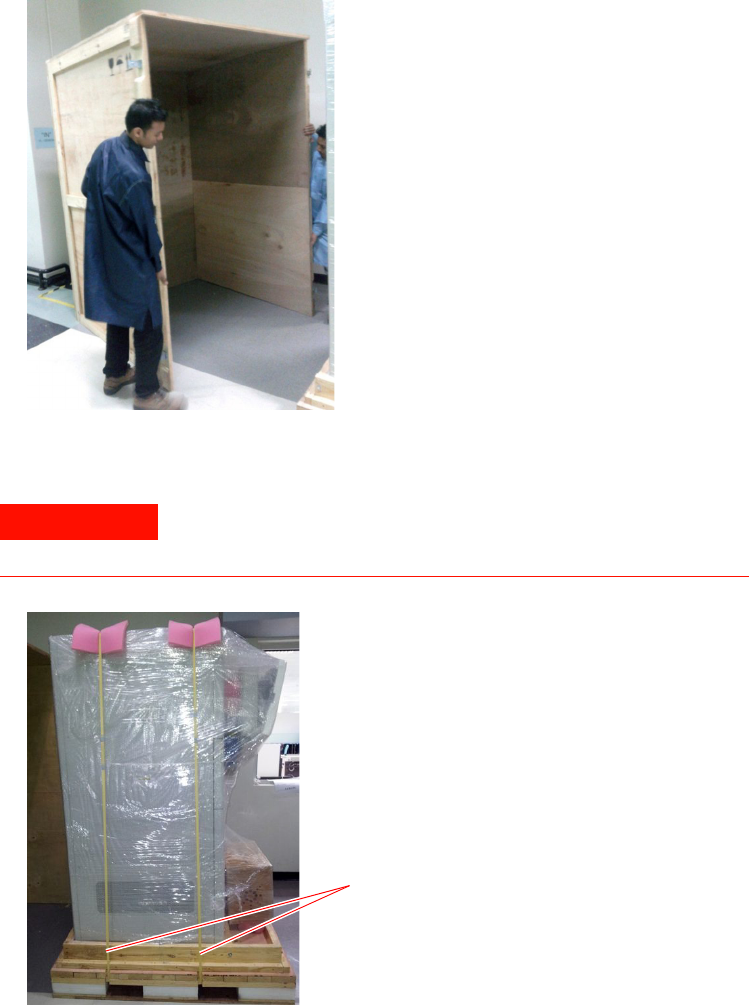
3 Remove the tri- wall assembly by sliding it back and away from the
pallet.
4 If the system is secured with poly straps, cut them at both sides of the
system.
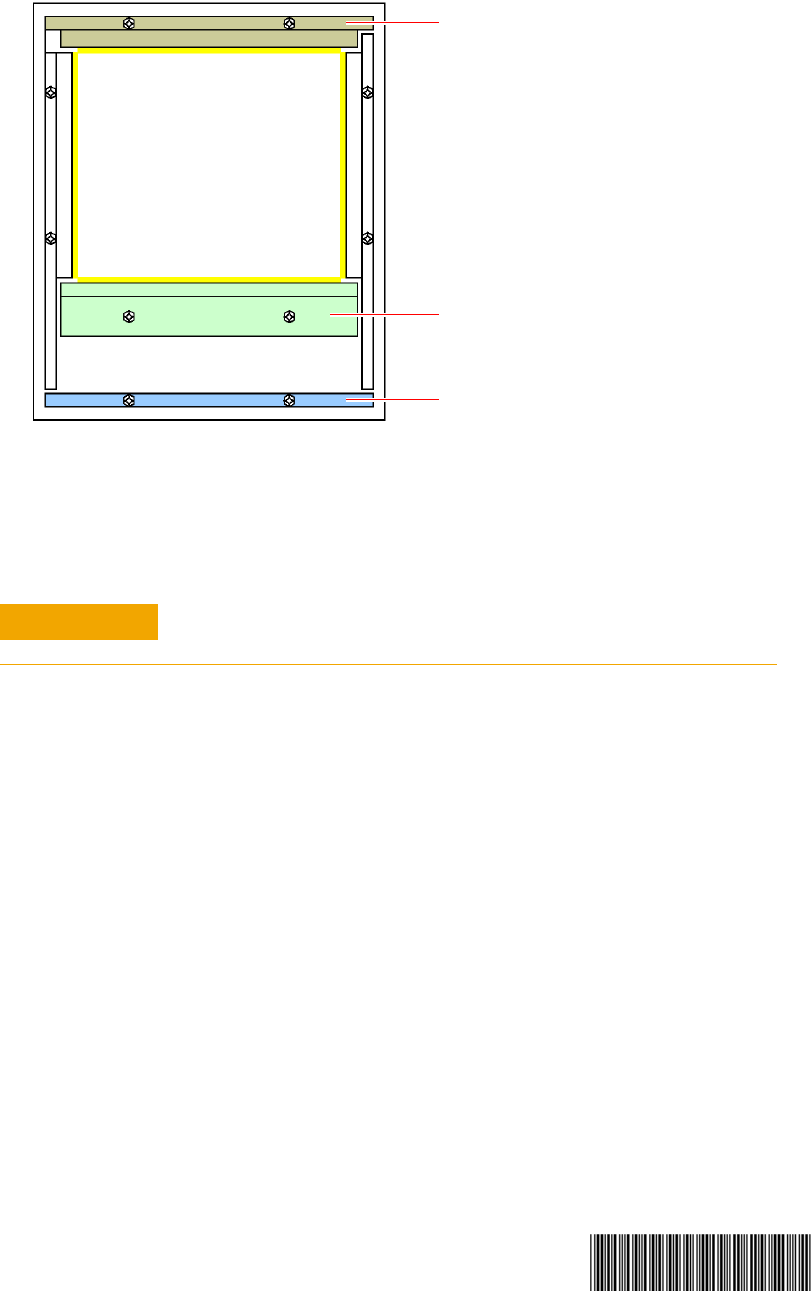
5 Release the bolts to remove the following from the pallet:
a Front support
b Front stopper
c Back stopper
Poly straps securing the system to the pallet are stretched taut
and may whip when cut. Wear eye protection and be very careful
when cutting the straps.
WARNING
Cut the poly straps
8
Uncrating the System
© Agilent Technologies, Inc. 2014
Printed in Malaysia
First edition, January 2014
E9988-90013
6 Use a forklift to move the system off the pallet. Note the Handling
Guidelines on page 5.
7 Remove the plastic wrap and any other packaging materials. Be careful
not to scratch or nick the system when removing the wrap.
8 Move the system to the site where it will be installed, or to a safe
storage area. An Agilent representative will complete the installation.
Remove the plastic wrap from the system before moving the system to
a static sensitive area.
Medalist i3070 Series 5i
Front
Front support
Front stopper
Back stopper
CAUTION