TM1858_Time Matching Function.pdf - 第3页
Y A M A H A M o t o r C o . L t d . , I M O p e r a t i o n s E n g i n e e r i n g t e a m M o u n t e r S o f t w a r e D e v e l o p m e n t g r o u p MDOC-SOFT5005 5 3 2 H o w t o s ett ing Th e fo ll o w i n g s…
YAMAHA Motor Co. Ltd.,
IM Operations Engineering team
Mounter Software Development group
MDOC-SOFT50055
2
1 Outline
This function is that the times of machines are adjusted to the standard PC time. In order to
dissolve the time different (start time of history log etc.) in each machine.
"Setting the time" is executed when the mounter application is starting up. It is also possible to
execute when a board data is changed by using the setting. The result of time adjusting is
outputted to error log. Please refer to “4 Error Message”.
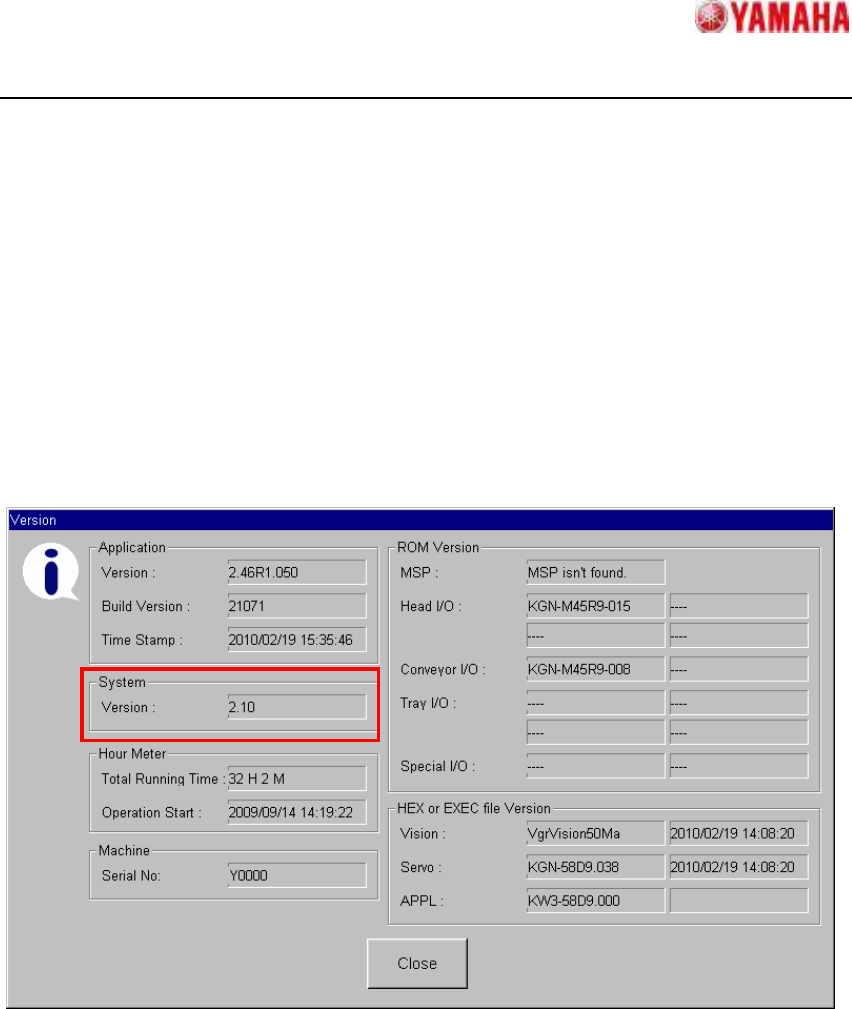
System Version 2.10 or later is necessary in YG200(L), YG100(R), YG88(R), YGD, YGP and
iCube2. System Version can be confirmed on [Setup] - [Version] button. (Fig 1.1)
Fig 1.1 Version dialog
YAMAHA Motor Co. Ltd.,
IM Operations Engineering team
Mounter Software Development group
MDOC-SOFT50055
3
2 How to setting
The following settings are necessary to use this function
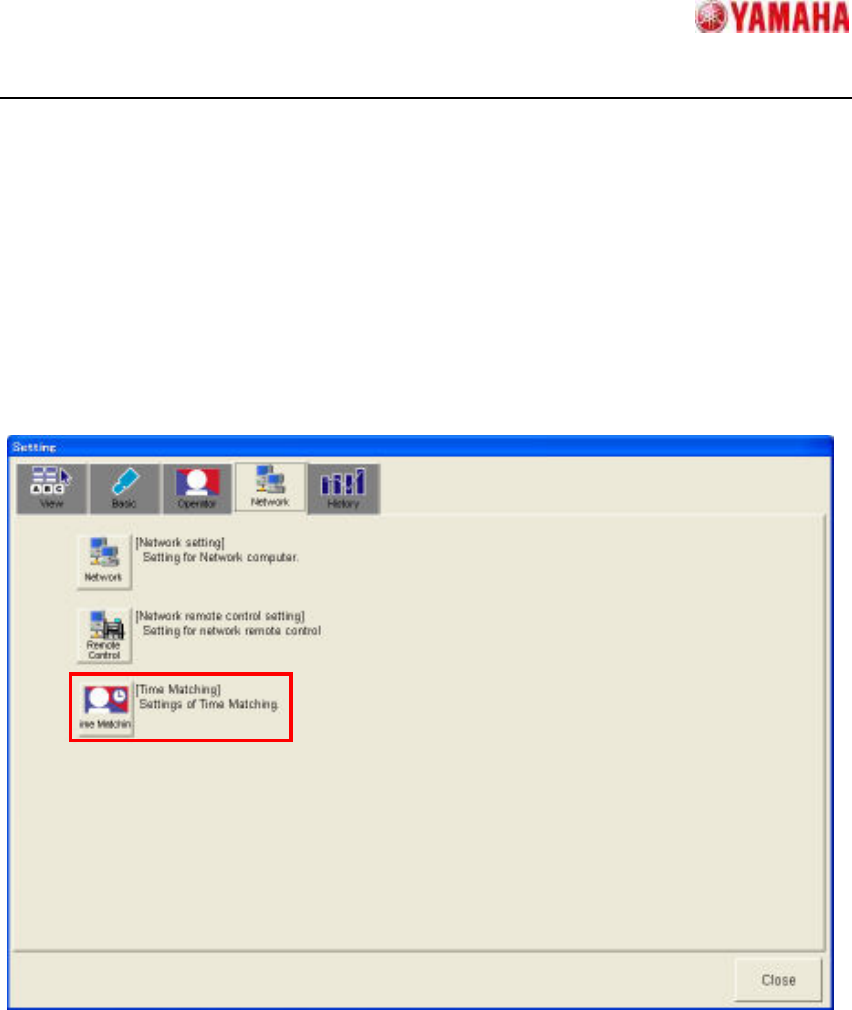
Tap [Setup] - [Software Setting] - [Network] - [Time Matching] button (Fig 2.1), and open Time
Matching Setting dialog (Fig. 2.2)
Fig 2.1 is the example of YS Series.
Fig 2.1 Software Setting dialog
YAMAHA Motor Co. Ltd.,
IM Operations Engineering team
Mounter Software Development group
MDOC-SOFT50055
4
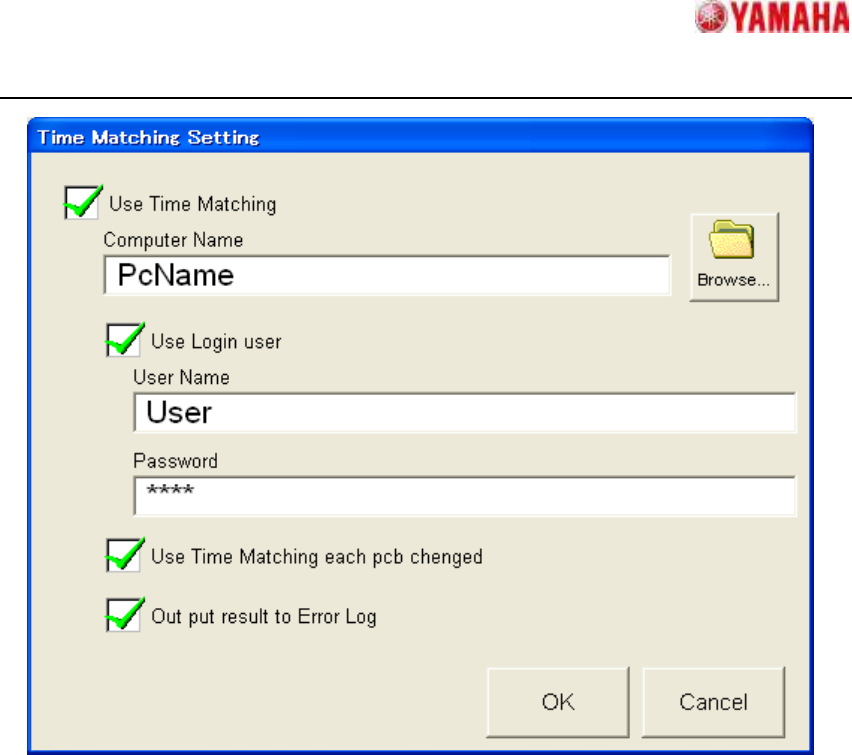
Fig 2.2 Time Matching Setting dialog
・ [Use Time Matching]
If "Checked state" is set, “Time Matching” is executed when the mounter application is
starting up.
Moreover the other items become to be able to edit.
・ [Computer Name]
Set computer name or IP address of the PC which is for the standard time.
Ex.) Domain Server, 192.168.0.1 etc.
CAUTION! If this item is not set, “Time Matching “is not executed.
・ [Browse…]
Refer to PC of the standard time. (Fig 2.3) When PC of the standard time is selected and
[OK] button is tapped, [Computer Name] is set.