TM6211.SmartRecognition.pdf - 第13页
S M T S o f t w a r e E n g i n e e r i n g G r o u p I M O p e r a t i o n s Y A M A H A M O T O R C O . , L T D . MDOC-SOFT50185 10) Vision test Executes a v ision test with the created model data and the recognition c…
SMT Software Engineering Group
IM Operations YAMAHA MOTOR CO., LTD.
MDOC-SOFT50185
8) Move to the Vision Test screen
Press the [Next] button to go to the [Vision Test] screen.
Smart Recognition model data will be created based on the data you created on the
[Create Model] screen.
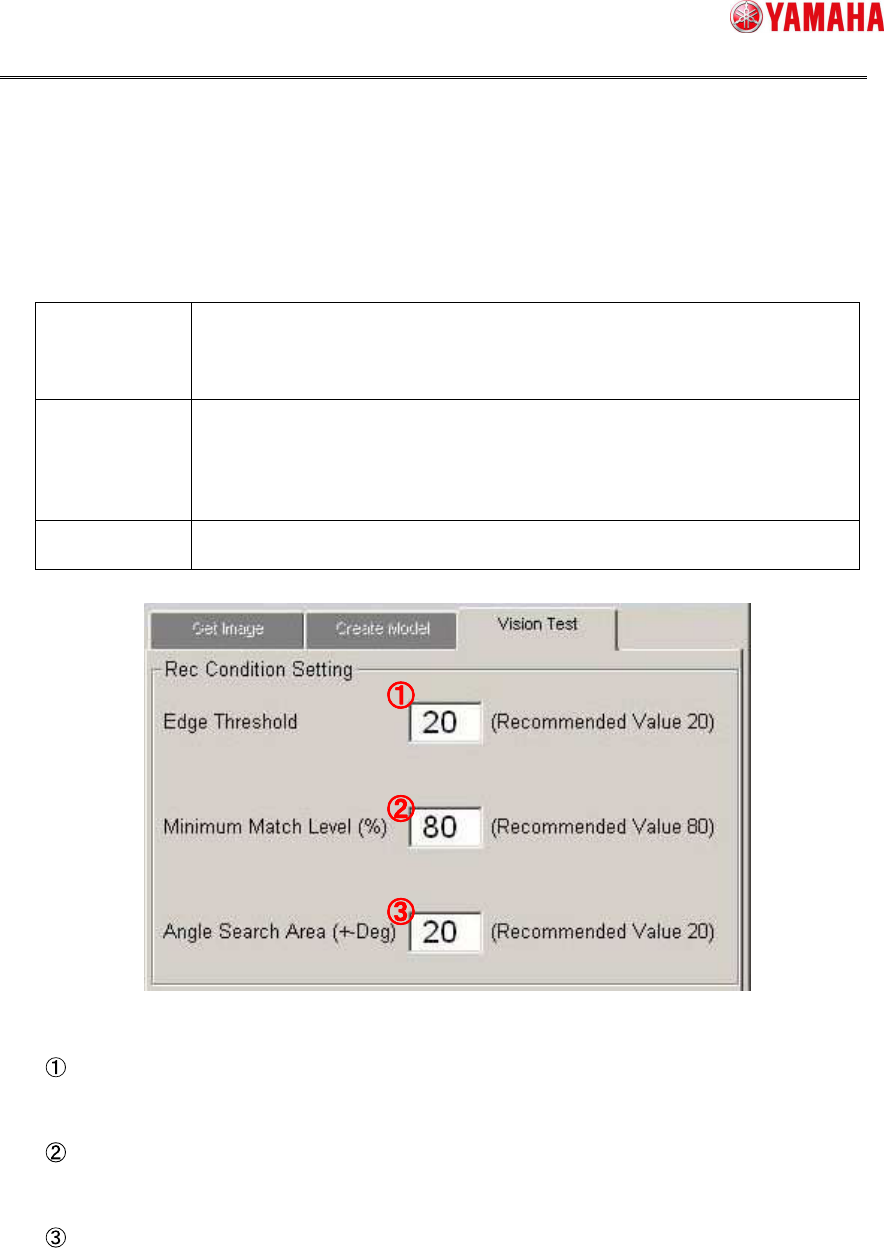
9) Set recognition conditions
Set conditions for Smart Recognition.
Edge
Threshold
If the reflection of the parts is dark, set a threshold value lower than
that you have created on the Create Model screen, which enables to
detect more edges.
It is recommended to set this value “20” or more.
Minimum
Match Level
This is the basis to judge the match level between model data and
recognition image.
If the match level is lower than this value, a recognition error occurs.
If this level is too low, it can cause mis-recognition or mis-judgement.
It is recommended to set this value “80” or more.
Angle Search
Area
Detectable parts angle setting.
It is recommended to set this value within “20” degree.
Edge Threshold
Input [Edge Threshold].
Minimum Match Level
Input [Minimum Match Level].
Angle Search Area
Input [Angle Search Area].
SMT Software Engineering Group
IM Operations YAMAHA MOTOR CO., LTD.
MDOC-SOFT50185
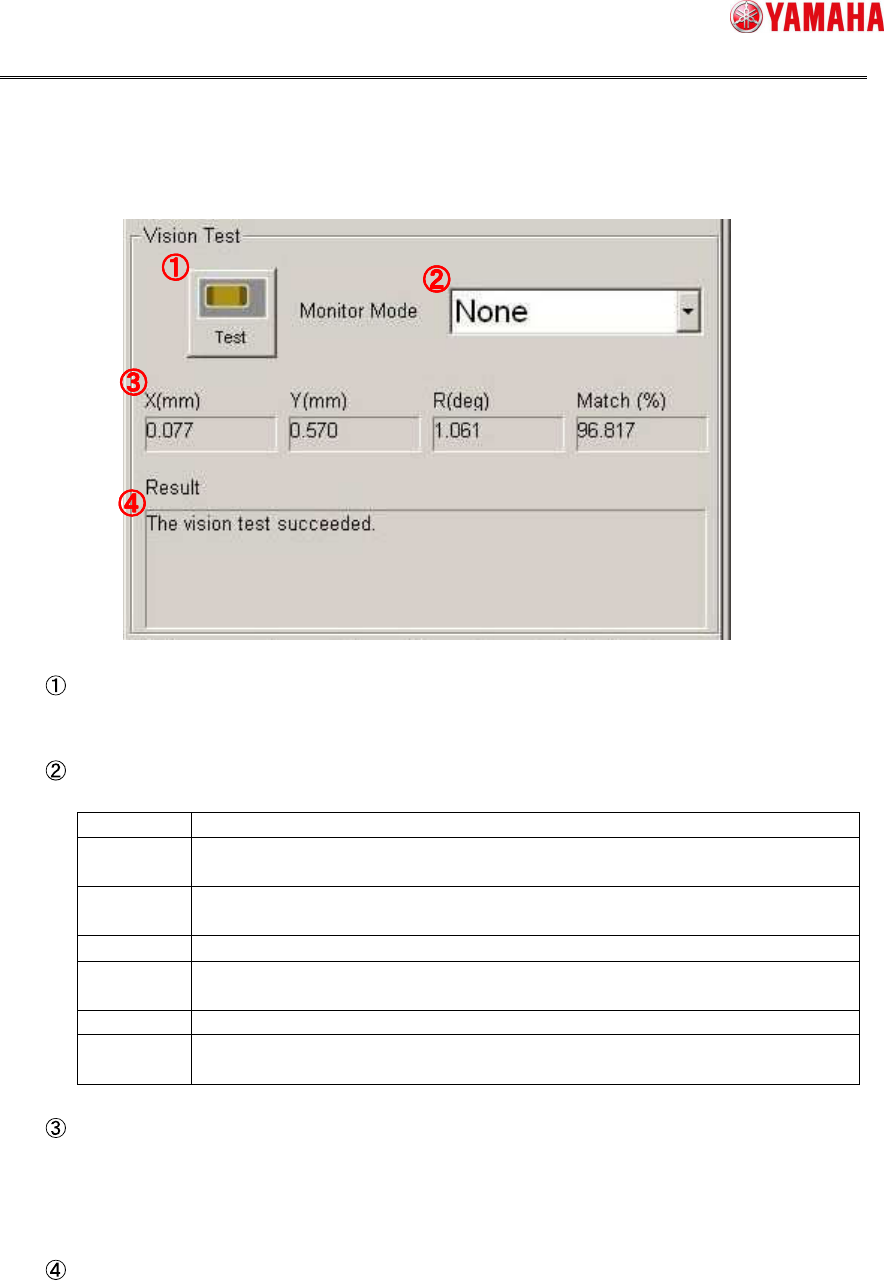
10) Vision test
Executes a vision test with the created model data and the recognition condition
setting. This checks whether or not the recognition result has any fault.
Test
Executes a recognition test.
Monitor Mode
Changes the monitor mode of recognition result displayed on the vision window.
None Displays only the parts image.
Vision
Result
Displays the recognition result values.
Detection
Range
Displays the edge detection range.
Model Displays the model data.
Edge
Pos.
Displays the detected edges.
Last Pos. Displays the center of parts.
Detail
Setting
Use this to display with some results at once.
Recognition Result
Displays recognition result.
X, Y, R : Displays difference between recognition basis and result.
Match : Displays matching value of recognition result.
Recognition Result (Message)
Displays a recognition result message.
If recognition test is failed, error cause and error number are displayed.
SMT Software Engineering Group
IM Operations YAMAHA MOTOR CO., LTD.
MDOC-SOFT50185
11) Save Model
Press the [OK] button to save the created model data.
[Caution] When you press the [OK] button, you go back to the [Parts Adjust] screen,
with the model data still kept in the parts adjust data.
However, please note that if you press the [Cancel] button on the [Parts Adjust]
screen, the model data will be deleted.