UX20_Product-brochure_eng_esp-LR.pdf - 第4页
Geminy is Yxlon’ s award winning user interface software running on all our latest products. The most important design goal is to help you to get the inspection task done as easily as possible. This starts with having a …
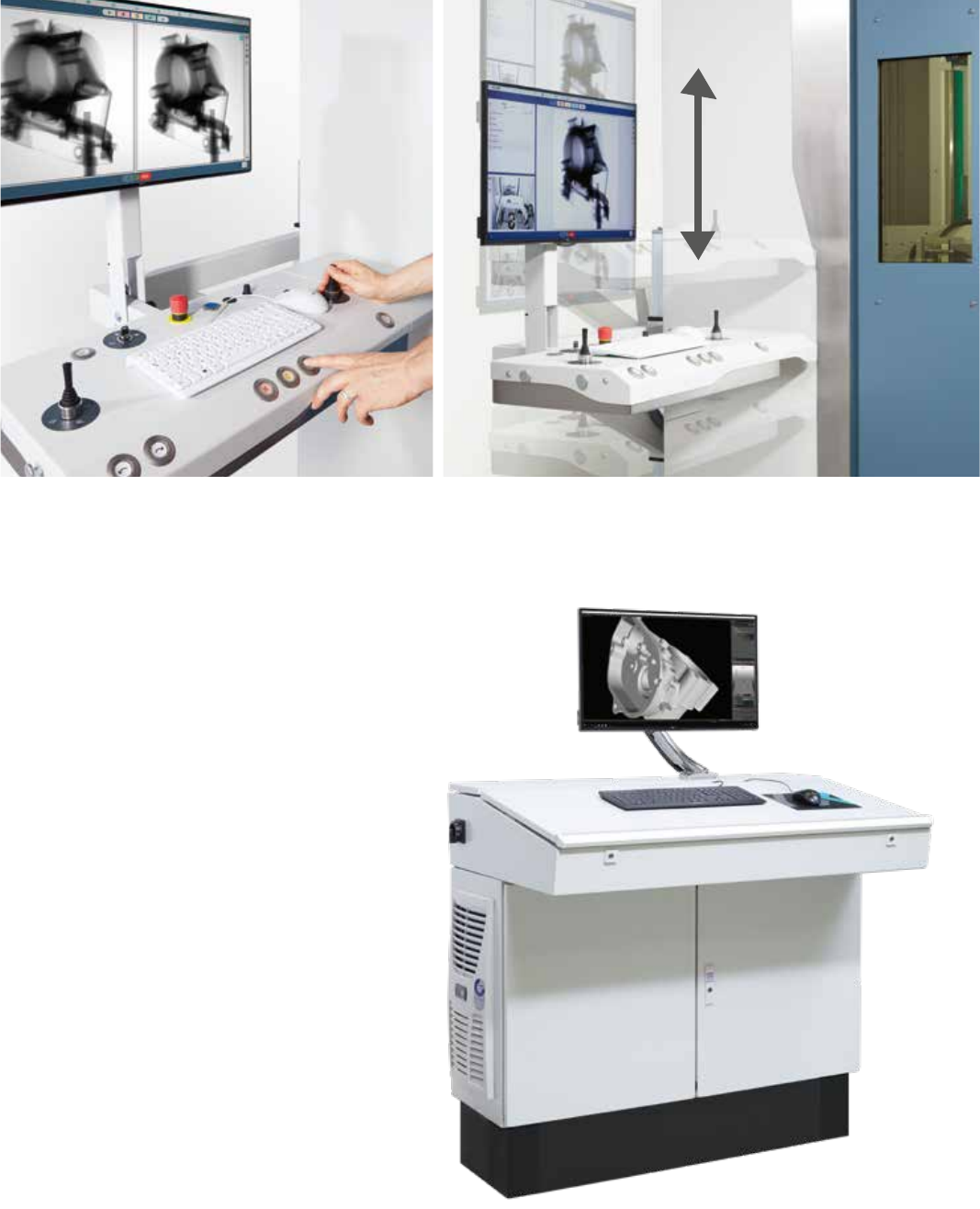
As speed and complexity in our world increases, the UX20 makes
your daily life easier. The clean and simple layout of the operator
desk allows you focus on your task.
The optional CT station is designed to
weather your rough environment while
allowing you to analyze your scans
quickly, and in close proximity to the system.
You can also vary the height of the desk to accommodate operation
from a sitting or standing position.
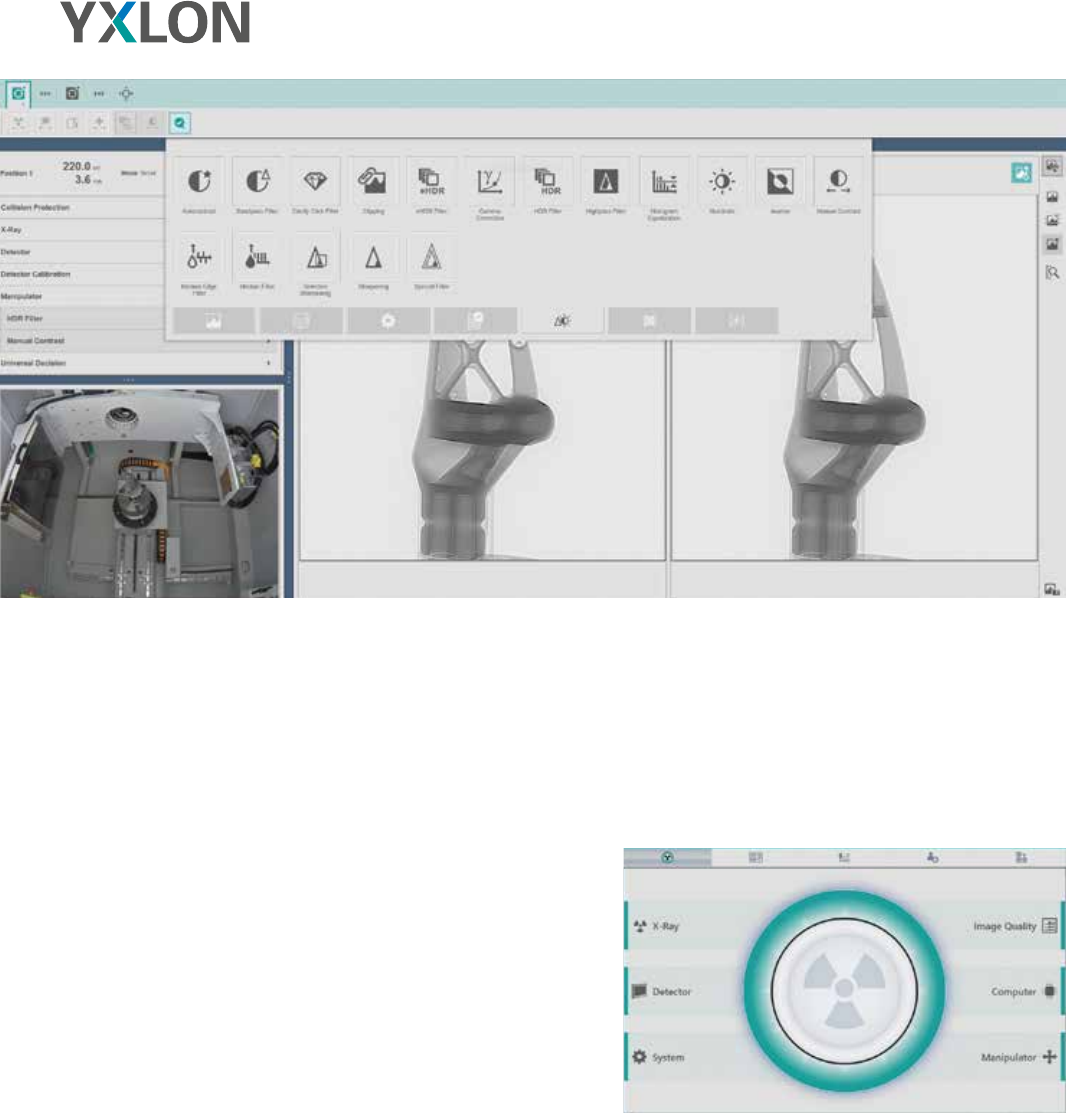
Geminy is Yxlon’s award winning user interface software
running on all our latest products. The most important
design goal is to help you to get the inspection task done
as easily as possible. This starts with having a single
software for all workflows. No matter if you run a CT
inspection, perform an ad-hoc manual 2D inspection,
teach or run an automatic sequence: all are based in
Geminy, the one and only software program for all your
needs.
Different levels of users can streamline their tasks; from
the daily operator that works with preset parameters and
predefined tasks, to the expert that puts these in place,
you can be sure the system supports all users.
One look at the health-monitor is enough to quickly
analyze the system’s condition and performance.
In case anything is abnormal, the solution is usually just
a click away.
Software platform Geminy
You can rely on our decades of 2D x-ray experience to make the correct and safe decision every time.
Geminy’s health monitor shows the current system condition.
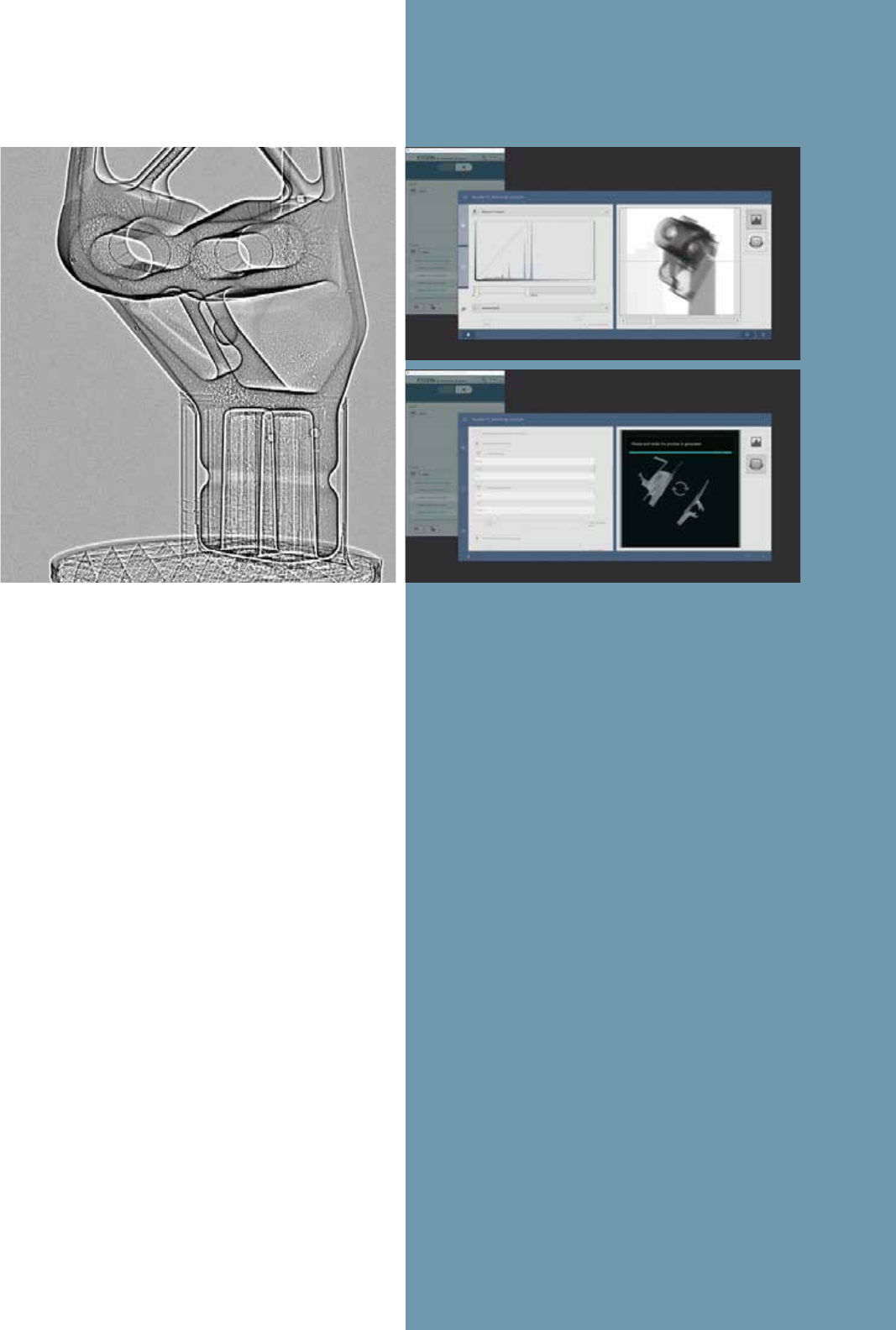
Side mirror x-ray image with optimized settings
for manual 2D inspection.
1 Check the projections and scan parameters in the ReconWorkspace.
2 Get fast feedback about the effect of your reconstruction settings.
1
2
MANUAL INSPECTION
With input from customers like you, we designed the
UX20 system from the ground up for fast and easy x-ray
inspection of your parts.
2D inspection is really simple: mount the part and close
the door. This is fast with our safe one-button solution.
The system can automatically move and show you a good
starting x-ray image. The clear buttons and joysticks at
the operator console let you focus on the important part,
the image. Use the analysis mode to get down to the
details with zoom, annotations and measurements.
Creating a report of what you see is simple: just use the
grading buttons on the console. The final task is to press
the eject button and the system is ready for the next part.
AUTOMATIC INSPECTION
Setting up repeatable testing of a part in an inspection
workflow is as easy as a manual 2D inspection. When
running the automatic inspection, all non-essential
interactions have been removed to create a simple
teaching mode. Try it out, inspection has never been
so easy.
COMPUTED TOMOGRAPHY
With the heritage of CT inspection systems like the
FF35 CT, you can count on a strong suite of computed
tomography features.
With ScanExtend, the wizards guide you to set up
various scan-field extensions to scan even the largest
parts in the system.
With FlexCenter, difficult parts or regions of interest can
be set up quickly, enabling you to get your task done in
the minimum time.
SYSTEM PERFORMANCE CHECKS
Sometimes, you want to know how good your x-ray
inspection system really is. For that, we offer a number of
performance checks referring to international standards
like ASTM E1695 or VDI2630 part 1.3. Executing them is
simple with our automatic workflows.