TM2965.Functional Specification of Module Stop.pdf - 第5页
SMT Software En gineering Group IMOperations YAMAHAMOTORCO.,LTD. MD OC-SOFT50118 5/7 T able 5.1 Movementof the operationpanelbut tons. MachineS tatebefore pressingthebutton M…
SMT Software Engineering Group
IMOperationsYAMAHAMOTORCO.,LTD.
MDOC-SOFT50118
4/7
^
5. Operation Method of Lane Select Switch
5.1 Lane Select Switch
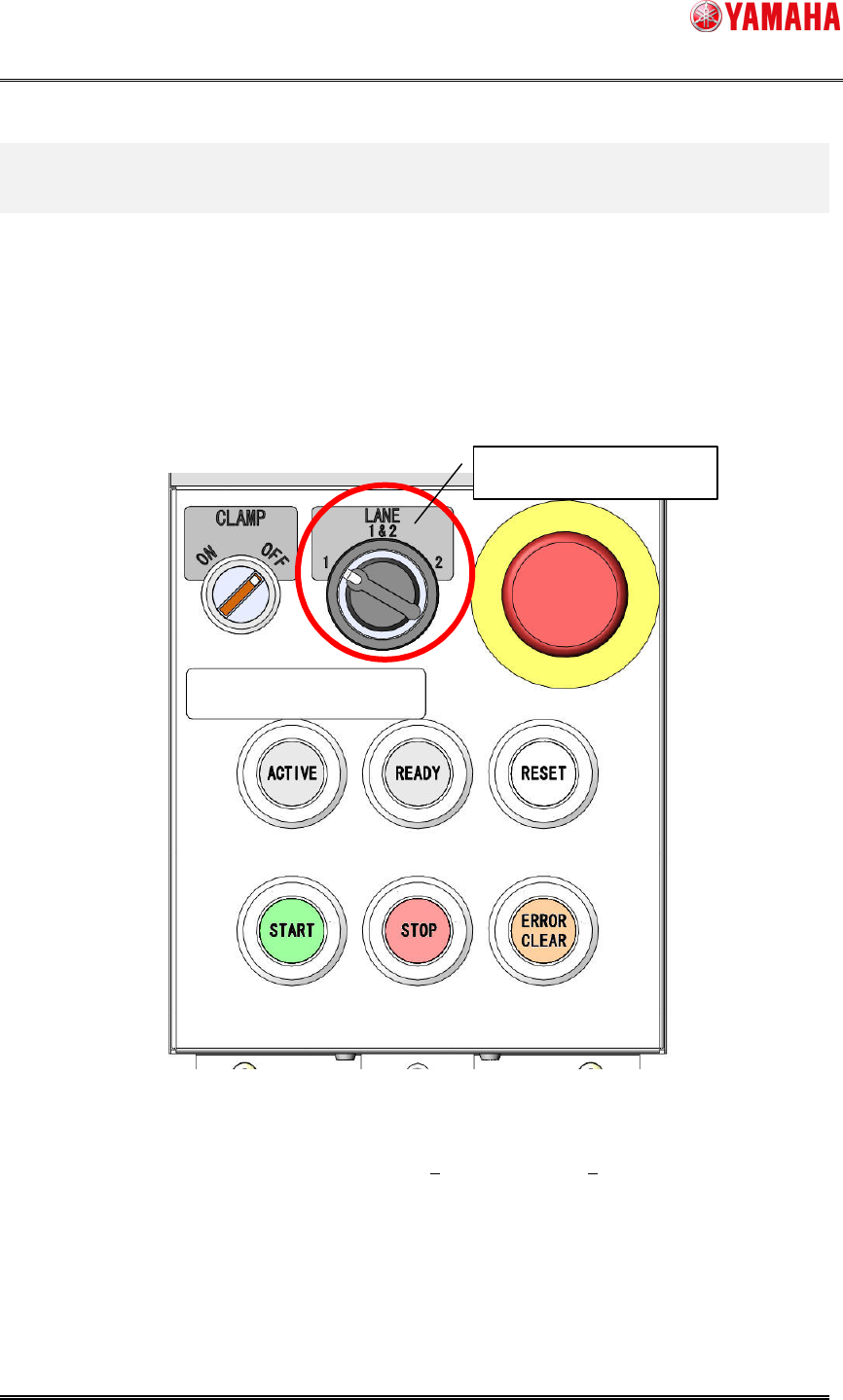
Lane Select Switch is added, which switches the operating range of [START] and [STOP]
buttons.
For example, when the both lanes are in a stopped state, press “START” button with Lane
SelectSwitchturnedto“Lane2”,andautorunningisstartedon“Lane2”only.
Fig5.1Theappearanceoftheoperationpanel
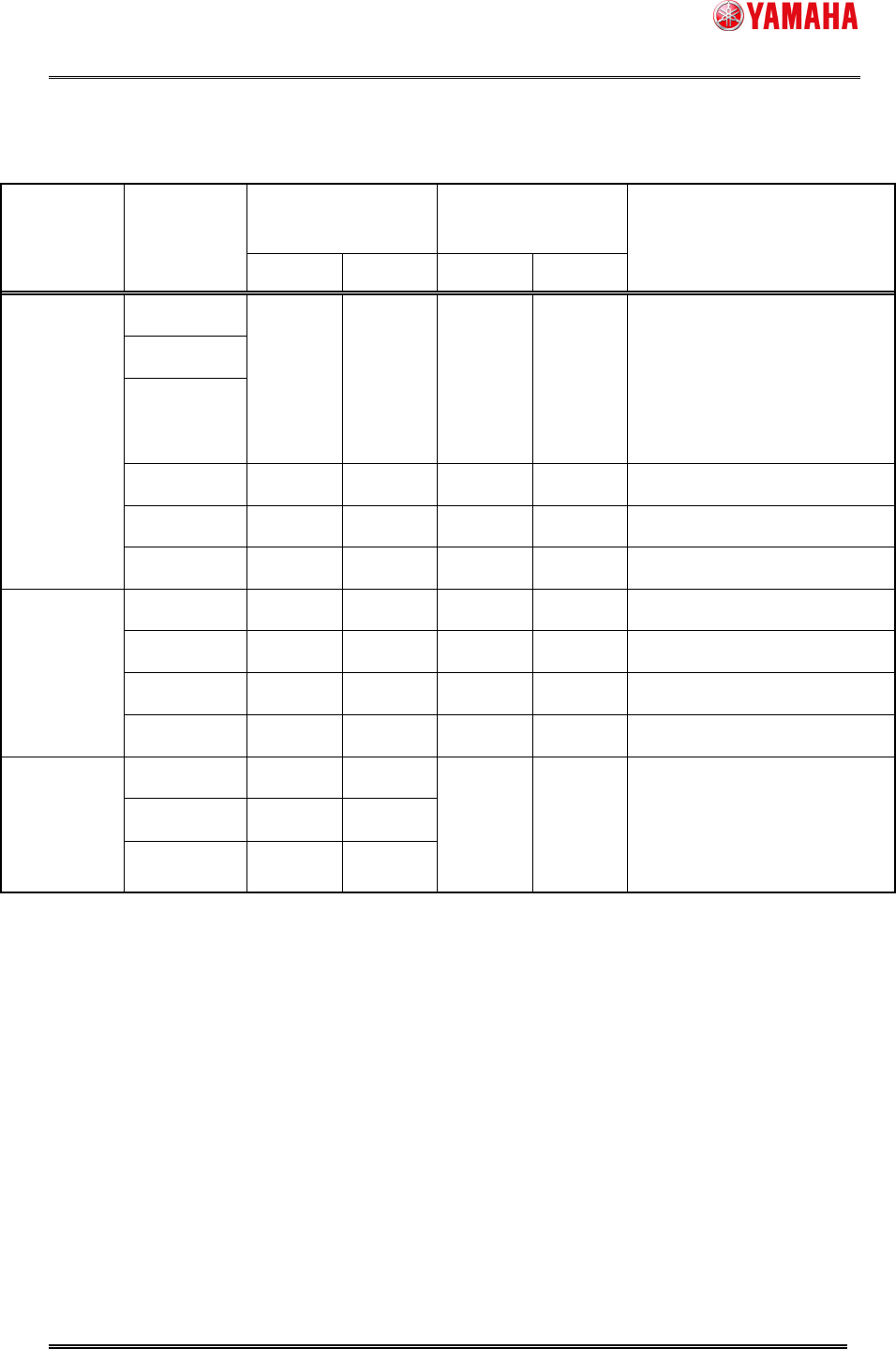
Themovementundereachoperatingconditionsandeachbuttonsisshownonthefollowing
table(Table5.1).
LaneSelectSwitch
SMT Software Engineering Group
IMOperationsYAMAHAMOTORCO.,LTD.
MDOC-SOFT50118
5/7
Table5.1 Movementoftheoperationpanelbuttons.
MachineStatebefore
pressingthebutton
MachineStateafter
pressingthebutton
Button
LaneSelect
Switchstate
Lane1 Lane2 Lane1 Lane2
Note
1
2
1 & 2
Reset Reset Auto Run Auto Run
When the [START] butt
on is
pressed
under the state of reset,
the all lanes start auto
running
without depending on the state of
LaneSelectSwitch.
1 Stop Stop Auto Run Stop
2 AutoRun Stop AutoRun Auto Run
Start button
1 & 2 Stop AutoRun Auto Run AutoRun
1 Auto Run AutoRun Stop AutoRun
2 AutoRun Stop AutoRun Stop
1 & 2 Auto Run Auto Run Stop Stop
Stop button
1 & 2 Stop Auto Run Stop Stop
1 Auto Run Stop
2 Auto Run Auto Run
Reset Button
1 & 2 Stop Auto Run
Reset Reset
When the [
RESET] button is
pressed,thealllanesbecome
ina
reset state without depending on
thestateofLaneSelectSwitch.
SMT Software Engineering Group
IMOperationsYAMAHAMOTORCO.,LTD.
MDOC-SOFT50118
6/7
6. Lighting condition of the Signal Light
6.1 Signal Light
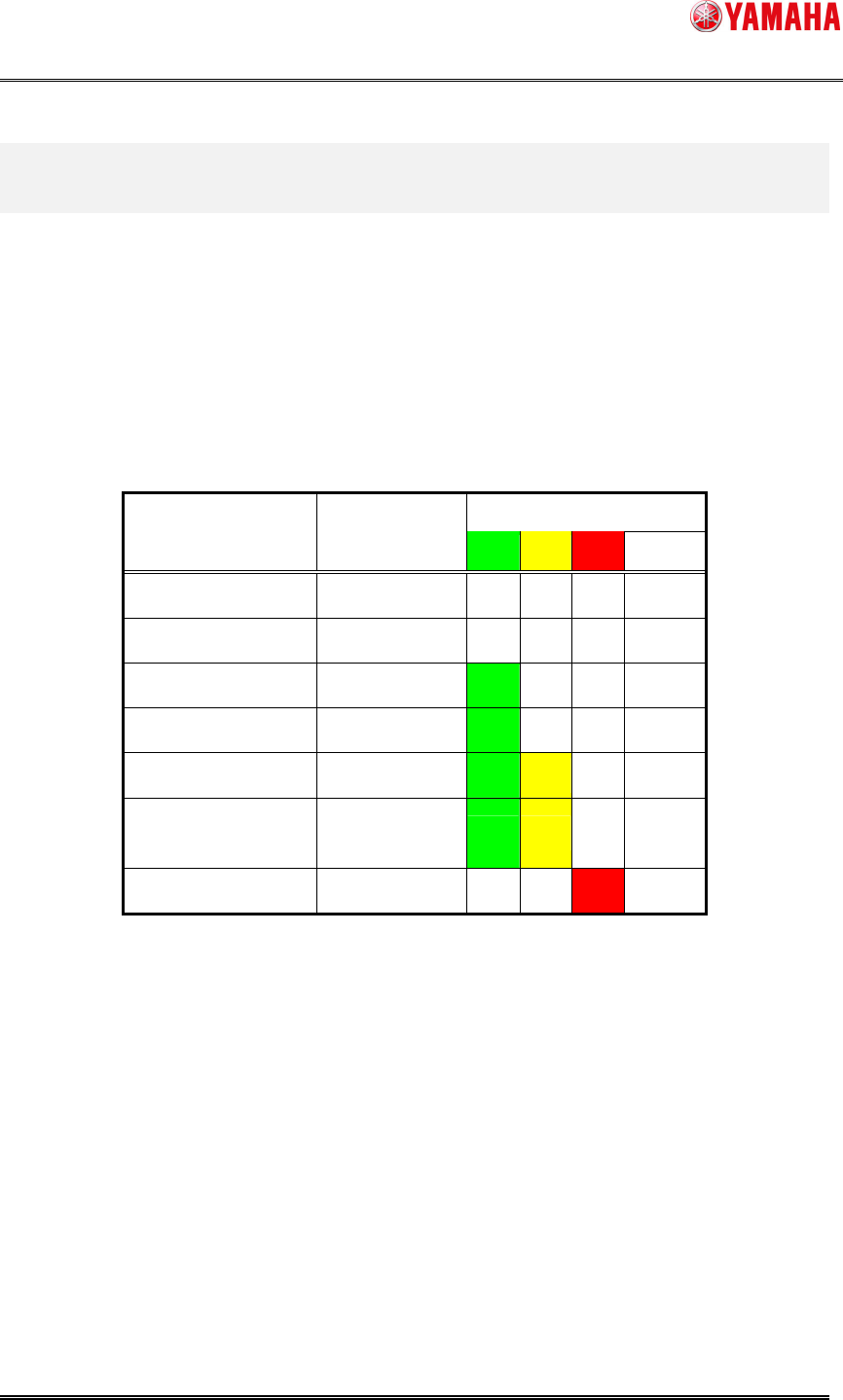
ThestateofLane1andLane2isindicatedwithone Signal Tower.Thelightingconditionsof
SignalTowerareshowninthefollowingtable(Table6.1).
Forexample,whenthestatesofLane1andLane2are“ErrorStop”and“AutoRunning”,green
andyellowlightswork.
Table6.1 LightingconditionoftheSignalLight
SignalLightThestateof
theLane1
Thestateof
theLane2
Green
Yellow
Red
Buzzer
Reset Reset OFF
Stop Stop OFF
AutoRun AutoRun ● OFF
AutoRun Stop ● OFF
ErrorStop AutoRun ● ● ON
Stop
(Componentsrunout)
AutoRun ON
Emergencystop Emergencystop ● OFF
●:Lighting:Blink:Dependsonotherconditions