00193875-01.pdf - 第23页
SIPLACE Software Guide Version 101.xx 3 Graphical user interface Issue 05/03 EN 3.2 Components of the user interface 23 Nozzle configuration error 3 3 3 Transport error 3 3 3 Fiducial error 3 3 3 3 3 3 3 3 3 3
3 Graphical user interface SIPLACE Software Guide Version 101.xx
3.2 Components of the user interface Issue 05/03 EN
22
Meaning of other icons and markings 3
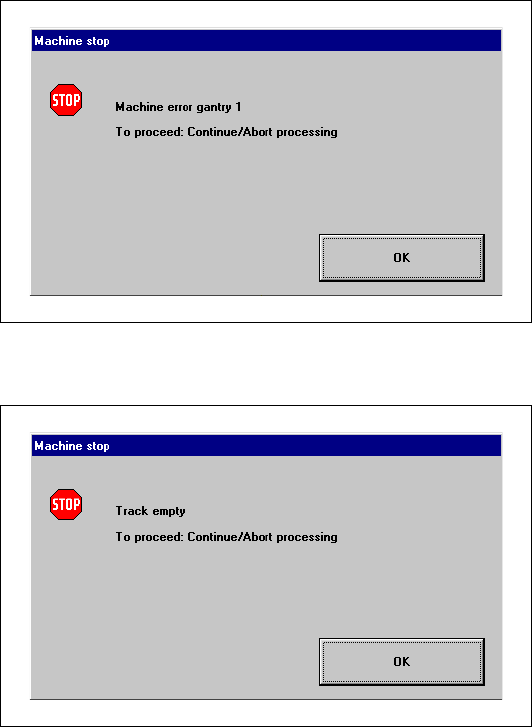
If a track error, machine error or conveyor error occurs, a corresponding information box is shown
(see examples below). 3
Machine error gantry 1 3
3
3
3
3
3
3
3
3
Track empty error 3
3
3
SIPLACE Software Guide Version 101.xx 3 Graphical user interface
Issue 05/03 EN 3.2 Components of the user interface
23
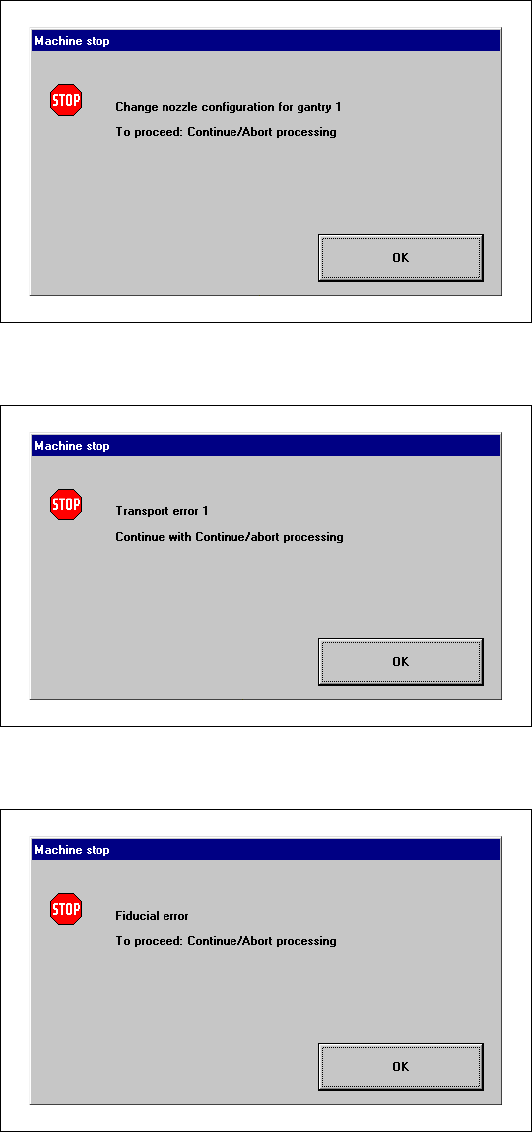
Nozzle configuration error 3
3
3
Transport error 3
3
3
Fiducial error 3
3
3
3
3
3
3
3
3
3
3 Graphical user interface SIPLACE Software Guide Version 101.xx
3.2 Components of the user interface Issue 05/03 EN
24
3.2.2 Toolbar in Main view
3
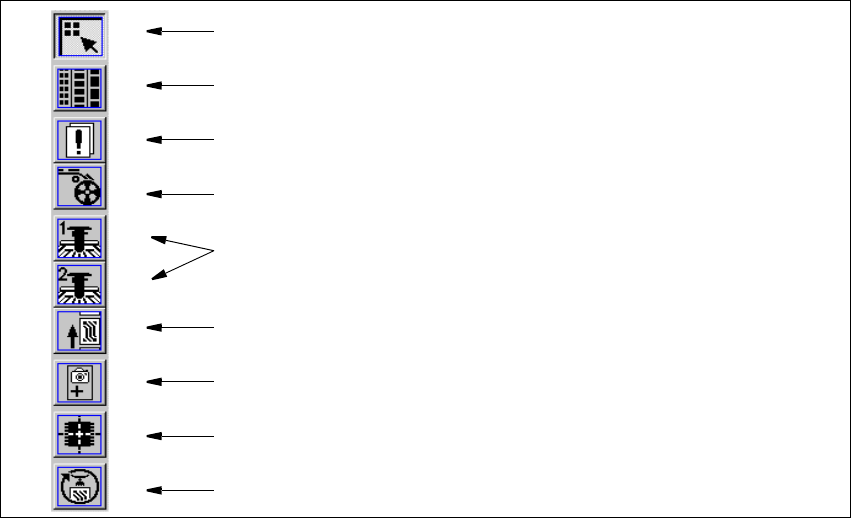
Fig. 3.2 - 3 Toolbar in the Main view (example: SIPLACE CS)
Key to Fig. 3.2 - 3
(1) Main view
(2) Set-up, placement functions
(3) Error, placement functions
(4) Component feeder, placement functions
(5) Gantry 1 and 2 (only SIPLACE CS), single functions
(6) Conveyor, single functions
(7) Teach fiducials, vision functions
(8) Test component, vision functions
(9) Start SITEST test program
3
Æ Click the required icon in the toolbar.
This switches the user interface to the appropriate view.
The icon corresponding to the view which is currently active itself becomes inactive.
3
1
8
9
7
6
5
4
3
2