Ersa-VERSAFLOW-4-en.pdf - 第4页
4 Ersa V ER SA FL E X In d iv id ual a d justme nt o f sold er po t s in X - Y - Z Due to increasing product changes in electronics production, it is neces- sary to exchange solder nozzles or readjust solder pots by hand…
3
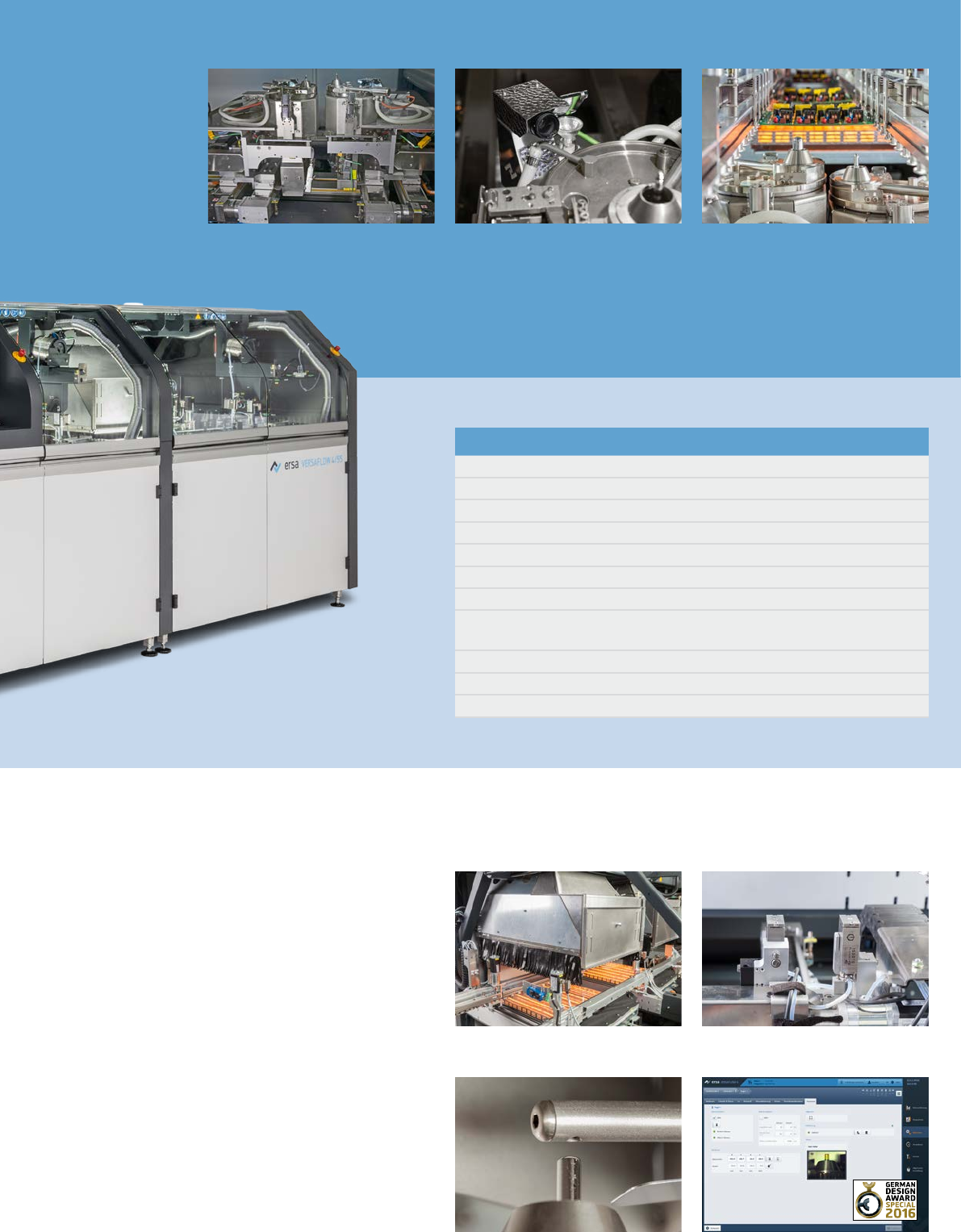
VERSACAM
VERSAFLEX soldering module
Basic configuration
Roller conveyor
Side fixing in flux module
ERSASOFT 5
Precision spray flux system with spray test function and flux level monitoring
Lower IR preheater
Maximum PCB size 508 x 508 mm
PC control with touch screen monitor
Process visualization including solder protocol, process data writer, monitoring
function, maintenance and error message indication, password protection
Exhaust air monitoring
Solder bath with electromagnetic solder pump
Solder level- and solder wave height monitoring
Dual pot Y-Z variable
Power convection Fluxer, Y variable
Automatic nozzle activation
ERSASOFT 5
The completely new, intuitively opera-
ble system software ERSASOFT 5 is
based on the newest Microsoft tech-
nology and operated via a 24” touch-
screen. It also permits complete pro-
cess monitoring and visualization, and
it reduces the time required to con-
figure process parameters. Complete
process data management, documen-
tation of all process- and system rel-
evant data as well as an interface for
the integration of traceability as per
ZVEI protocol respectively MES sys-
tems are important features.
4
Ersa VERSAFLEX
Individual adjustment of solder pots in X-Y-Z
Due to increasing product changes in
electronics production, it is neces-
sary to exchange solder nozzles or
readjust solder pots by hand.
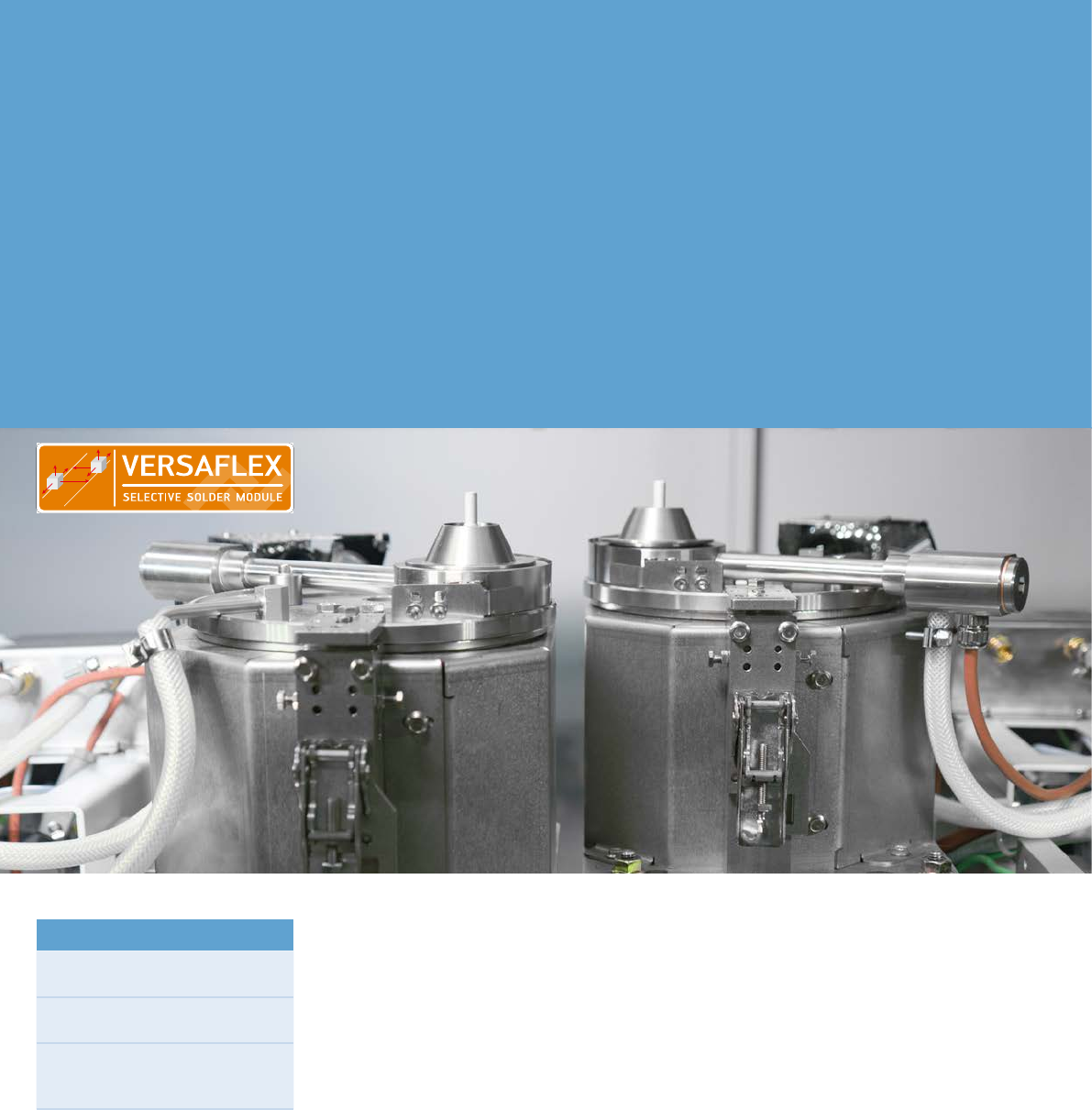
The new Ersa VERSAFLEX solder
module sets completely new stan-
dards with regard to flexibility. As its
name already suggests, this solder
module is available for the VERSA-
FLOW 4/55 selective soldering
systems and guarantees maximum
flexibility.
Like the already existing Ersa dual pot
systems the innovative VERSAFLEX
module offers substantial added
value for the production: doubling
of throughput with PCB panels, use
of different solder alloys or nozzle
shapes without any changes required.
The two solder pots are installed on
two independent axes. In this way,
the pots can be moved and adjusted
individually in X-Y-Z direction. Thus
PCB panels can be soldered simulta-
neously in X or Y direction. In addition,
the new CAD Assistant 4 offers
offline programming with automatic
optimization of cycle times. The result
is highest flexibility at shortest cycle
time.
To meet all of tomorrow’s require-
ments we offer an upgrade package
for the innovative VERSAFLEX module
making you ready for the future: This
update allows to independently solder
two individual joints at the same time.
Highlights
Simultaneous soldering of PCB
panels in X or Y direction
Highest flexibility at the fastest
cycle time
Automatic cycle time optimization
due to offline program generation
with CAD Assistant 4
5
Ersa CAD-Assistent 4
Fast, intuitive and comfortable
The efficient generation of complex
solder programs is of great impor
-
tance. The Ersa CAD Assistant 4 pro-
vides for an offline program generation
while the machine is in operation! This
ensures highest machine availability.
CAD Assistant 4 considers the specific
equipment configuration in the gen
-
eration of a solder program. Further-
more, it supports solder modules with
two independent axes (VERSAFLEX).
The data sets of the CNC axes are
processed using Drag&Drop. Fur
-
thermore, CAD Assistant 4 includes
pre-defined data sets the user can
easily adapt to his specific application.
Errors during the program creation
are prevented by a plausibility check.
Both CAD files of PCBs and image files
can be used as basis in the program
generation with CAD Assistant 4.
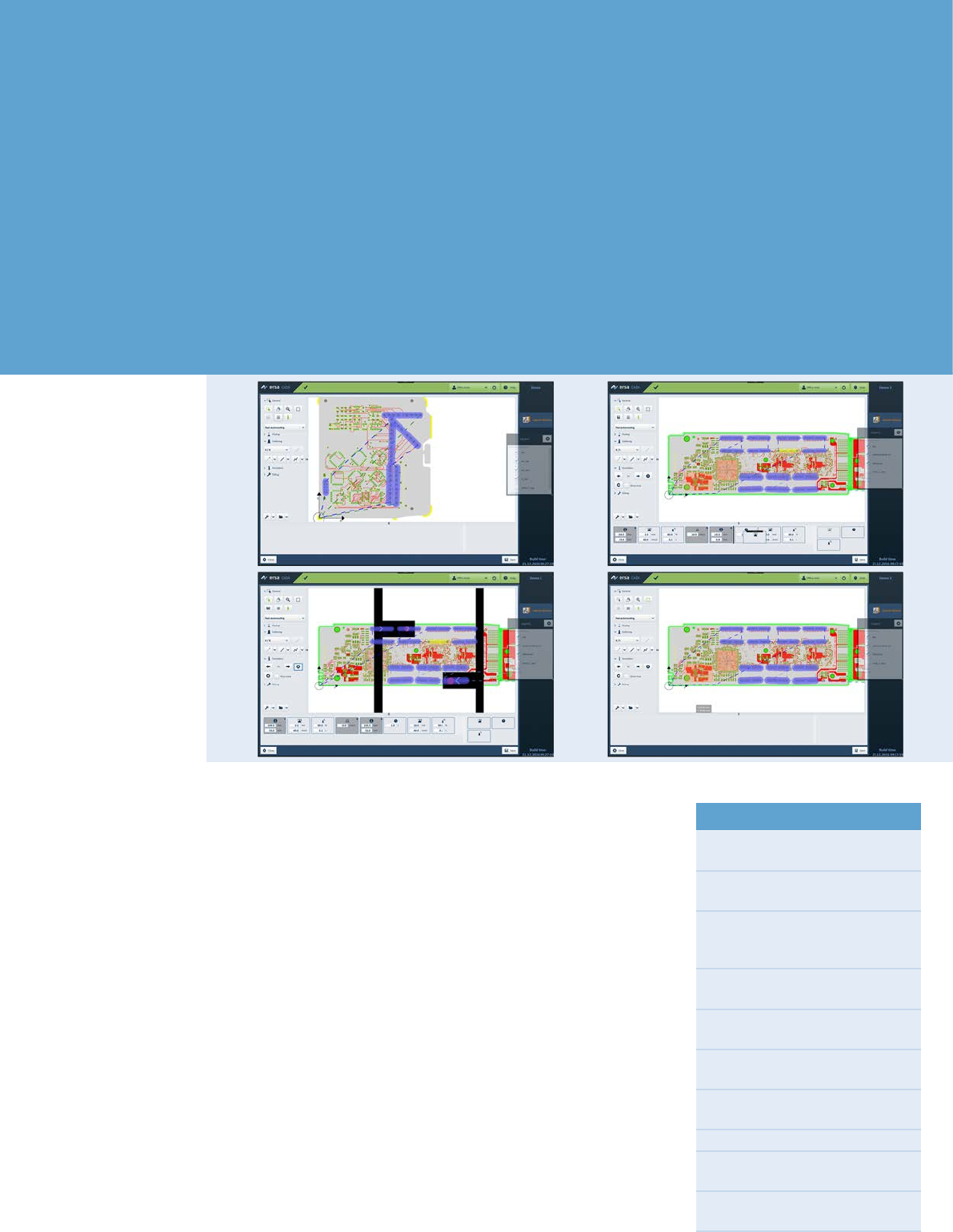
All movements of the fluxer as well as
the solder pots are graphically entered
on the image of the board, after which
the process data is added. Program
files created with the CAD Assistant 4
can easily be verified by means of
process simulations and can immedi
-
ately be used in the selective soldering
machine.
The software upgrade VERSAFLEX
ULTRA provides maximum flexibility
and further optimized processes:
Both solder pots can be moved fully
independently in X-Y-Z. Due to the
new autorouting feature, the genera
-
tion of complex solder programs is
super easy: The user only enters the
tracks or single joints to be fluxed
and soldered. CAD Assistant 4 then
automatically sets the machine move
-
ments in the most efficient way.
Highlights
Intuitive programming due to gra-
phic user interface
Optimized cycle times by means of
auto-routing
Automatic and optimized assign-
ment of fluxing and soldering jobs
to the available modules
Prevention of crashes by the defini-
tion of exclusion areas
Program simulation to verify
settings
Support of solder modules with two
independent axes (VERSAFLEX)
Management of up to 3 solder
modules
Simple scaling of the assembly
File import of CAD formats:
ODB++, IPC 2581, GenCAD
File import of image formats:
.jpg, .bmp, .png, .tif, .gif