00197966-02_Ri CPU086 to BoxPC 827C X-Serie.pdf - 第21页
Nur für internen Gebrauch ! ASM Assembly Sys tems GmbH & Co KG Technische Änderu ngen vorbe halten 13.11.2018 Rupert-Ma yer-Strasse 44 81379 Mün chen, Deutschland 00197966-0 2_Ri CPU086 to BoxPC 8 27C X -Serie Seite …
Nur für internen Gebrauch!
ASM Assembly Systems GmbH & Co KG Technische Änderungen vorbehalten 13.11.2018
Rupert-Mayer-Strasse 44
81379 München, Deutschland 00197966-02_Ri CPU086 to BoxPC 827C X-Serie Seite 20 - 23
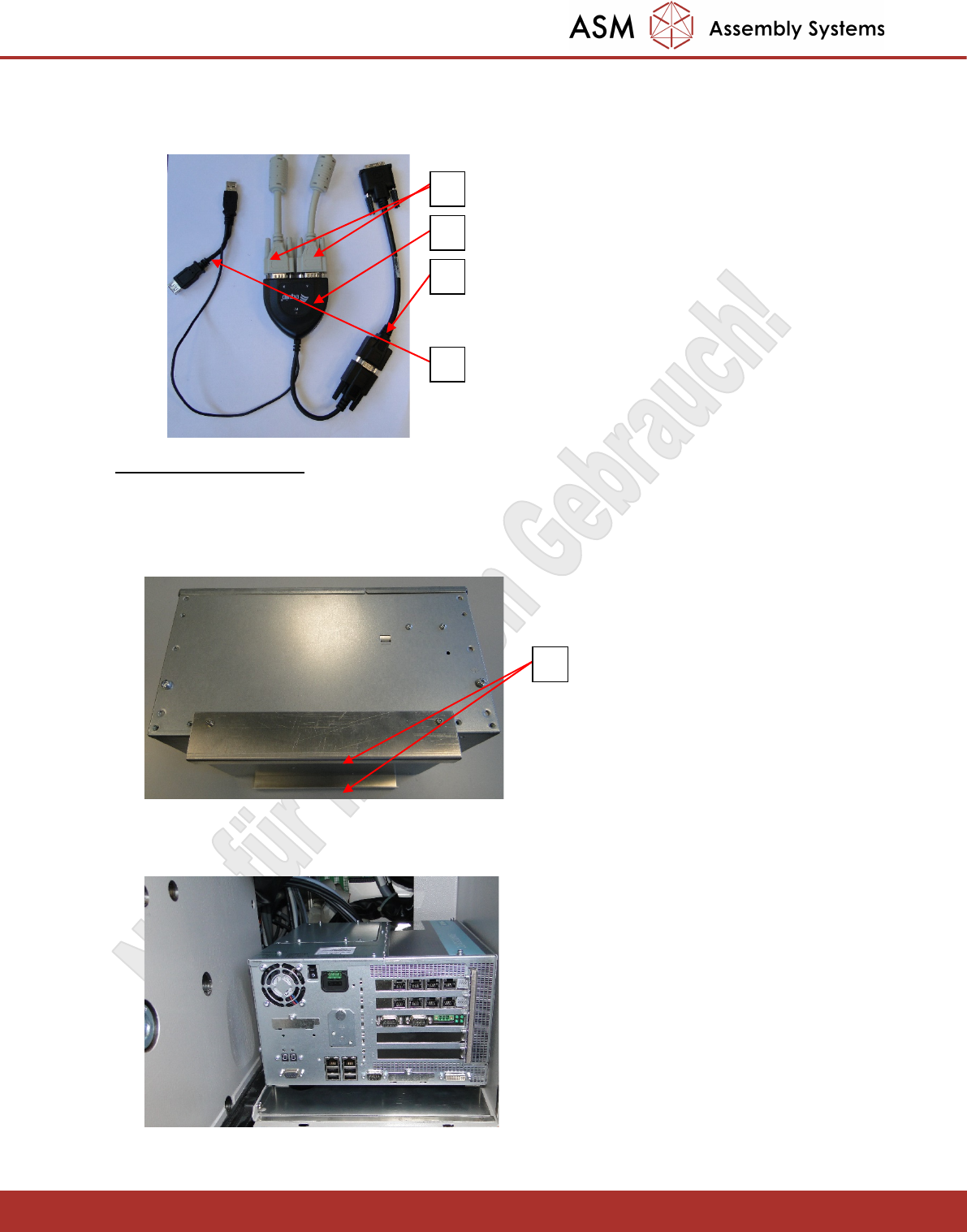
- Connect the VGA splitter (1) 03076910 to the VGA connectors of the monitors described above (2).
- Connect the VGA – DVI adapter cable (3) 03091276 to the VGA splitter.
- The VGA splitter (4) is powered via the USB interface of the BOX PC.
3.4 Installing the Box PC
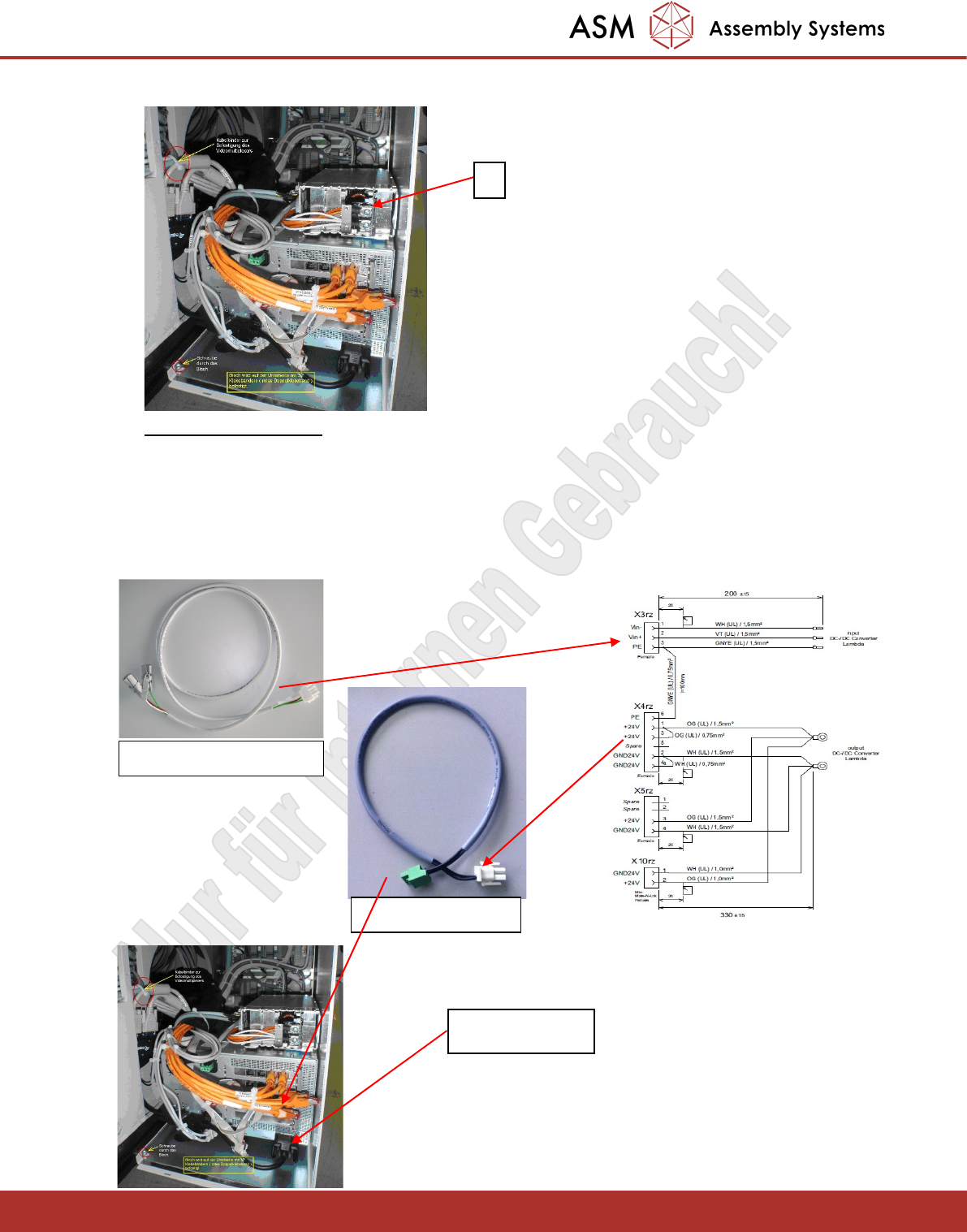
- The BOX PC is secured in the rucksack with Velcro tape. To do this, attach a strip off the Velcro tape to
the bottom (1) of the brackets that have been screwed on.
- Insert the BOX PC as far as possible to the rear so that sufficient space is left afterwards at the front of
the BOX PC to accommodate the cables.
- Also using Velcro, place the power supply unit (1) on top of the BOX PC as shown below.
1
2
3
4
1
Nur für internen Gebrauch!
ASM Assembly Systems GmbH & Co KG Technische Änderungen vorbehalten 13.11.2018
Rupert-Mayer-Strasse 44
81379 München, Deutschland 00197966-02_Ri CPU086 to BoxPC 827C X-Serie Seite 21 - 23
3.5 Cabling the Box PC
The wiring harness of the power supply is prewired.
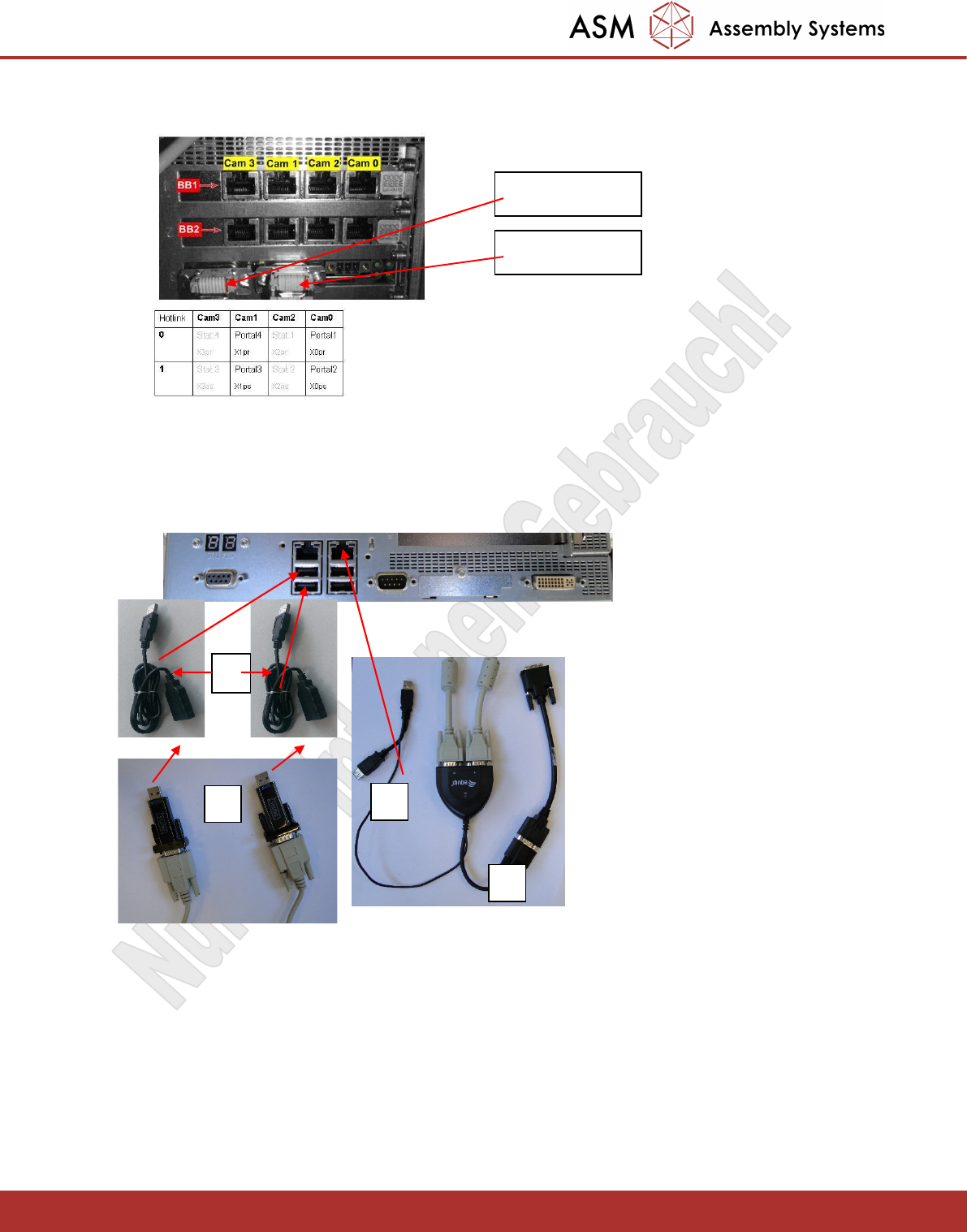
- Connect the cable 03079957 (input voltage for the power supply unit) to X3rz of the wiring harness.
- Connect the cable 03072177 to X4rz and to the 24V power supply of the BOX PC.
- Connect the DVI cable.
1
03079957 an X3rz
DVI Anschluss
03072177 an X4rz
Nur für internen Gebrauch!
ASM Assembly Systems GmbH & Co KG Technische Änderungen vorbehalten 13.11.2018
Rupert-Mayer-Strasse 44
81379 München, Deutschland 00197966-02_Ri CPU086 to BoxPC 827C X-Serie Seite 22 - 23
- Connect the Hotlink cable X0pr-X3pr for PA1 (top adapter) and X0ps-X3ps for PA2 (bottom adapter).
- Connect the CAN bus cables X6pn (PA1) and X7pn (PA2).
- The BOX PC has four USB ports. These should be connected to the two touchscreens (1), the VGA
splitter (2) and one keyboard (3). The second keyboard should be connected to the
Y splitter (4) of the VGA splitter.
- Connect both USB keyboard cables to the USB hub.
- Connect the two USB cables Touchscreen 1 USB and Touchscreen 2 USB to the respective ones
Monitors.
-Connect the two USB cables Keyboard 1 USB and Keyboard 2 USB with the new keyboards [USB-
KEYPAD ACTIVE KEY WITH TOUCH [03059594-02]]
- Connect the USB HUB to the corresponding cables.
X7pn für PA2
X6pn für PA1
1
2
4
5