00197966-02_Ri CPU086 to BoxPC 827C X-Serie.pdf - 第23页
Nur für internen Gebrauch ! ASM Assembly Sys tems GmbH & Co KG Technische Änderu ngen vorbe halten 13.11.2018 Rupert-Ma yer-Strasse 44 81379 Mün chen, Deutschland 00197966-0 2_Ri CPU086 to BoxPC 8 27C X -Serie Seite …
Nur für internen Gebrauch!
ASM Assembly Systems GmbH & Co KG Technische Änderungen vorbehalten 13.11.2018
Rupert-Mayer-Strasse 44
81379 München, Deutschland 00197966-02_Ri CPU086 to BoxPC 827C X-Serie Seite 21 - 23
3.5 Cabling the Box PC
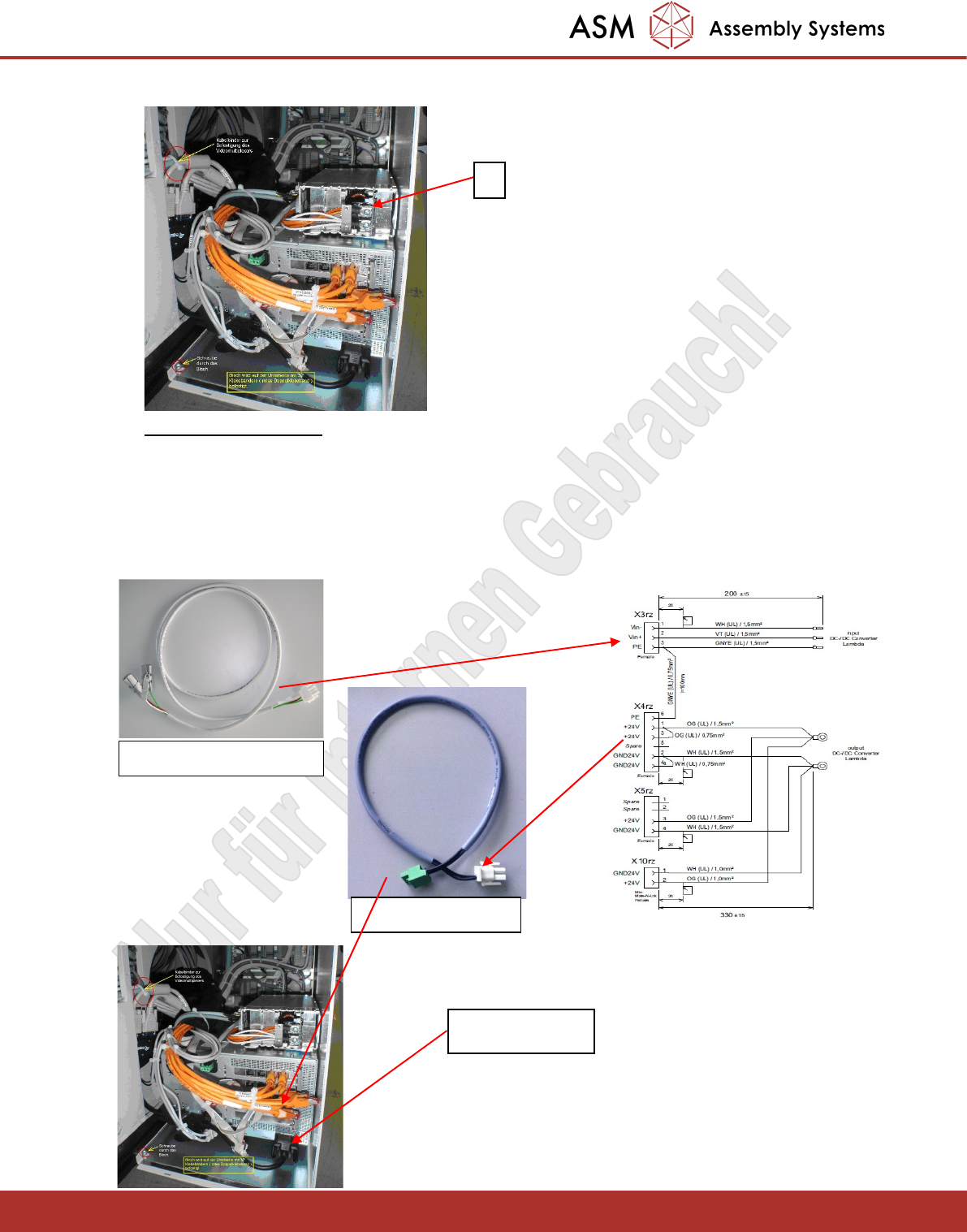
The wiring harness of the power supply is prewired.
- Connect the cable 03079957 (input voltage for the power supply unit) to X3rz of the wiring harness.
- Connect the cable 03072177 to X4rz and to the 24V power supply of the BOX PC.
- Connect the DVI cable.
1
03079957 an X3rz
DVI Anschluss
03072177 an X4rz
Nur für internen Gebrauch!
ASM Assembly Systems GmbH & Co KG Technische Änderungen vorbehalten 13.11.2018
Rupert-Mayer-Strasse 44
81379 München, Deutschland 00197966-02_Ri CPU086 to BoxPC 827C X-Serie Seite 22 - 23
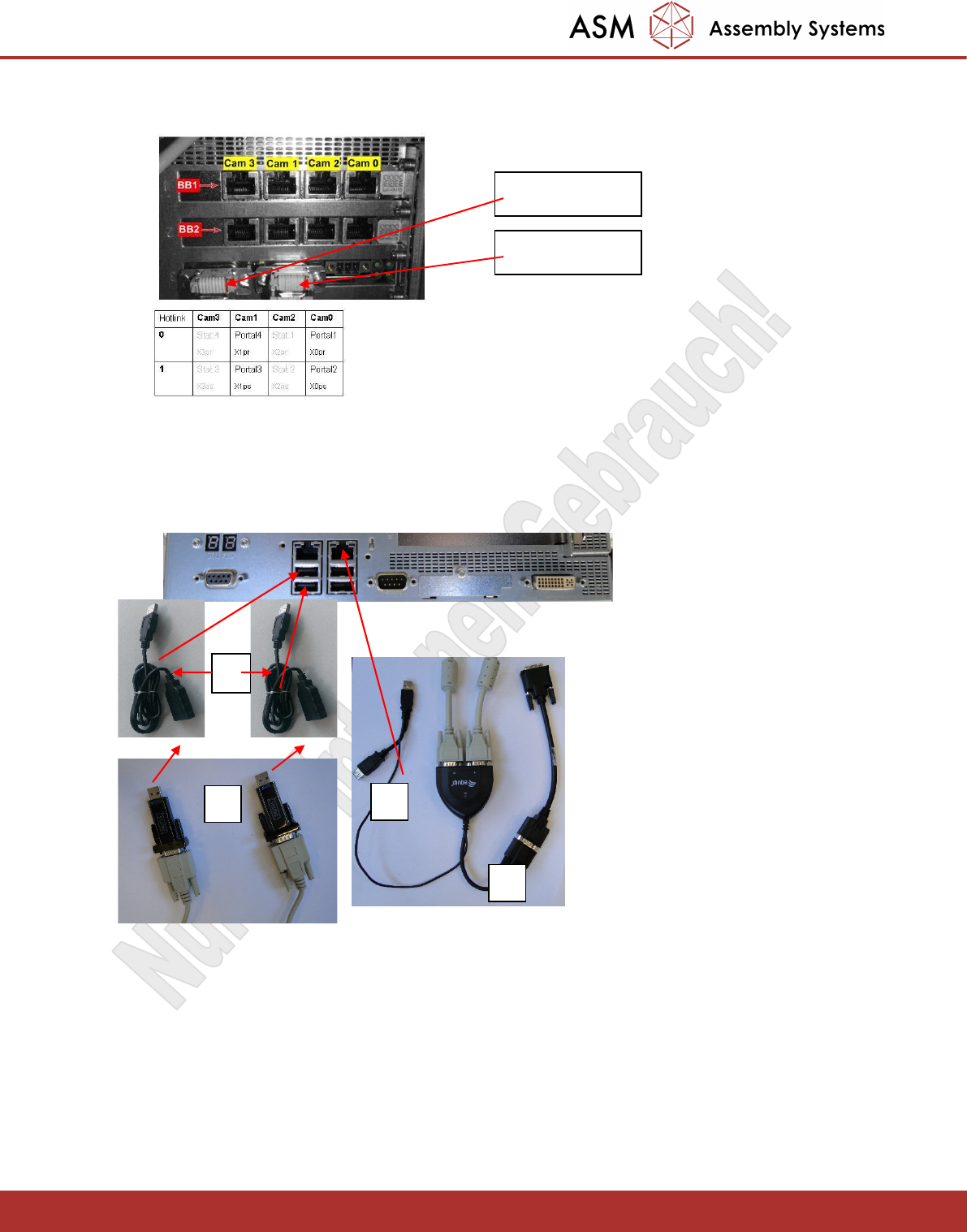
- Connect the Hotlink cable X0pr-X3pr for PA1 (top adapter) and X0ps-X3ps for PA2 (bottom adapter).
- Connect the CAN bus cables X6pn (PA1) and X7pn (PA2).
- The BOX PC has four USB ports. These should be connected to the two touchscreens (1), the VGA
splitter (2) and one keyboard (3). The second keyboard should be connected to the
Y splitter (4) of the VGA splitter.
- Connect both USB keyboard cables to the USB hub.
- Connect the two USB cables Touchscreen 1 USB and Touchscreen 2 USB to the respective ones
Monitors.
-Connect the two USB cables Keyboard 1 USB and Keyboard 2 USB with the new keyboards [USB-
KEYPAD ACTIVE KEY WITH TOUCH [03059594-02]]
- Connect the USB HUB to the corresponding cables.
X7pn für PA2
X6pn für PA1
1
2
4
5
Nur für internen Gebrauch!
ASM Assembly Systems GmbH & Co KG Technische Änderungen vorbehalten 13.11.2018
Rupert-Mayer-Strasse 44
81379 München, Deutschland 00197966-02_Ri CPU086 to BoxPC 827C X-Serie Seite 23 - 23
4. Software Installation
Please note:
Before booting for the first time, you must disconnect the two USB cables of the touchscreens.
The USB/serial adapters for touchscreens need a separate driver. This must be installed afterwards!
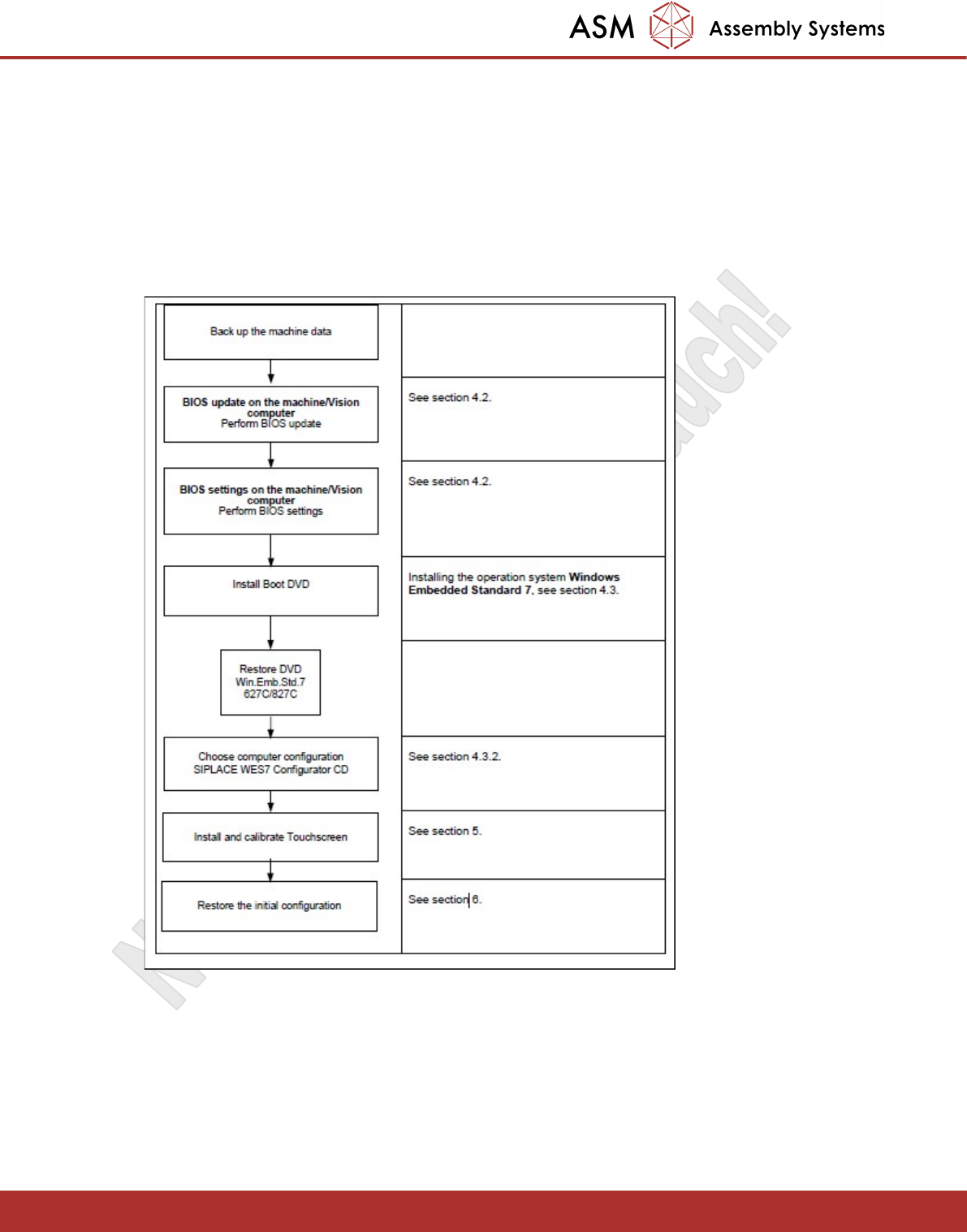
The following overview shows the workflow of the OS installation and configuration. The steps shown in
the diagram are described in detail in the Windows 7embedded Installation manual 00197366-01. The
section numbers listed in the diagram refer to this document.
All required Software packages and the corresponding manuals can be obtained from the Software
Download Center:
Category: Software -> Station Computer Images -> BoxPC 627C 827C
- Windows 7 Embedded
- Configurator
- Bios Settings
After installation and configuration, you can now install the station software.