TP1145_PartsDatabseDuplicateCheck.pdf - 第12页
SMT Software Engineeri ng Group IMOperationsYAMAHAMOTORCO. ,LTD. MD OC-SOFT50046 12/12 Parts Database Editor [Cause] The database is loaded by parts databas e editor , wh en [T ool] – [Databa…
SMT Software Engineering Group
IMOperationsYAMAHAMOTORCO.,LTD.
MDOC-SOFT50046
10/12
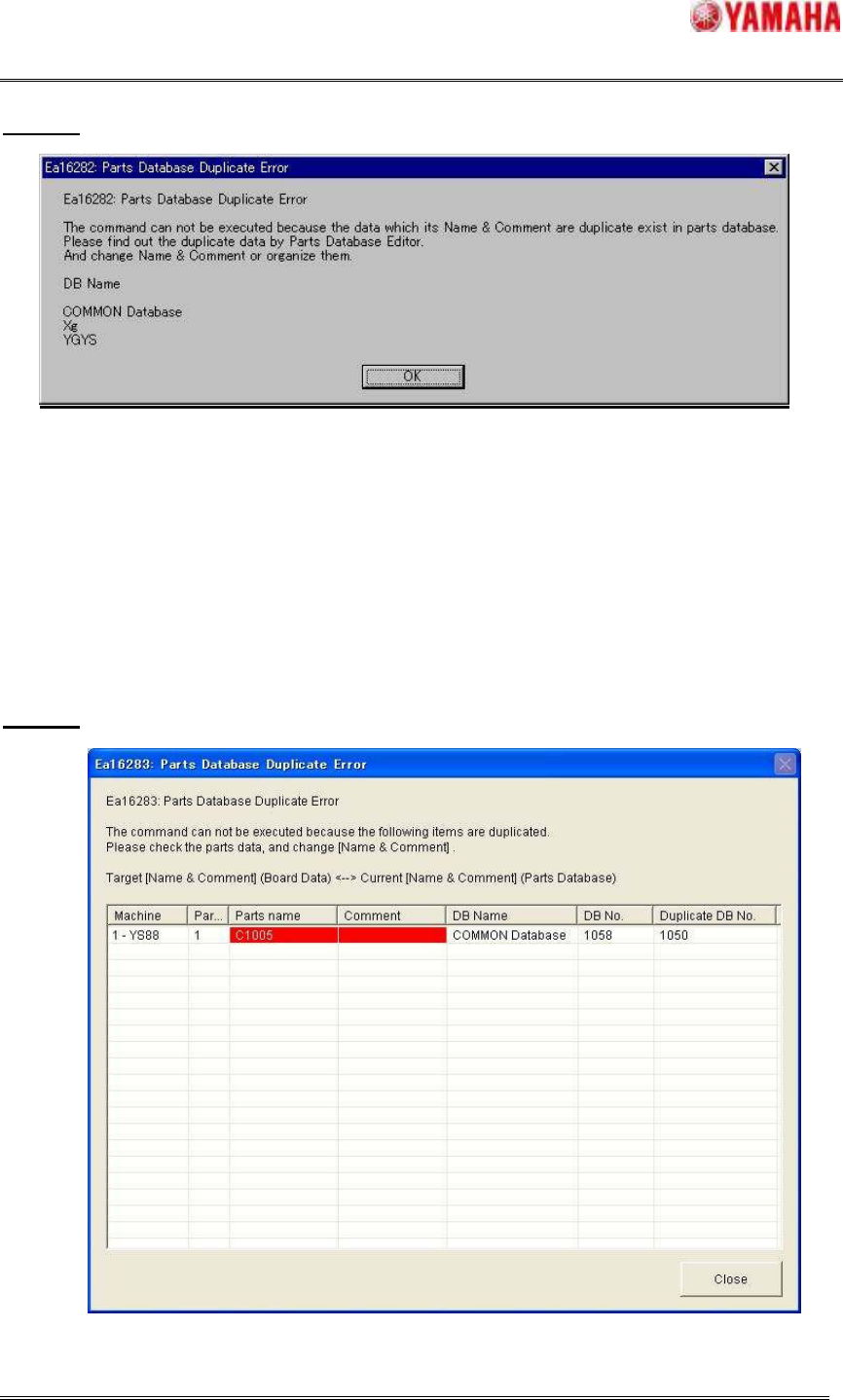
Ea16282
P-Tool
[Cause] When “copy back to database all” is executed, there are duplicate data in the database.
[Counter Measures] Change the parts name or comment of duplicate data.
[Cause] When the parts data is written to database ([Copy Back to Database] with overwriting to
the existed data), the duplicate data exists in the parts database.
[Counter Measures] Change the parts name or comment of duplicate data.
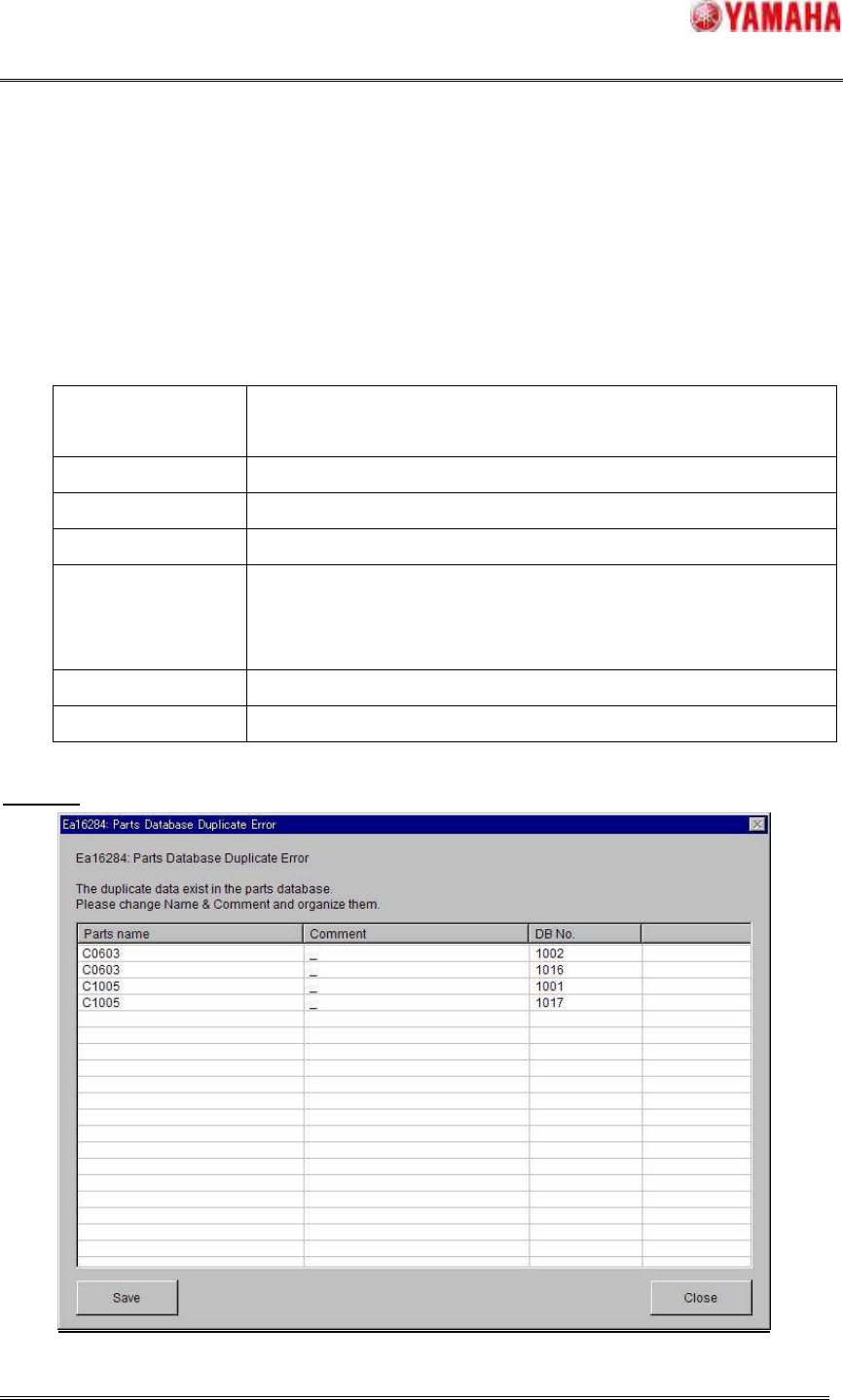
Ea16283
P-Tool, Machine Editor
SMT Software Engineering Group
IMOperationsYAMAHAMOTORCO.,LTD.
MDOC-SOFT50046
11/12
[Cause] When the parts data is written to database newly, “the target parts data for [Copy Back to
Database] in the board data” and “the existed parts data in parts database” are duplicate.
[Counter Measures] Change either of the parts name or comment, and do again.
[Cause] When “copy back to database all” is executed, “the target parts data for [Copy Back to
Database] in the board data” and “the existed parts data in parts database” are duplicate.
[Counter Measures] Change either of the parts name or comment, and do again.
Machine
(P-Tool Only)
Machine name that board data exist.
Parts No. Parts number of duplicate data.
Parts Name Parts name of duplicate data.
Comment Parts comment of duplicate data.
DB Name
(P-Tool Only)
Database name that the machine uses.
If it is common database, it is “Common database”.
If it is series database, it is each database name.
DB No. Target database number for [Copy Back to Database].
Duplicate DB No. Duplicate Database number in the database.
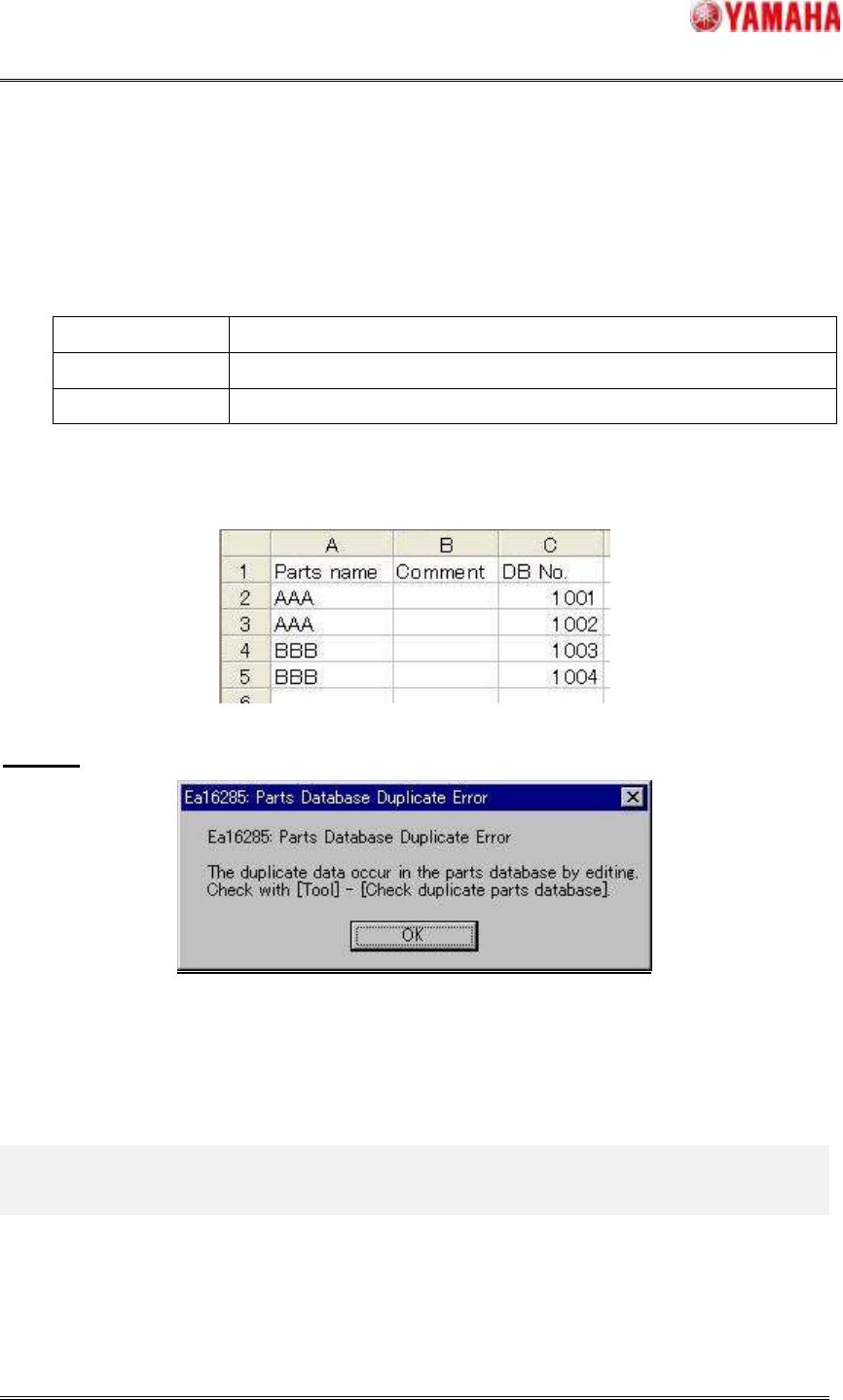
Ea16284
SMT Software Engineering Group
IMOperationsYAMAHAMOTORCO.,LTD.
MDOC-SOFT50046
12/12
Parts Database Editor
[Cause] The database is loaded by parts database editor, when [Tool] – [Database Duplicate
Check] is executed, Duplicate data are found.
[Counter Measures] Dispose the duplicate data by parts database editor.
Parts Name Parts number of duplicate data.
Comment Parts name of duplicate data.
DB No. Database number of duplicate data.
On the above error screen, the result is able to save to the file. When tap the save button, the
result is save to CSV file.
Ea16285
Parts Database Editor
[Cause] Create duplicate data by Replace, Edit, or Copy&Paset.
[Counter Measures] Enter the parts name or comment that is not duplicate with other data.
4. Limitations
This function supports parts database only. Mark database and Print Inspection database
are not supported.
The target parts database for duplicate check is 1001 or later, it is the same as database
matching function.