TP1145_PartsDatabseDuplicateCheck.pdf - 第5页
SMT Software Engineeri ng Group IMOperationsYAMAHAMOTORCO. ,LTD. MD OC-SOFT50046 5/12 2.2. Ho w to setup W hen the operati on is d one with duplica te data i n pa rts database u ntil now , som …
SMT Software Engineering Group
IMOperationsYAMAHAMOTORCO.,LTD.
MDOC-SOFT50046
4/12
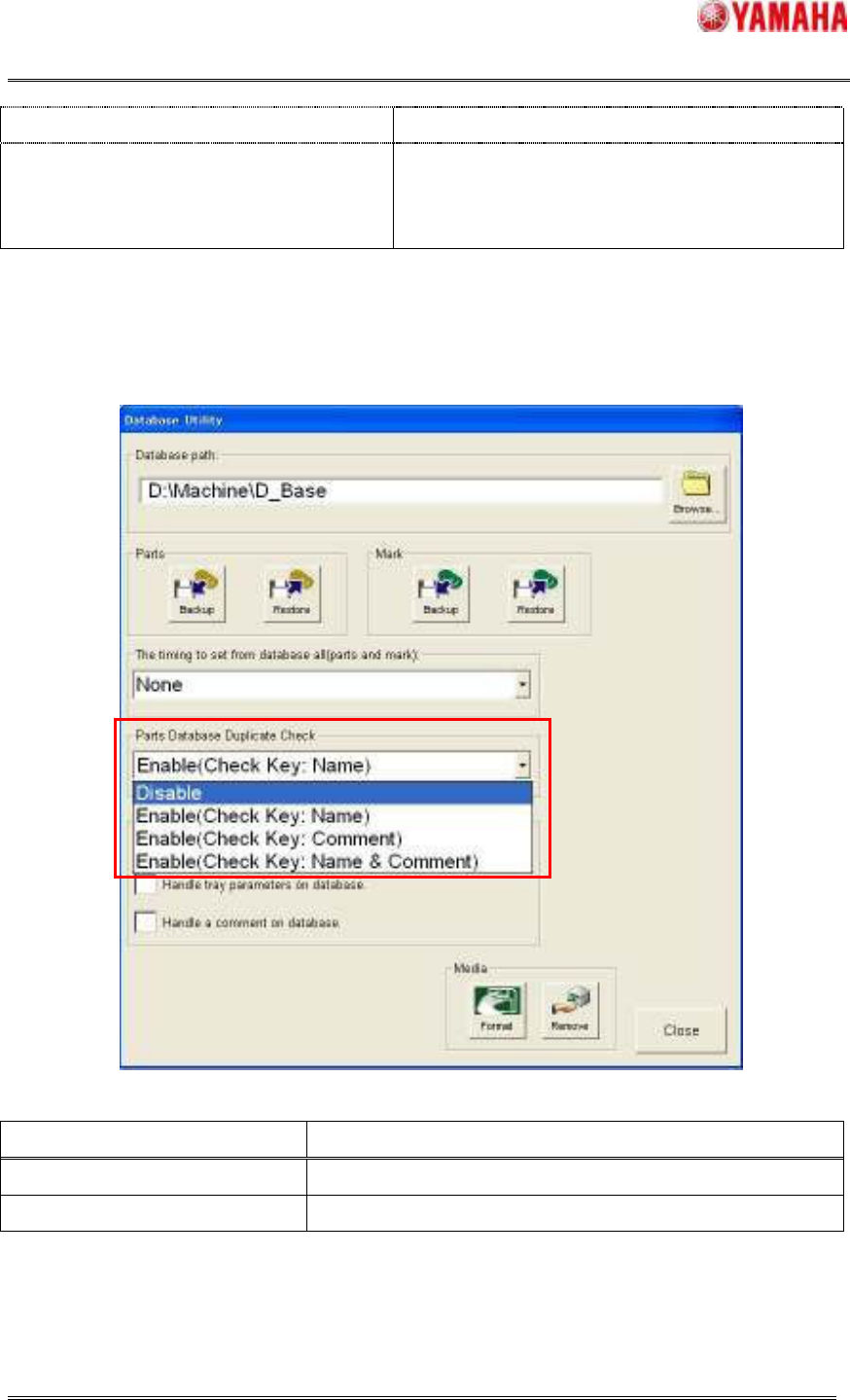
is done with the comment of the parts data.
Check Key: Name&Comment As the key, Duplicate check of the parts database
is done with the parts name & comment of the
parts data.
Machine: When “Parts database duplicate check” function is used, Check [Setup] – [Database]
– [Parts Database Duplicate Check] combo box. Definitely select check key same as
P-Tool.
Choices Meaning
Disable Duplicate check of the parts database is not done.
Check Key Same meanings with P-Tool option setting.
SMT Software Engineering Group
IMOperationsYAMAHAMOTORCO.,LTD.
MDOC-SOFT50046
5/12
2.2. How to setup
When the operation is done with duplicate data in parts database until now, some duplicate
error occur after the installation of this function.
Therefore, after the installation of this function, first of all, resolve the duplicate data by the
following function.
2.2.1. New Functions for Duplicate Check
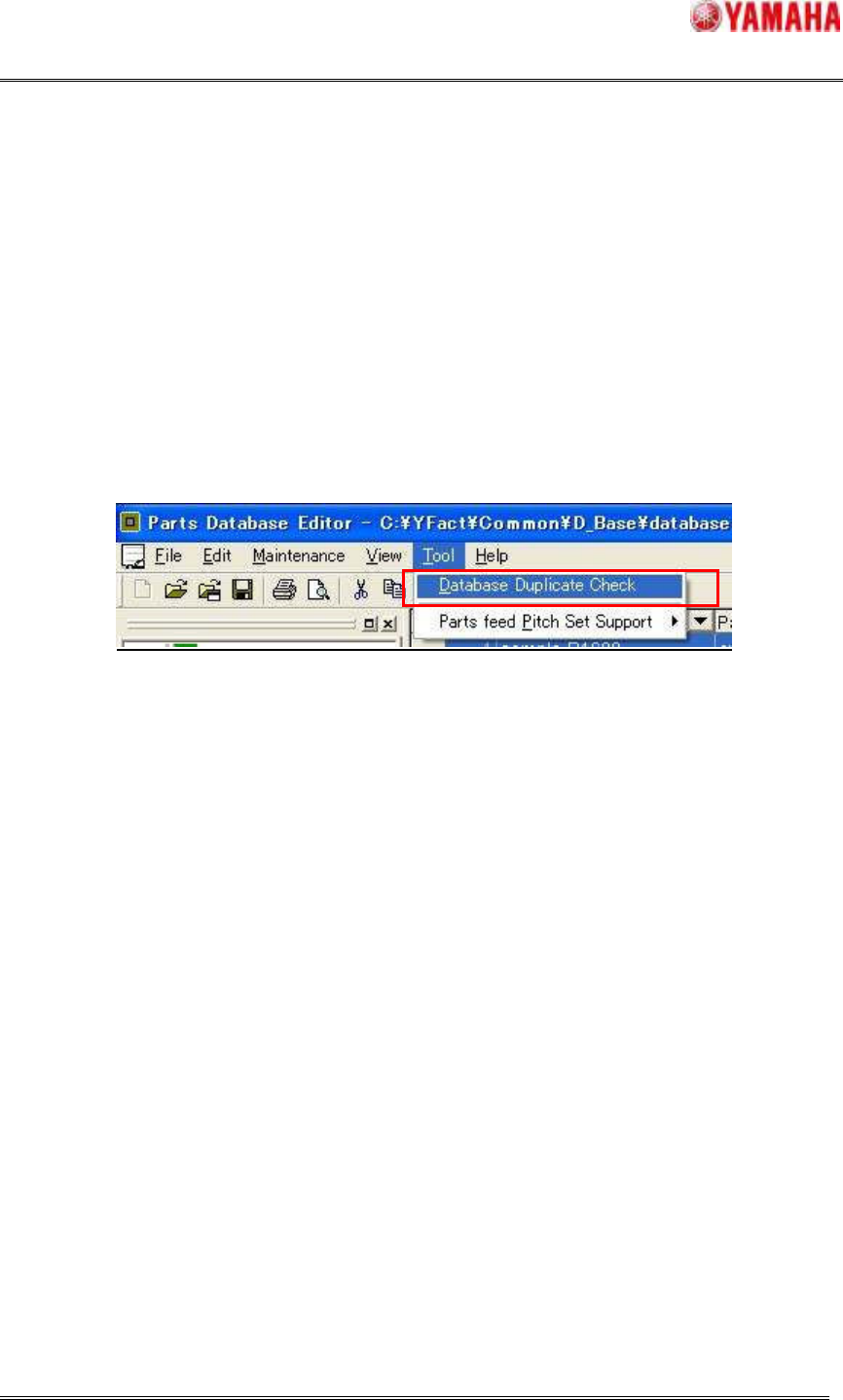
[Parts database editor] – [Tool] – [Database Duplicate Check] menu is added to resolve the
duplicate data easily.
It checks the duplicate data and show the table of the result.
And when parts database is opened, the same check is automatically done and shown the
result.
On the parts database editor, the editing operation which creates new duplicate data can be
done because it enables to create and change the parts data. (Warning message is shown.)
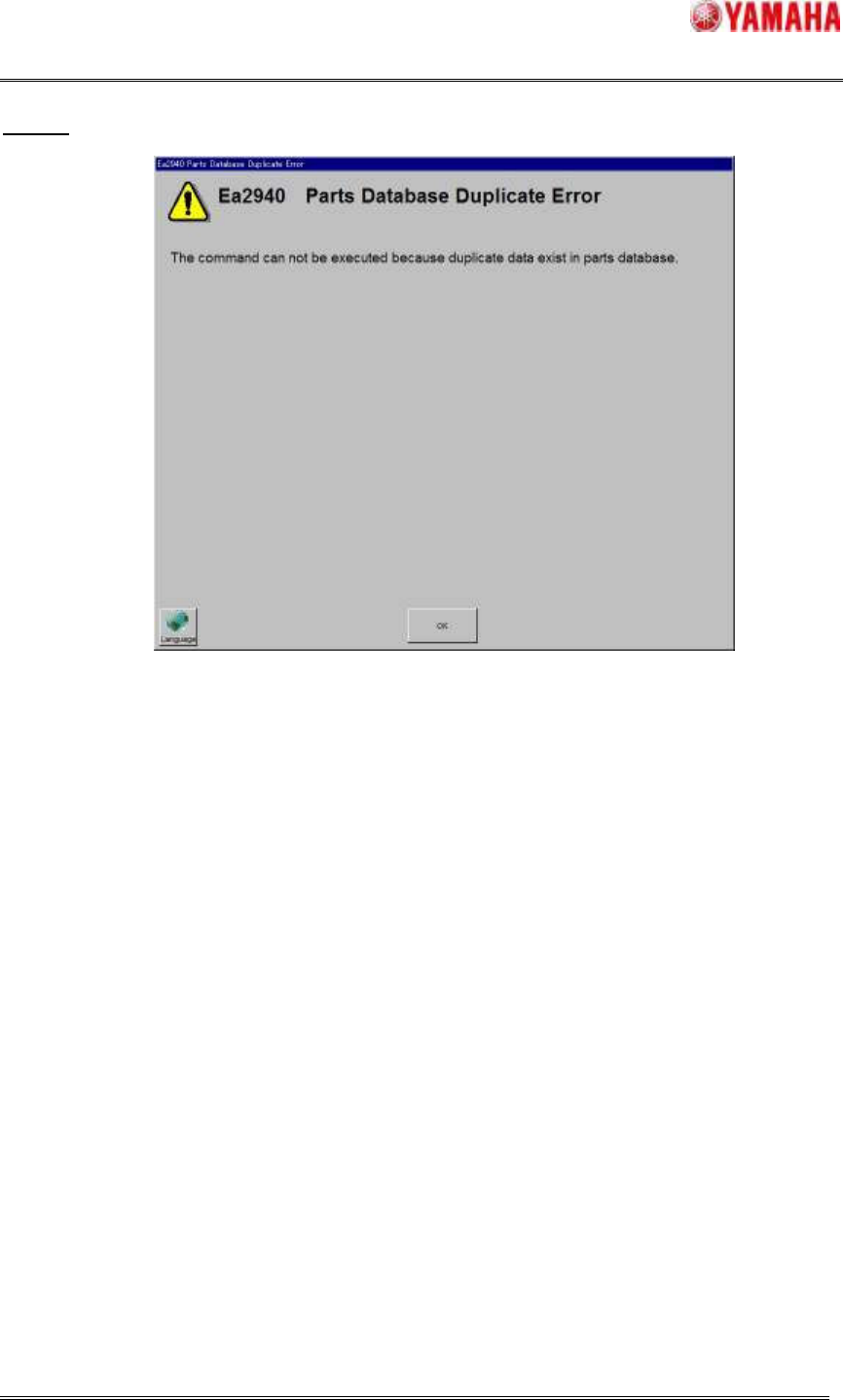
2.2.3. Error Message and its Counter Measures
The following errors are displayed when the duplicate check is error. When the errors occur,
please do the following each countermeasure.
SMT Software Engineering Group
IMOperationsYAMAHAMOTORCO.,LTD.
MDOC-SOFT50046
6/12
Ea2940
Machine
[Cause] When the parts data is written to database ([Copy Back to Database] with overwriting to
the existed data), “the target parts data for [Copy Back to Database] in the board data” and
“the existed parts data in parts database” are duplicate.
[Counter Measures] Change either of the data of the parts name or comment, and do again.
[Cause] Change the parts name or comment (except for check key) in database overview, it is
duplicate with the existed data.
[Counter Measures] Enter the parts name or comment that is not duplicate with other data.
Machine Editor
[Cause] Change the parts name or comment (except for check key) in database overview, it is
duplicate with the existed data.
[Counter Measures] Enter the parts name or comment that is not duplicate with other data.