TM3763.Vacuum check before dump.pdf - 第5页
SMT Software Engi neering Group IM Operati ons Y AMAHA MOTOR CO., L TD. MDOC-SOFT501 52 5/10 Fig.4 Dump action i n utility Fig.5 ”Ea3269: Parts D ump V acuum Check Error” (Utility) 3.4 Log W hen ” Ea3269: Par ts Dump V a…
SMT Software Engineering Group
IM Operations YAMAHA MOTOR CO., LTD.
MDOC-SOFT50152
4/10
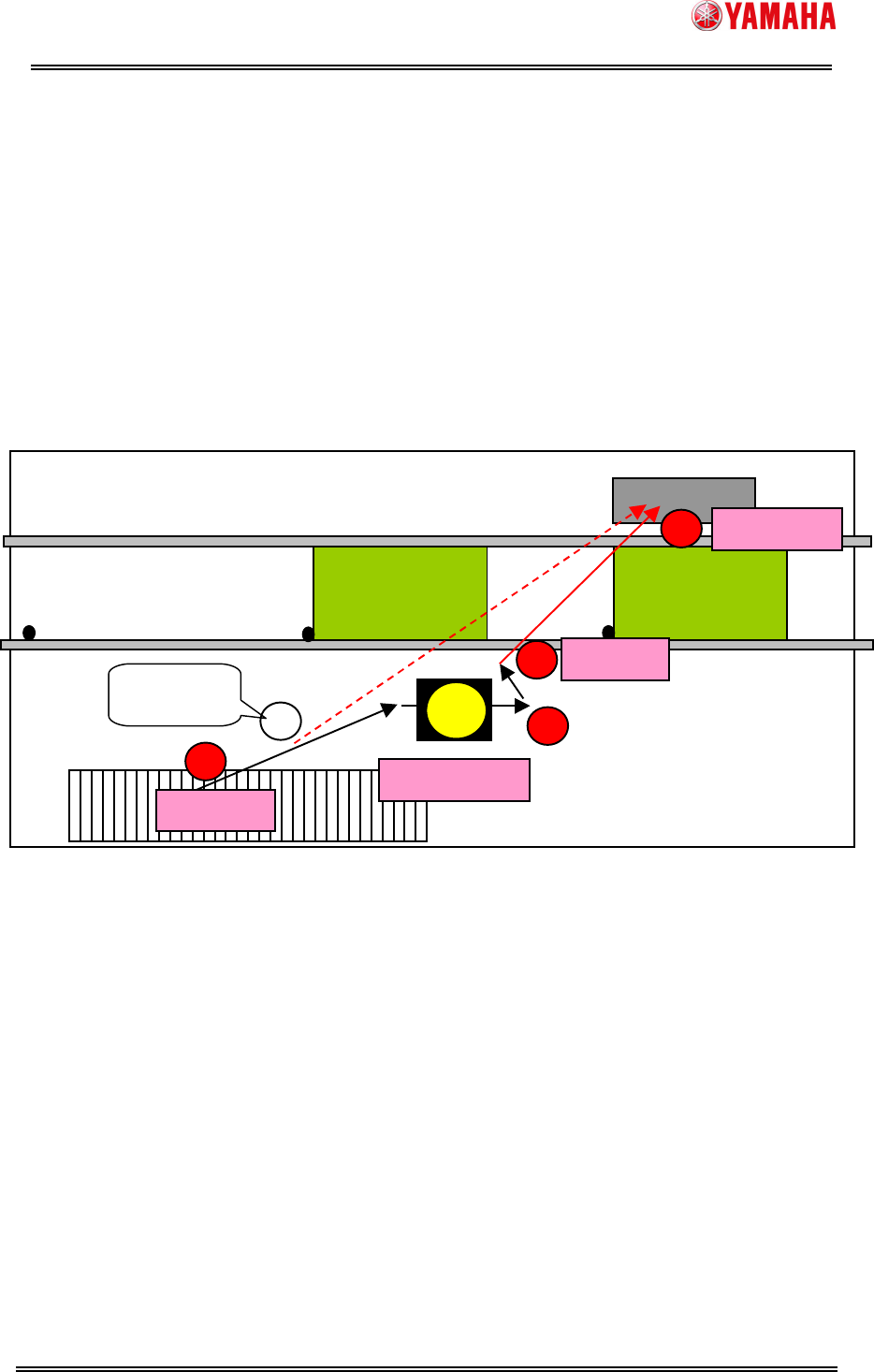
3.2 “Vacuum check before dump” when reset of auto-running
When reset button is pushed during auto-running, “Vacuum check before dump”
procedure is as follows.
(1) Record vacuum level of pickup head before pickup parts. (Recorded per nozzle in the
first time after switching board)
(2) Record vacuum level of pickup head after recognition parts. However, reset button is
pushed before recognize parts, vacuum level of pickup head is recorded at the time.
(3) Push reset button.
(4) After moving to discard point (dump box, dump station, pallet), compare vacuum level
of dumping head and vacuum level recorded in (1) and (2).
(5) When those vacuum levels have difference, machine determines that parts fell and
displays ”Ea3269: Parts Dump Vacuum Check Error” and interrupts reset action.
Fig.3 Dump action when reset of auto-running
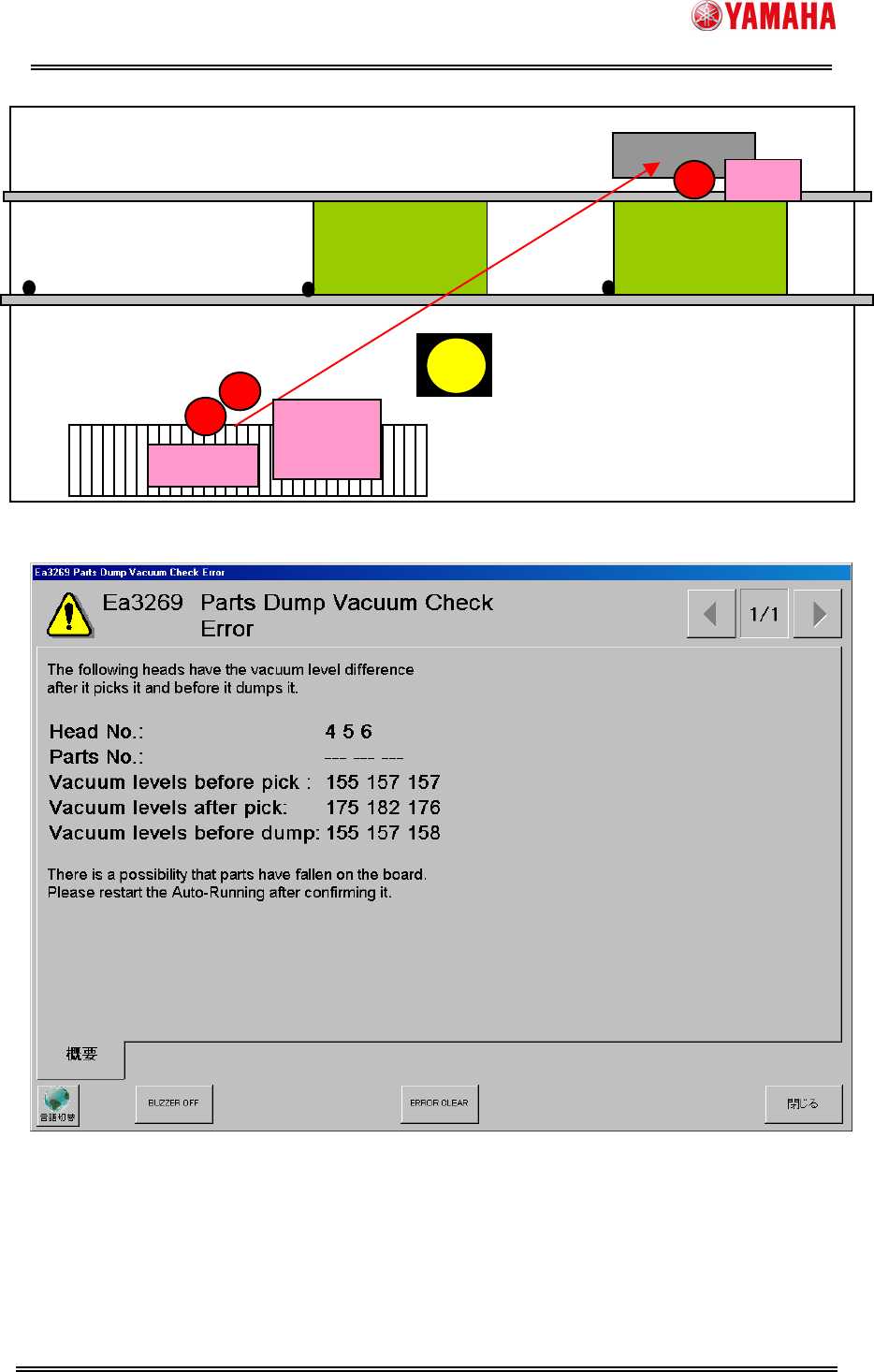
3.3 “Vacuum check before dump” in utility
When reset button is pushed except during auto-running or “Dump” button of “Parts
Adjust” is pushed, “Vacuum check before dump” procedure is as follows.
(1) When “Pick” button of “Parts Adjust” is pushed, vacuum level of pickup head before
pickup parts is recorded. (Recorded per nozzle in the first time after switching board)
(2) When reset button or “Dump” button is pushed, vacuum level of pickup head is
recorded at that time.
(3) After moving to discard point (dump box or dump station), compare vacuum level of
dumping head and vacuum level recorded in (1) and (2).
(4) When those vacuum levels have difference, machine determines that parts fell and
displays ”Ea3269: Parts Dump Vacuum Check Error” and interrupts dump action.
“---” is displayed on the parts number of error message in utility.
Board(mount pos.)
Dump box
Board(wait pos.)
Pickup parts
Reset dump
Camera
(2)
(2)(2)
(2)
(4)
(4)(4)
(4)
(1)
(1)(1)
(1)
(3)
(3)(3)
(3)
Reset
(2)
(2)(2)
(2)
Reset before
recognition
Recognize parts
SMT Software Engineering Group
IM Operations YAMAHA MOTOR CO., LTD.
MDOC-SOFT50152
5/10
Fig.4 Dump action in utility
Fig.5 ”Ea3269: Parts Dump Vacuum Check Error” (Utility)
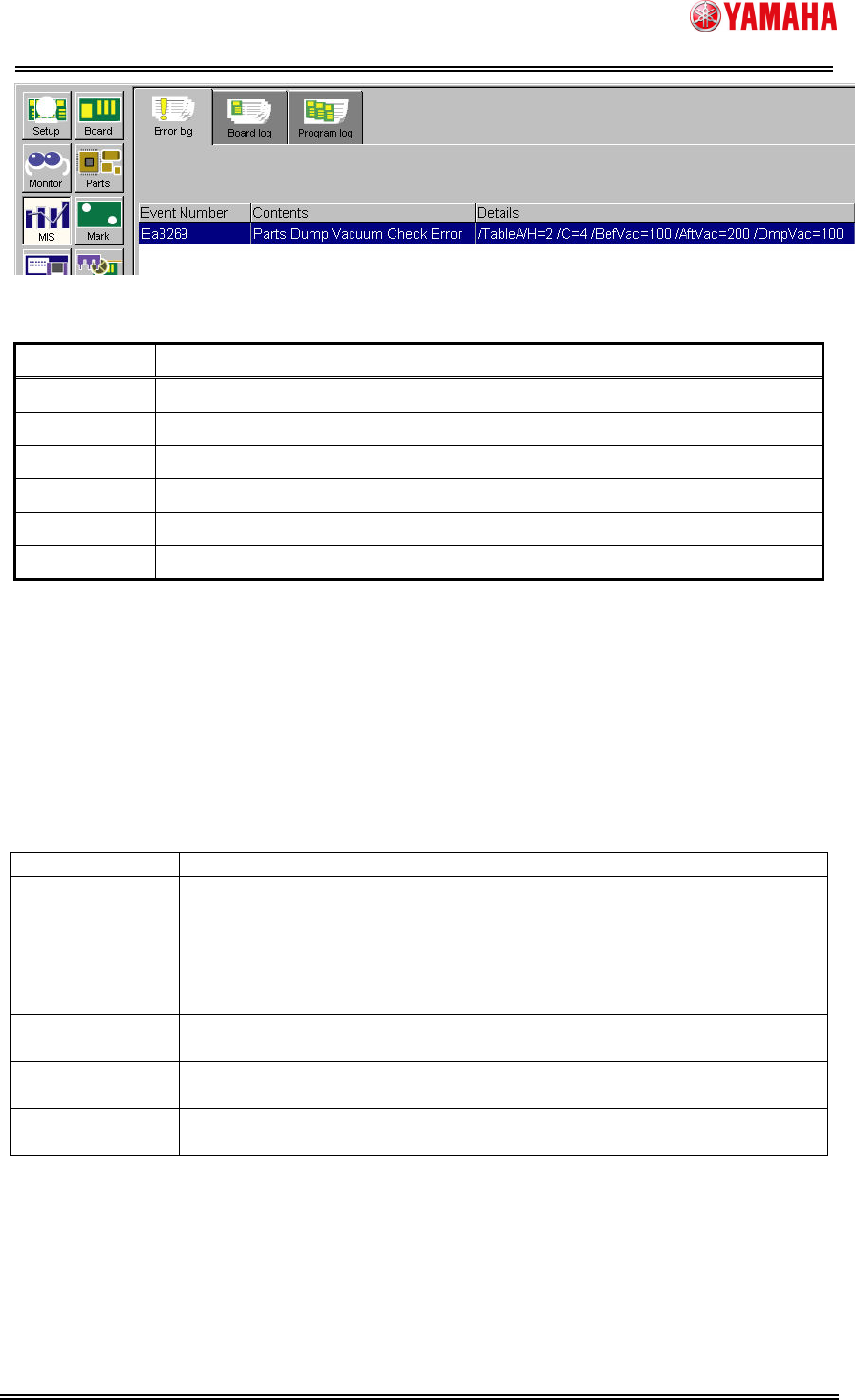
3.4 Log
When ”Ea3269: Parts Dump Vacuum Check Error” occurs, following error number and
error contents are displayed.
Board(mount pos.)
Dump box
Board(wait pos.)
Pickup parts
Dump
Camera
(2)
(2)(2)
(2)
(3
(3(3
(3)
))
)
(1)
(1)(1)
(1)
Reset
or dump
SMT Software Engineering Group
IM Operations YAMAHA MOTOR CO., LTD.
MDOC-SOFT50152
6/10
Following contents are displayed in the “Details” column.
Name Contents
Table Mount table number which error occurred.
H= “Head No.” displayed in error message.
C= “Parts No.” displayed in error message.
BefVac= “Vacuum levels before pick” displayed in error message.
AftVac= “Vacuum levels after pick” displayed in error message.
DmpVac= “Vacuum levels before dump” displayed in error message.
3.5 Calculation process of “vacuum check before dump”
Calculation process of “vacuum check before dump” is as follows.
3.5.1 Values used in “vacuum check before dump”
Following values are used in “vacuum check before dump”.
Table2 Values used in “vacuum check before dump”
Using value Explanation
Vacuum level
before pickup
Vacuum level of head recorded before pickup parts.
This value is recorded at the time of the first pickup after switching
board. However, in the case of “Pick start” is “bottom”, this value is not
recorded.
When this value is not recorded, [Machine] - [Machine Data] - [Head] -
[Vacuum Level] - [Low Level] value is used instead. (Fig.6)
Vacuum level
after pickup
Vacuum level of head recorded after pickup parts.
Vacuum level
before dump
Vacuum level of head recorded before dump parts.
Mount vacuum
(%)
Value of [Parts] - [Mount] - [Mount vacuum(%)] (Fig.7)。