TM1789.History output of specified time.pdf
SMT Software En gineering Group IMOperations YAMAHAMOTORCO.,LTD. MD OC-SOFT50042 1/6 Hi story output of specified time functio n Content s History output of specif ied tim e func tion ......... .…

SMT Software Engineering Group
IMOperationsYAMAHAMOTORCO.,LTD.
MDOC-SOFT50042
1/6
History output of specified time function
Contents
History output of specified time function........................................................................................ 1
1.
Introduction.............................................................................................................................2
2.
Summary................................................................................................................................2
3.
Settings ..................................................................................................................................3
3.1.
Settings of the “history output of specified time” function ......................... 3
4.
Details ....................................................................................................................................4
4.1.
Output target of the history file ............................................... 4
4.2.
Reset operation ............................................................ 4
4.2.1.
Reset target of the History ............................................... 4
4.2.2.
Notice of reset operation ................................................ 4
4.3.
Saving history to the server folder ............................................ 5
4.3.1.
Common items of the each history ........................................ 5
4.3.2.
Decision items of the each history ........................................ 6
Revision Date RevisedContents
000 2011/05/11 New
001 2011/07/18 YSPhasbeensupported(4.3.1Printer)
SMT Software Engineering Group
IMOperationsYAMAHAMOTORCO.,LTD.
MDOC-SOFT50042
2/6
1. Introduction
The target model and the target version of this specification are as follows.
Table 1.1 Target model and object version of this function
Item name Object Remarks
Target model YS Series Mounter,YG12 Series Mounter, YG300,YSP
Object version V3.26STD R1.000 or later
2. Summary
This function is to set a time to output history files of [MIS] and [Unit log].
Please use this function if you need history files according to your working hours.
(Previously, it was outputted on the fixed time, 0:00 o'clock)
In addition, it is able to reset the history (history delete) when [Unit Log] files are outputted.
SMT Software Engineering Group
IMOperationsYAMAHAMOTORCO.,LTD.
MDOC-SOFT50042
3/6
3. Settings
3.1. Settings of the “history output of specified time” function
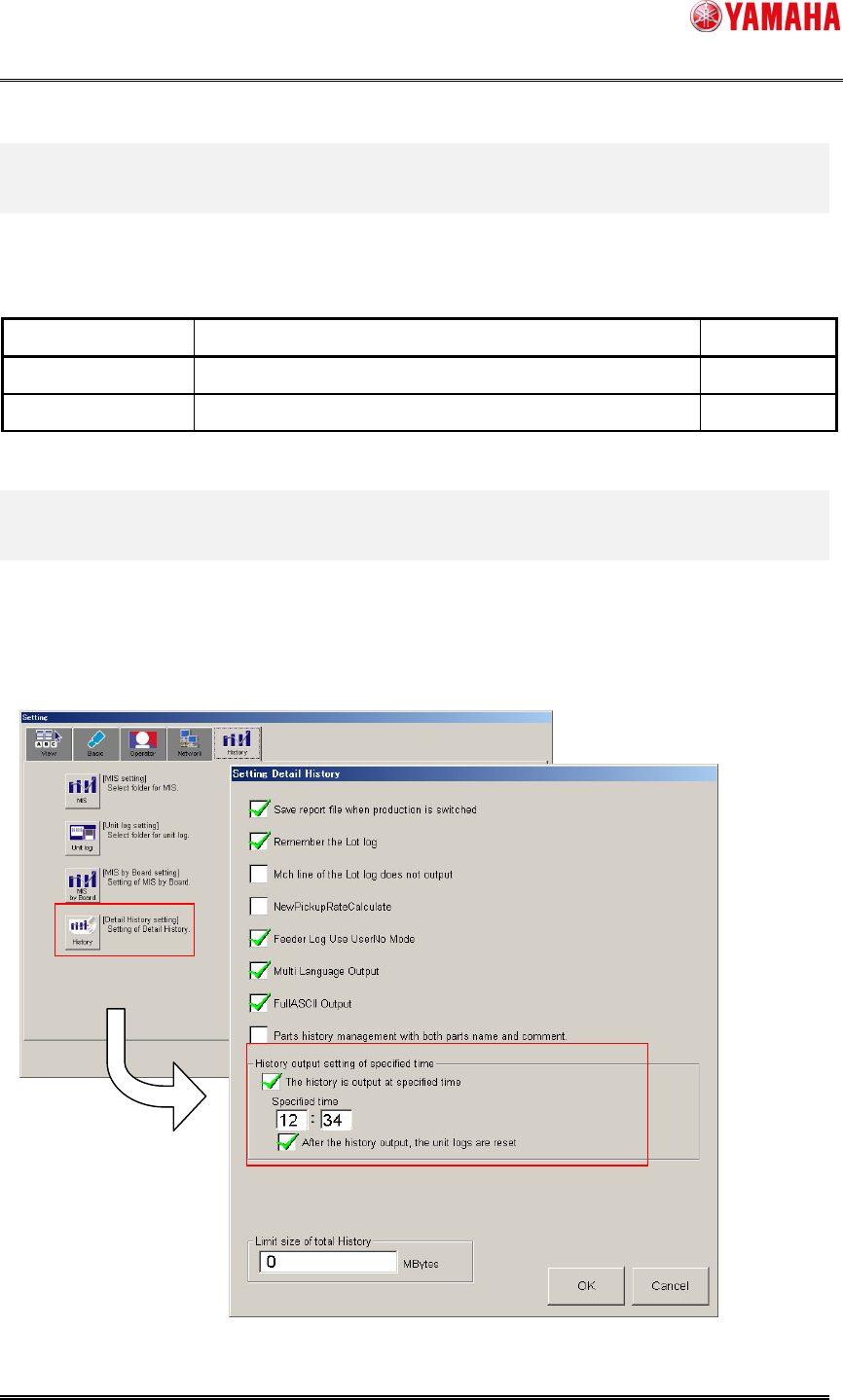
Click [SetUp] - [Software Setting] - [History] - [Detail History Setting].
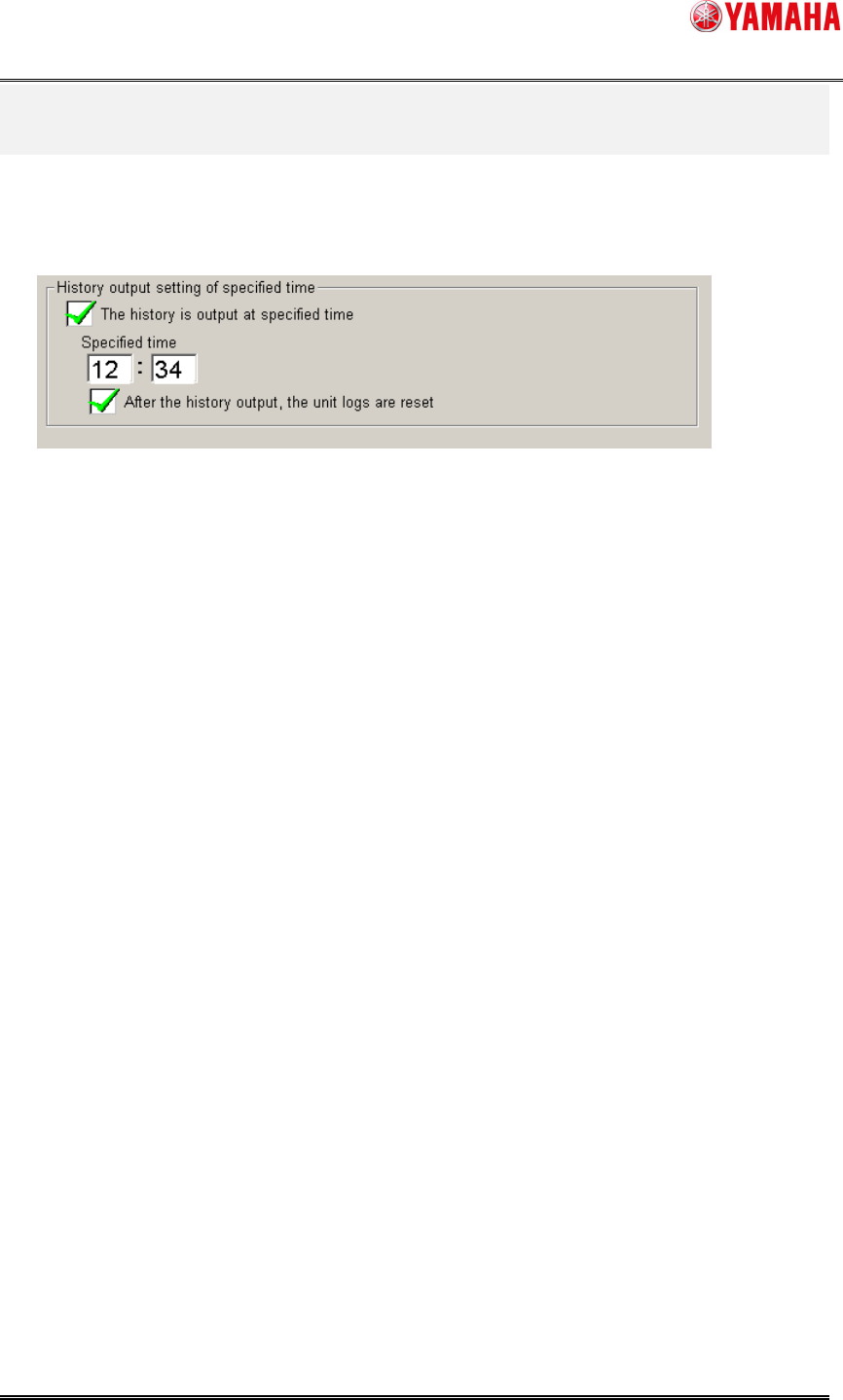
• [The history is output at specified time] Check Box
Check the box if you specify outputting time of history files.
The default setting is “unchecked state”, in this case, the history file is outputted at 0:00.
When the check box is “checked state”, 0:00 o'clock output is not executed.
• [Specified time] Text Box
Set a time (from 0:00 to 23:59) to output history files.
• [After the history output, the unit logs are reset] Check Box
It is the same operation as the tapping [Unit Log] – [(each history)] – [Operator] - [Reset] button
after the history file is outputted.
Check the box if you want to reset [Unit Log] after outputting the history.