TM1436.After Mounting Vacuum Check Trace.pdf - 第4页
SMT Software Engineering Grou p IM Operations Y AMAHA MOTOR CO., L TD MDOC-SOFT50 153 4/7 3.2. T r ace of a mounting position After the ERROR C LEAR o f the preced ing clause, it moves m ounting position and disp lays m …
SMT Software Engineering Group
IM Operations
YAMAHA MOTOR CO., LTD
MDOC-SOFT50153
3/7
3. Details of operation
3.1. Detection of error
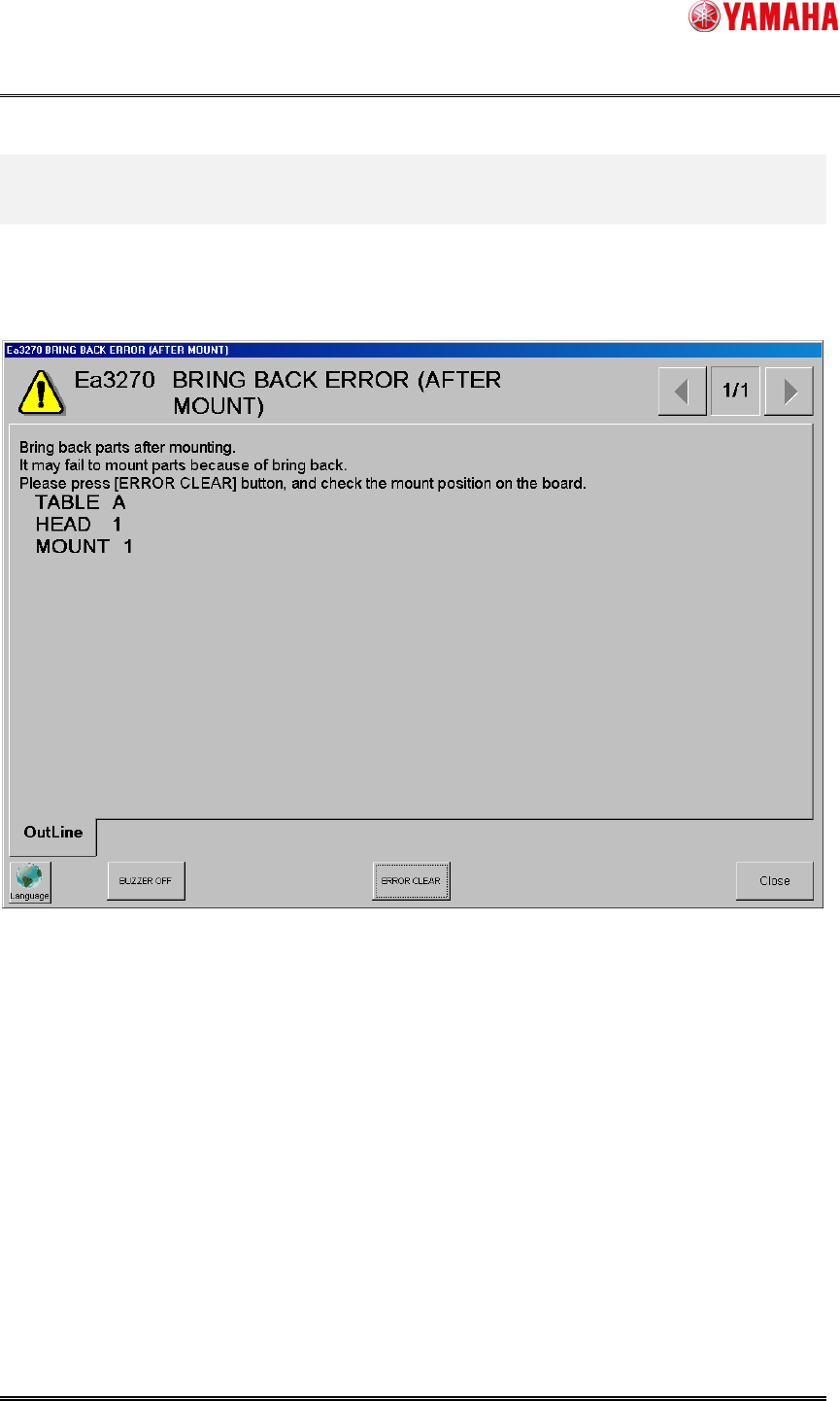
Vacuum check is after mounting. When larger vacuum than setup is detected,
[Ea3270: BRING BACK ERROR (AFTER MOUNT)] is displayed. (Fig 3.1)
Fig 3.1
SMT Software Engineering Group
IM Operations
YAMAHA MOTOR CO., LTD
MDOC-SOFT50153
4/7
3.2. Trace of a mounting position
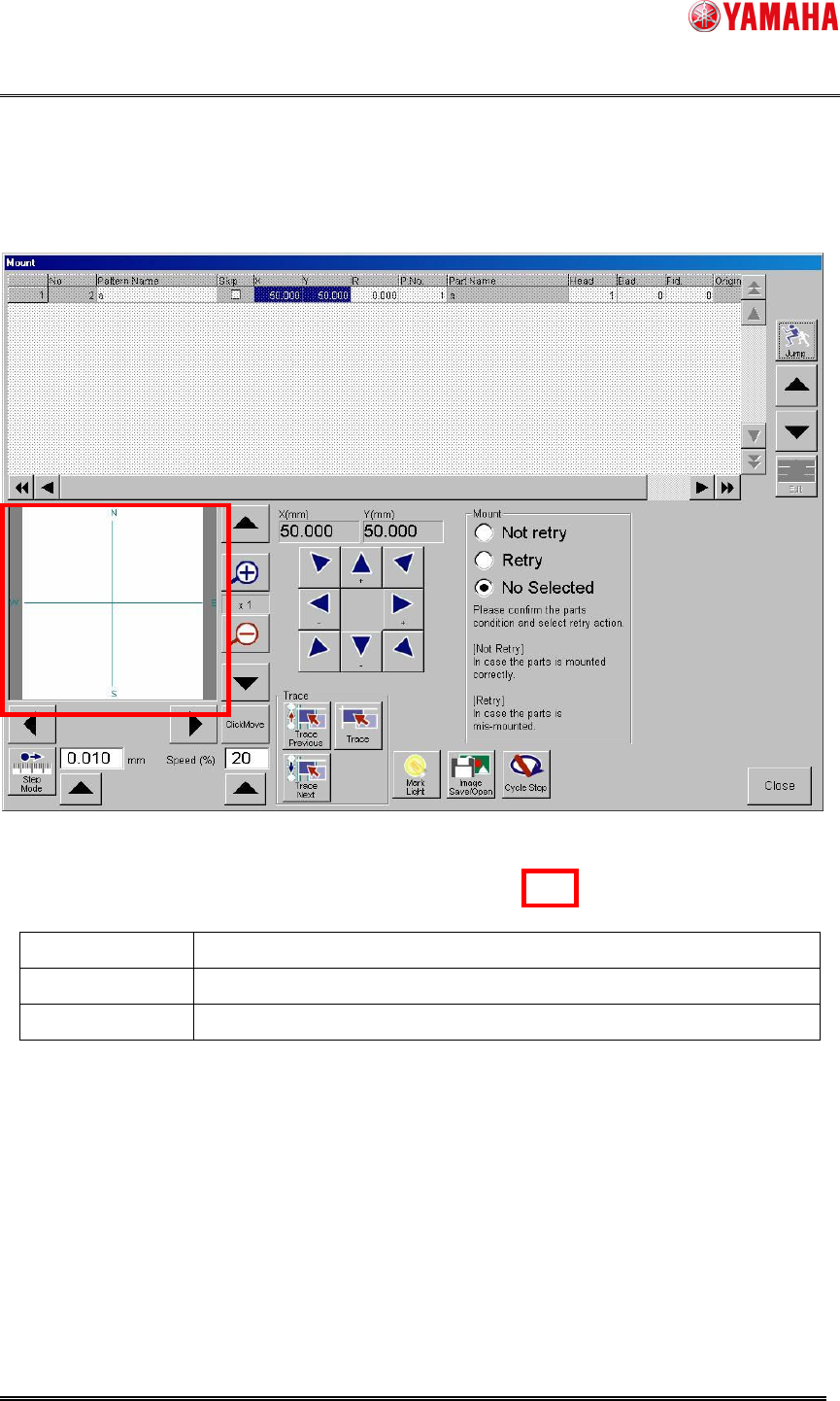
After the ERROR CLEAR of the preceding clause, it moves mounting position and displays
mounting dialog. (Fig 3.2)
The Mounting information judged to be a remaining parts error is displayed on a grid.
Fig 3.2
Please confirm trace vision condition and select retry action.
Not retry The judged position does not retry as mounting.
Retry The judged position does retry as no mounting.
No selected *1 Nothing is judged.
*1 Added from YS Series Mounter, YG300 YG12 Series Mounter.
(Default [not retry] in YG series.)
When there is plurality mounting information.
- Select with a [Trace Next] button.
- Select with a [Trace Previous] button.
- [UP][DOWN] mounting information select and [Trace] button.
Execute select with any of mounting information, Please judge it [Retry] or [Not retry].
Please judge of [Retry] or [Not retry] all the mounting information currently displayed.
SMT Software Engineering Group
IM Operations
YAMAHA MOTOR CO., LTD
MDOC-SOFT50153
5/7
3.3. End of a judge
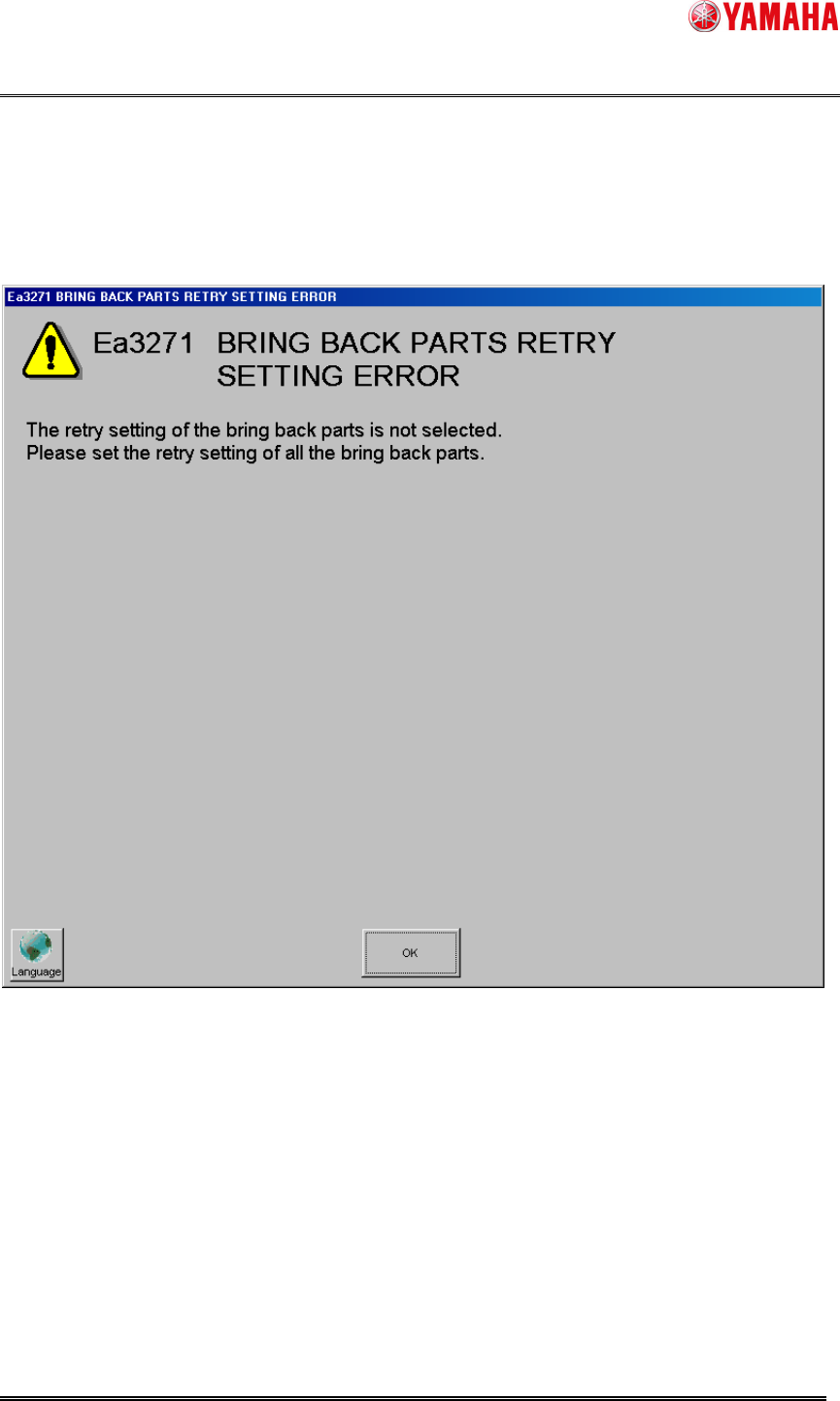
When closing mounting dialog and mounting information [No selected] remains,
the display of [Ea3271: BRING BACK PARTS RETRY SETTING ERROR] (Fig 3.3)
Fig 3.3
Please judge [Retry] or [Not retry] for mounting information [Not selected].
Please close dialog once again.