GEMINY-Product-Brochure.pdf - 第4页
CT – l a rg e c ho i c e of s c a ns t o ad d r e s s d if fe r e nt p a r t s • Q ui c k s c an : s et t he nu mb er o f pr oj e c tio n s, r ot a tio n an gl es a nd exposure ti mes. • Q ua li ty sc a n : a dd it io na…
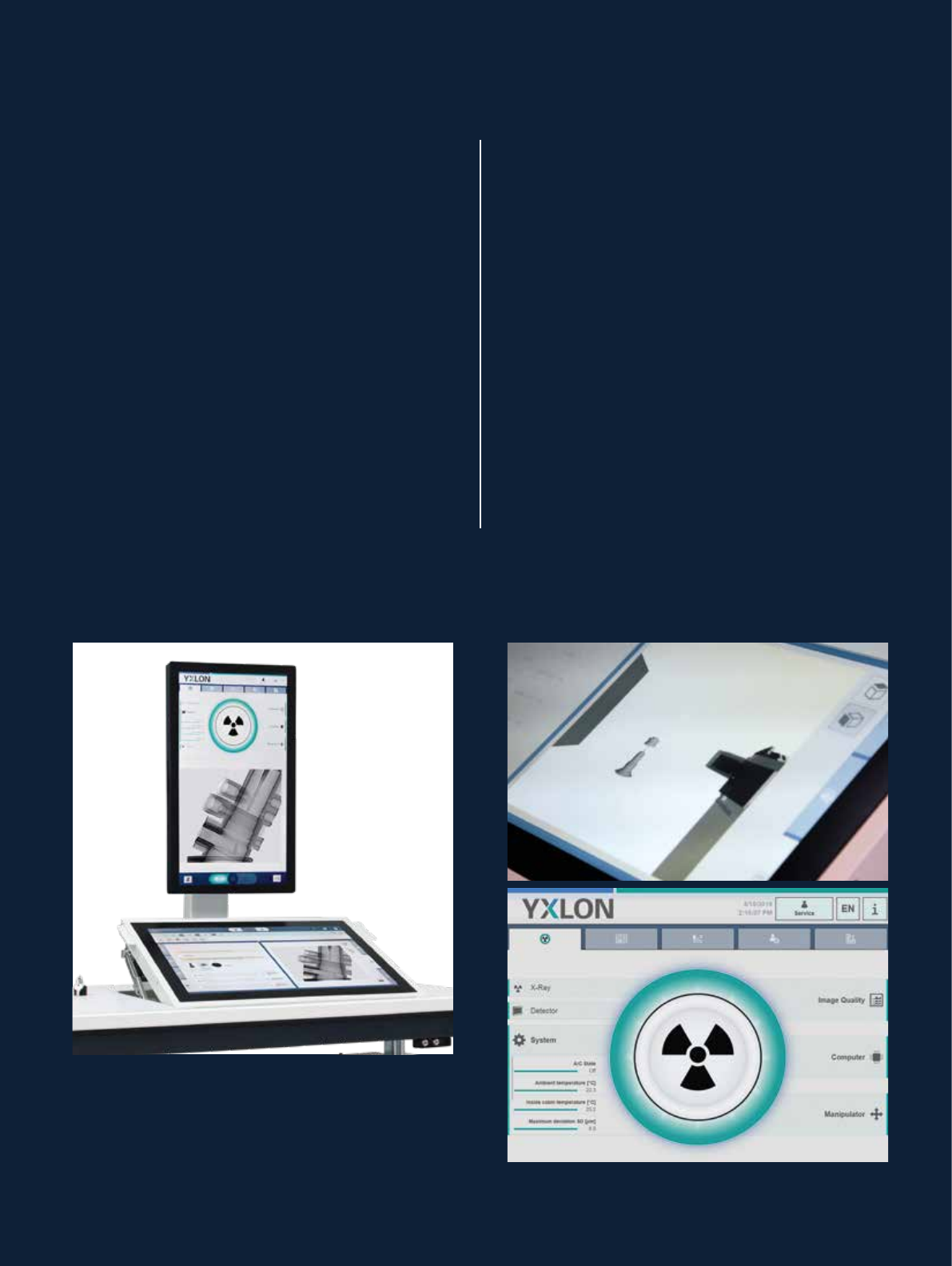
Upper viewing monitor:
• Health monitor: status of important components
and system properties
• Information display: most important parameters
at a glance
• System messages: information, warnings, and errors
• General administration: user administration
• Device manager: service and maintenance
Lower system control touch panel:
• Compose inspection sequences, set parameters
and run wizards
• Manipulate the part by simple touch gestures
• Visualize collision protection or display
the internal camera
• Enhance reports with markers …
Health monitor – all you need to know
about your system
The health is indicated in green, yellow or red for all
major components. This even includes some optional
functionality, such as a system’s readiness for metro-
logical inspections – where calibrations intervals and
temperature conditions are checked. Where corrective
actions are required, the system guides the operator
from this starting point.
IntelliGuard – fully automated collision protection
Systems with IntelliGuard assess a part’s individual
contour within a few seconds. Collision-free manipulation
is automatically ensured even at close proximity to the
tube and other components. Other systems deploy one
or more stacked cylindrical protection envelopes.
Above: dual monitor configuration, both full HD resolution
Above right: visualization of collision protection’s CAD
model and scanned inspection part
Below right: green health monitor indicating perfect
system condition
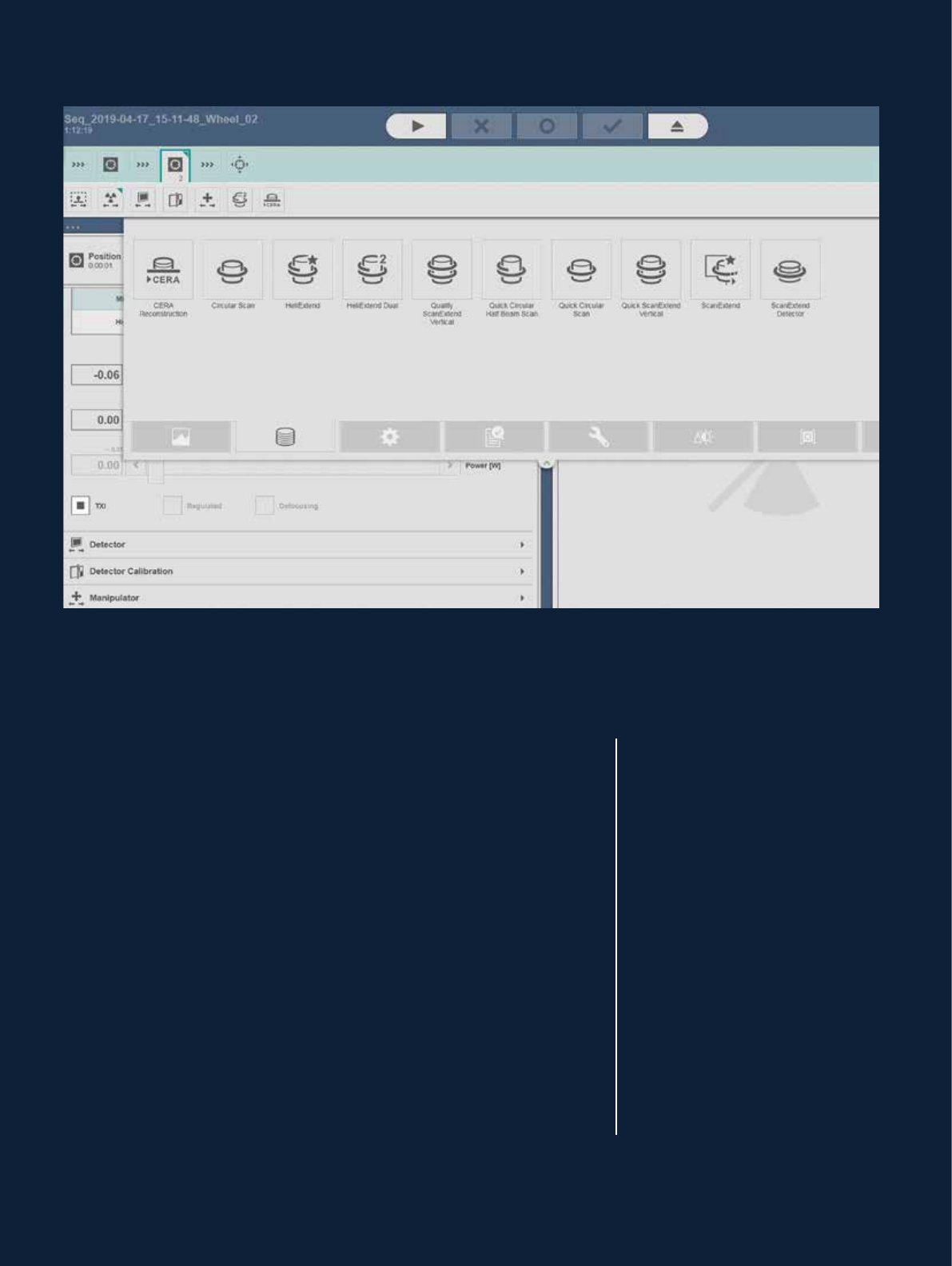
CT – large choice of scans to address different parts
• Quick scan: set the number of projections, rotation angles and
exposure times.
• Quality scan: additionally set the number of images to integrate per
projection.
• Horizontal scan extension: Scan parts of larger diameter by stitching images
into one larger projection. Alternatively, use offset scan where the rotation
axis is positioned to one edge of the detector.
• Vertical scan extension: Stack standard scans at different heights which are
merged into one larger volume.
• Combined horizontal and vertical scan extension: Stack horizontally
extended scans for largest parts.
• HeliExtend scan: Innovative scan process that boosts image quality
significantly. Optimal detail recognition is achieved especially for the
largest parts.
• Dual helical scan: combined offset and HeliExtend scan for largest parts.
• FlexCenter (not for FF20 / FF35 CT Metrology): Determination of a new
virtual rotation axis eliminates the need to reposition the test part or use
an XY table.
Geminy’s strength is a flexible selection of various CT trajectories.
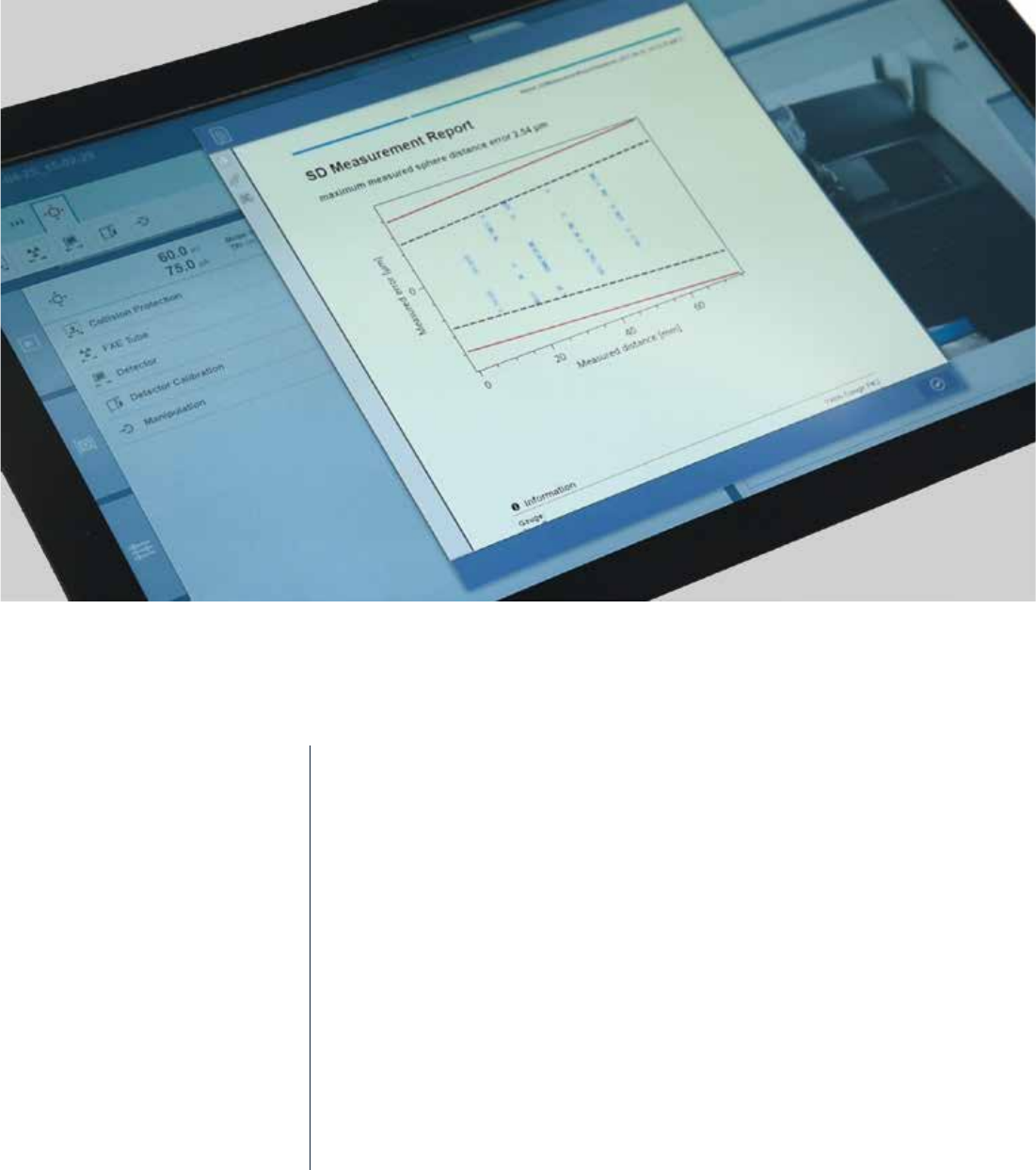
Automatic functions and system reports
Geminy aims to free users from routine work by automated functions
for calibration and system performance tests:
• Geometric calibration checks and corrects component orientations and
positions.
• Detector calibrations offer automatic single-gain, multi-gain, and
step wedge calibration. Expert mode with additional options for further
optimization.
• ASTM report is created in accordance to ASTM E1695 for MTF and CDF.
• MPE
SD
: fully automated determination and documentation of maximum
SD deviation referring to VDI/VDE 2630 – Sheet 1.3. Measurements of the
sphere distances of the Yxlon ruby gauge at two positions.
• Separation breaks multiple parts into individual volumes.