AP130_A_MANUAL.pdf - 第3页
Al ign th e tip of the c ar tri dge w ith the f eed er tub e. Us e a PLR1 95 or a f lat-nose d pli ers fo r a safe t ip ali gnm ent. Do not o ver -tighten the cartr idge. Changing ca r tridge For a s afe ca rt rid ge cha…
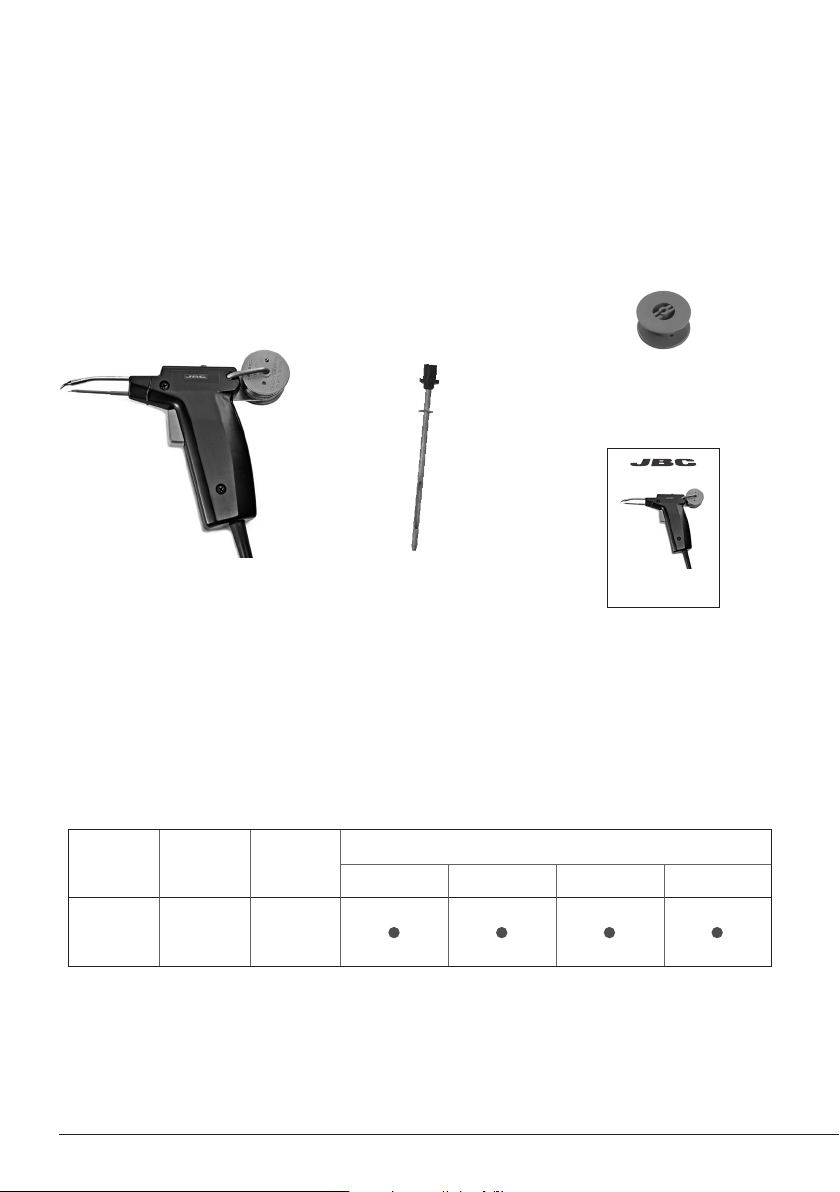
Tool Cartridge Stand
Control Units
CF
DI DDE DME
AP130-A C130 AP-SD
Packing List
The following items should be included:
Solder feed iron ................ 1 u
Ref. AP130-A
Ø1 mm Feeder tube (90 mm length)
(Ref. 0006558) is included
Reel .................................. 1 unit
Ref. 0002801
Ø1 mm Feeder tube
(95 mm length) .................. 1 u
Ref. 0006559
Manual ............................ 1 unit
Ref. 0008861
Solder Feed Iron
Ref. AP130-A
Compatibility
The AP130-A solder feed iron is fully compatible with any JBC station of the Modular Line and with
the CF Solder Feed station of the Compact Line.
2
www.jbctools.com
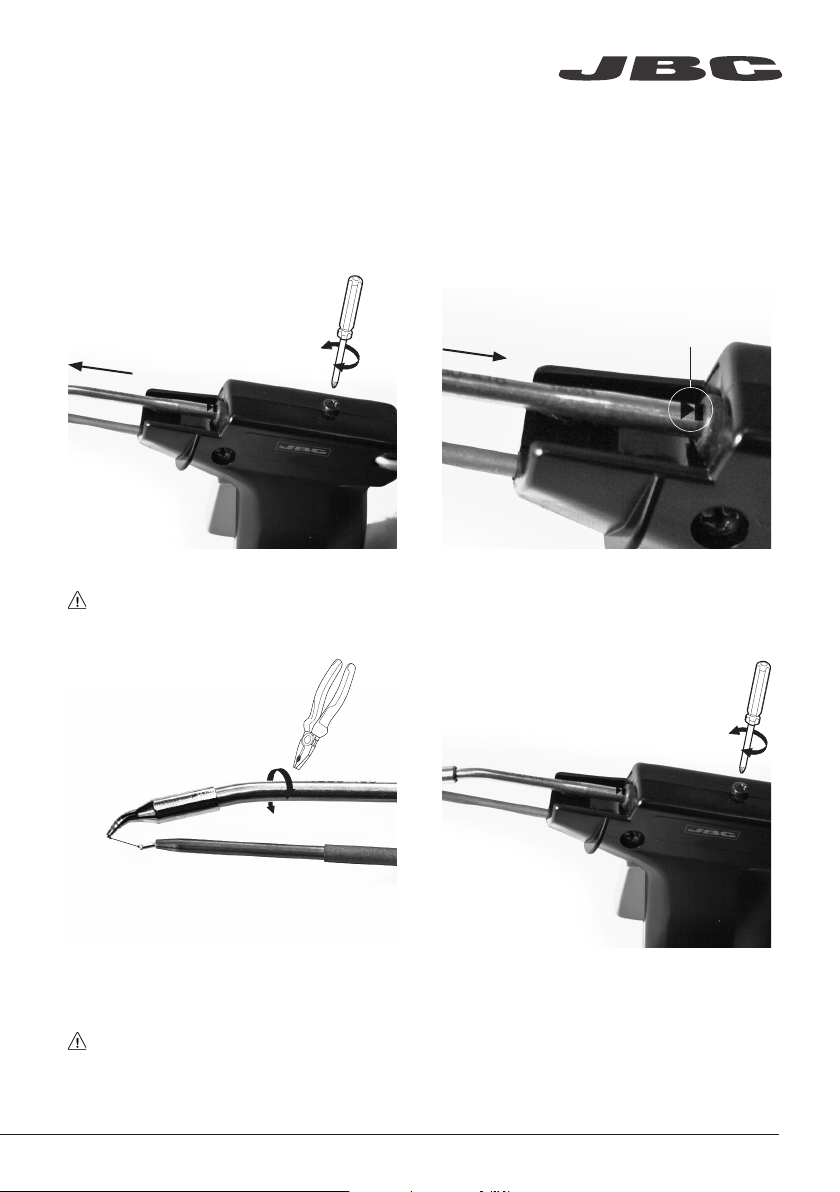
Align the tip of the cartridge with the feeder
tube. Use a PLR195 or a flat-nosed pliers for a
safe tip alignment.
Do not over-tighten the cartridge.
Changing cartridge
For a safe cartridge change, unplug the tool or turn the station off and wait until the tool temperature
drops to room temperature before following these guidelines:
Loosen the screw and remove the cartridge.
Use a flat pliers if still hot.
1. Removing
Alignment
Important: Tighten the screw again. This is
necessary for a proper connection.
2. Inserting
3. Aligning 4. Fixing
Mark
Important: Insert the cartridge as far as
the mark for a correct connection.
www.jbctools.com
3
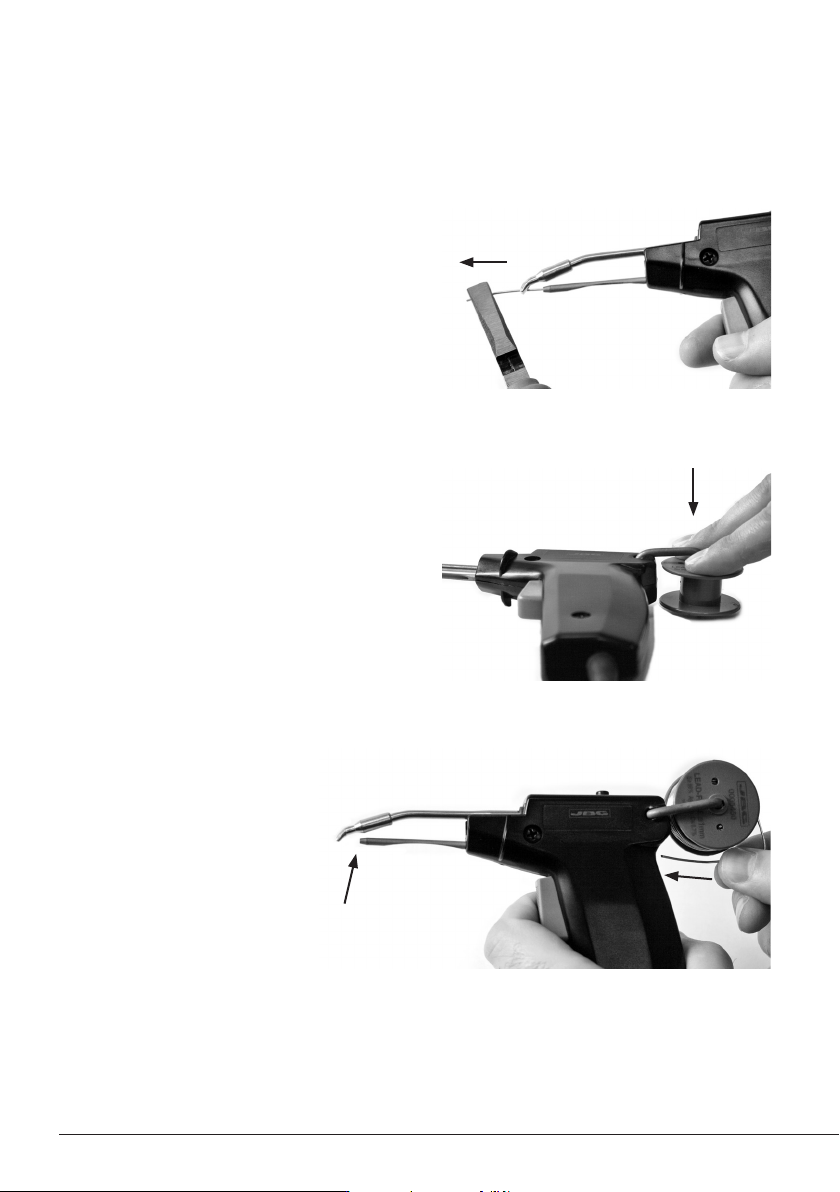
Pull out the remaining solder from inside the
feeder tube. Use a flat-nosed pliers if necessary.
Note: Always use 0.8 - 1.0 mm diameter solder wire.
Pull the trigger repeatedly until the
solder wire appears at the tip.
Replacing solder wire
2. Replace the solder reel
Push the empty reel to remove and fit the new one.
1. Remove the remaining solder wire
3. Insert the new solder wire
4