AP130_A_MANUAL.pdf - 第5页
Changing the Feeder Tu b e Feeder t ube Flange Tr i g g e r Socket Spring Skid Lever 1. T ake out th e scre w from b ehi nd (a) to re move the r eel a nd the s old er wi re from t he tub e. Nex t, rem ove the thre e othe…
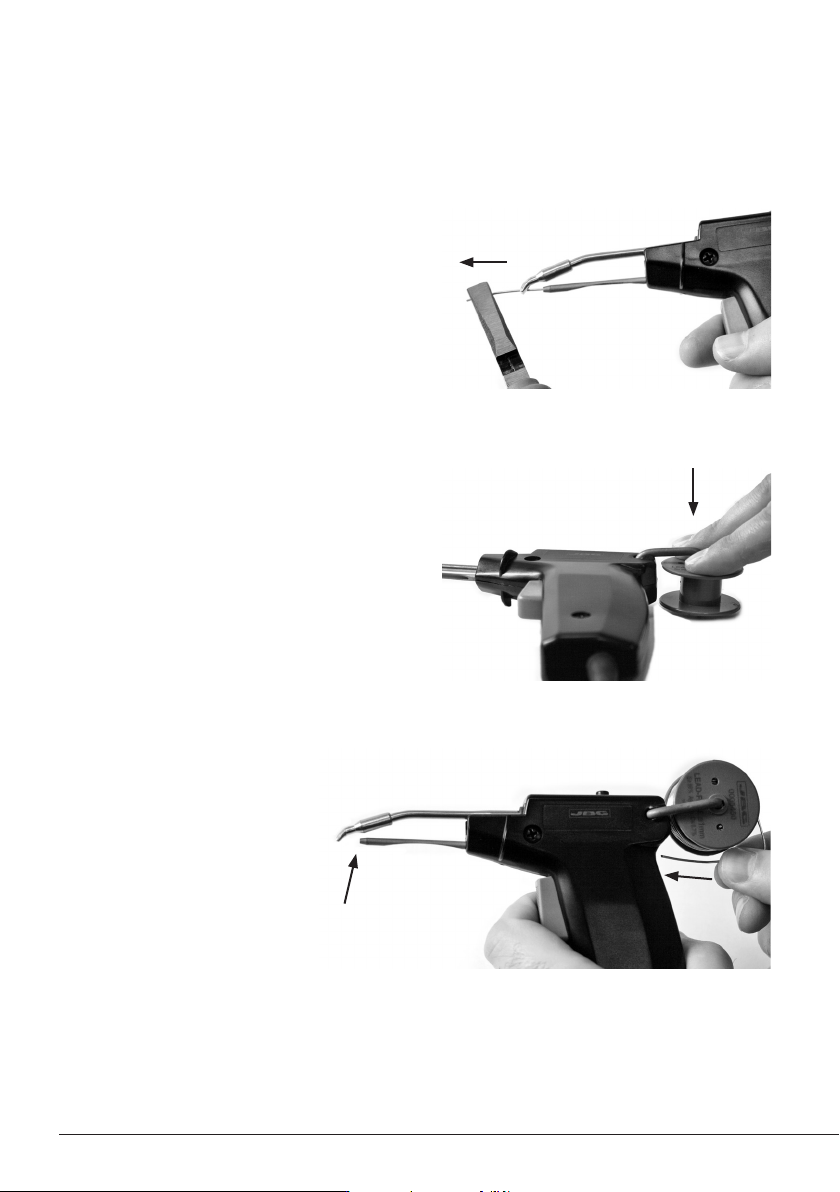
Pull out the remaining solder from inside the
feeder tube. Use a flat-nosed pliers if necessary.
Note: Always use 0.8 - 1.0 mm diameter solder wire.
Pull the trigger repeatedly until the
solder wire appears at the tip.
Replacing solder wire
2. Replace the solder reel
Push the empty reel to remove and fit the new one.
1. Remove the remaining solder wire
3. Insert the new solder wire
4
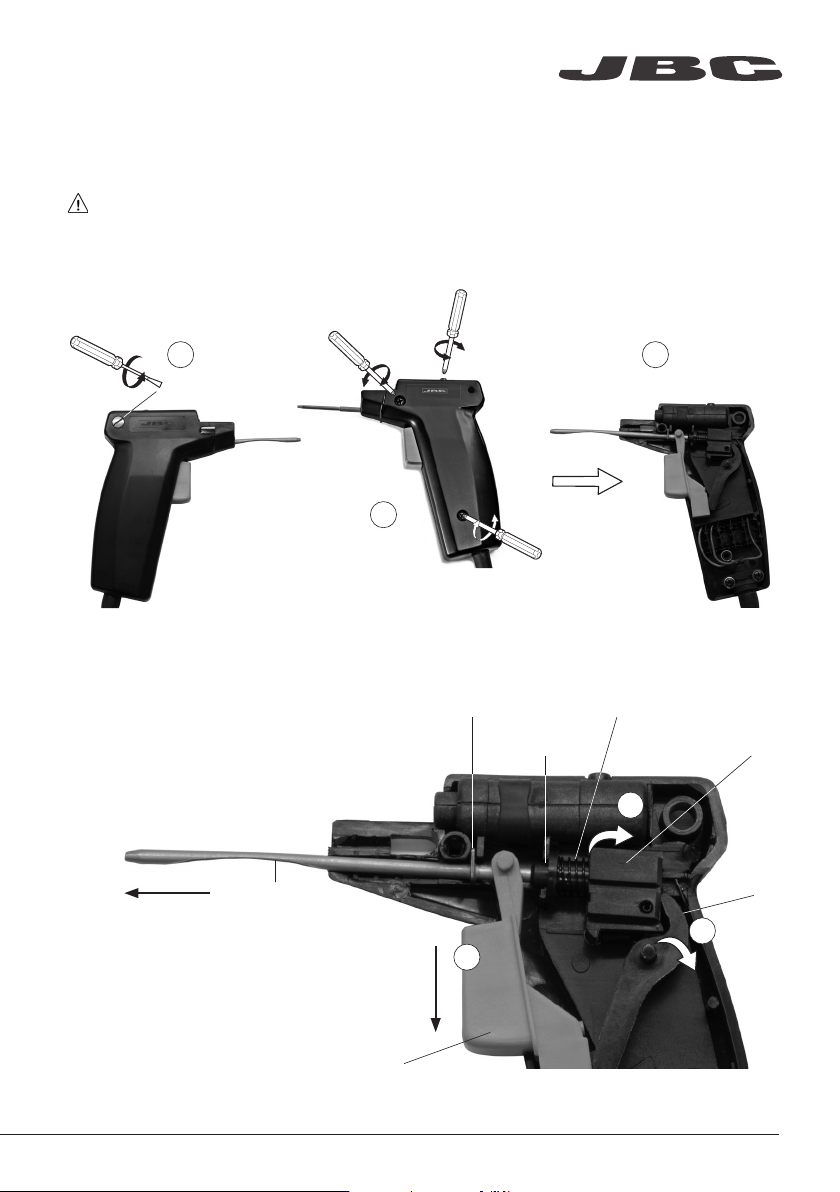
Changing the Feeder Tube
Feeder tube
Flange
Trigger
Socket
Spring
Skid
Lever
1. Take out the screw from behind (a) to remove the reel and the solder wire from the tube.
Next, remove the three other screws (b) and lift the cover off (c).
2. Remove the lever (a), then the skid with the
spring (b) and finally the trigger (c).
Take out the feeder tube and replace it with
the new one.
Repeat the process inversely.
Don’t forget to insert the trigger between the
flange and the socket of the feeder tube.
You must replace the feeder tube depending on the length of the cartridge you are going to use.
Remove the cartridge and make sure the tool is unplugged before start.
a
a
c
c
b
b
www.jbctools.com
5
ø 0,6
ø 3
ø 0,8
2,2x1
Ø
4
Ø 1,7
3,2x1,5
4,8x1,5
ø 1
1,2x0,7
1,8x0,8
ø 2,2
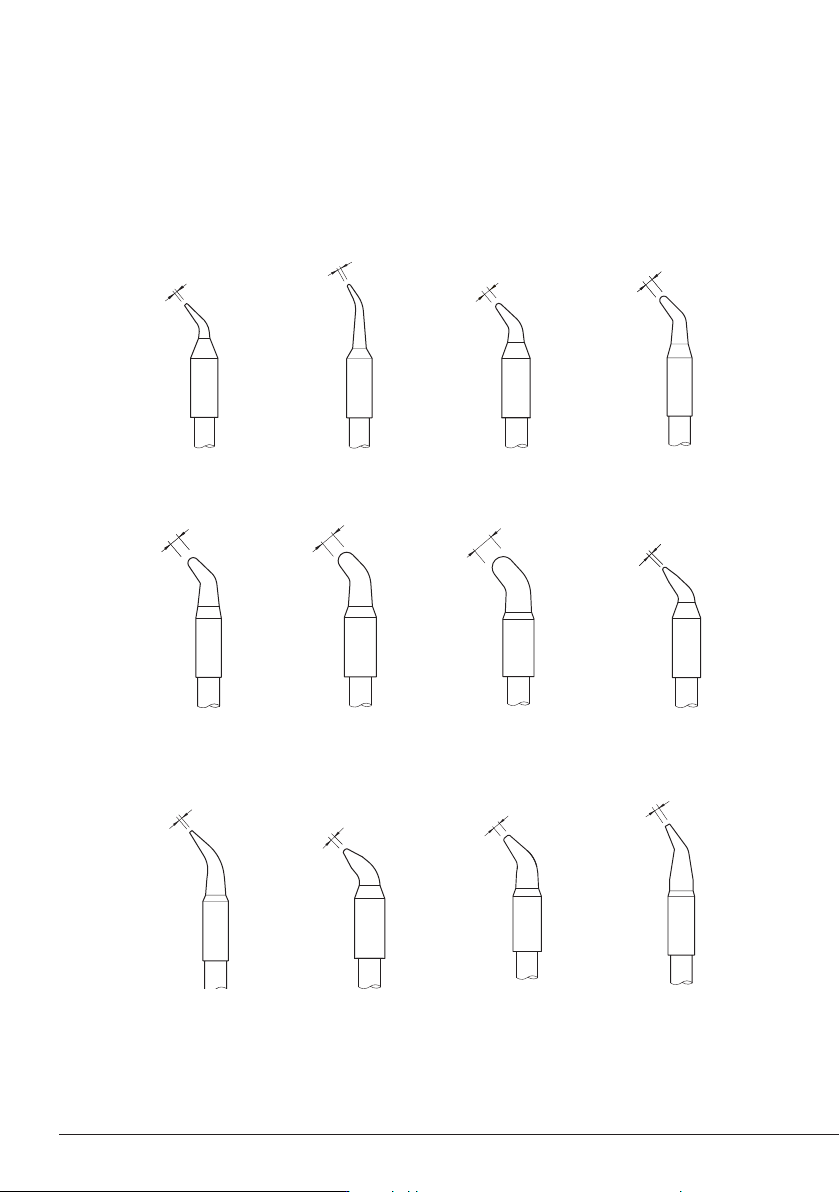
Note: All the cartridges shown are actual size.
The AP130-A Solder Feed Iron works with C130 cartridge range. Find the model that best suits your
soldering needs in www.jbctools.com
C130-416
C130-402
C130-406
C130-403
C130-417
C130-418
C130-409
C130-419
C130-404
C130-401
C130-405
C130-410
Compatible Cartridges
6