00197625-04_VersionDescription_SR708.1SP2_LPCD_DE_EN.pdf - 第21页
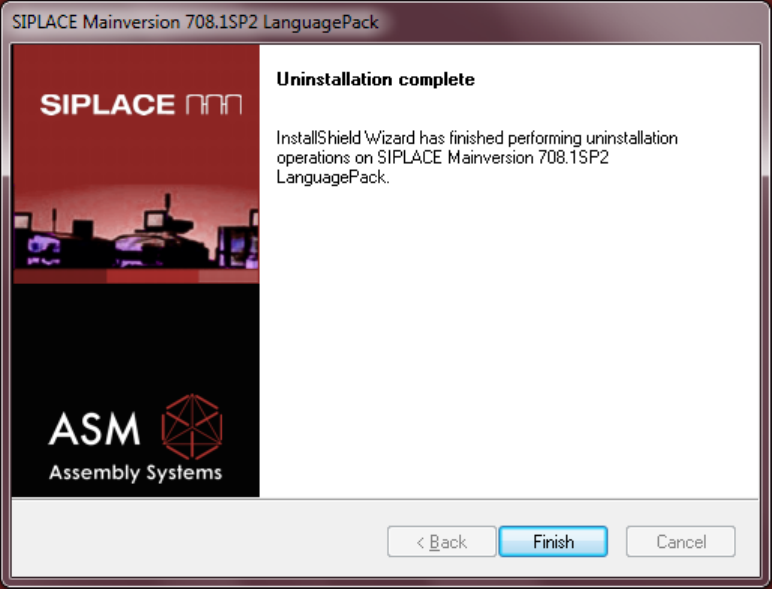
Software Versi on Description Language Pack 708 .1 SP2 11 /201 5 Edition 21 Compl etion Scr een Actuate th e Fini sh button t o com plete the u ninstallat ion.
Software Version Description Language Pack 708.1 SP2 11/2015 Edition
20
5.1.3.2 Uninstallation
Proceed as follows to uninstall the language pack:
• Switch the station computer on.
• Log in as the administrator.
• Switch to the operating system.
• Start the uninstallation:
Start -> All Programs -> SIPLACE -> SIPLACE Mainversion 708.1 SP2 LanguagePack Uninstall
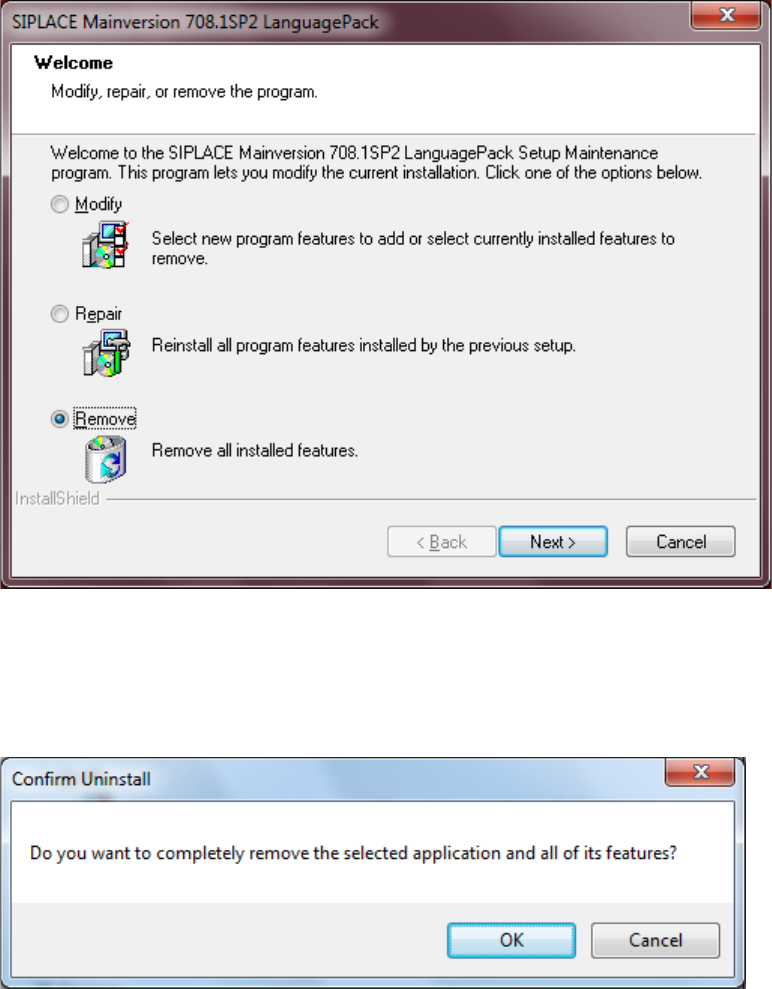
Remove
Select the radio button Remove, actuate the button Next to start the uninstallation.
CONFIRM UNINSTALL
Actuate the OK button to confirm the uninstallation.
Software Version Description Language Pack 708.1 SP2 11/2015 Edition
21
Completion Screen
Actuate the Finish button to complete the uninstallation.
Software Version Description Language Pack 708.1 SP2 11/2015 Edition
22