00197704-04_VD_SIPLACE-Client-API-4.3_EN.pdf - 第11页
Software Versi on Description SIPLAC E OIB 4. 3 Clien t AP I 05/2016 Editi on 11 Select the destinat ion fol der of the install ation Click the Next butt on In this dialog you may revi ew the ins tallation c onfigu…
Software Version Description
SIPLACE OIB 4.3 Client API 05/2016 Edition
10
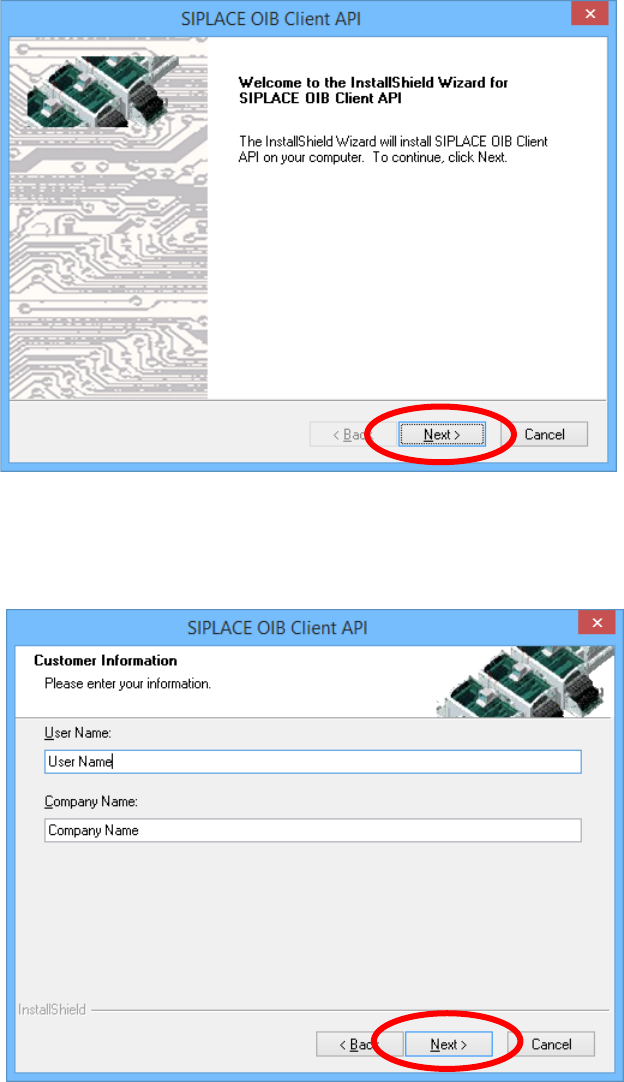
4.2 Performing the SIPLACE OIB Client API Installation
The welcome dialog is displayed
Click the Next button
Enter the user name
Enter the company name
Click the Next button
Software Version Description
SIPLACE OIB 4.3 Client API 05/2016 Edition
11
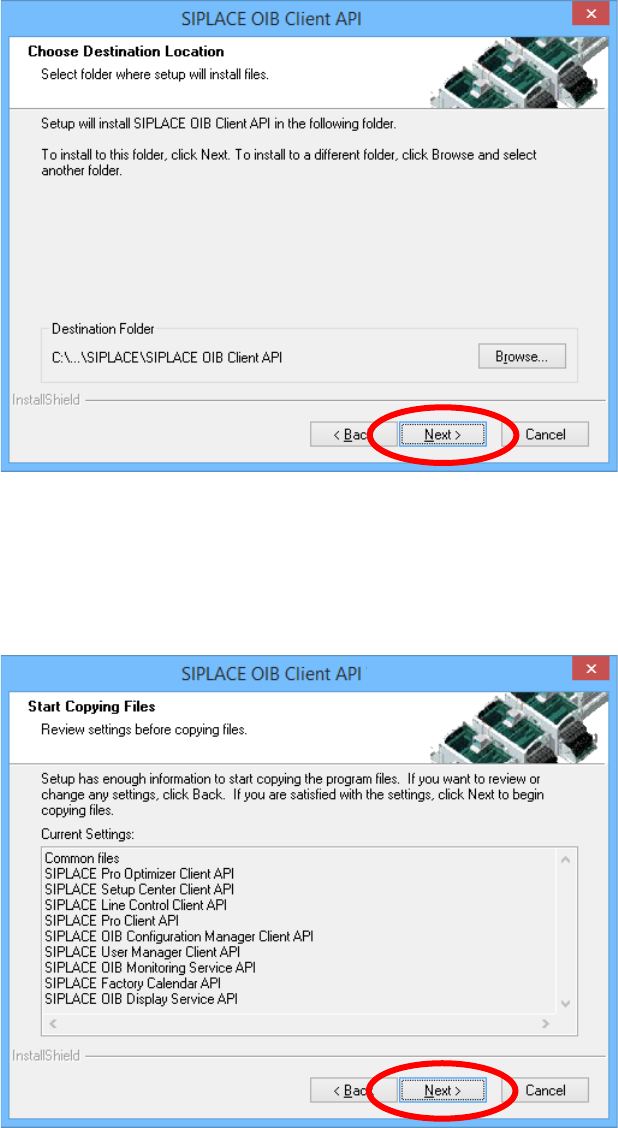
Select the destination folder of the installation
Click the Next button
In this dialog you may review the installation configuration. Check if everything is ok.
Click the Next button
Software Version Description
SIPLACE OIB 4.3 Client API 05/2016 Edition
12
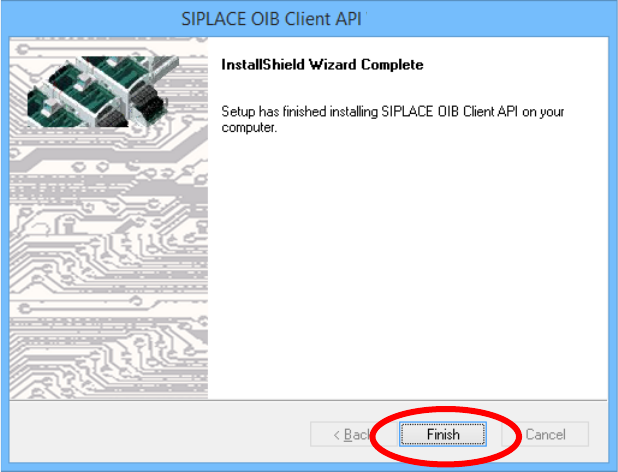
After successful installation click the Finish button
You have installed SIPLACE OIB Client API successfully now.