00197483-02_VD_SIPLACE-OIB-3.3_EN.pdf - 第30页
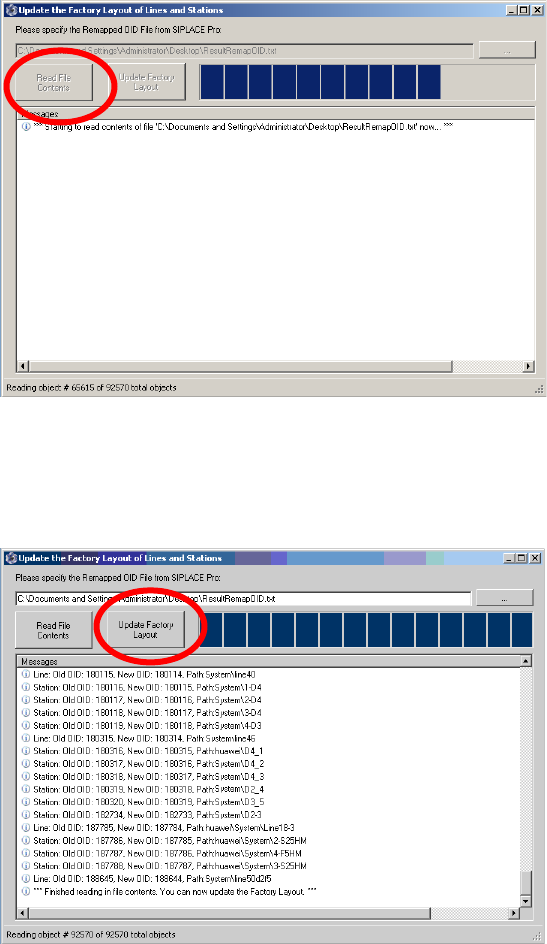
Version Descripti on SIPLAC E OI B 3.3 04/2014 E dition 30 → → Select the “ Read f ile conte nt” button t o the rea d the m apped inf ormat ion. → W ait until all mappi ng inf orm ation has been re ad. → Select the “ Upd…
Version Description
SIPLACE OIB 3.3 04/2014 Edition
29
→
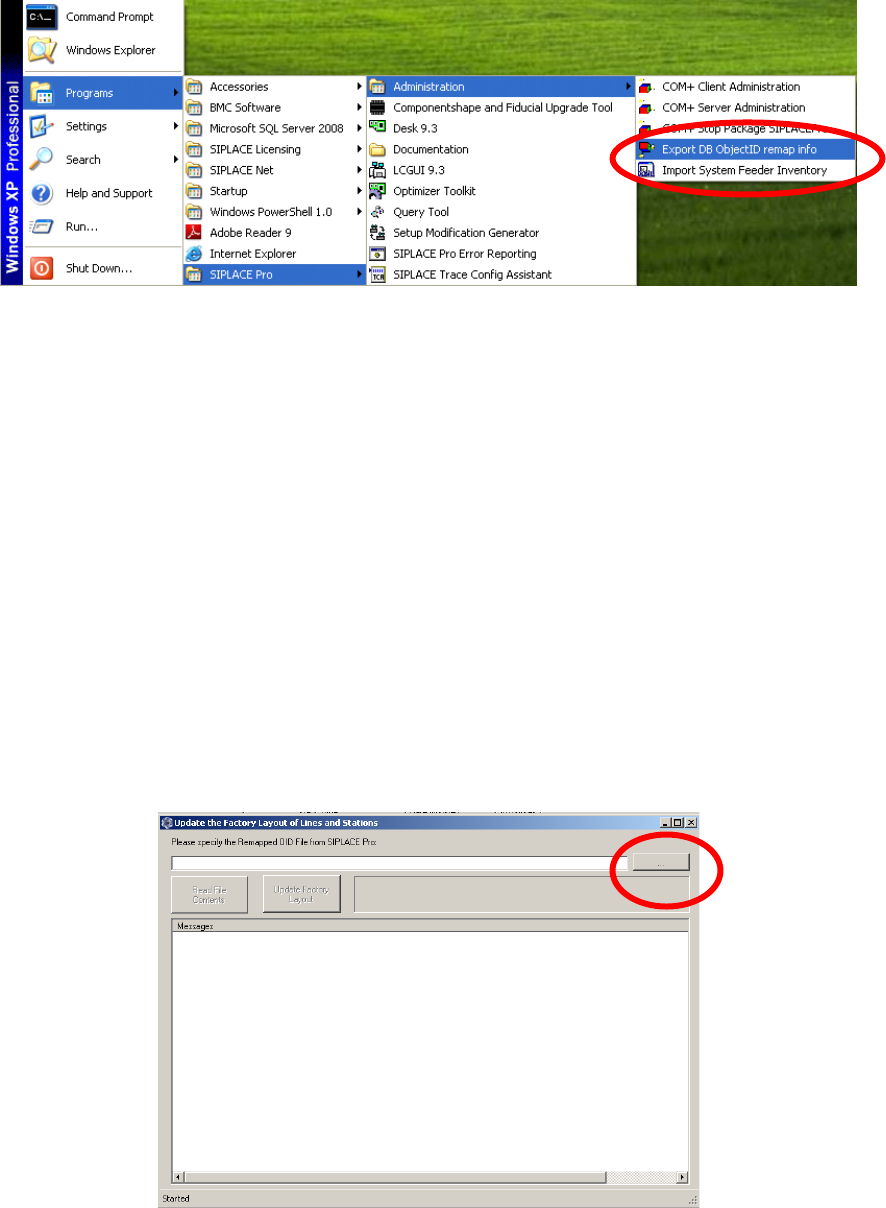
The re-indexing information is stored in the database and can be exported at any time. This can be
done via Programs->SIPLACE Pro->Administration->Export DB ObjectID remap info.
Adjust the Indices in OIB
The adjustments of the Re-indexing will be performed on the computer where the SIPLACE OIB Core is
installed.
→
Ensure that SIPLACE OIB 2.5 or higher is installed on the computer.
→
Navigate to the folder „C:\Program Files\SIPLACE\SIPLACE OIB\Tools\ID Remapper“.
→
Start the program “UpdateFactoryLayoutFromRemappedSIPLACEProOids.exe”
→
Select the browse button and select the file in the file selection dialog. You will find the file under the
location where the SIPLACE Pro re-indexing procedure has stored it.
Version Description
SIPLACE OIB 3.3 04/2014 Edition
30
→
→
Select the “Read file content” button to the read the mapped information.
→
Wait until all mapping information has been read.
→
Select the “Update Factory Layout” button to update the data in the SIPLACE OIB Configuration
Manager. The tool will provide feedback which data has been updated.

Version Description
SIPLACE OIB 3.3 04/2014 Edition
31
→
13.3 SIPLACE OIB Installation cannot be uninstalled
In some rare case the SIPLACE OIB installation cannot be uninstalled. This results in a blocked
deployment situation.
Background
Microsoft reports some issues with the installer technology SIPLACE OIB Installer is using.
Caution:
The issue has been reported in the Microsoft FixIt Solution Center under
http://support.microsoft.com/fixit/
Perform the FixIt Solution
→
Open the webpage under the following link from the Microsoft FixIt Solution Center under
http://support.microsoft.com/fixit/
→
Follow the instructions to install the FixIt solution and try to uninstall the SIPLACE OIB installation.