00900156-01_IM_Mobile_Device_Manager_1.1_EN.pdf - 第11页
ASM Mobile Device Manager 1.1 / Insta llation Manual 05/2019 Edition 11 Accepting the Licens e Conditions Figure 5-2: Show License dialo g ► Read the license a greement of ASM Ass embly System s GmbH & Co. KG re lati…
ASM Mobile Device Manager 1.1 / Installation Manual 05/2019 Edition
10
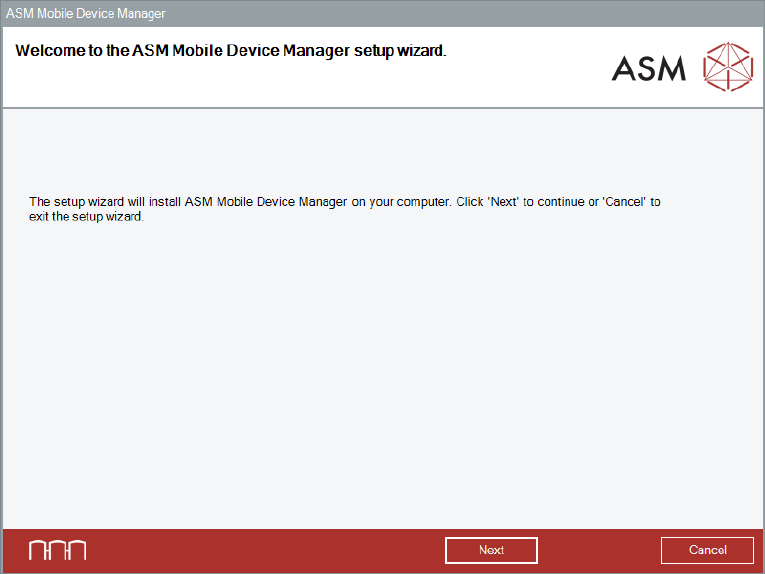
Figure 5-1: Welcome dialog
► Click the Next button.
The Show License dialog is displayed.
ASM Mobile Device Manager 1.1 / Installation Manual 05/2019 Edition
11
Accepting the License Conditions
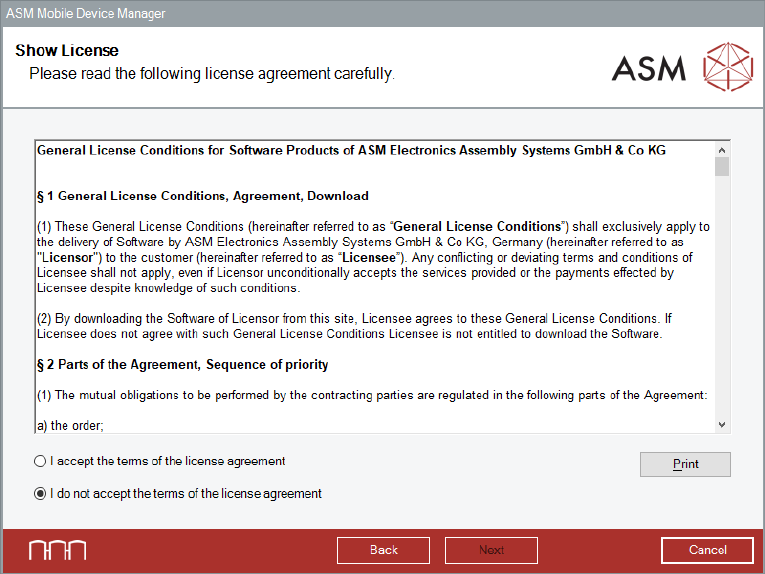
Figure 5-2: Show License dialog
► Read the license agreement of ASM Assembly Systems GmbH & Co. KG relating to use of this
software.
► Select I accept the terms of the license agreement to accept the license conditions.
► Click the Next button.
The Packages and Features dialog is displayed.
ASM Mobile Device Manager 1.1 / Installation Manual 05/2019 Edition
12
5.3 Selecting Packages and Features
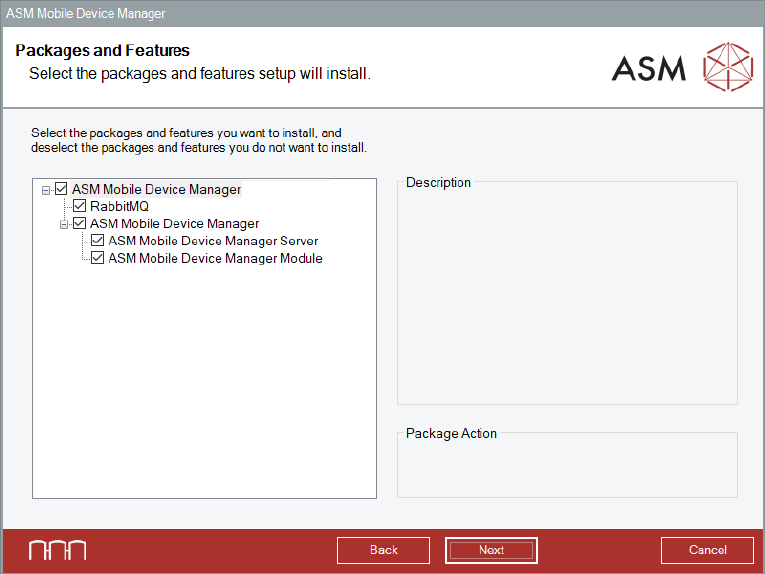
Figure 5-3: Packages and Features dialog
All software components are enabled by default.
► Select the features you want to install and deselect the features you want to remove.
► In default case, click the Next button.
The ASM OIB Core connection dialog is displayed.