00900156-01_IM_Mobile_Device_Manager_1.1_EN.pdf - 第16页
ASM Mobile Device Manager 1.1 / Insta llation Manual 05/2019 Edition 16 Now the setup explici tly checks the available, req uired and recom mended disk space again. If your free disk s pace does not match the recom m end…
ASM Mobile Device Manager 1.1 / Installation Manual 05/2019 Edition
15
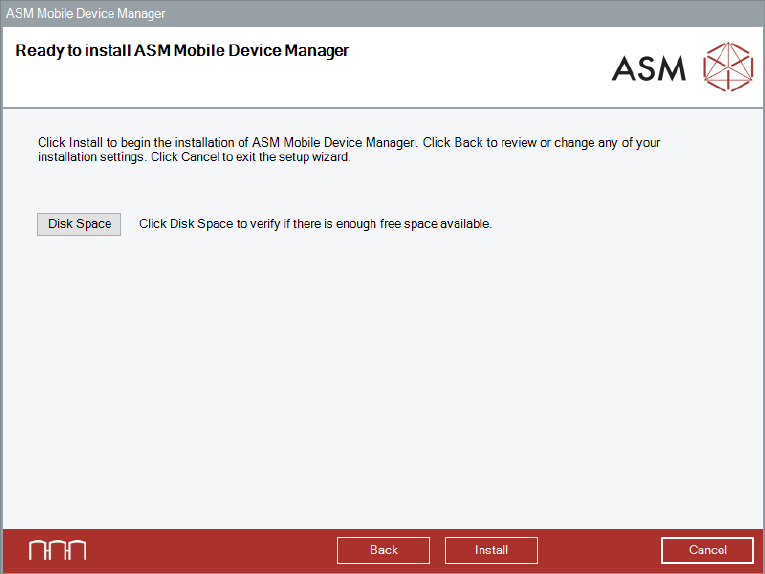
5.6 Ready to Install
ASM Mobile Device Manager is now ready to be installed.
Figure 5-6: Ready to install ASM Mobile Device Manager dialog
Before installing, you can check the available, required and recommended disk space (per drive) to
perform the installation.
► Click the Disk Space button.
► Click the OK button.
The Ready to install ASM Mobile Device Manager dialog is displayed again.
► Click the Install button to start the installation.
ASM Mobile Device Manager 1.1 / Installation Manual 05/2019 Edition
16
Now the setup explicitly checks the available, required and recommended disk space again. If your
free disk space does not match the recommended disk space the following dialog is displayed.
► Click the OK button and solve the problem.
The Ready to install dialog will be automatically displayed as soon as the required disk space is
available.
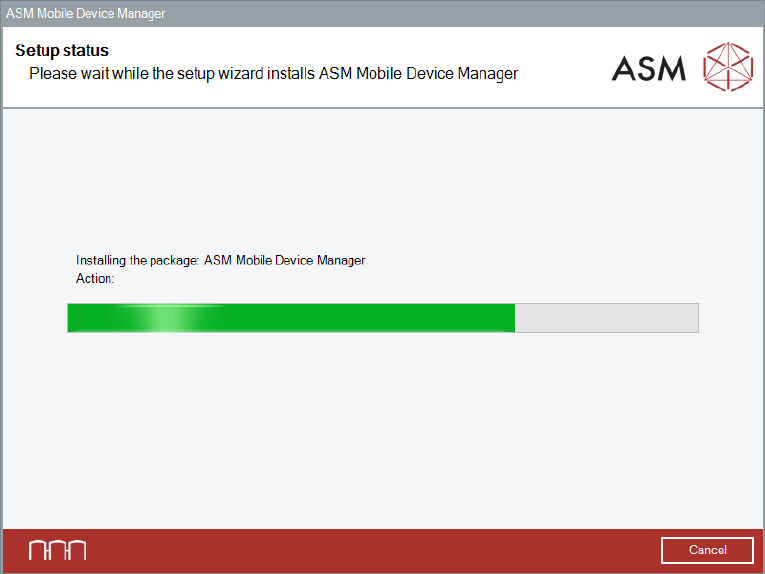
The setup status is displayed during installation.
Figure 5-7: Setup status dialog
ASM Mobile Device Manager 1.1 / Installation Manual 05/2019 Edition
17
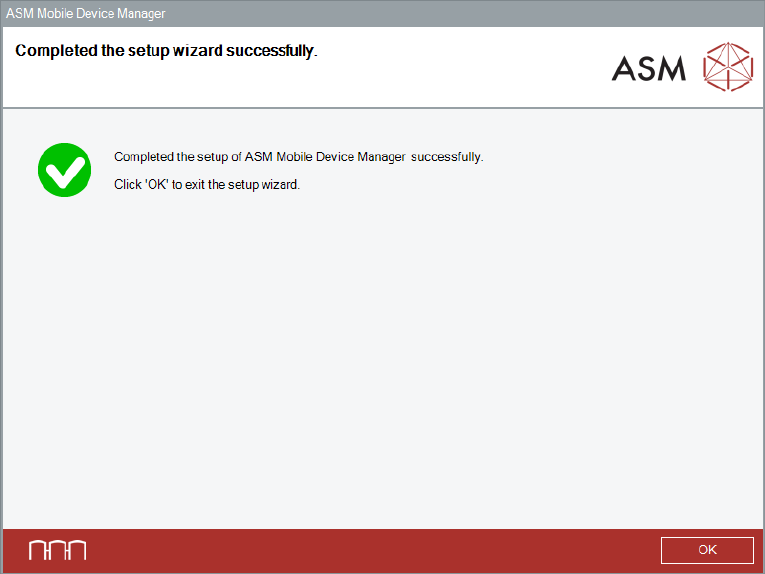
After successful installation, the following dialog is displayed.
Figure 5-8: Setup successfully completed dialog
► Click the OK button to exit the setup wizard.