00900156-01_IM_Mobile_Device_Manager_1.1_EN.pdf - 第14页
ASM Mobile Device Manager 1.1 / Insta llation Manual 05/2019 Edition 14 5.5 Selecting net work IP add ress Figure 5-5 : Select networ k IP address dialog ► Select the net work IP address. If several addresses ar e availa…
ASM Mobile Device Manager 1.1 / Installation Manual 05/2019 Edition
13
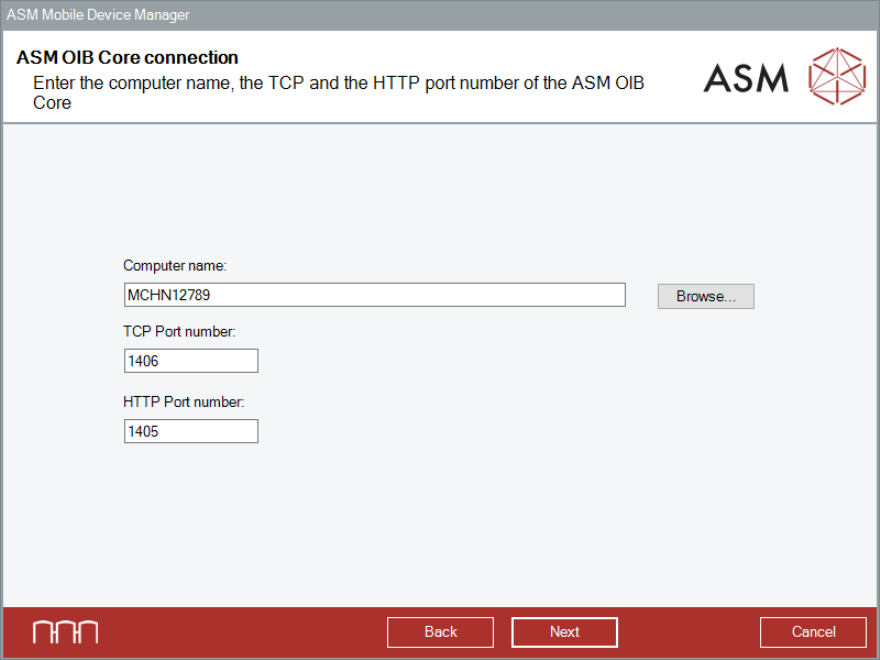
5.4 Specifying ASM OIB Core Connection
Figure 5-4: ASM OIB Core connection dialog
► Enter the computer name and port number of the computer on which the ASM OIB Server
component is installed.
► Click the Next button.
The Select network IP address dialog is displayed.
ASM Mobile Device Manager 1.1 / Installation Manual 05/2019 Edition
14
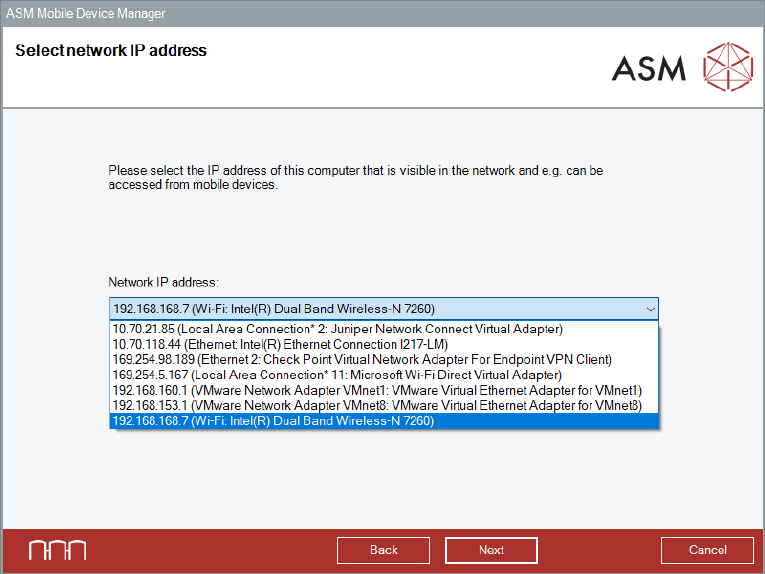
5.5 Selecting network IP address
Figure 5-5: Select network IP address dialog
► Select the network IP address. If several addresses are available, select the address that can
be reached via Wi-Fi.
► Click the Next button to continue the installation procedure.
The Ready to install ASM Mobile Device Manager dialog is displayed.
ASM Mobile Device Manager 1.1 / Installation Manual 05/2019 Edition
15
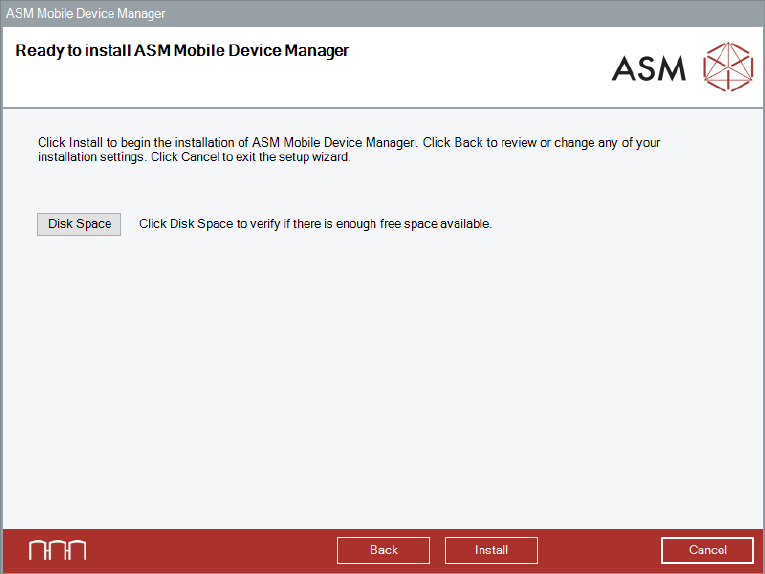
5.6 Ready to Install
ASM Mobile Device Manager is now ready to be installed.
Figure 5-6: Ready to install ASM Mobile Device Manager dialog
Before installing, you can check the available, required and recommended disk space (per drive) to
perform the installation.
► Click the Disk Space button.
► Click the OK button.
The Ready to install ASM Mobile Device Manager dialog is displayed again.
► Click the Install button to start the installation.