00900156-01_IM_Mobile_Device_Manager_1.1_EN.pdf - 第19页
ASM Mobile Device Manager 1.1 / Insta llation Manual 05/2019 Edition 19 Figure 5- 10 : ASM OIB Core connection dialog ► Enter the computer n ame and port num ber of the com puter on which the ASM OIB Server component is …
ASM Mobile Device Manager 1.1 / Installation Manual 05/2019 Edition
18
5.7 Installation of additional ASM Mobile Device Manager Module
If ASM Mobile Device Manager Server has already been installed on a remote computer this
software component has to be disabled during the ASM Mobile Device Manager installation.
► Ensure that the remote computer is connected to the network and available.
► Start installing ASM Mobile Device Manager as described in section 5.2.
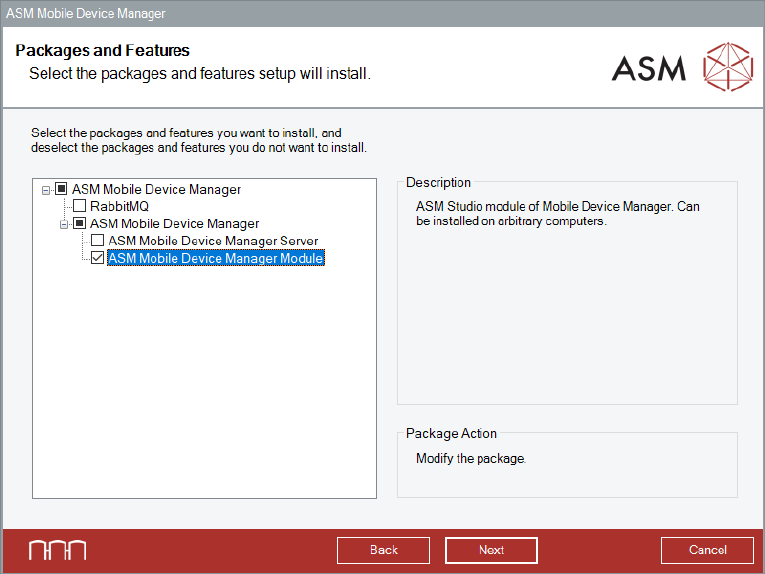
► Proceed as follows when the Packages and Features dialog is displayed.
Figure 5-9: Packages and Features dialog
► Disable RabbitMQ and ASM Mobile Device Manager Server software feature.
► Click the Next button.
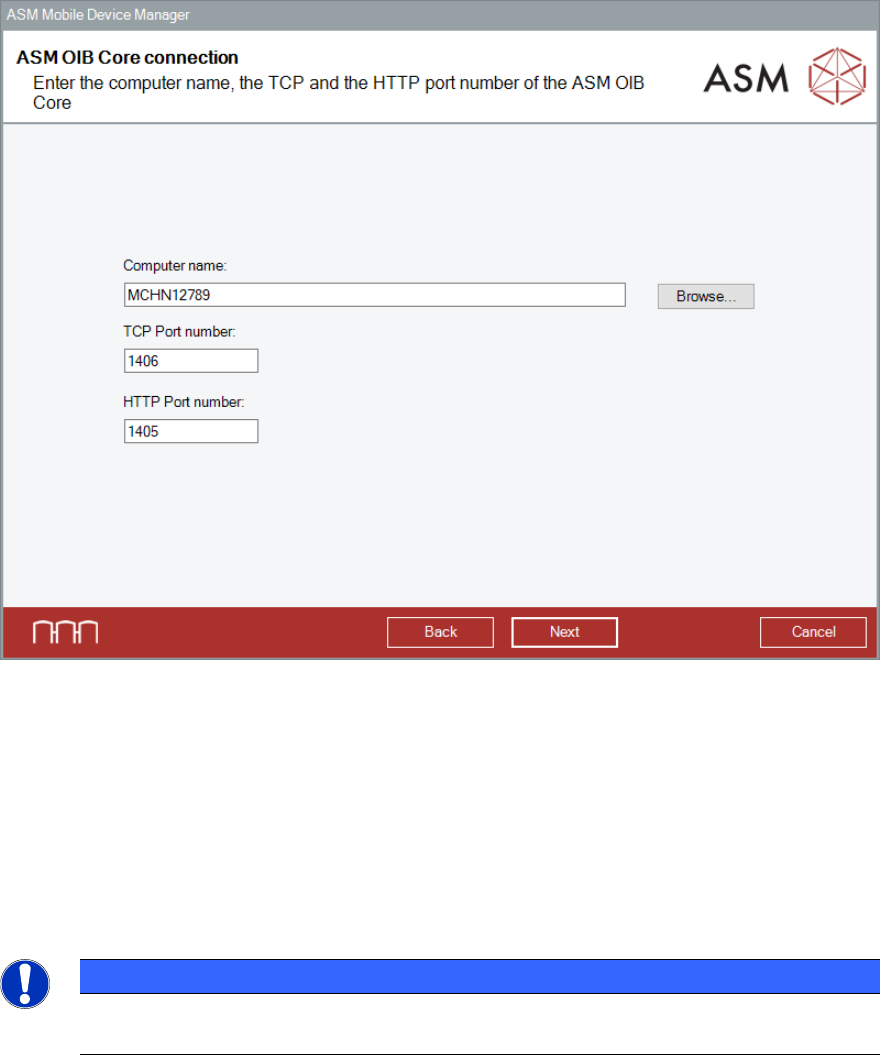
The ASM OIB Core connection dialog is displayed.
ASM Mobile Device Manager 1.1 / Installation Manual 05/2019 Edition
19
Figure 5-10: ASM OIB Core connection dialog
► Enter the computer name and port number of the computer on which the ASM OIB Server
component is installed.
► Click the Next button.
If the remote computer is unavailable, an error message is displayed.
► In this case, solve the problem and click the Next button.
The installation continues with the configuration of Device Manager Server as described in
Figure 5-5.
NOTICE
After installation, the remote server must be running. Otherwise, the required
configuration steps cannot be done and, as a consequence, the product will not work!
ASM Mobile Device Manager 1.1 / Installation Manual 05/2019 Edition
20
6 Modifying, Repairing or Removing ASM Mobile
Device Manager
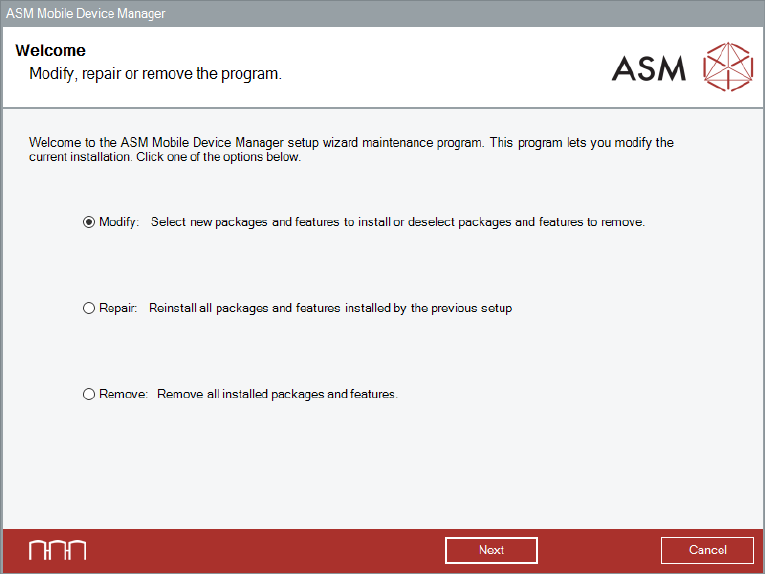
It is possible to modify, remove or repair the installation by starting the DeviceManager.Bundle.exe
file on a computer on which ASM Mobile Device Manager is installed. The Installer detects the
installation automatically and offers the respective options.
Figure 6-1: Modify, repair or remove dialog
► Select the option that you want to perform.
The ASM Mobile Device Manager setup wizard will guide you through the respective procedures.