00197966-02_Ri CPU086 to BoxPC 827C X-Serie.pdf - 第19页
Nur für internen Gebrauch ! ASM Assembly Sys tems GmbH & Co KG Technische Änderu ngen vorbe halten 13.11.2018 Rupert-Ma yer-Strasse 44 81379 Mün chen, Deutschland 00197966-0 2_Ri CPU086 to BoxPC 8 27C X -Serie Seite …
Nur für internen Gebrauch!
ASM Assembly Systems GmbH & Co KG Technische Änderungen vorbehalten 13.11.2018
Rupert-Mayer-Strasse 44
81379 München, Deutschland 00197966-02_Ri CPU086 to BoxPC 827C X-Serie Seite 18 - 23
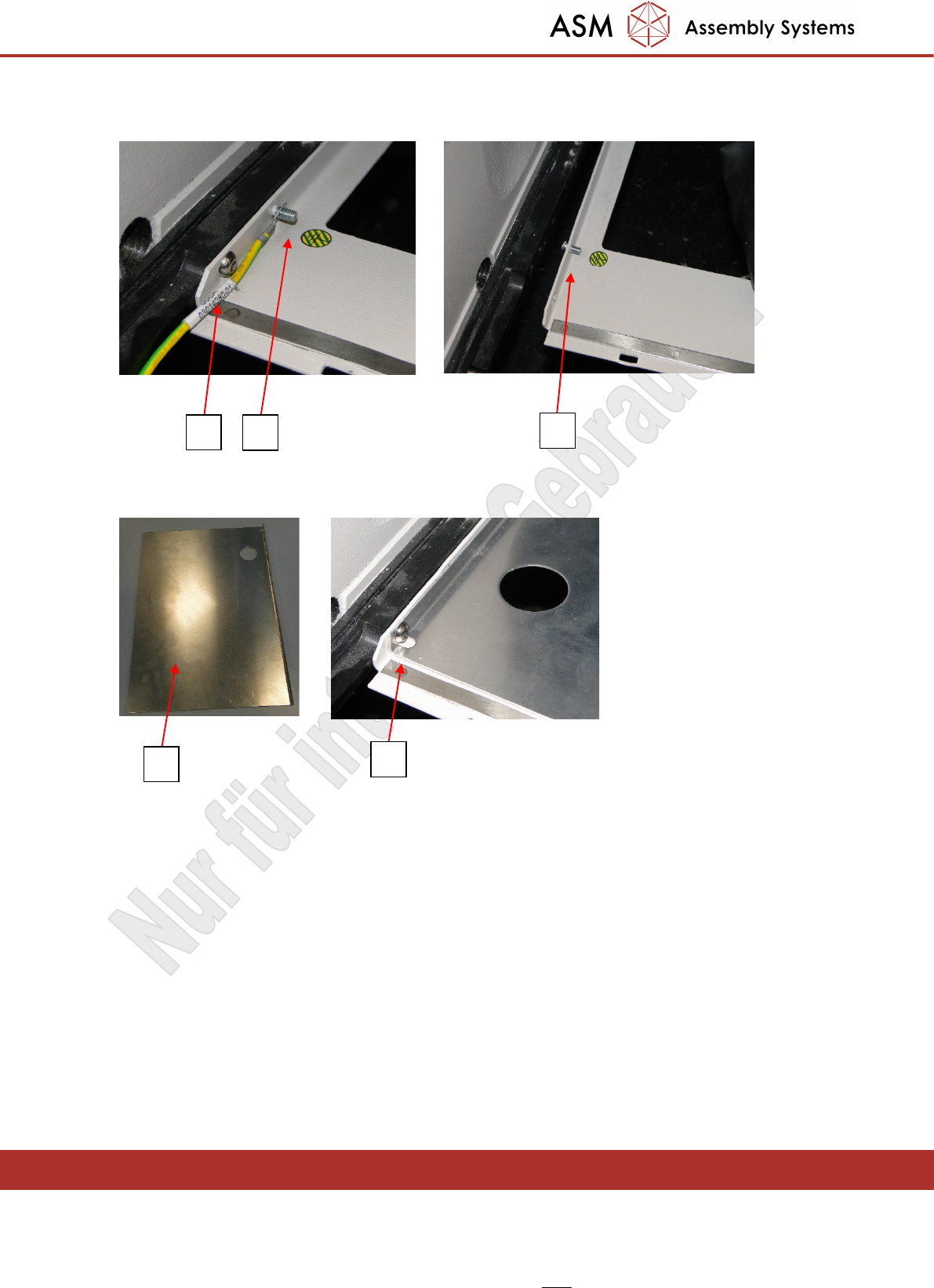
- Unscrew the securing screws of the rucksack (1) and the ground cable (2).
- Carefully taps the threaded stud (3) out of the rucksack with a hammer.
- Screw the new base plate (1) 03089384 into the rucksack (2) as shown below.
1 2
3
1
2
Nur für internen Gebrauch!
ASM Assembly Systems GmbH & Co KG Technische Änderungen vorbehalten 13.11.2018
Rupert-Mayer-Strasse 44
81379 München, Deutschland 00197966-02_Ri CPU086 to BoxPC 827C X-Serie Seite 19 - 23
3.3 Preparatory work on the wiring harness
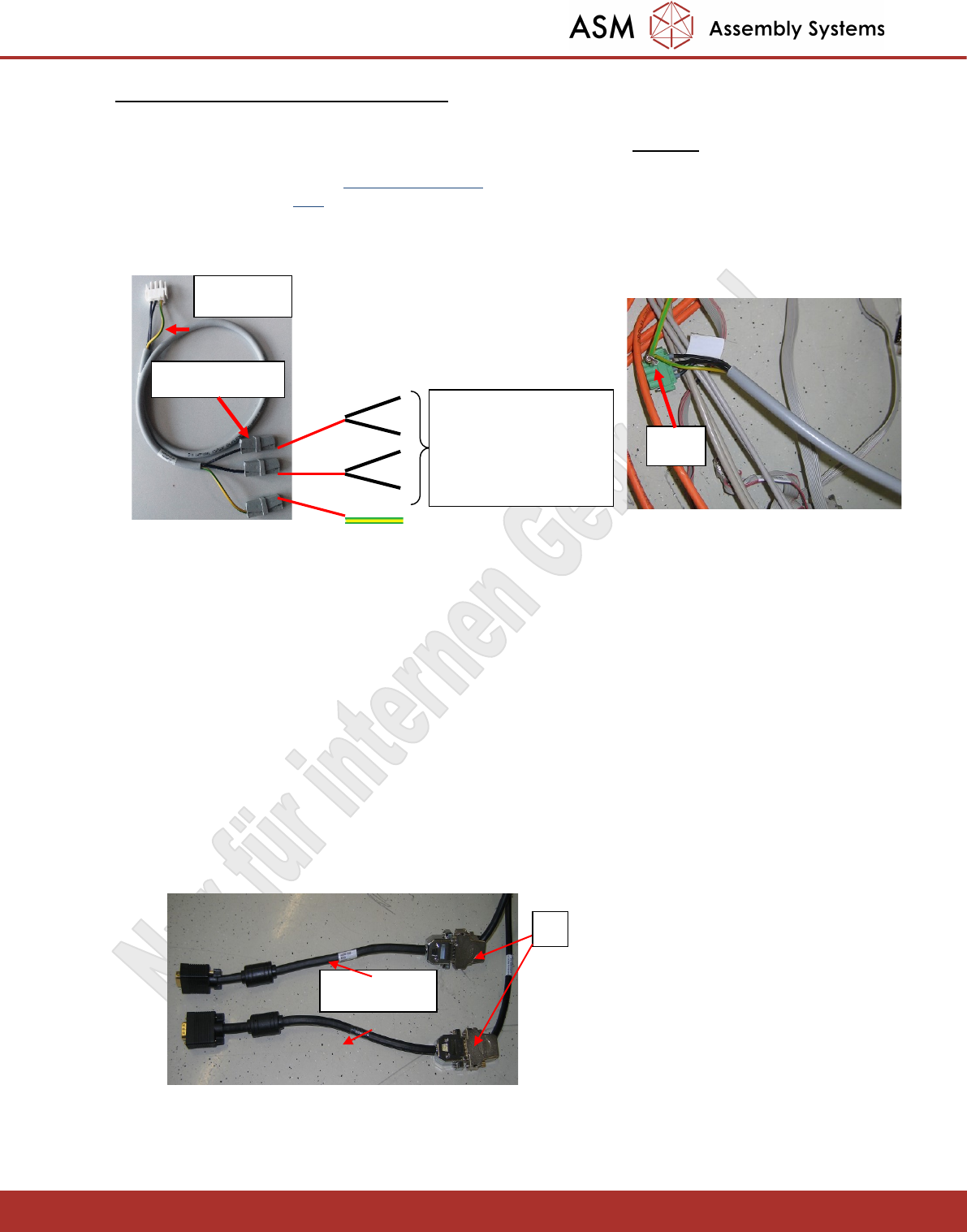
- Release the wires from the Phoenix connector X62 and combine the wires from pins 1 and
2 (+50V) together to the WAGO service terminal pin 2.
- The wires from pins 3 and 4 (GND) of Phoenix connector X62 are combine to WAGO service
terminal pin1 of the supplied cable 03079957.
- The protective conductor (yellow/green) is joined using the third WAGO terminal pin.
- The other end of the cable will subsequently be connected to connector X3rz of the power
supply.
- Insert the following four USB cables into the machine.
Cable Keyboard 1 USB [03051751-01]
Cable Keyboard 2 USB [03051752-01]
Cable Touchscreen 1 USB [03051753-01]
Cable Touchscreen 2 USB [03051754-01]
- Mount the USB- Hub 2.0 4-Port DUB-H4 [03053145-02]
- Depending on the serial number of the machine, 2-row, 15-pin Sub-D connectors or 3-row VGA
connectors are attached to the extension cables of the monitors.
- In case of models with the 2-row 15-pin Sub-D connector (1), this connector must first be adapted to
VGA. This is done by connecting the Sub-D connectors to adapter cable 03079958.
- The adapter cable 03079958 is not used on models with the 3-row VGA connectors.
Zu X3rz
3 WAGO terminals
1
2
2
1
3
4
Wires 1-4 & ground
wire of cable
03002488, which was
connected to Phoenix
X62
1
03079958
X62
Nur für internen Gebrauch!
ASM Assembly Systems GmbH & Co KG Technische Änderungen vorbehalten 13.11.2018
Rupert-Mayer-Strasse 44
81379 München, Deutschland 00197966-02_Ri CPU086 to BoxPC 827C X-Serie Seite 20 - 23
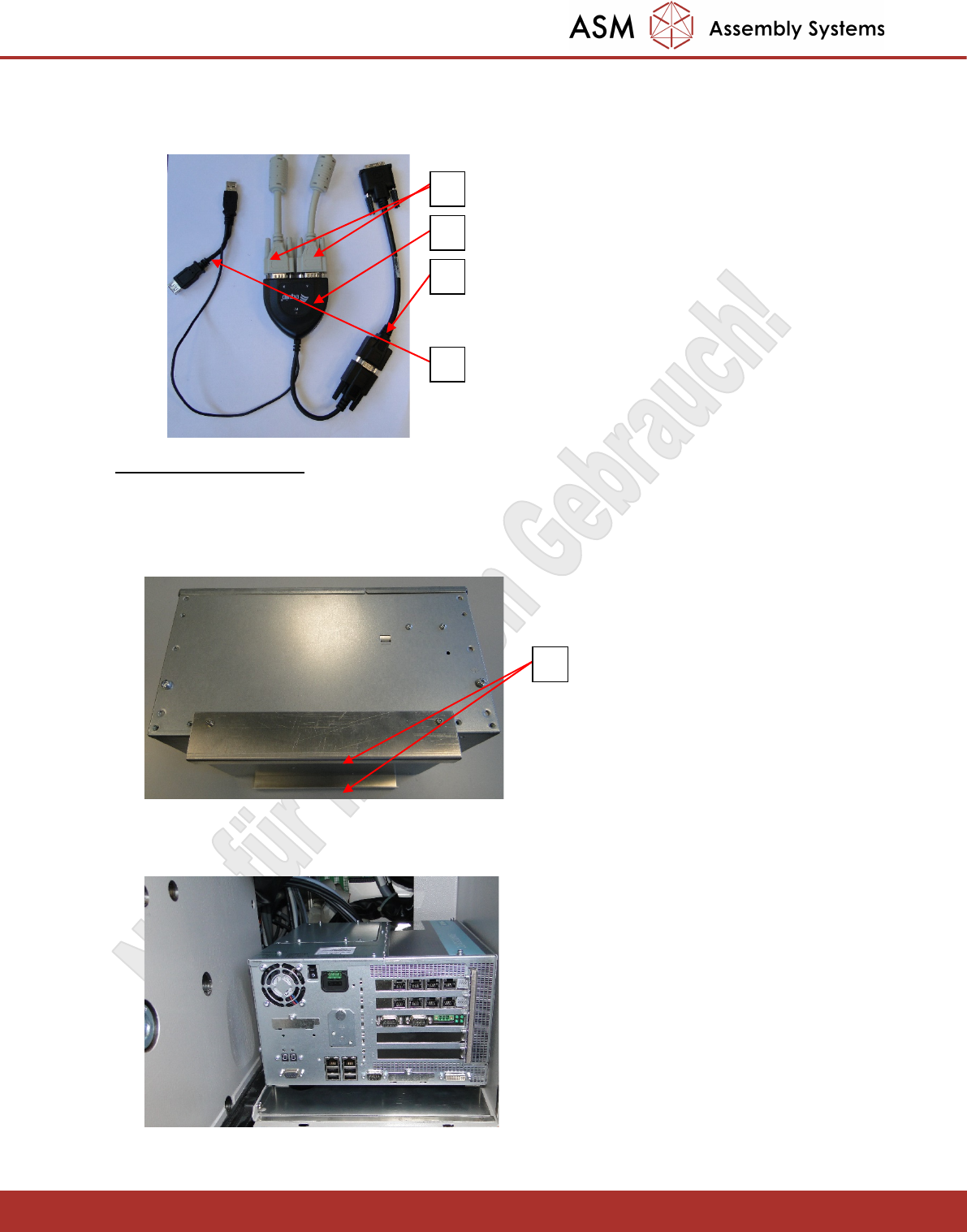
- Connect the VGA splitter (1) 03076910 to the VGA connectors of the monitors described above (2).
- Connect the VGA – DVI adapter cable (3) 03091276 to the VGA splitter.
- The VGA splitter (4) is powered via the USB interface of the BOX PC.
3.4 Installing the Box PC
- The BOX PC is secured in the rucksack with Velcro tape. To do this, attach a strip off the Velcro tape to
the bottom (1) of the brackets that have been screwed on.
- Insert the BOX PC as far as possible to the rear so that sufficient space is left afterwards at the front of
the BOX PC to accommodate the cables.
- Also using Velcro, place the power supply unit (1) on top of the BOX PC as shown below.
1
2
3
4
1