00194591_02.pdf - 第27页
Installation Manual SIPLACE Setup Center RF 2.1 3 Installation Edition 09/2005 EN 3.3 Installation of SIPLACE Setup Center and Possible Setup Types 27 In case no database with the name SiplaceSetupCenter exists, the foll…
3 Installation Installation Manual SIPLACE Setup Center RF 2.1
3.3 Installation of SIPLACE Setup Center and Possible Setup Types Edition 09/2005 EN
26
Step 2
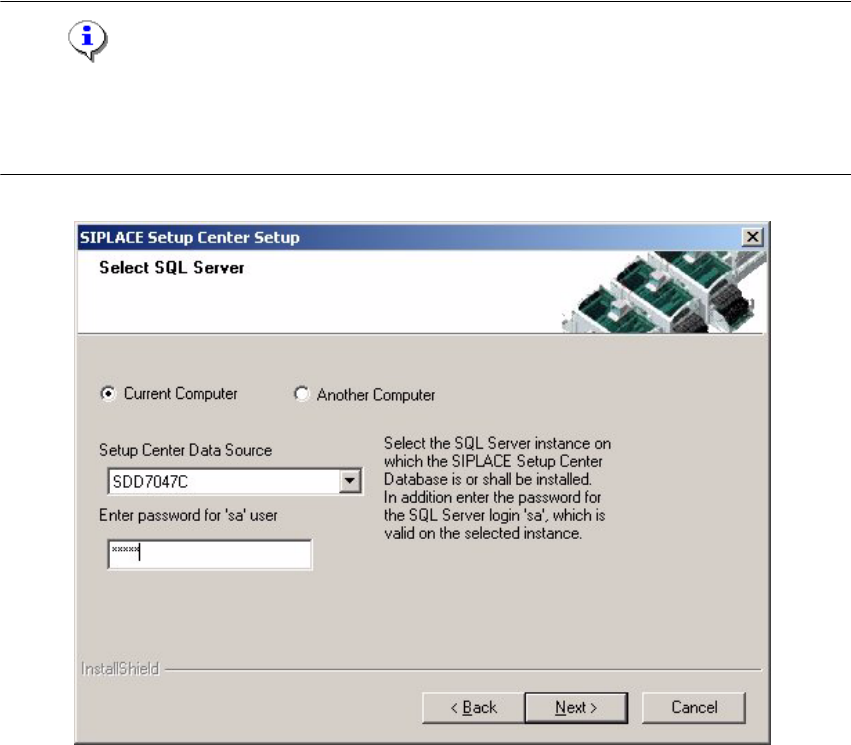
→ In the Select SQL-Server dialog box you enter the information required to be connected with
the SQL Server and database.
Note
This password is empty if MSDE has been freshly installed. In this case, erase the displayed de-
fault password. Subsequently, a window will open, prompting you to change this password. You
may accept the Siemens Service default password or choose one of your own. 3
3
Fig. 3.3 - 14 "Select SQL-Server" dialog box
→ Enter the Password for the SQL Server user ’sa’, i.e. the SQL server system administrator.
→ Choose your Another Computer from the pull-down menu to show other computer.
→ Choose your SQL Server Instance from the pull-down menu.
→ Click Next.
Installation Manual SIPLACE Setup Center RF 2.1 3 Installation
Edition 09/2005 EN 3.3 Installation of SIPLACE Setup Center and Possible Setup Types
27
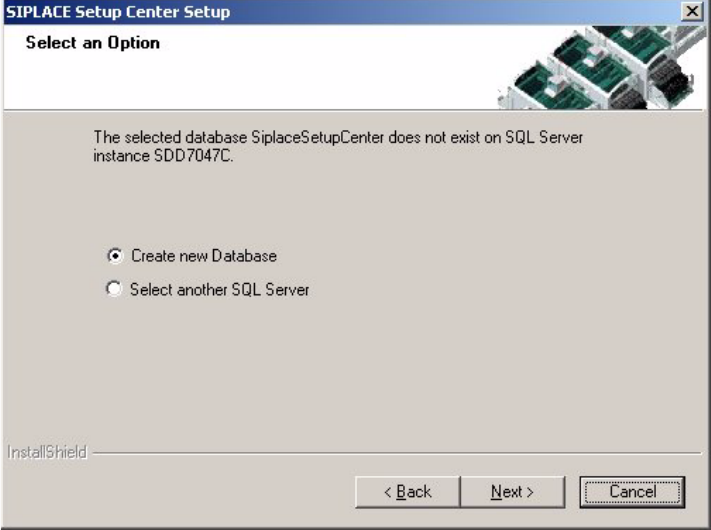
In case no database with the name SiplaceSetupCenter exists, the following dialog will ap-
pear: 3
3
Fig. 3.3 - 15 "Select an Option" dialog box
→ If you choose Select another SQL Server instance you will be returned to the previous dialog.
→ Click Next to create a new database.
3 Installation Installation Manual SIPLACE Setup Center RF 2.1
3.3 Installation of SIPLACE Setup Center and Possible Setup Types Edition 09/2005 EN
28
Step 3
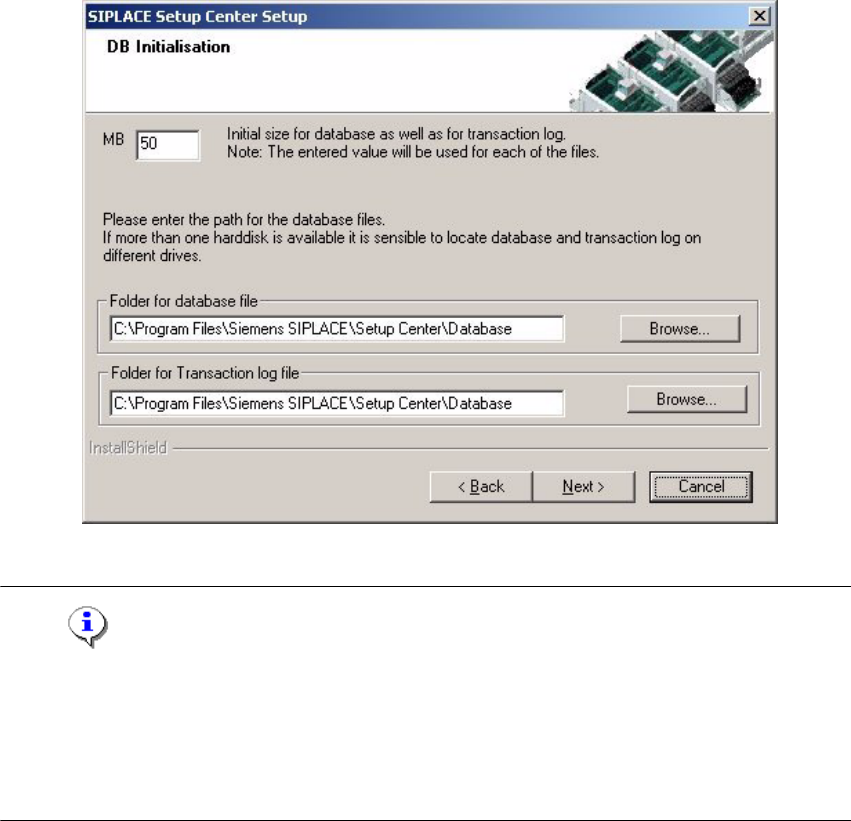
→ The figure you enter in the MB text box defines the initial size of the SIPLACE Setup Center
database files (default: 50) which are to be created during the installation.
→ Confirm the default value or enter the size you want in the MB text box.
3
Fig. 3.3 - 16 "DB Initialisation" dialog box
Note
The specified size is only an initial value. The database will grow automatically as required.
However, only intervention by the database administrator is capable of freeing up unused disk
space. In the "database files" edit field, enter the directory in which the SIPLACESetup-
Center.mdf file is to be created. In the transaction log files edit field, enter the name of the di-
rectory in which the SIPLACESetupCenter.mlf database file is to be created. 3