00194591_02.pdf - 第46页
3 Instal lation Installation Manual SIPLACE Setup Center RF 2.1 3.3 Installation of SIPLACE Setup Center and Possible Setup Types Edition 09/2005 EN 46
Installation Manual SIPLACE Setup Center RF 2.1 3 Installation
Edition 09/2005 EN 3.3 Installation of SIPLACE Setup Center and Possible Setup Types
45
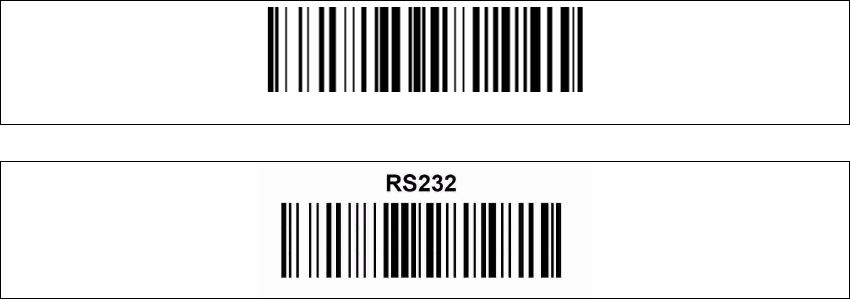
3.3.3.10 RF Station Communication Configuration
The following barcodes are required to set up the RF station and activates the RF station serial
communication to the PC. 3
3
3
3.3.4 Testing the Setup
→ Connect the RF station to the Setup Center PC to the COM interface.
→ Make sure, the RF station is on (yellow LED is active).
→ If Setup Center is already running open the configuration dialog, otherwise start Setup Center.
→ Select the COM port in the configuration dialog of SIPLACE Setup Center and apply settings.
→ Press successively all three buttons on the scanner.
→ Now the main menu text SIPLACE Setup Center is displayed on the scanner.
Restore OM-DRAGON™ default
3 Installation Installation Manual SIPLACE Setup Center RF 2.1
3.3 Installation of SIPLACE Setup Center and Possible Setup Types Edition 09/2005 EN
46

Installation Manual SIPLACE Setup Center RF 2.1 4 Troubleshooting
Edition 09/2005 EN 4.1 During Installation
47
4 Troubleshooting
4.1 During Installation
If it is not possible to solve a problem during installation of SIPLACE Setup Center, please send
the file SIPLACESetupCenterSetupLog.html and all similar "log" named files to the SIEMENS
Service (see Relevant files to analyze setup problems). 4
4.1.1 Relevant Files to Analyze Setup Problems
Error description:
Whenever problems arise during setup, please inspect the file SIPLACESetupCenterSetu-
pLog.html, which is written during each installation. 6 4
Cause
Setup problems. 4
Solution
The log file is found either in C:\ (prior to the "move data phase") or in the selected program folder.
Old versions of the log file are located in the program folder. A timestamp is added to the filename.
Dialog boxes appear during the file copying phase of installation which only contain 4
→ Yes and No options.
Hint
→ If you need Siemens support regarding installation problems, please provide all installation log
files.