DECAN_S1_Admin(Chi_Ver1.3).pdf - 第375页
14-15 Machine Calibration G1F-X: Gantry 的 X 轴 G1F-Y : Ga ntry 的 Y 轴 H1F-Z1: Gantry 的 Head 1 的 Z 轴 H1F-Z2: Gantry 的 Head 2 的 Z 轴 H1F-Z3: Gantry 的 Head 3 的 Z 轴 H1F-Z4: Gantry 的 Head 4 的 Z 轴 H1F-Z5: Gantry 的 Head 5 的 Z 轴 H1…
14-14
Next Generation, Multi-Functional Placer DECAN S1 Administrator’s Guide
14.3.1. Axis Home Calibration(原点刻度)
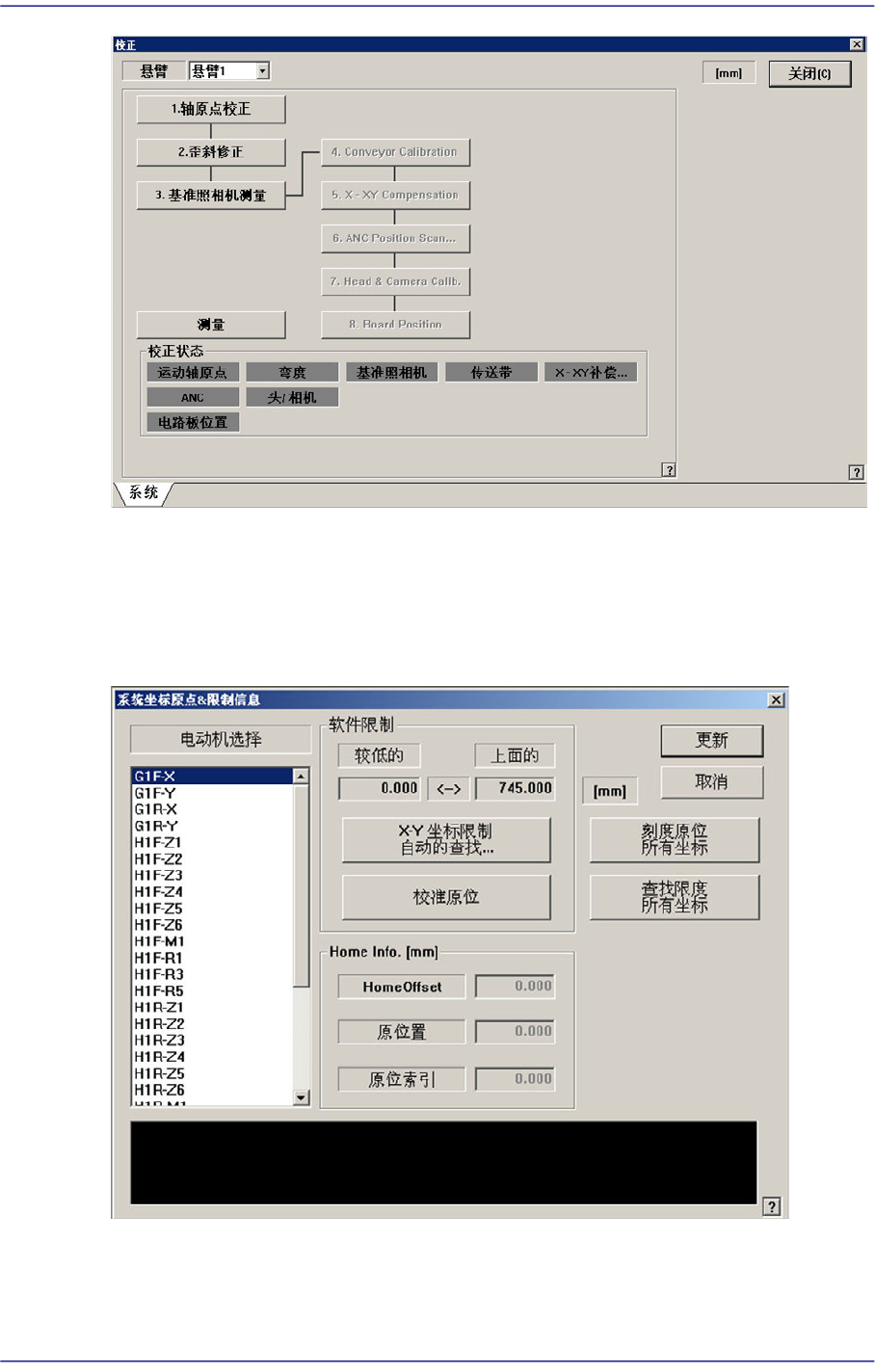
设定各驱动轴的移动位置的限度值。选择此按钮时显示如下的对话框。
图
14.7 “
系统坐标原点
&
限制信息
”
对话框
<电动机选择> 目录框
选择将要设定限度的驱动轴。可选择的驱动轴如下。

14-15
Machine Calibration
G1F-X: Gantry的 X轴
G1F-Y: Gantry的 Y轴
H1F-Z1: Gantry的 Head 1的 Z轴
H1F-Z2: Gantry的 Head 2的 Z轴
H1F-Z3: Gantry的 Head 3的 Z轴
H1F-Z4: Gantry的 Head 4的 Z轴
H1F-Z5: Gantry的 Head 5的 Z轴
H1F-Z6: Gantry的 Head 6的 Z轴
H1F-Z7: Gantry的 Head 7的 Z轴
H1F-Z8: Gantry的 Head 8的 Z轴
H1F-Z9: Gantry的 Head 9的 Z轴
H1F-Z10: Gantry的 Head 10的 Z轴
H1F-R1: Gantry的 Theta 轴 (H1, H2)
H1F-R3: Gantry的 Theta 轴 (H3, H4)
H1F-R5: Gantry的 Theta
轴
(H5, H6)
H1F-R7: Gantry的 Theta 轴 (H7, H8)
H1F-R9: Gantry的 Theta 轴 (H9, H10)
H1F-M1: Gantry的Mirror轴
ST1F-W:作业conveyer(F2)的宽度调节马达
14-16
Next Generation, Multi-Functional Placer DECAN S1 Administrator’s Guide
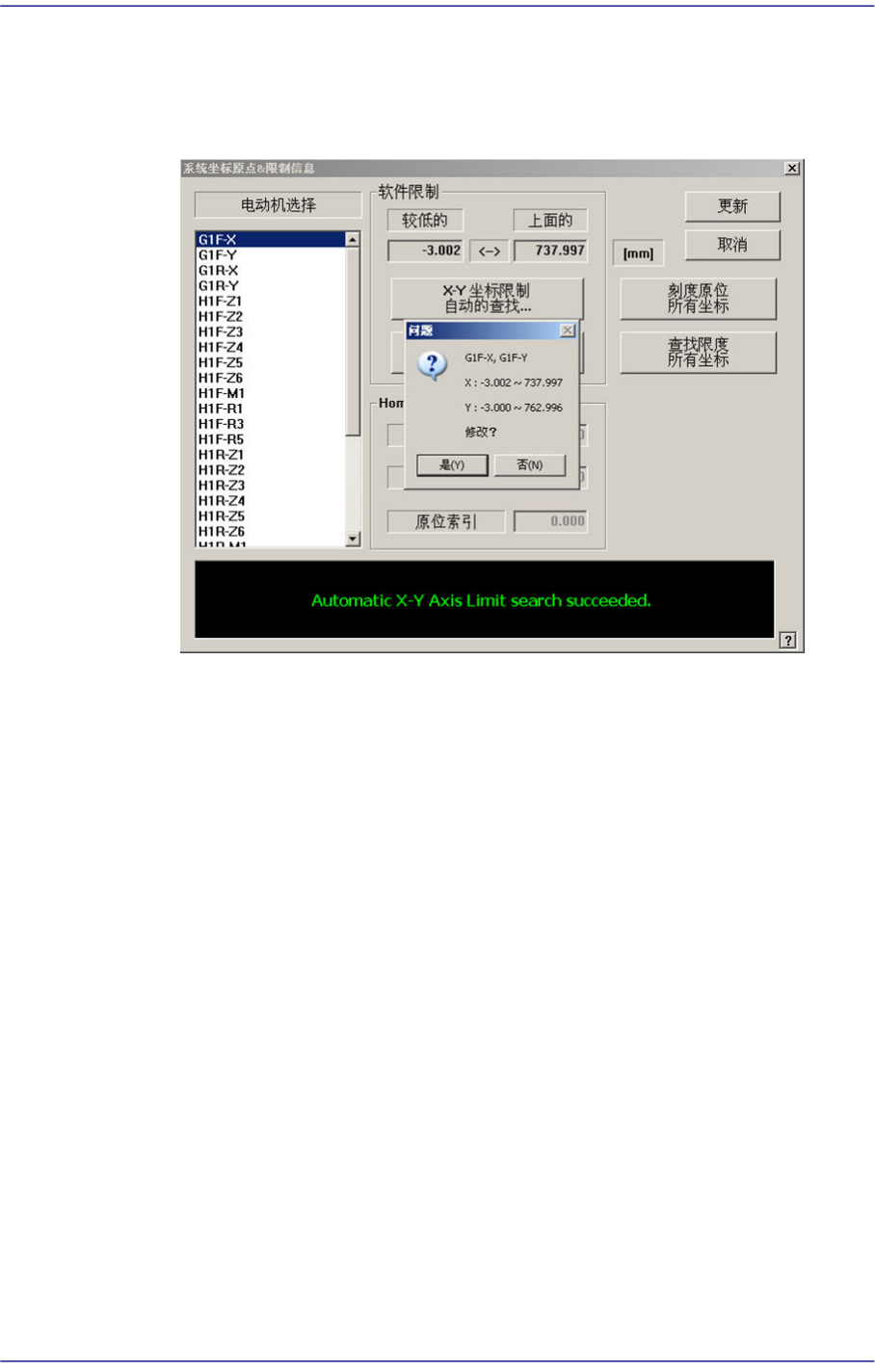
<软件限制> 领域
<X-Y 坐标限制自动的查找...> 按钮
自动查找XY轴的limit后,确认是否运用变更值。
<弯度补偿> 按钮
选择Y轴时被激活。执行Skew Compensation时使用。详细的事项请参考
“13.3.2
歪斜修正
“
<Head Limit Setting> 按钮
选择Z-Axis时将被激活。自动测量Z-Axis的极限值,然后确认是否应用修改
后的值。
<Station Axis Limit Searching> 按钮
选择Conveyor宽度调节Motor时将被激活。自动测量Conveyor宽度的极限
值,然后确认是否应用修改后的值。
<校准原位> 按钮
自动查找和反应<电动机选择>目录框中选定的马达home位置。
<刻度原位所有坐标> 按钮
自动查找所有轴home位置并反应。
<查找限度所有坐标> 按钮
寻找所有轴的极限值。
<Home Info.> 领域
选择Mirror轴时,<Home Offset>编辑框被激活。对 Mirror轴进行校正时使用。