TRS GEM Manual for Intel Ver 1.1.pdf - 第33页
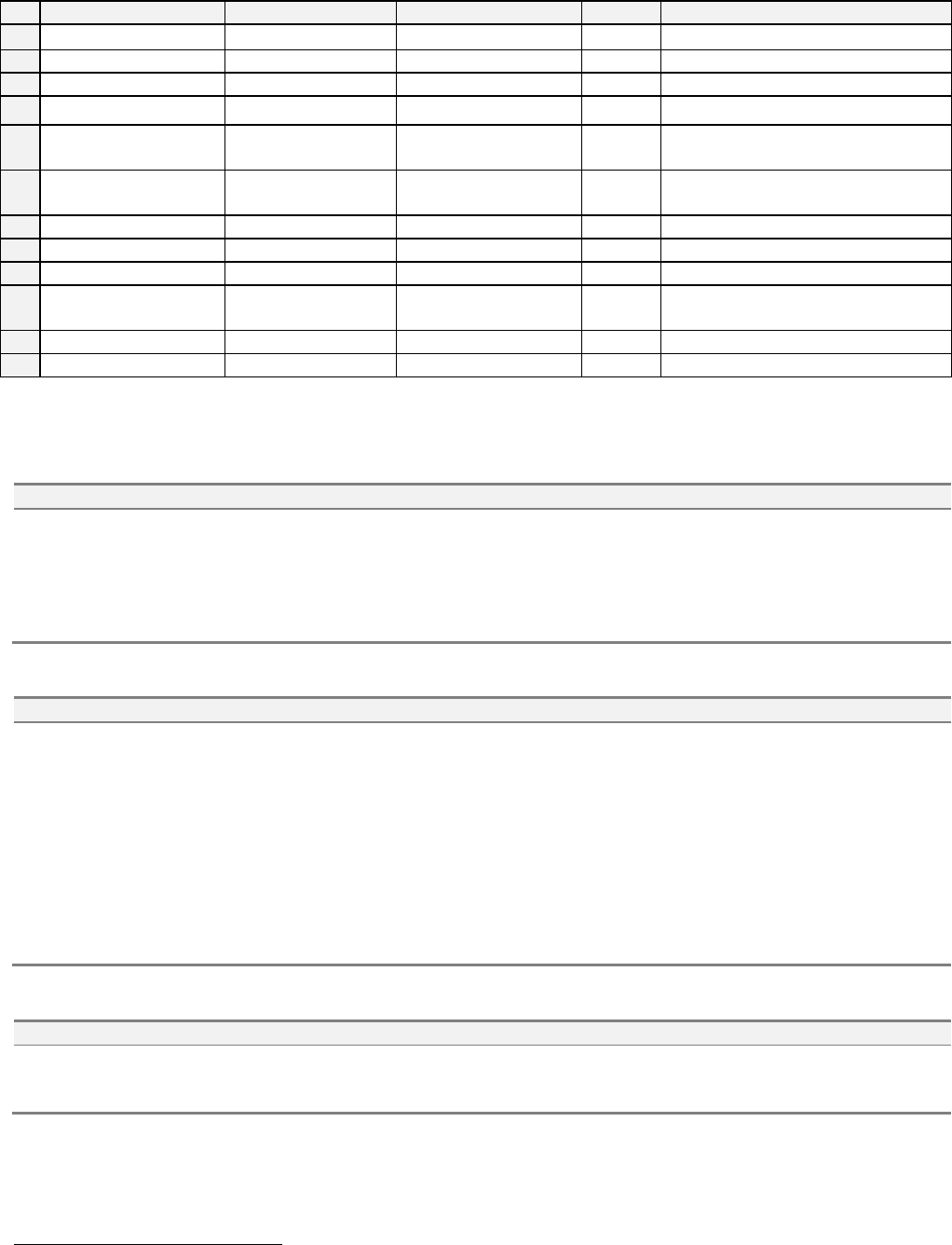
GEM Manual for DEK P rinters Capabilities Issue 1.1 March 20th, 2014 Page 33 of 152 Page 33 of 152 Transition Table: # Current State Trigger New State Action Comm ent 1 (Entry to Control) Power up complete. Depends upon …
GEM Manual for DEK Printers Capabilities
Issue 1.1 March 20th, 2014 Page 32 of 152 Page 32 of 152
State Definitions (continued):
OFF-LINE: ATTEMPT ON-LINE
The operator can manually transit the equipment to the ON-LINE state. To achieve this state
the equipment has to be in the ATTEMPT ON-LINE sub-state. In this state, the equipment is
attempting to transit from Off-Line to On-Line.
The equipment sends S1F1 (Are you there) to the Host, requesting permission to go ON-
LINE. No other primary message is sent to the Host.
If the Host sends S1F13 (Connect Request) the equipment will reply S1F14 (Connect
Acknowledge). If the Host sends any primary message with the W-bit "1" (reply expected)
other than S1F13 (Connect Request) the equipment refuses by sending an SxF0 reply.
OFF-LINE: HOST OFF-LINE
In this state:
Only the host can transfer the equipment to ON-LINE.
No primary message can be sent to the host, except for S1F13 (Connect Request).
If the Host sends S1F17 (Request On-Line) the equipment will reply S1F18 (On-Line
Acknowledge). If the Host sends S1F13 (Connect Request) the equipment will reply S1F14
(Connect Acknowledge). If the Host sends any primary message with the W-bit "1" (reply
expected) other than S1F13 or S1F17 the equipment refuses by sending an SxF0 reply.
ON-LINE
In the ON-LINE state, the SECS II link operates normally, with no (or very few) restrictions.
The equipment may send S1F13 (Connect Request). It never sends an SxF0 reply.
If the Host sends S1F13 (Connect Request) the equipment will reply S1F14 (Connect
Acknowledge).
If the Host sends S1F15 (Request Off-Line) the equipment will reply
S1F16 (Off-Line Acknowledge) and transfers to the Off-Line, Equipment Off-Line.
If the Host sends S1F17 (Request On-Line) the equipment will reject it, sending a S1F18
(On-Line Acknowledge) reply with ONLACK "2" (Equipment Already On-Line).
ON-LINE: REMOTE
In the REMOTE sub-state, the SECS II link operates normally. The equipment imposes no
special restrictions on S2F41 (Remote Command). The operator can also transit the equipment
to REMOTE manually, from the LOCAL sub-state. In this state if the operator issues a
command that causes the printer to perform a process action then the CEID “Operator
Command issued” will be sent.
ON-LINE: LOCAL
The operator can transit the equipment to the LOCAL sub-state manually.
In the LOCAL sub-state, the SECS-II link operates normally. In order to prevent the Host from
interfering with processing:
The equipment imposes restrictions on the S2F41 (Host Command Send), by sending reply
S2F42 (Host Command Acknowledge) with non-zero HCACK for the FORWARD and
REVERSE X, Y, Theta OFFSETS, ADJUSTABLE PARAMETERS and LOAD
PRODUCT commands. The equipment also imposes restrictions on the START, STOP,
CLEAN SCREEN and PASTE DISPENSE commands.
The equipment enables all aspects of operator control. The operator can also transit the
equipment to REMOTE manually, from the LOCAL sub-state.
GEM Manual for DEK Printers Capabilities
Issue 1.1 March 20th, 2014 Page 33 of 152 Page 33 of 152
Transition Table:
#
Current State
Trigger
New State
Action
Comment
1
(Entry to Control)
Power up complete.
Depends upon EC
1
.
None
See GemInitControlState EC.
2
(Entry to Control)
Power up complete.
Depends upon EC.
None
See GemOfflineSubstate EC.
3
Equipment Off-Line
Operator switch.
Attempt On-Line.
S1F1
4
Attempt On-Line
S1F1 fails.
Depends upon EC
.
None
See GemOfflineSubstate EC.
5
Attempt On-Line
S1F1 succeeds.
ON-LINE
conditional.
None
See GemOnlineSubstate and
GemPreviousControlState EC's.
6
ON-LINE, LOCAL
or REMOTE
Operator switch.
Equipment Off-Line
Save
state.
New GemPreviousControlState.
7
(Entry to Control)
Power up complete.
Depends upon EC.
None
See GemOnlineSubstate EC.
8
LOCAL
Operator switch.
REMOTE
None
9
REMOTE
Operator switch.
LOCAL
None
10
ON-LINE, LOCAL
or REMOTE
Host S1F15.
Host Off-Line
Save
state.
New GemPreviousControlState.
11
Host Off-Line
S1F17.
ON-LINE conditional
None
See GemOnlineSubstate.
12
Host Off-Line
Operator switch.
Equipment Off-Line
Save
New GemPreviousControlState.
Scenarios:
Host requests that the equipment transfers to the Off-Line state:
Comments
Host
Equipment
Comments
Host Request Off-Line.
S1F15 -->
<-- S1F0
<-- S1F16
[IF] Equipment in Off-Line.
[THEN]
Equipment does not process request.
[ELSE] Equipment replies Off-Line acknowledge.
Equipment transfers to the Off-Line state.
Host requests that the equipment transfers to the On-Line state:
Comments
Host
Equipment
Comments
Host Request On-Line.
S1F17 -->
<-- S1F18
<-- S1F18
<-- S1F18
[IF] Equipment is Host: Off-Line state not active.
[THEN] Equipment denies request.
(ONLACK = 1)
[ELSE] Equipment Host: Off-Line state is active.
Equipment acknowledges request.
(ONLACK = 0)
[IF] Equipment is Host: On-Line state is active.
[THEN] Equipment replies On-Line.
Acknowledge with ONLACK = 2 (Equipment
already On-Line.)
Host requests that the equipment performs a remote command:
Comments
Host
Equipment
Comments
Host Command Send.
S2F41 -->
<-- S2F42
Host Command Acknowledge. HCACK = 0
(Assume command can be performed.)
Some of the previous transactions are restricted by the printer’s current processing activity.
1
EC - Equipment constant.
GEM Manual for DEK Printers Capabilities
Issue 1.1 March 20th, 2014 Page 34 of 152 Page 34 of 152
Process State Model
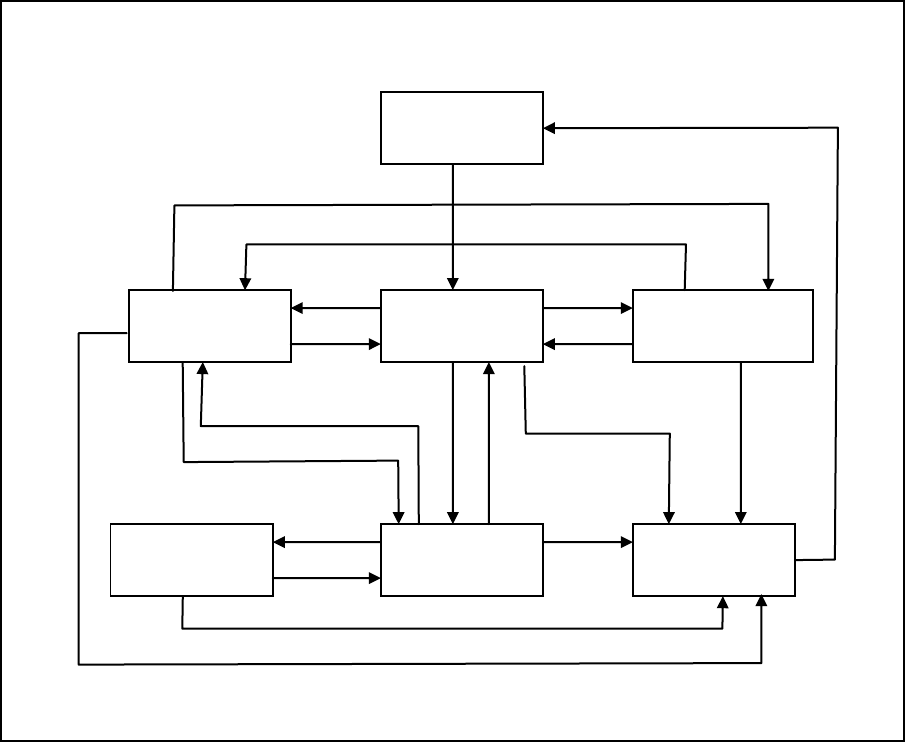
The process state behaviour is described by the following state model:
State Diagram:
State Definitions:
EQUIPMENT RECOVERY - The equipment recovery state is active during the equipment
initialisation. It is active from power-up of the machine or when recovering from a down state.
EQUIPMENT READY - The equipment ready state is active from the time the equipment is
initialised at power-up until process program material is loaded or another processing state is
selected. No setup or diagnostic activities are occurring.
EQUIPMENT SETUP - In the equipment setup state, the various setup activities of the
machine can be initiated and performed. These activities include the setting of machine
parameters. This state is active for as long as the operator requires to perform the necessary
Setup procedure/s. In addition, the equipment is in the setup state when the head is
opening/open, a paste dispense or clean screen cycle is in operation, a screen or tooling change
is being performed or pressure readings are being taken.
EQUIPMENT
RECOVERY
EQUIPMENT
MAINTENANCE
EQUIPMENT
READY
EQUIPMENT
SET-UP
EQUIPMENT
DOWN
EQUIPMENT
RUNNING
EQUIPMENT
WAITING
1
1
2
3
6
4
5
7
8
9
10
11
12
13
15
16
17
18
14
19