ConneX_Help.pdf - 第33页
Logs T he Log s no d e sho w s a li st of system e ve nts t hat you c an sort and fi l ter using t he co l um n c ontro l s at t o p. T o e x p ort a ZIP fi l e of Con ne X syste m l og fi l e s, c l i c k the D own lo a…
Overview
ConneX provides a built-in user authentication system to prevent unauthorized access and modification of the system.
Roles
ConneX has the following roles that users can be assigned:
Roles Description
AdminUnrestricted access to the ConneX portal.
User Read-only access to most pages.
Manage
Click here to be redirected to the user management page. There you will find a list of users for this instance of ConneX.
Adding a new user
ADMIN
1. From the Users page, click the Add User button in the upper right.
2. Set the username.
3. (optional) Enter first and last name.
4. Enter a password that conforms to the settings found here.
5. Choose a role from the available list of roles.
6. Click the Save button.
Editing a user
ADMIN
1. From the Users page, find the user in the table and click the Edit User button.
2. (optional) Enter first and last name.
3. (optional) Enter a new password that conforms to the settings found here.
4. Choose a role from the available list of roles.
5. Click the Save button.
Note
The Administrator user's role cannot be changed.
Deleting a user
ADMIN
1. From the Users page, find the user in the table and click the Delete User button.
2. Confirm the removal by clicking the Delete button in the dialog.
Note
The Administrator user cannot be deleted.
Logs
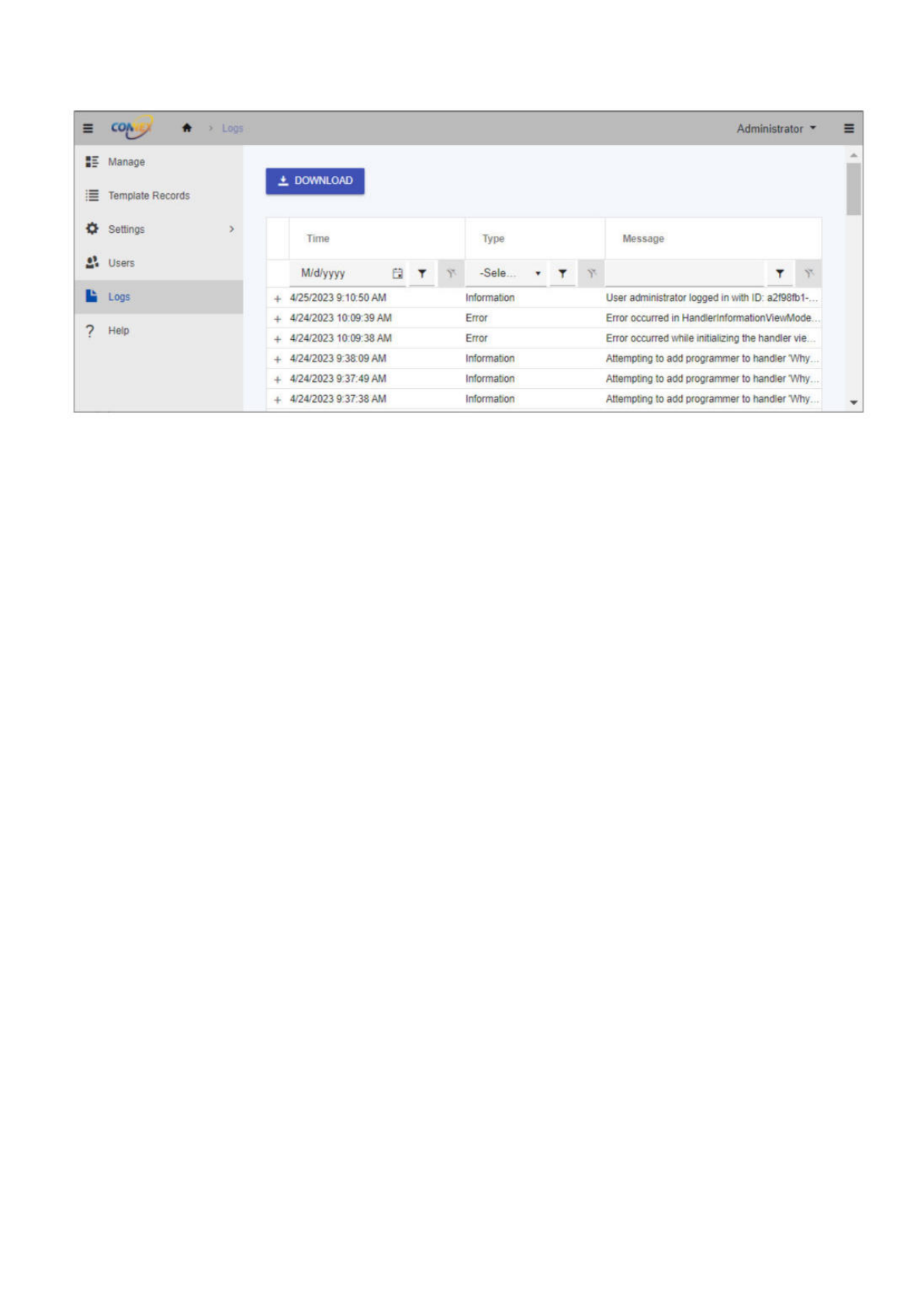
The Logs node shows a list of system events that you can sort and filter using the column controls at top.
To export a ZIP file of ConneX system log files, click the Download button, then choose a desired directory and filename.
Administrator
Si
Manage
:
=
Template
Records
0
Settings
>
2?
Users
la
Logs
?
Help
±
DOWNLOAD
Time
Type
Message
M/d/yyyy
白
T
-Sele...
T T
N
+
4/25/2023
9:10:50
AM
Information
User
administrator
logged
in
with
ID:
a2f98fb1-...
+
4/24/2023
10:09:39
AM
Error Error
occurred
in
HandlerlnformationVie'<vMode.
..
+
4/24/2023
10:09:38
AM
Error Error
occurred
while
initializing
the
handler
vie...
+
4/24/2023
9:33:09
AM
Information
Attempting
to
add
programmer
to
handler
M
,hy
…
+
4/24/2023
9:37:49
AM
Information
Attempting
to
add
programmer
to
handler
"Why
…
+
4/24/2023
9:37:38
AM
Information
Attempting
to
add
programmer
to
handler
"Why
…

Overview
The Troubleshooting section provides guidance for addressing common issues that may arise while using the software. This section aims to
help users quickly identify and resolve problems that may impact their workflow, minimize downtime, and ensure that the software
operates as intended.
The troubleshooting guidance in this section is organized into different categories that correspond to specific areas of the software. Each
category contains a list of issues, along with a description of the symptoms and recommended solutions.
Before proceeding with any troubleshooting steps, ensure that you have reviewed the relevant documentation and have met all software
requirements. In some cases, issues may be resolved simply by reviewing the documentation or performing basic troubleshooting steps.
If you are unable to resolve the issue using the guidance provided in this section, please contact technical support for additional assistance.