80S-20用户手册.pdf - 第395页
SIPLACE 80S -20/F4 User M anual 8 Error information and diagnost ics Software version SR.407.xx 01/2001 US Edition 8.2 Calling error information 395 8.2.1 Displaying information on the current error Å In the main v iew ,…
8 Error information and diagnostics SIPLACE 80S-20/F4 User Manual
8.2 Calling error information Software version SR.407.xx 01/2001 US Edition
394
8.2 Calling error information
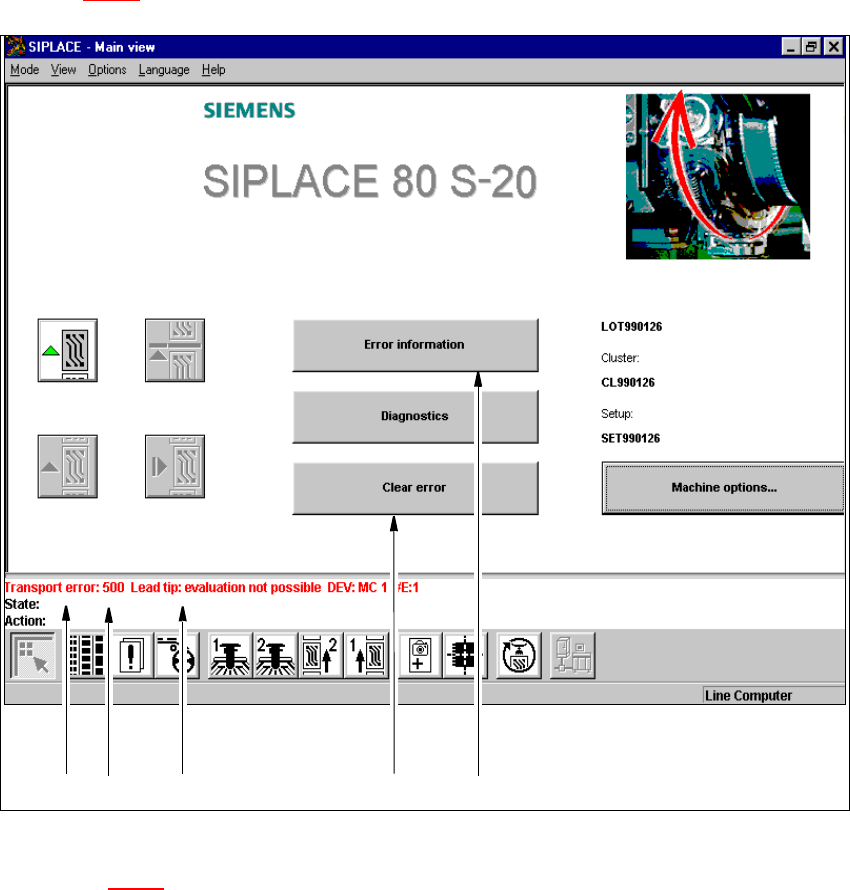
If an error occurs during operation, a corresponding error message is displayed in the status bar
in the user interface. In main view, the Error information and Clear error buttons are active
(see Fig. 8.2 - 1
).
8
Fig. 8.2 - 1 Main view with error message
Key to Fig. 8.2 - 1
(1) Type of error (track, machine, transport or general error)
(2) Error number (the error number assigned to the error)
(3) Error message (summary information on error)
(4) "Clear error" button (to acknowledge the error after error elimination)
(5) "Error information" button (to call up help on the current error)
12 3 4 5
SIPLACE 80S-20/F4 User Manual 8 Error information and diagnostics
Software version SR.407.xx 01/2001 US Edition 8.2 Calling error information
395
8.2.1 Displaying information on the current error
Å In the main view, click the Error information button.
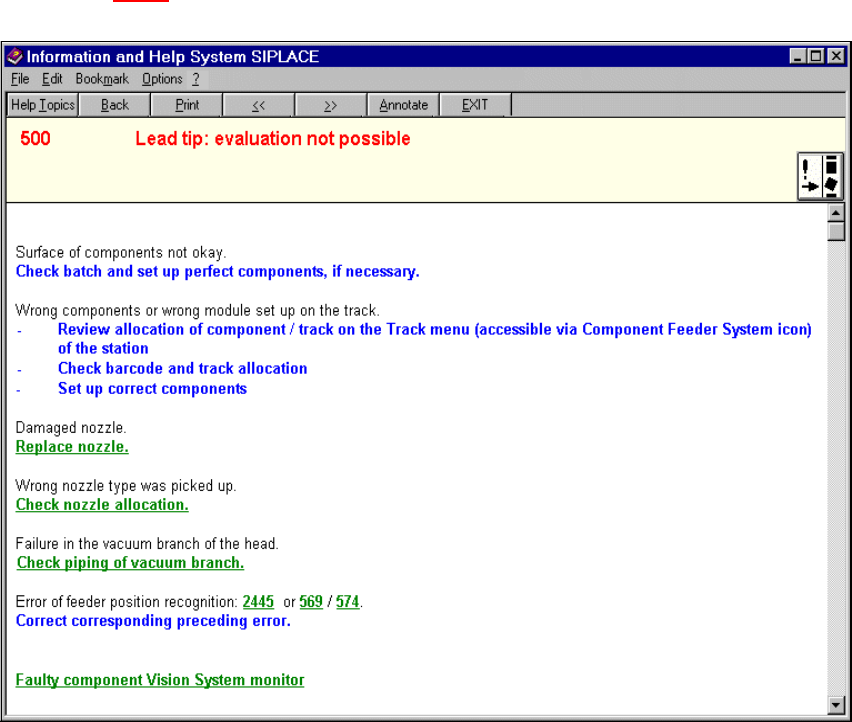
The main help system window is opened with error information on the current error (see
example in Fig. 8.2 - 3
).
8.2.2 Displaying information on a selected error
8
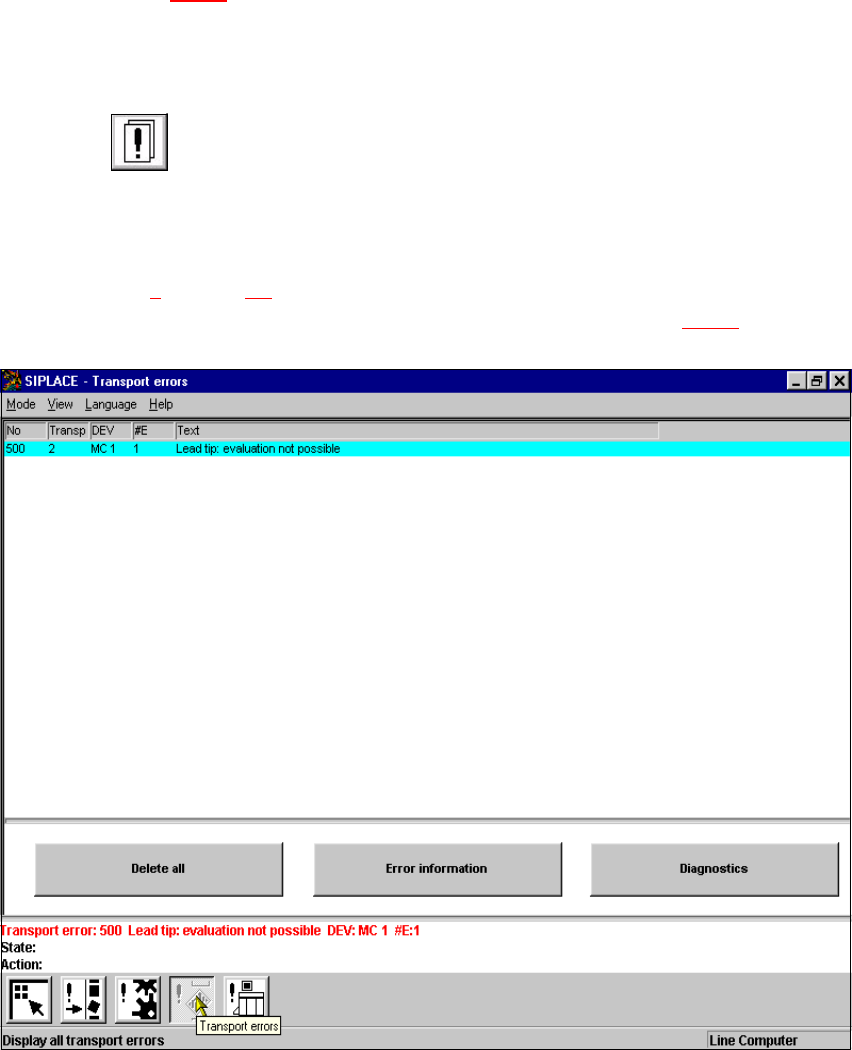
Å Click the icon in the toolbar in main view.
The user interface switches to the error display for the last error type to be active. All the errors
of the current error type which have occurred are listed in the display area.
Å If necessary, use the corresponding toolbar icon to switch the view to the required error type
(see Chapter 4
, Section 4.2).
The display area is switched to the selected error type (see example in Fig. 8.2 - 2
).
8
Fig. 8.2 - 2 Example: Error type "transport error"
8 Error information and diagnostics SIPLACE 80S-20/F4 User Manual
8.2 Calling error information Software version SR.407.xx 01/2001 US Edition
396
Å In the error table, select the entry for the error about which you want to be informed. The
selected line is displayed in light blue in the table. The "Error information" button is now active.
Å Click the Error information button.
The main help system window is opened with information on the currently selected error
(see Fig. 8.2 - 3
).
8
Fig. 8.2 - 3 Example: Error information on the current error
8