Infinity EX NetworkingInf.pdf - 第6页
INFINITY EX NETWO RKING CONNE CTI ON TO A NE TWO RK SER VICE 27.6 Technical Reference Manu al Chapter Issue 1 Aug 02 CONNECTION T O A NETWOR K SER VICE Impor tant Saf ety Considerati ons Whene ver a machine is indirectly…
INFINITY
EX
NETWORKING
COMMS PROTOCOL OPTIONS
Chapter Issue 1 Aug 02 Technical Reference Manual 27.5
NET_FILES This configuration allows users to redirect files away from the machine’s local
hard drive to a remote directory on a file server. The machine is configured to
access a ‘product’ directory for a product file and a ‘data’ directory to output
data files.
At the machine when a product file is loaded it is read from the ‘product’
directory on the network file server. When it is saved, provided local copies have
been enabled the file is saved to the printer hard drive. If local copies is disabled
then no save is available and any edit is lost. Files cannot be read directly from
the printer or sent to the printer across the network.
Once the files are present on the server, they can be accessed from a networked
PC without interfering with the machine.
Net_Files is used where remote control applications are not needed, at a net-
worked PC, DEK’s Off-line Editor software can be used to modify product files.
QC-Calc software can be used to access SPC data in the ‘READINGS.DEK’ file
and the Event Log can be read with a text editor.
NOTE
To set up a specific software package refer to the product manuals ‘Software
Tools for Productivity’ that are supplied with the application.
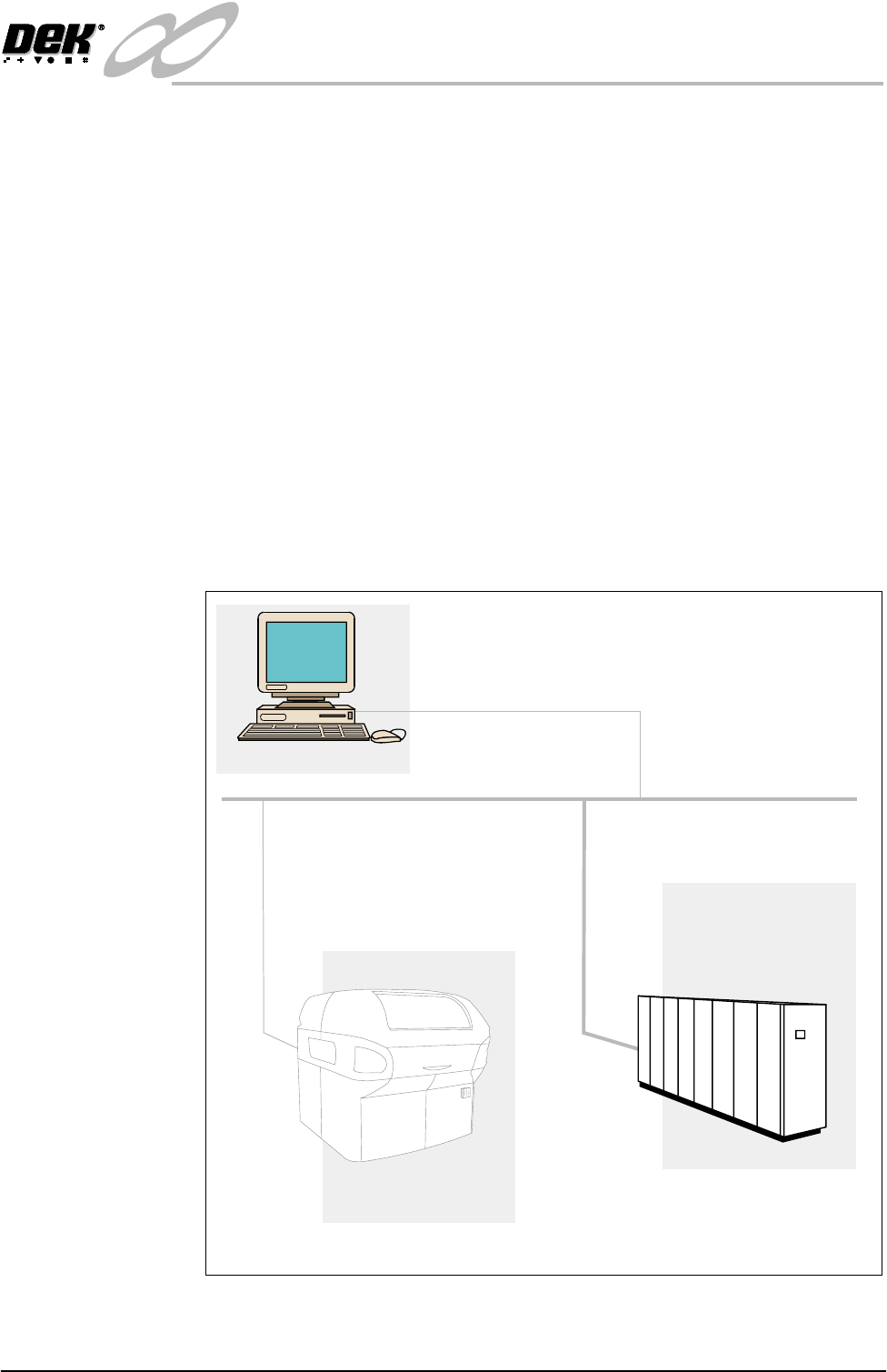
Figure 28-3 Net_Files - Typical Configuration
Net Files - File Re-direction Using TCP/IP (File Transfer Protocol)
Networked PC
TCP/IP Network
FTP Protocol
FTP Server
Directory Containing:
Product Files
Event Log
SPC Data
Management Information
*.Pr1 and *.ISP
Event.dat
READINGS.DEK
DEK Printer

INFINITY
EX
NETWORKING
CONNECTION TO A NETWORK SERVICE
27.6 Technical Reference Manual Chapter Issue 1 Aug 02
CONNECTION TO A NETWORK SERVICE
Important Safety
Considerations
Whenever a machine is indirectly controlled eg, when using a network to control
its movements, there may be safety issues to consider. DEK printing machines
are fitted with several safety interlocks to protect operators and maintainers.
WARNING
SAFETY DEVICES. THE SAFETY FEATURES DESIGNED IN TO THE
MACHINE ARE FOR THE PROTECTION OF ALL OPERATOR AND
MAINTENANCE PERSONNEL. DEK STRONGLY RECOMMEND
SAFETY DEVICES ARE NEVER OVERRIDDEN.
In addition to the above warning and before operating the machinery remotely,
DEK recommend that adequate safety systems are in place to ensure that all
personnel are clear of the moving parts in the printer and any external machinery
which may be in partial or full control of the networked host.
Minimum System
Requirement
The minimum system requirement for the host PC is as follows:
• IBM Compatible PC (running Windows NT4 minimum)
• VDU with 800 x 600 Pixels (256 colours)
• Network (LAN for GEM) and/or Serial Port
(for RS232 Serial GEM [GS/GSX Only])
Operating
Environment
• Windows NT4 (supported by DEK)
NOTE
Where DEK Software for Productivity Tools eg, Remote Product Changeover,
Off-Line editor etc. are to be used, the installer must be logged on with Admin-
istrator level access in order for the security key device driver software to be
installed.
INFINITY
EX
NETWORKING
CONNECTION TO A NETWORK SERVICE
Chapter Issue 1 Aug 02 Technical Reference Manual 27.7
Hardware
Installation
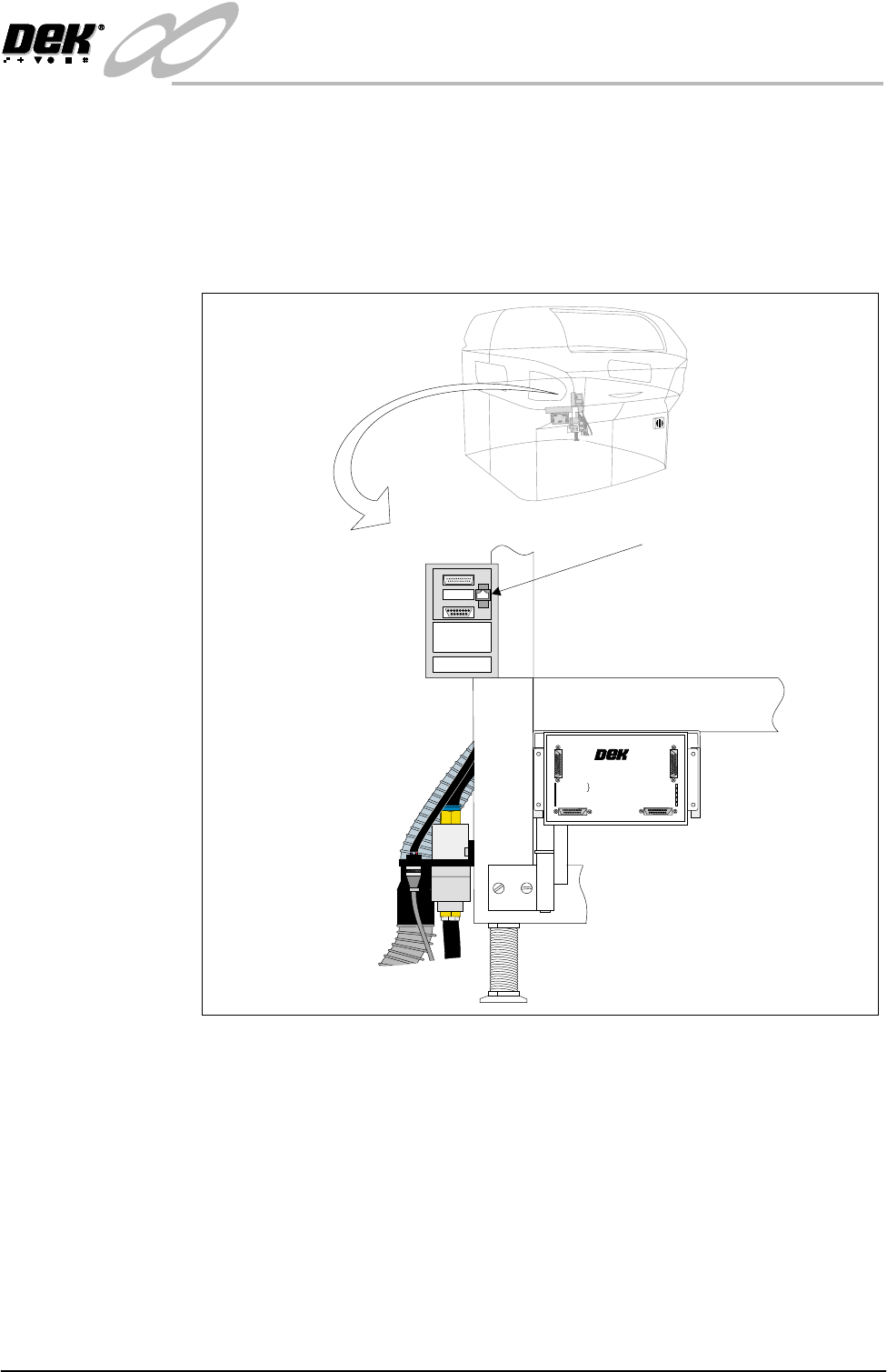
A LAN RJ45 connector is available at the external services rear panel, this
connector provides the interface to the customer’s network. Connecting a cable
to the network is the only hardware installation requirement, however for some
applications it may be necessary to connect other devices eg, a barcode reader.
The network connection uses a Ethernet 10BaseT type the ‘T’ stands for twisted
pair, this arrangement enables transmission speed to 10Mb/s at a maximum
cable length of 100m.
Figure 28-4 External Services (Rear Panel Removed)
+
2
4
V
+24V
+
2
4
V
(
E
-
S
T
O
P
)
+24V
(E-STOP)
+
1
2
V
+
1
2V
+
5
V
+
5V
D
O
W
N
L
I
N
E
R
E
A
D
Y
D
OWNL
INE
R
E
ADY
R
S
2
3
2
RS
2
32
D
O
W
N
L
I
N
E
DOWNLI
NE
U
P
L
I
N
E
UPLINE
D
E
K
M
A
C
H
I
N
E
DE
K
M
A
CHINE
U
P
L
IN
E
R
E
A
D
Y
U
P
LIN
E
RE
A
D
Y
D
O
W
N
L
IN
E
AV
A
IL
A
B
L
E
D
OW
N
LINE
AV
A
IL
A
B
LE
S
E
N
D
D
O
W
N
L
I
N
E
SE
ND
D
OW
N
LIN
E
S
E
N
D
U
P
L
IN
E
S
END
U
P
LIN
E
D
E
K
M
/
C
N
AVA
IL
A
B
L
E
D
E
K
M/CNAVA
ILA
B
LE
M
U
L
T
I
-
I
N
T
E
R
F
A
C
E
U
N
I
T
M
ULTI
-
I
N
T
E
RF
AC
E
UNI
T
F
R
O
M
D
E
K
M
A
C
H
I
N
E
F
R
O
M
D
E
K
MA
C
HI
N
E
+24V
+24V (E-STOP)
+12V
+5V
DOWNLINE READY
RS 232
DOWNLINE
UPLINE
DEK MACHINE
UPLINE READY
DOWNLINE AVAILABLE
SEND DOWNLINE
SEND UPLINE
DEK M/CN AVAILABLE
MULTI-INTERFACE UNIT
FROM
DEK
MACHINE
6SK13 Host Comms
LAN RJ45
1
14
25
13