00196605_Install_SQLExpress2008_manual.pdf - 第12页
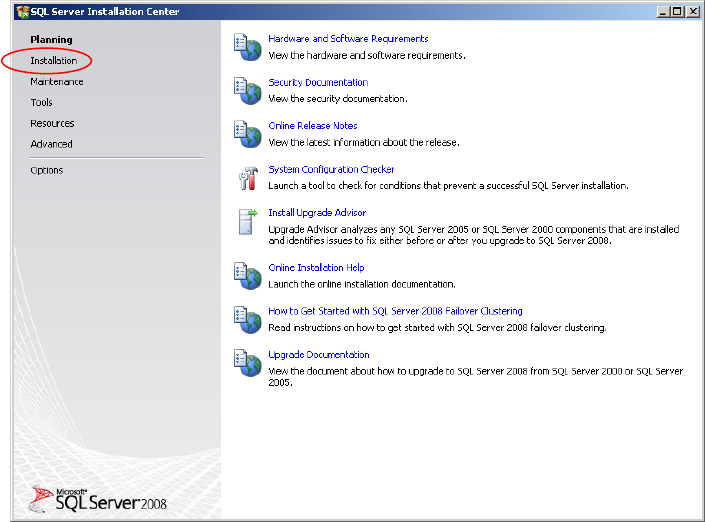
Installation of SQL 2008 Express 02/2011 Edition The window should look like this: Fig. 3-6: SQL Server Installation Center - Installation → Click on New SQL Server stand-alon e installation or add features to an existin…
Installation of SQL 2008 Express 02/2011 Edition
An Explorer Window appears.
→ Navigate to the following folder:
<DRIVE>:\TOOLS\SQL 2008\SQL2008EXPRED_WITH_TOOLS
→ Double-click the application SQLEXPRWT_X86_ENU.EXE in the folder.
After some seconds, the following dialog is displayed:
Fig. 3-5: SQL Server Installation Center - Planning
→ Click on Installation on the left side
11
Installation of SQL 2008 Express 02/2011 Edition
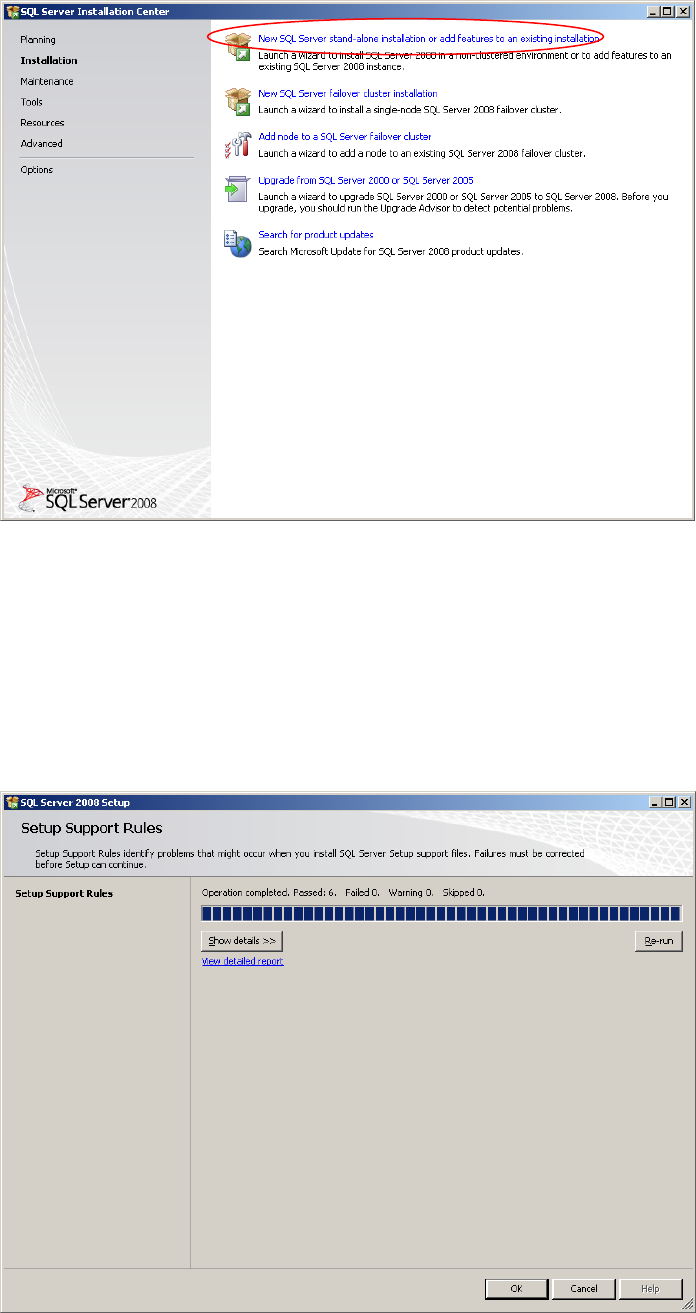
The window should look like this:
Fig. 3-6: SQL Server Installation Center - Installation
→ Click on New SQL Server stand-alone installation or add features to an existing
installation.
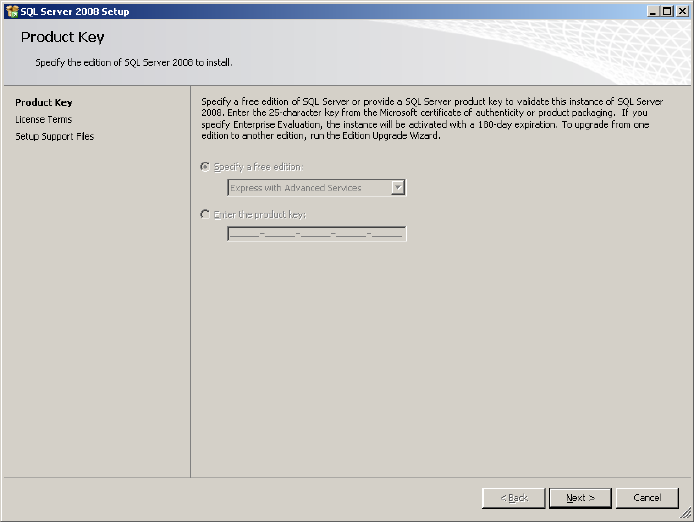
After some seconds, the following window will be displayed:
Fig. 3-7: SQL Server Setup Support Rules
12
Installation of SQL 2008 Express 02/2011 Edition
→ Click the button Show details >> to examine the rules and follow the rule instructions if
necessary.
→ Click OK to continue.
After some seconds, the following window will be displayed:
Fig. 3-8: SQL Server Setup Product Key
→ Click the Next > button to continue.
13