00196605_Install_SQLExpress2008_manual.pdf - 第14页
Installation of SQL 2008 Express 02/2011 Edition The following window will be displayed: Fig. 3-9: SQL Server Setup License Terms → Ensure the checkbox besides I accept the license terms is checked. → Click the Next >…
Installation of SQL 2008 Express 02/2011 Edition
→ Click the button Show details >> to examine the rules and follow the rule instructions if
necessary.
→ Click OK to continue.
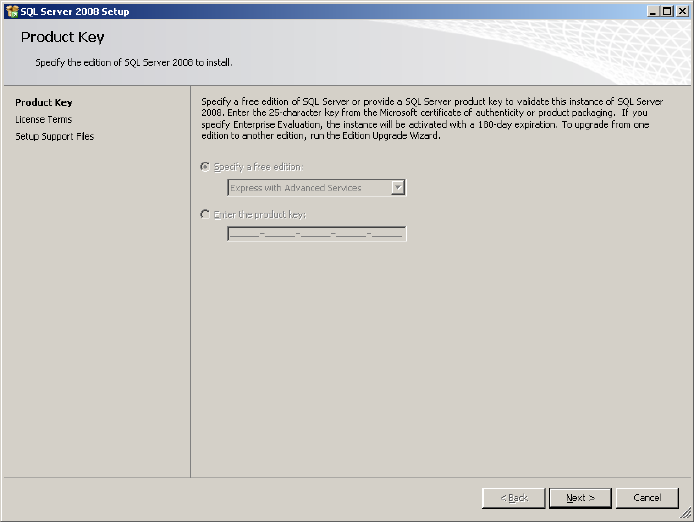
After some seconds, the following window will be displayed:
Fig. 3-8: SQL Server Setup Product Key
→ Click the Next > button to continue.
13
Installation of SQL 2008 Express 02/2011 Edition
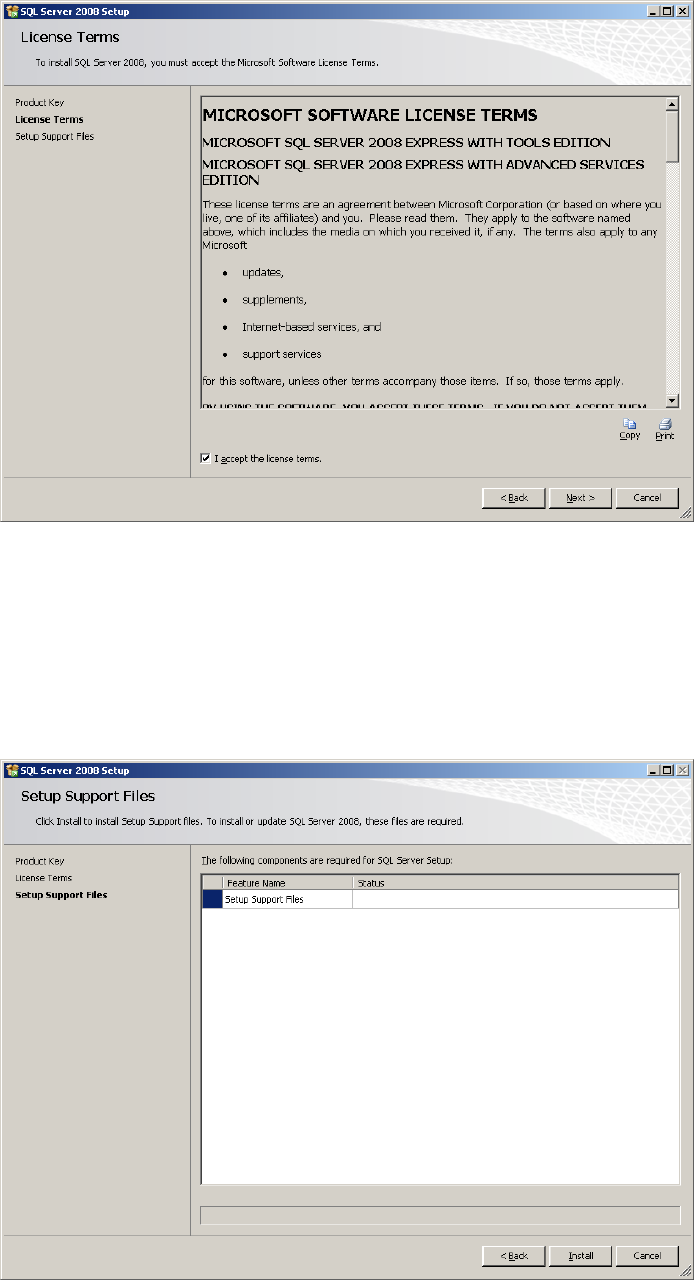
The following window will be displayed:
Fig. 3-9: SQL Server Setup License Terms
→ Ensure the checkbox besides I accept the license terms is checked.
→ Click the Next > button to continue.
The following window might be displayed:
Fig. 3-10: SQL Server Setup Support Files
→ Click the Install button to continue installing support files. This may take some seconds.
14
Installation of SQL 2008 Express 02/2011 Edition
The “Setup Support Rules” window reappears.
→ Click the Next > button to continue.
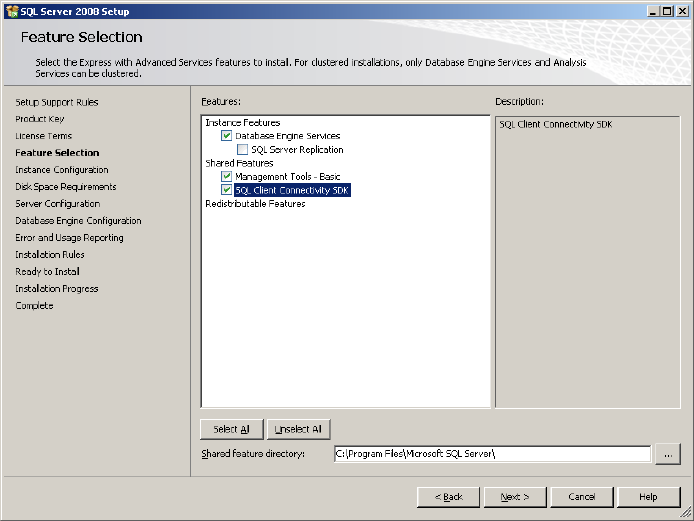
The feature selection window appears:
Fig. 3-11: SQL Server Setup Feature Selection
→ Ensure the following features being selected:
- Database Engine Services
- Management Tools – Basic
- SQL Client Connectivity SDK
→ Click the Next > button to continue.
The following window will be shown:
15