Cleaning SIPLACE Vision camera systems.pdf - 第13页
ASMP T GmbH & Co KG Rupert - Mayer - St raße 48 81379 Munich, Germany Subject to c hange without notice TI2024 - 03E09.doc 09.04.2025 Page 13 - 18 ENABLING THE DIGIT AL WORLD 4.7 Cleaning t he stati onary cam era SST…
ASMPT GmbH & Co KG
Rupert-Mayer-Straße 48
81379 Munich, Germany
Subject to change without notice
TI2024-03E09.doc
09.04.2025
Page 12 - 18
ENABLING THE DIGITAL WORLD
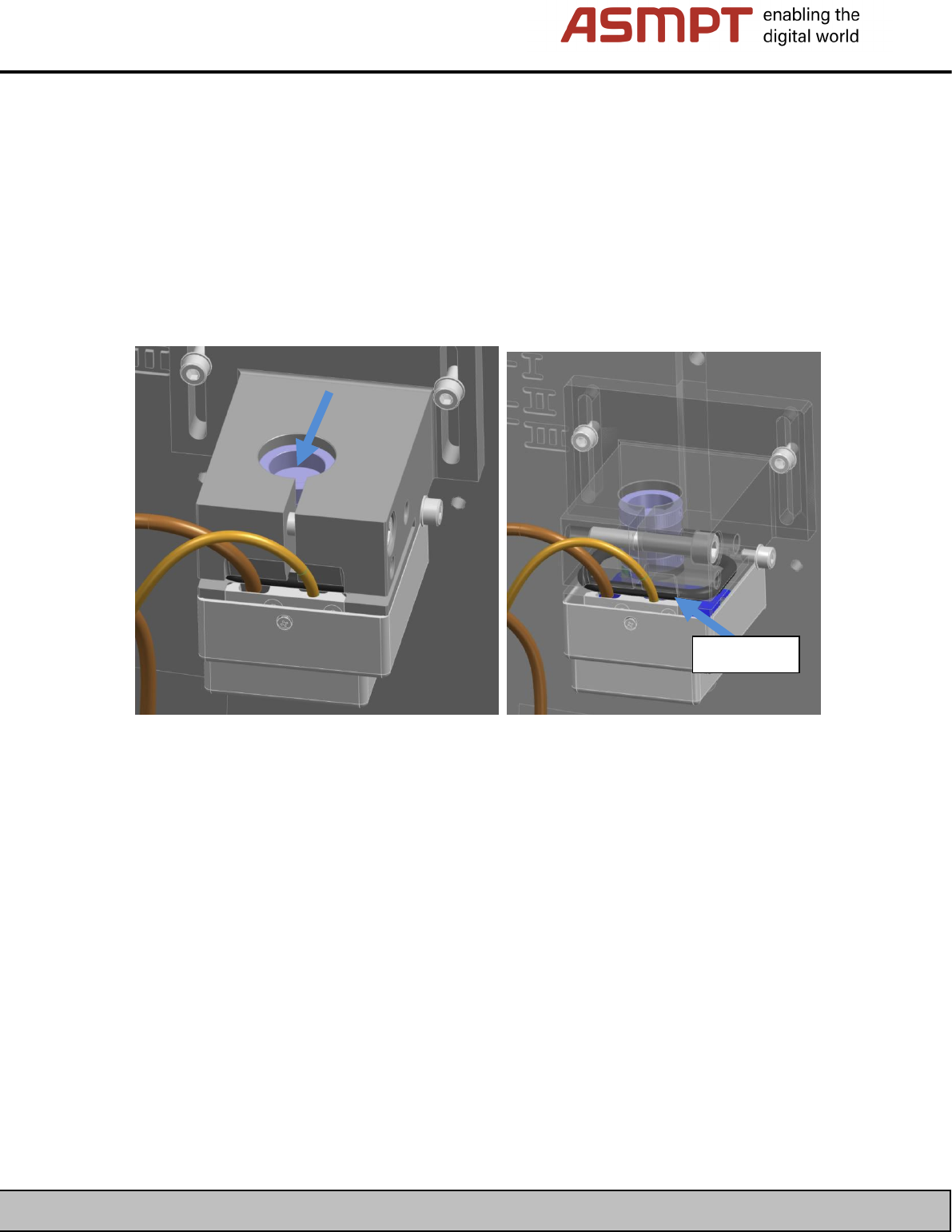
4.6 Cleaning the stationary cameras SST33G (03260419-xx) and SST53
The construction of the SST33G (03260419-xx) is basically identical to that of the above-mentioned
types of stationary camera.
The splitting mirror can be cleaned as described above for the SST33.
In this case, the area between the lens assembly and the camera is also sealed.
The camera must not be released from the lens assembly and the sealing must not be removed.
You can clean the lens of the optics module from the top.
Sealing
ASMPT GmbH & Co KG
Rupert-Mayer-Straße 48
81379 Munich, Germany
Subject to change without notice
TI2024-03E09.doc
09.04.2025
Page 13 - 18
ENABLING THE DIGITAL WORLD
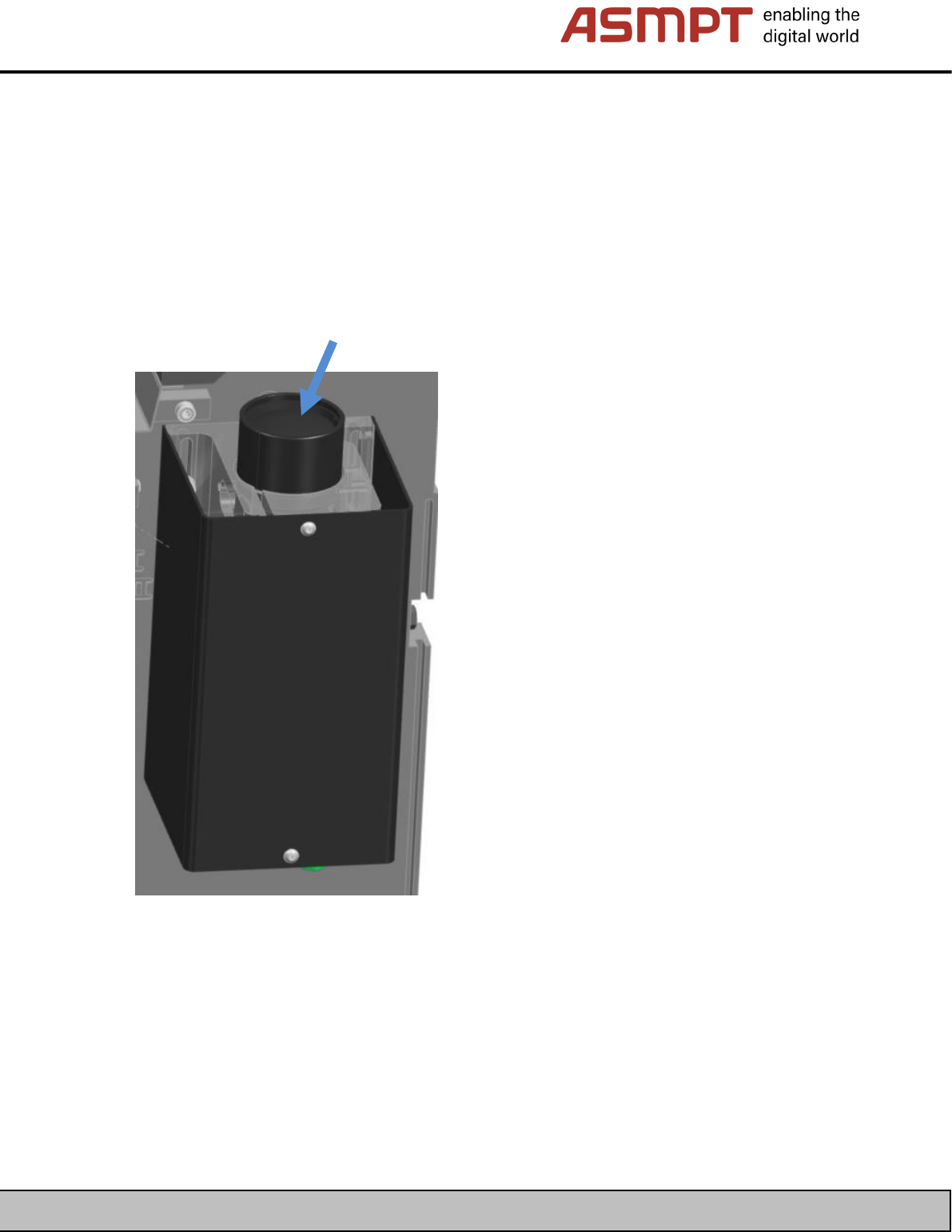
4.7 Cleaning the stationary camera SST56
The construction of the SST56G (03271606-xx) is basically identical to that of the above-mentioned
types of stationary camera.
The splitting mirror can be cleaned as described above for the SST33.
The area of the camera with the lens assembly is covered by a protective shield which also seals the
area against contamination.
You can clean the lens of the optics module from the top.
ASMPT GmbH & Co KG
Rupert-Mayer-Straße 48
81379 Munich, Germany
Subject to change without notice
TI2024-03E09.doc
09.04.2025
Page 14 - 18
ENABLING THE DIGITAL WORLD
4.8 Cleaning the cameras SST34 / SST34G (board cameras)
Simple cleaning:
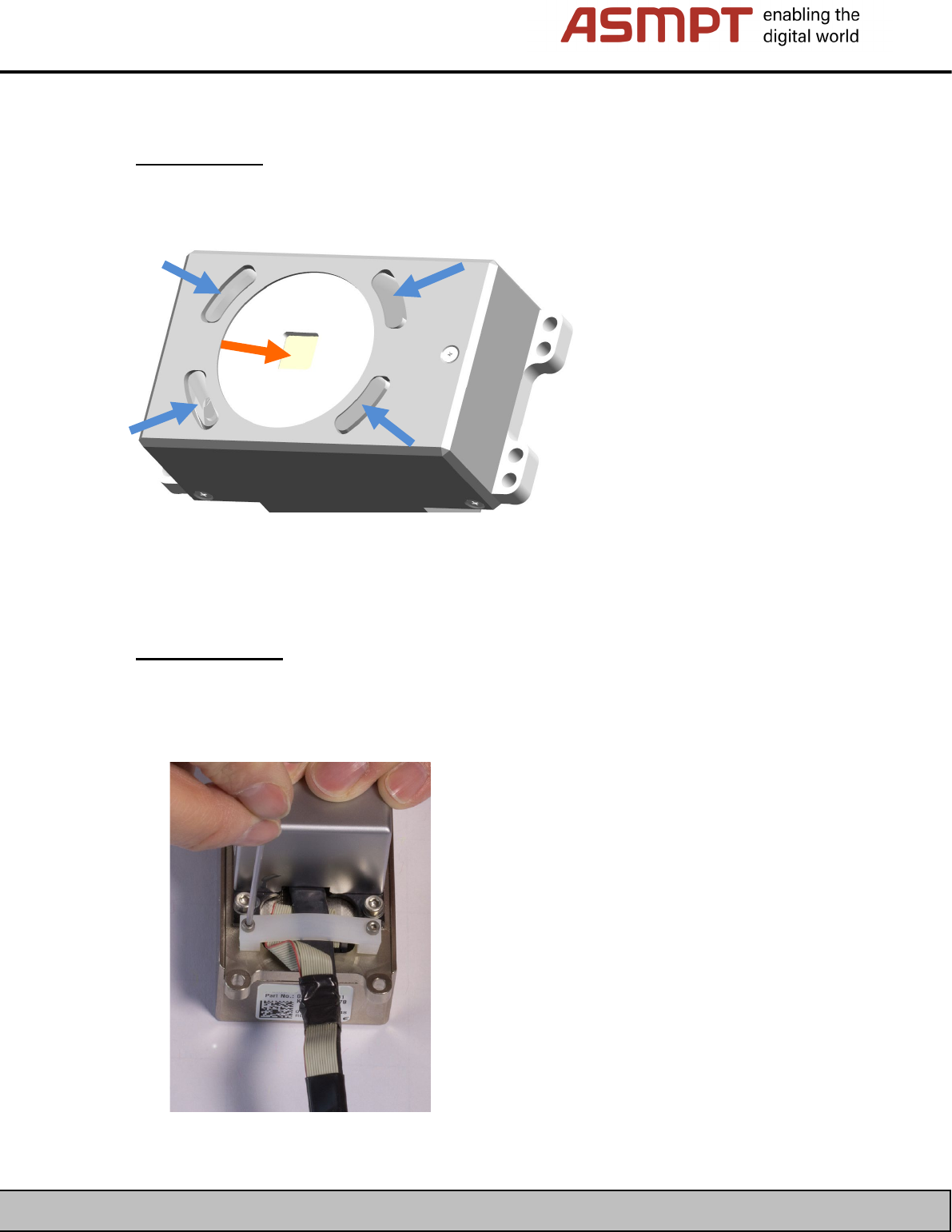
Simple cleaning of the board camera involves cleaning the optical system from the outside without
removing the housing.
Clean the optical system (orange arrow) and the fiber-optic cable (blue arrow) using the appropriate
tools.
Complete cleaning:
To perform complete cleaning of the board camera, it is necessary to remove the housing and the
illumination board.
• First, remove the cable’s strain relief clamp.