1022330_6 Edison Safety 3 Dec 2015.pdf - 第4页
SAFETY (EDISO N) Working Environment 4 Safety (Edison) Good Housekeeping Good housekeeping and a continuou s clean ing schedule is impo rtant for safe and reliable system operation. Use only approv ed cleaning solvent s …
. . . . .
SAFETY (EDISON)
Working Environment
1022330_6 3
Section A:
. . . . . . . . . . . . . . . . . . . . . . . . . . . . . . . . . . .
General Safety Precautions
Working Environment
Introduction A safe working environment not only minimizes the possibility of injury, but also
reduces the likelihood of equipment damage. The following general precautions apply
to all personnel present in an area where equipment is operating. Other specific
precautions are listed throughout this document.
Safety Lockout
Tagout Procedures
A suitable Lock-Out Tag-Out procedure should be established and adhered to by all
service and maintenance personnel.
Fire Extinguisher Keep an approved fire extinguisher near the printer at all times. Familiarize all
personnel with the operation and use of the fire extinguisher.
Flammables Never store flammable materials on or around the printer.
Chemical
Precautions
Follow all manufacturers’ instructions when handling dispense materials, cleaning
agents and lubricants. All chemical manufacturers provide Safety Data Sheets (SDS)
which contain instructions for safe material use and disposal. If in doubt about any
safety notices, contact the manufacturer for clarification.
Chemical Hazard
Do not mix incompatible chemical materials anywhere in the printer. Refer to SDS
sheets for all materials that may interact.
Clothing Wear appropriate apparel. Do not wear loose clothing or jewelry which can become
entangled in exposed moving parts such as a conveyor.
Protective Apparel Always wear appropriate safety apparel. Safety glasses should be worn at all times.
Protective gloves are required when handling solder paste (and other print mediums),
cleaning agents and lubricants.
Documentation
Reference
Retain copies of this documentation for reference and new personnel training.
SAFETY (EDISON)
Working Environment
4 Safety (Edison)
Good Housekeeping Good housekeeping and a continuous cleaning schedule is important for safe and
reliable system operation. Use only approved cleaning solvents. Contact Speedline for
a current list of approved solvents.
Printer Relocation Disconnect all air supply and electrical power connections before attempting to move
the printer.
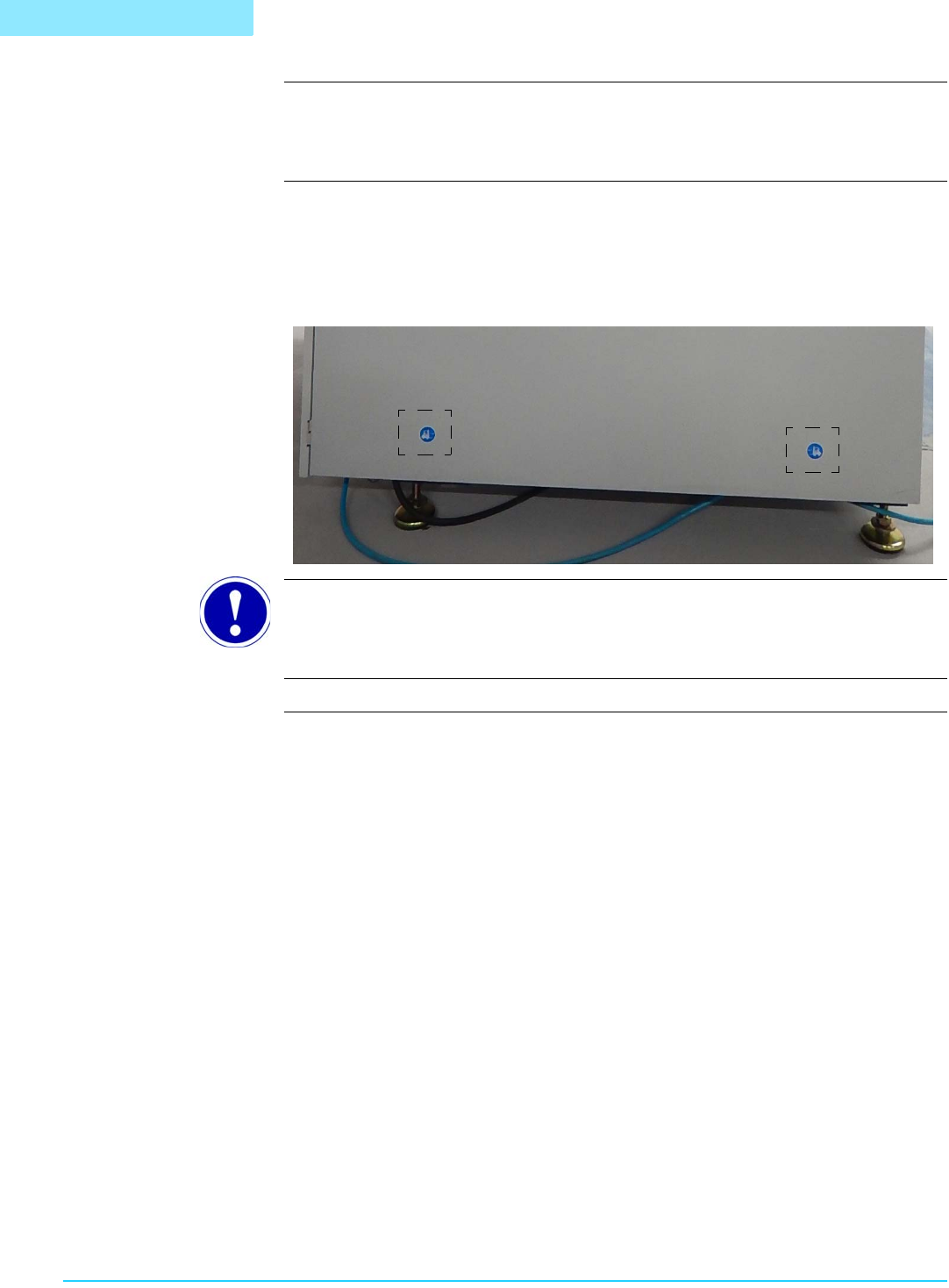
Lift and move the system using equipment with adequate weight capacity, and only at
designated lift points. Check the printer for labels indicating safe lift points:
ATTENTION
These labels are located on both the left and right sides of the printer.
. . . . .
SAFETY (EDISON)
Operating Precautions
1022330_6 5
Operating Precautions
Safe Operation Do not operate the printer unless it is properly installed and is functioning normally.
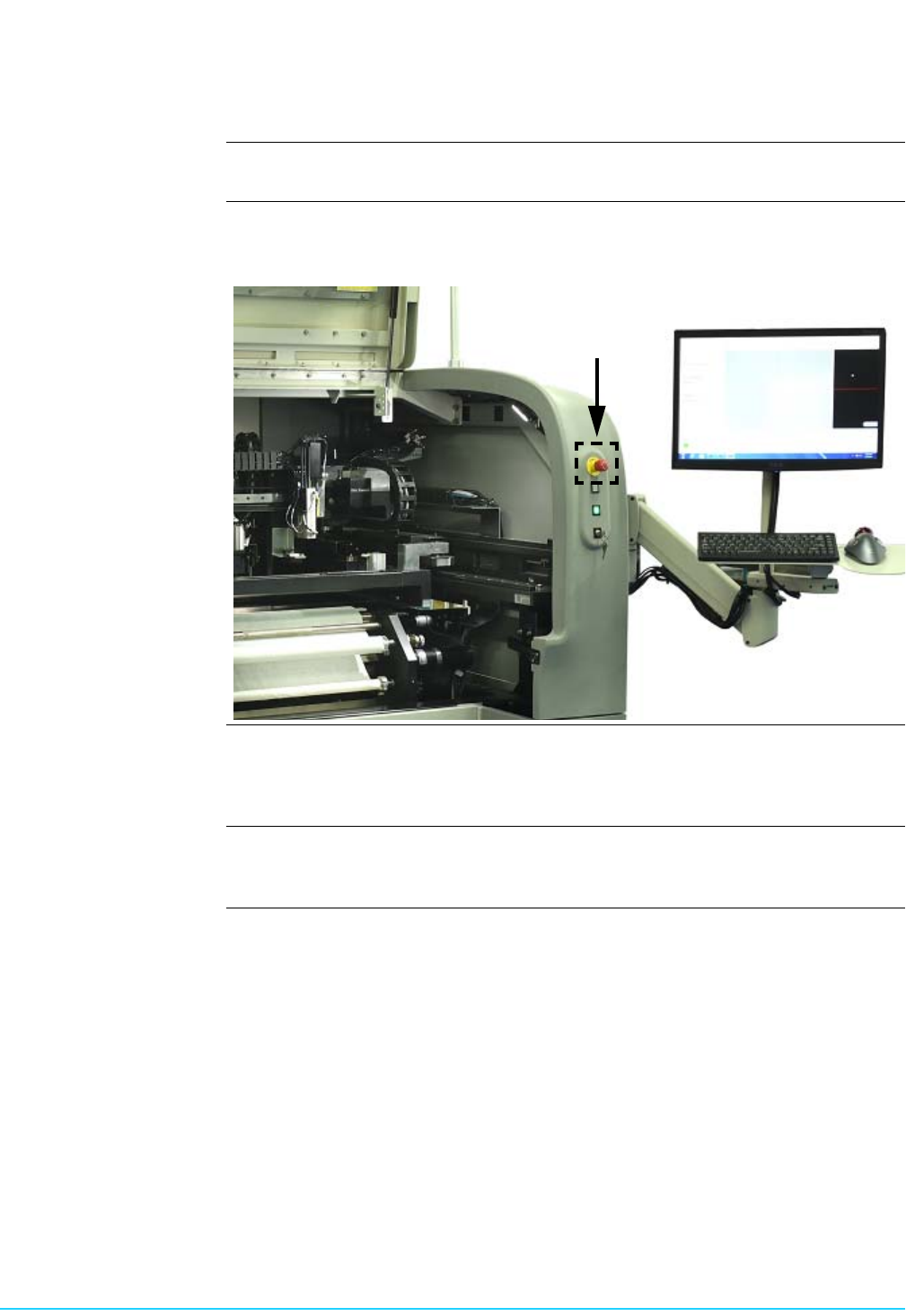
Printer Malfunction Never reach into the printer while it is operating. Should a malfunction occur, press the
red Emergency Stop switch located at the front right of the printer.
Safety Interlocks The system is equipped with safety interlocks which prohibit all movement within the
printer when the front hood is opened. Do not attempt to operate the system with
doors open or attempt to defeat the interlocks.
Compressed Air Compressed air should never be used to clean or dry printer components. Dirt and/or
debris may become dislodged under pressure causing injury to skin or eyes.