00196824_Install_SQL2008R2Server_manual.pdf - 第27页
Installation of SQL Server 2008 R2 02/2011 Edition Note: Maximum worker threads value: Unlike t he SQL Server 2000 setting whi ch was “255”, this value is set to zero by default which causes SQL Server 2008 to automatica…
Installation of SQL Server 2008 R2 02/2011 Edition
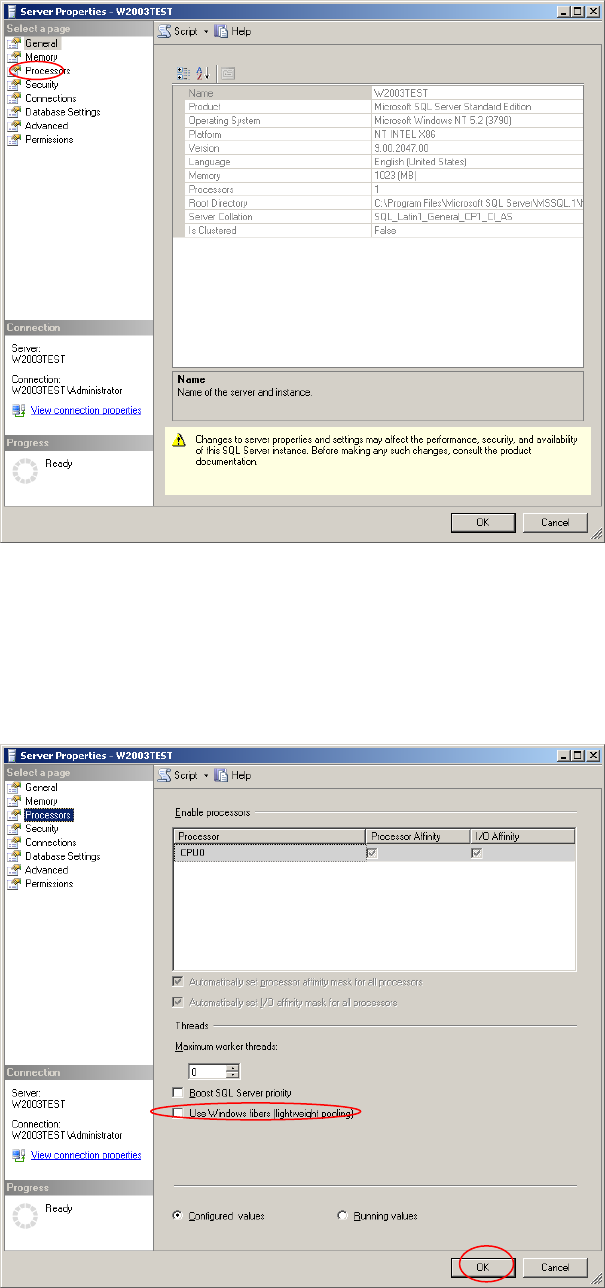
The following dialog is displayed:
Fig. 3-30: Server connection properties - General
→ Select the processors option- page on the left side
The following dialog is displayed:
Fig. 3-31: Server connection properties - General
26

Installation of SQL Server 2008 R2 02/2011 Edition
Note:
Maximum worker threads value: Unlike the SQL Server 2000 setting which was “255”, this
value is set to zero by default which causes SQL Server 2008 to automatically configure this
value at startup.
→ Ensure “Use Windows fibers (lightweight pooling)” is not selected.
→ Click the OK button.
3.3.2 Optional Settings
Proxy account setting
After installation you may enable the proxy server account option, needed for some SIPLACE products,
like SIPLACE Explorer.
This setting is needed when you have to use an account with permissions other than the configured SQL
service account for executing specific tasks. A more detailed description can be found in the Microsoft
Knowledge Base:
http://support.microsoft.com/?id=kb;en-us;890775
→ Click Start – Programs – Microsoft SQL Server 2008 R2 – SQL Server Management
Studio
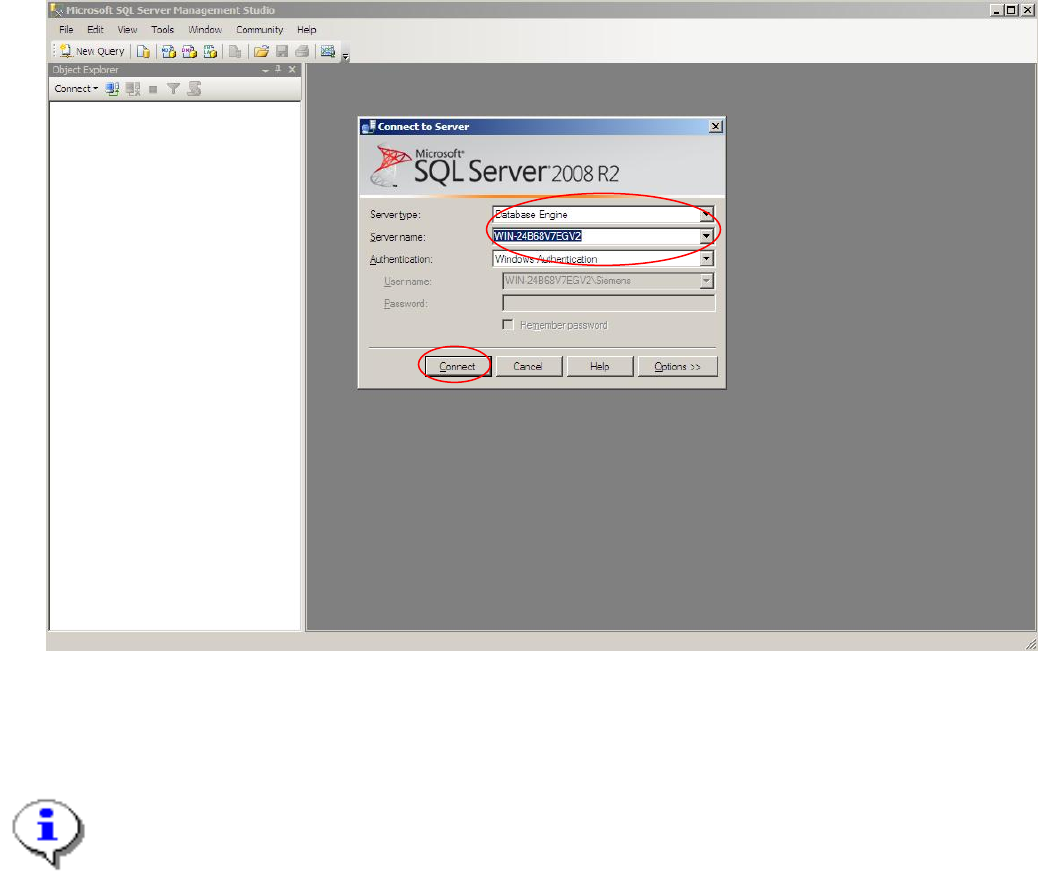
The following dialog is displayed:
27
Installation of SQL Server 2008 R2 02/2011 Edition
Fig. Fig. 3-32: SQL Server Enterprise Manager
→ Select your Server- and Instance name and specify the Windows Authentication.
→ Click the Connect button.
Note:
On Windows Vista and newer Operating Systems, connecting using Windows Authentication
may fail due to SQL Management Studio not started with full administrative permissions.
To avoid this problem, either use SQL Server Authentication with user “sa” (and the password
you specified during setup) or right- click on the SQL Management Studio link in the start menu
and select “Run as administrator” to start SQL Management Studio with full permissions
allowing you to login using Windows Authentication.
28